Automatically analyzes your code changes and suggests a clear, professional commit name (Bug Fix, Feature, Refactor, Docs, Tests) when you manually trigger it using Alt+C or from the Tools menu, using an external backend API.
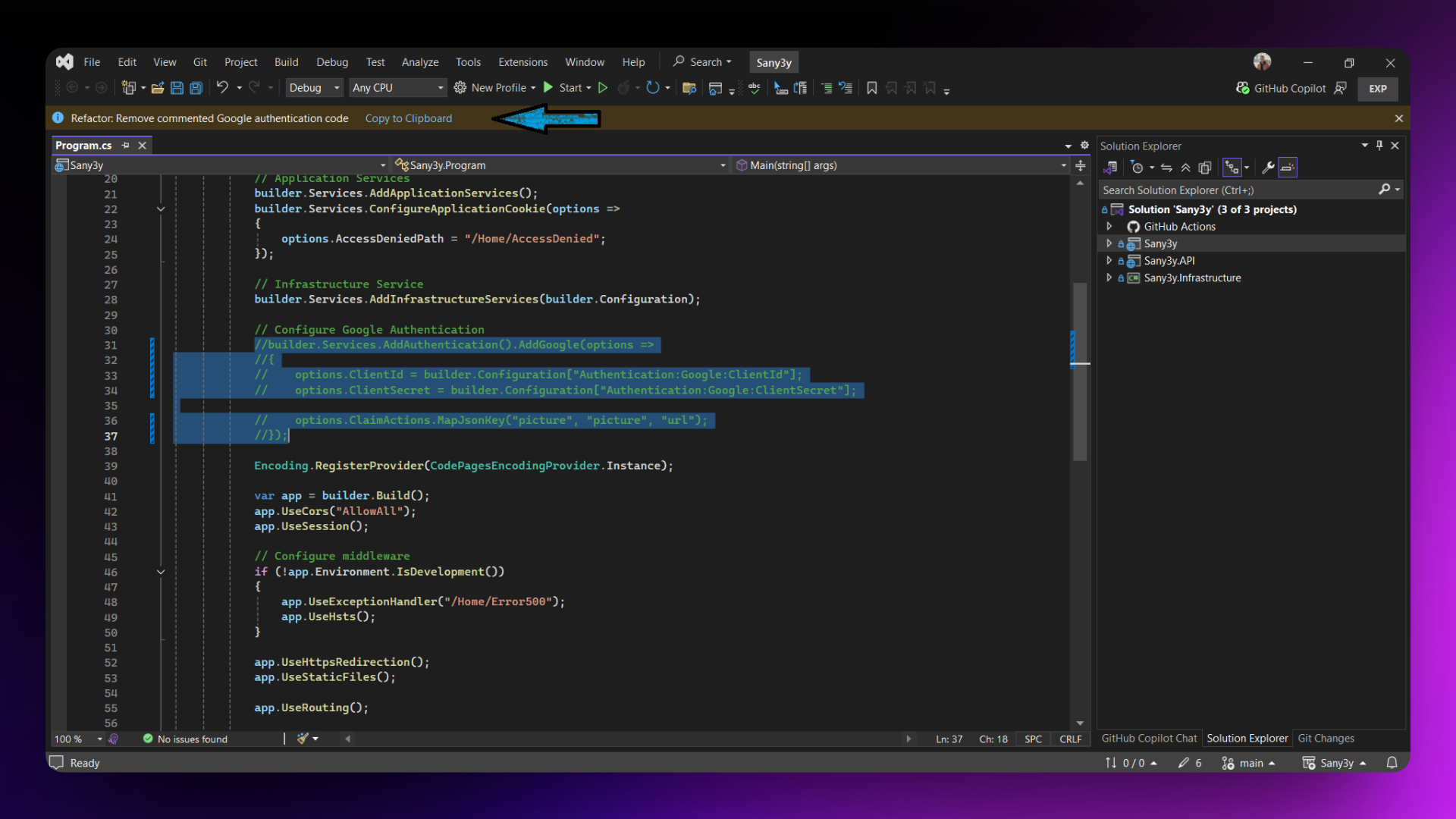 Manual commit generation notification
Features
Manual Intent Detection
- Analyzes all git repository changes (staged, unstaged, and untracked) on demand
- Triggered by keyboard shortcut
Alt+C or Tools → CommiTect - Generate Commit Message (with Git commit icon)
- Predicts commit type: Bug Fix, Feature, Refactor, Risky Commit, or Documentation
- Copy commit message directly to clipboard via InfoBar notification
Smart & Controlled
- Default keyboard shortcut
Alt+C for quick access
- No automatic analysis on file save - full user control
- Skips binary files and ignored directories (node_modules, bin, obj, .vs, etc.)
- Works only in git repositories with changes
- Status bar shows progress during analysis
Requirements
- Visual Studio 2022 (version 17.0 or higher)
- .NET Framework 4.7.2 or higher
- Git repository
- Backend API endpoint running (configurable)
How to Use
Quick Start:
- Open a Git repository in Visual Studio
- Make your code changes
- Press
Alt+C (or go to Tools → CommiTect - Generate Commit Message)
- View the suggested commit message in the InfoBar notification
- Click "Copy to Clipboard" to use the message
Keyboard Shortcut:
- Default:
Alt+C (pre-configured)
- Customize: Tools → Options → Environment → Keyboard → Search for "CommiTect.GenerateCommitMessage"
Configuration
Configure via Tools → Options → CommiTect → General:
- Enabled - Enable/disable the extension (default:
true)
- API URL - Backend API endpoint (default:
http://commitintentdetector.runasp.net/api/Commit/analyze)
- Timeout (ms) - API request timeout (default:
30000)
- Show Status Bar - Show status bar indicator during analysis (default:
true)
- Allow Insecure SSL - Allow self-signed certificates for development (default:
false)
Troubleshooting
Command not appearing in Tools menu?
- Make sure the extension is installed correctly
- Restart Visual Studio
- Try resetting the experimental instance:
devenv /ResetSettings Exp
Keyboard shortcut not working?
- Check if another extension is using
Alt+C
- Verify in Tools → Options → Environment → Keyboard
- Reassign the shortcut if needed
"No solution is open" message?
- Open a solution or project in Visual Studio
- The extension requires a solution to determine the git repository location
"Not a Git repository" message?
- Initialize git in your solution directory:
git init
- Or open a solution that's already in a git repository
"No changes detected" message?
- Make sure you have modified, added, or created files
- The extension analyzes all changes (not just saved files)
No InfoBar notification appearing?
- Check the Output window (View → Output → Show output from: CommiTect)
- Verify extension is enabled in Tools → Options → CommiTect
- Try restarting Visual Studio
API connection failed?
- Verify the backend service is running
- Check API URL in Tools → Options → CommiTect
- Test the endpoint manually with Postman or curl
- Check your firewall settings
Changes too large error?
- The maximum diff size is 5MB
- Consider committing changes in smaller batches
- Large binary files are automatically excluded
Known Limitations
- Works only in git repositories
- Requires a running backend API
- Binary files are excluded from analysis
- Large diffs (>5MB) are skipped
- Maximum analysis timeout: 30 seconds (configurable)
- Files in ignored directories (node_modules, bin, obj, .vs, etc.) are excluded
Support
License
MIT License – see LICENSE file for details
Enjoy better commit messages in Visual Studio! 🚀

