Display real-time stock prices, change percentages, and P/L information directly in the Visual Studio.实时显示股价、涨跌幅、持仓信息(自己添加)。
Support customizable refresh intervals; information updates dynamically without switching windows. 支持显示分时图、K线图,MACD曲线图等。
Red for gains, green for losses...
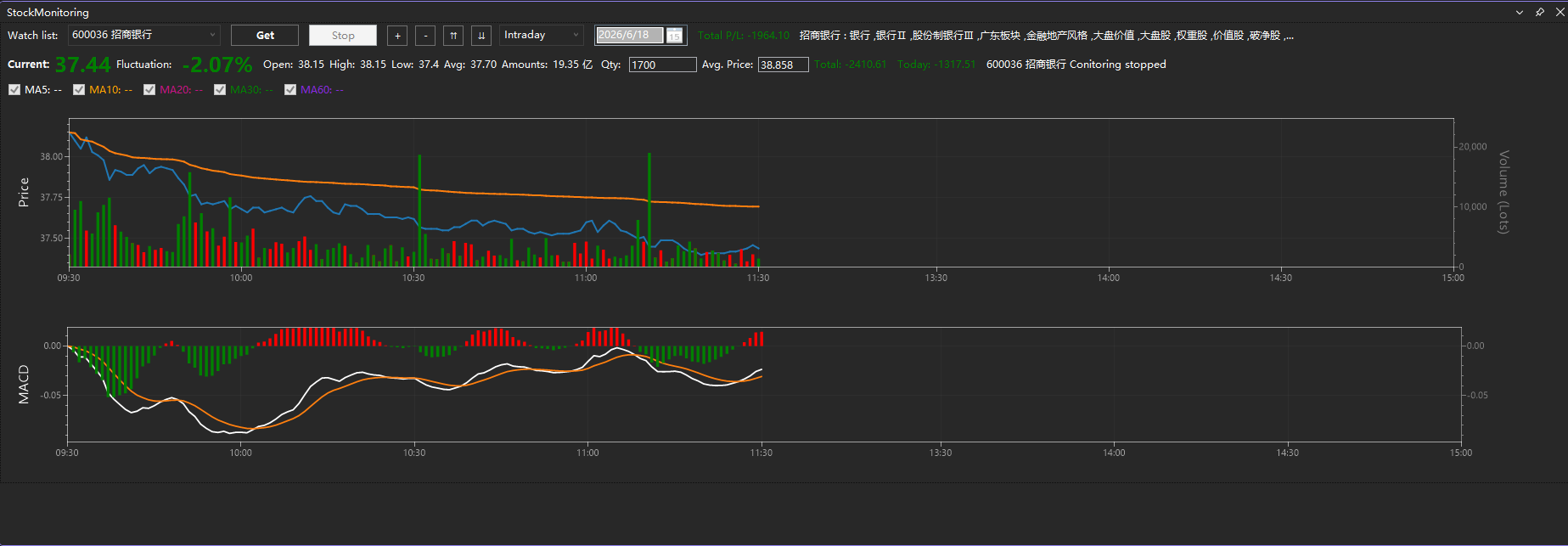
Displays real-time stock price, trading volume, percentage change, MACD indicator, profit/loss information, as well as industry and concept/theme data. All information is updated dynamically.
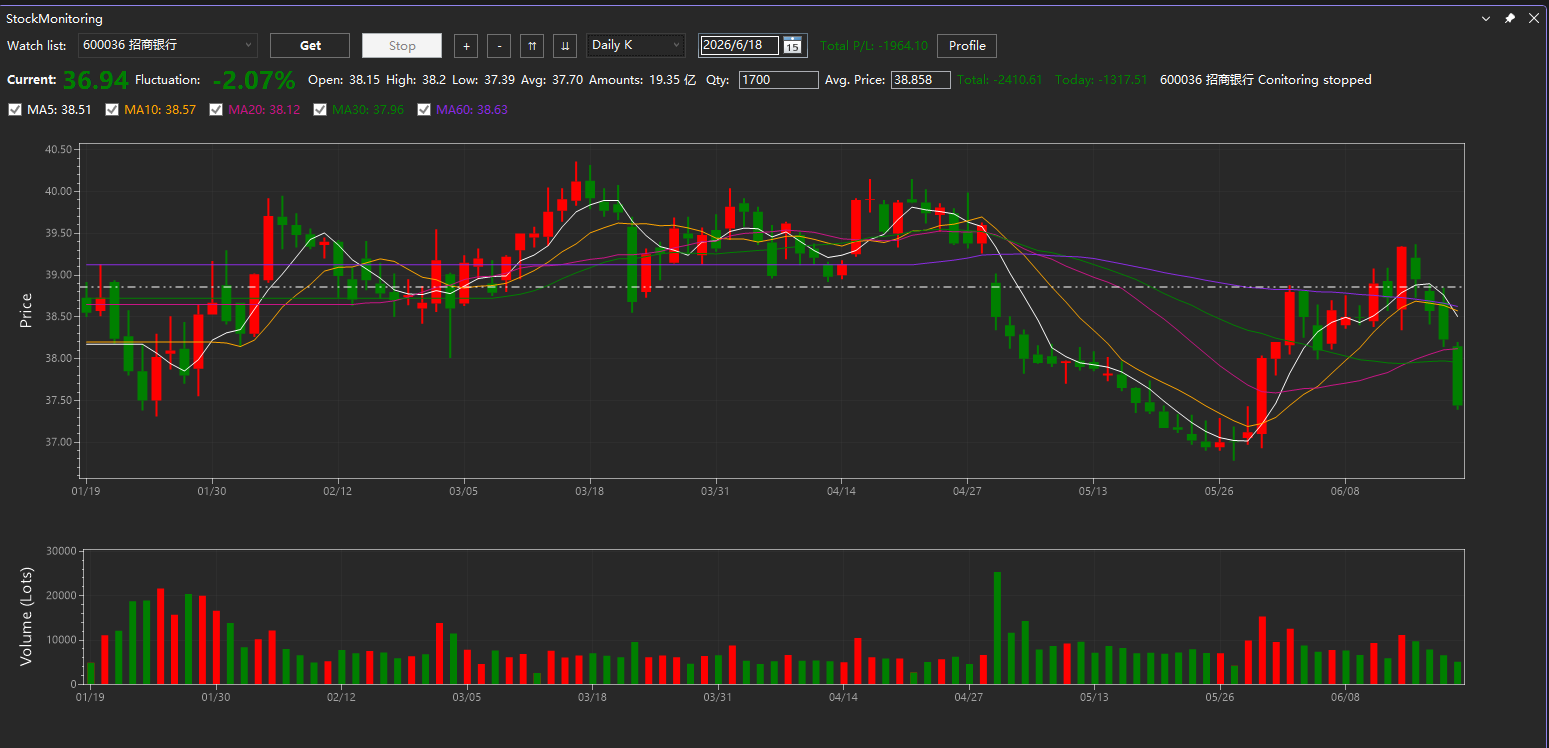
Supports switching between Daily, Weekly, Monthly, Quarterly, and Yearly K-line (candlestick) charts, as well as 1-minute, 5-minute, 15-minute, 30-minute, and 60-minute charts.
Candlestick charts support 5-day, 10-day, 20-day, 30-day, and 60-day moving averages (MA).
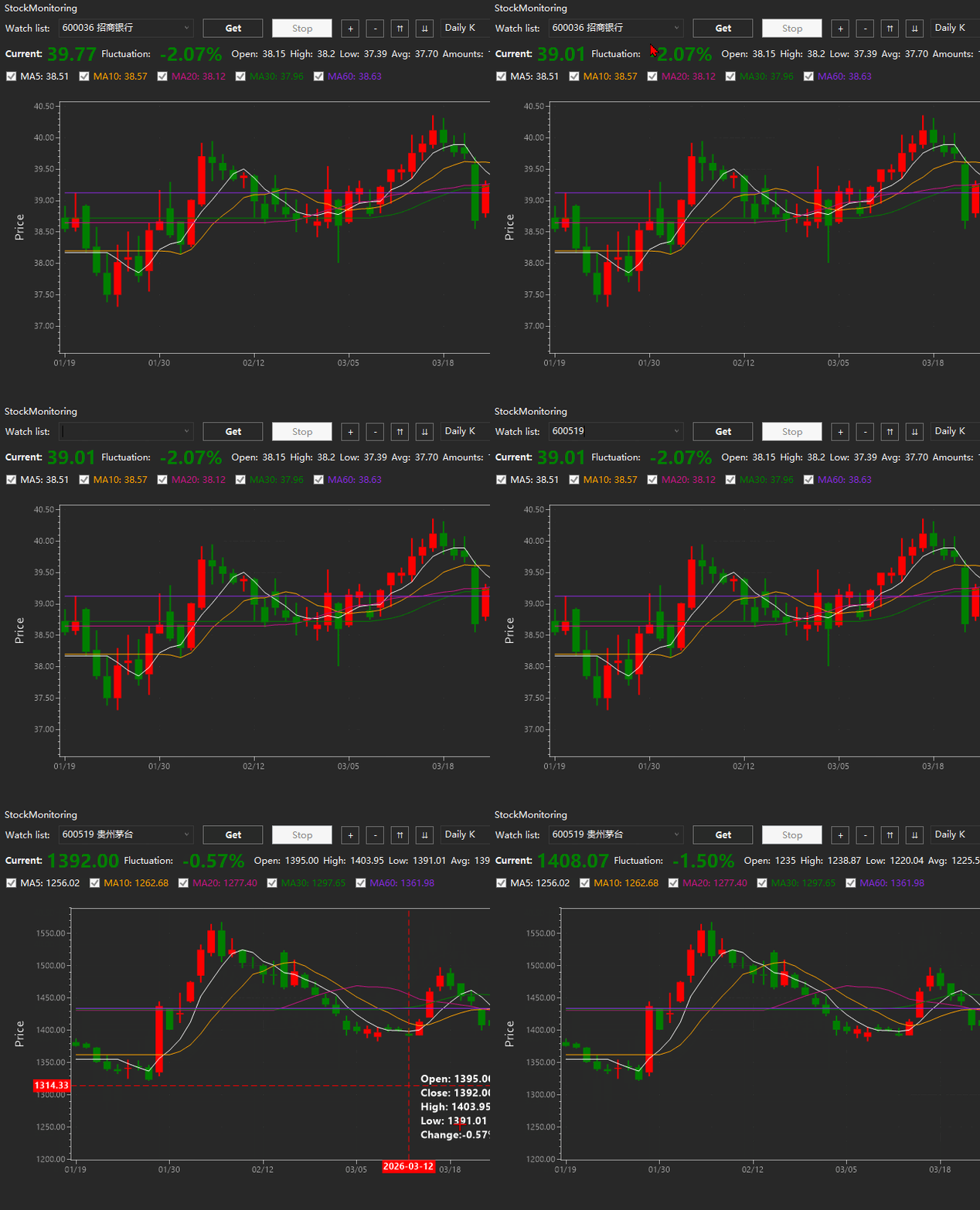
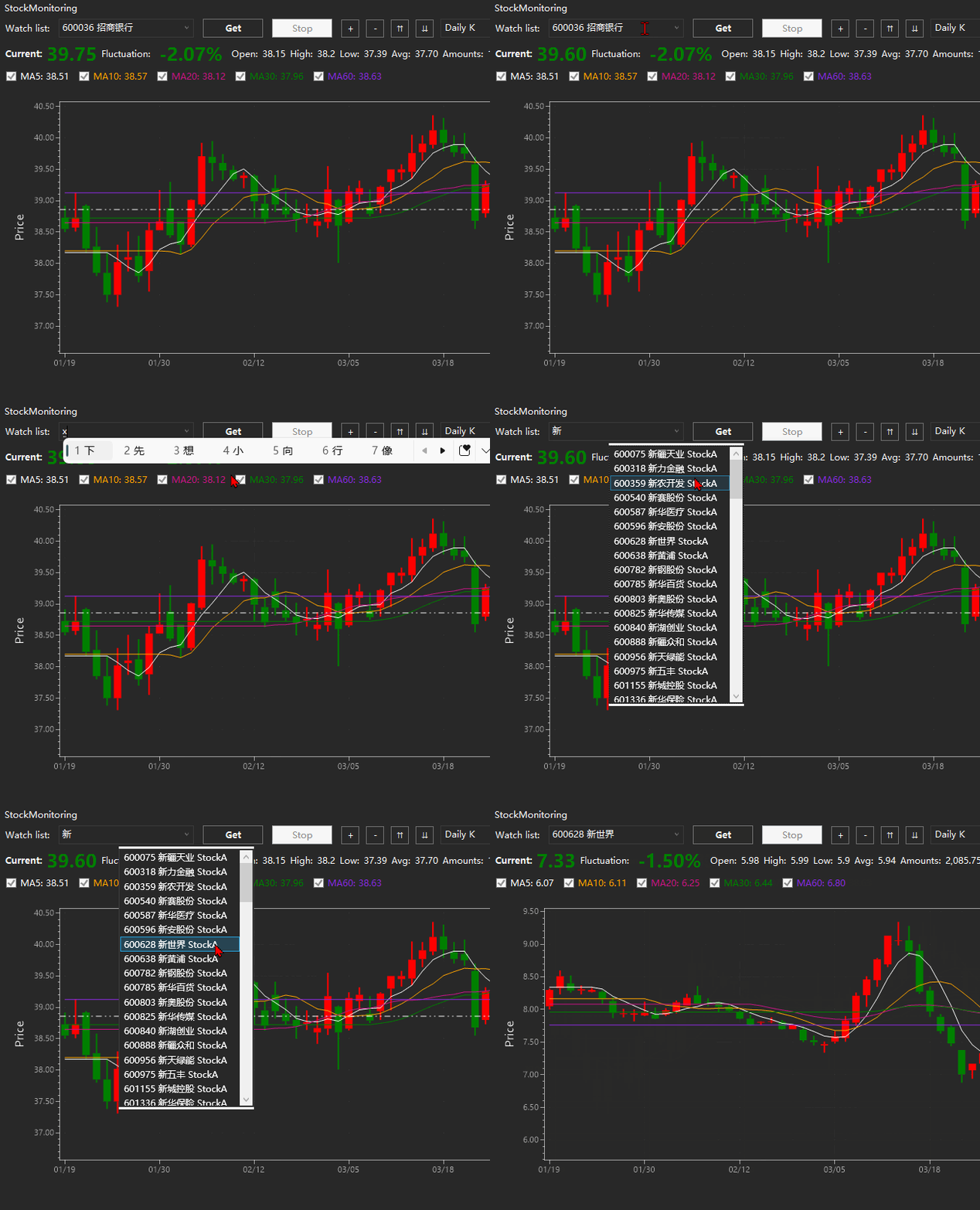
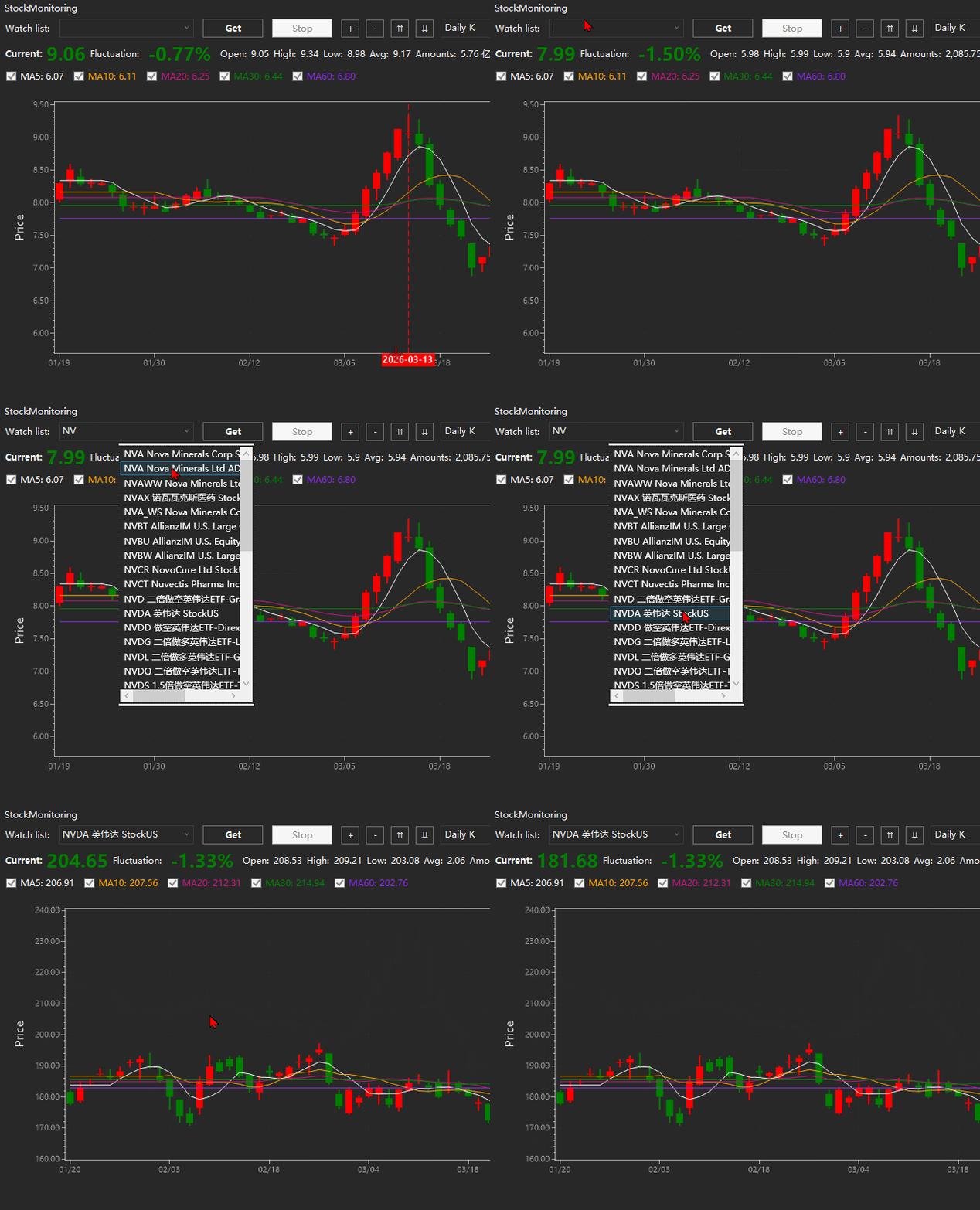
Stocks can be searched directly by ticker symbol. Fuzzy search by stock name is also supported.
Enter your position size (shares held) and average cost price to automatically calculate real-time profit and loss. The values are saved automatically, but must be updated manually after trades.
Red indicates a price increase, while green indicates a price decrease.
When the main window is hidden, the current stock's price change information is displayed in the status bar at the bottom-left corner.
When the tool window is closed, the status bar information is automatically cleared to keep the interface clean.
Primarily designed for the China A-share market. Hong Kong and U.S. stocks are also supported, although the available data may be less comprehensive than for A-shares.
实时显示股票价格、成交量、涨跌幅、MACD曲线、盈亏信息以及板块和题材,信息动态更新。
可自由切换日K、周K、月K、季K、年K图,以及1分钟、5分钟、15分钟、30分钟、60分钟K线图。
K线图支持显示5日、10日、20日、30日、60日均线。
可输入股票代码直接搜索,已可输入股票名称模糊搜索。
输入持仓数(单位:股)和成本价,会自动计算当前盈亏,并自动保存,但如果有交易需手动更改。
红色表示上涨,绿色表示下跌。
界面不显示时,左下角状态栏自动显示当前股票涨跌信息。
工具窗口关闭时自动清除状态栏信息,保持界面简洁。
主要显示A股市场数据,也可显示港股和美股,但不如A股完整。
Notes:
Compatible with Visual Studio 2019 (Community / Professional / Enterprise). Future versions will add more configurable features, such as custom colors and stock list management.
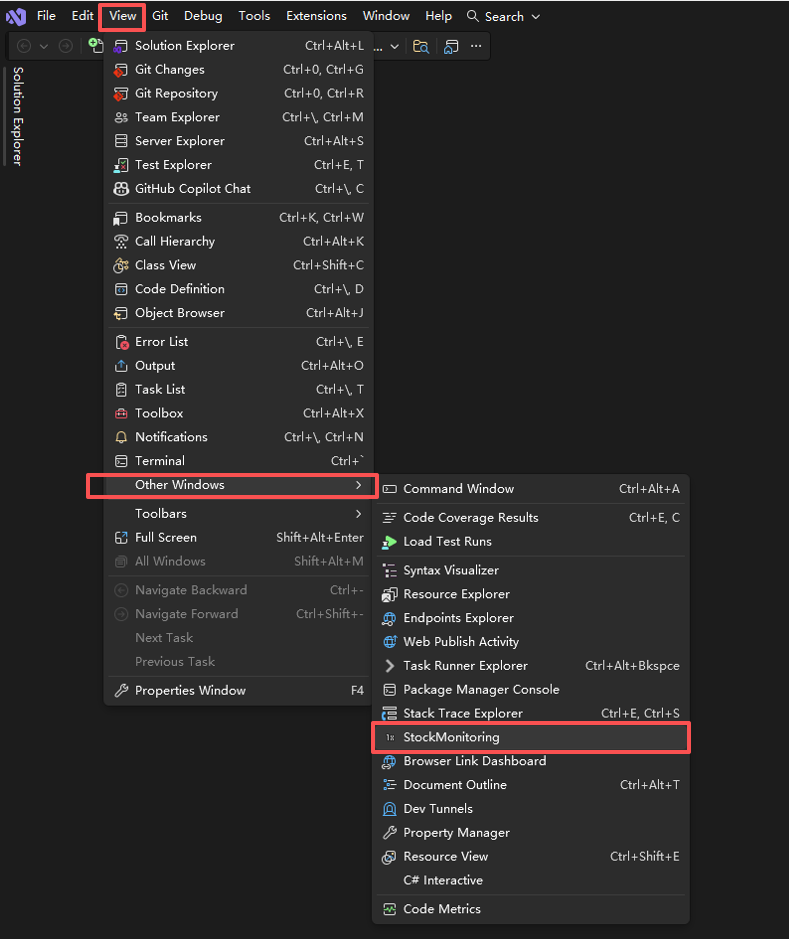
Open the page:
Time-sharing chart:
Day-K chart:
Enter the stock code for a direct search, or enter the stock name for a fuzzy search: