Extensibility MarginShows relevant information about the current file and language to extensibility authors |

Extensibility Margin
A focused utility for Visual Studio extension authors. Extensibility Margin adds live diagnostics to the editor status row so you can inspect editor state at the caret without writing temporary debug UI. Download this extension from the Marketplace or get the CI build. The margin sits immediately to the left of Visual Studio's built-in line/column information in the editor status row and is designed for people building editor features. Why extension authors use it
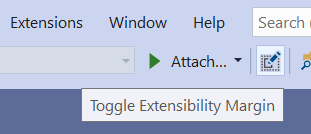
If you work with MEF editor components, taggers, classifiers, or command handlers, this gives immediate feedback directly in the editor. Toggle on/offToggle the margin visibility on/off using Toggle Extensibility Margin on the Standard toolbar. Your choice is remembered across Visual Studio sessions. New profiles start with the margin hidden.
Editor status marginShows two compact, regular-weight values: content type and classification. Long names are shortened visually with an ellipsis; hover to see the full details. Text view roles are included in the content-type tooltip instead of taking up space in the row. Encoding and selection information are provided by Visual Studio itself.
Content typeShows the content type of the source buffer at the caret position, including in projection editors. The tooltip groups unique base types and text view roles into explained sections. View and document types appear only when they differ from the type at the caret. Click to copy the full inheritance details. Useful when troubleshooting content type mismatches in providers and listeners. ClassificationDisplays the primary classification at the caret. Hover to see all overlapping classification types returned by the editor and their full inheritance hierarchies. Copy diagnosticsClick either value to copy content types, text view roles, and classification details to the clipboard. A brief Lightweight updatesCaret and classification updates are coalesced, and classification/tag changes away from the caret are ignored. Background notifications are bounded; large bursts collapse into one full refresh instead of retaining an unlimited queue of snapshots. Classifier services are initialized only when needed and released while the margin or editor tab is hidden. Projection-buffer and content-type changes invalidate cached diagnostics. Typical workflows
InstallationInstall from the Marketplace or use the latest CI build. License |