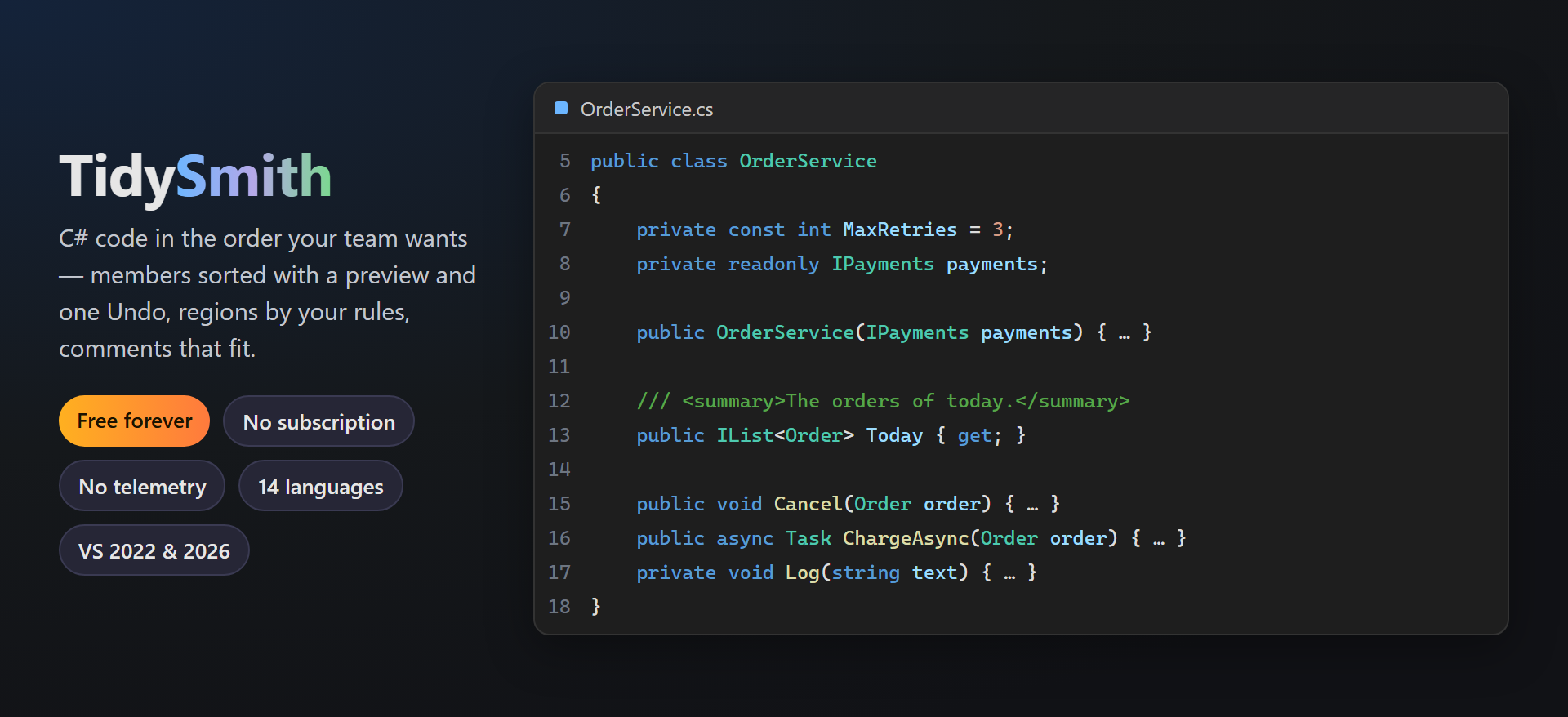
TidySmithC# code put in order the way your team wants it: members sorted and grouped with a preview and one Undo, regions by your rules, comments wrapped to your line length, tidy on save, a structure window with method size and complexity, and hints in the editor (gray dots and Ctrl+.... |

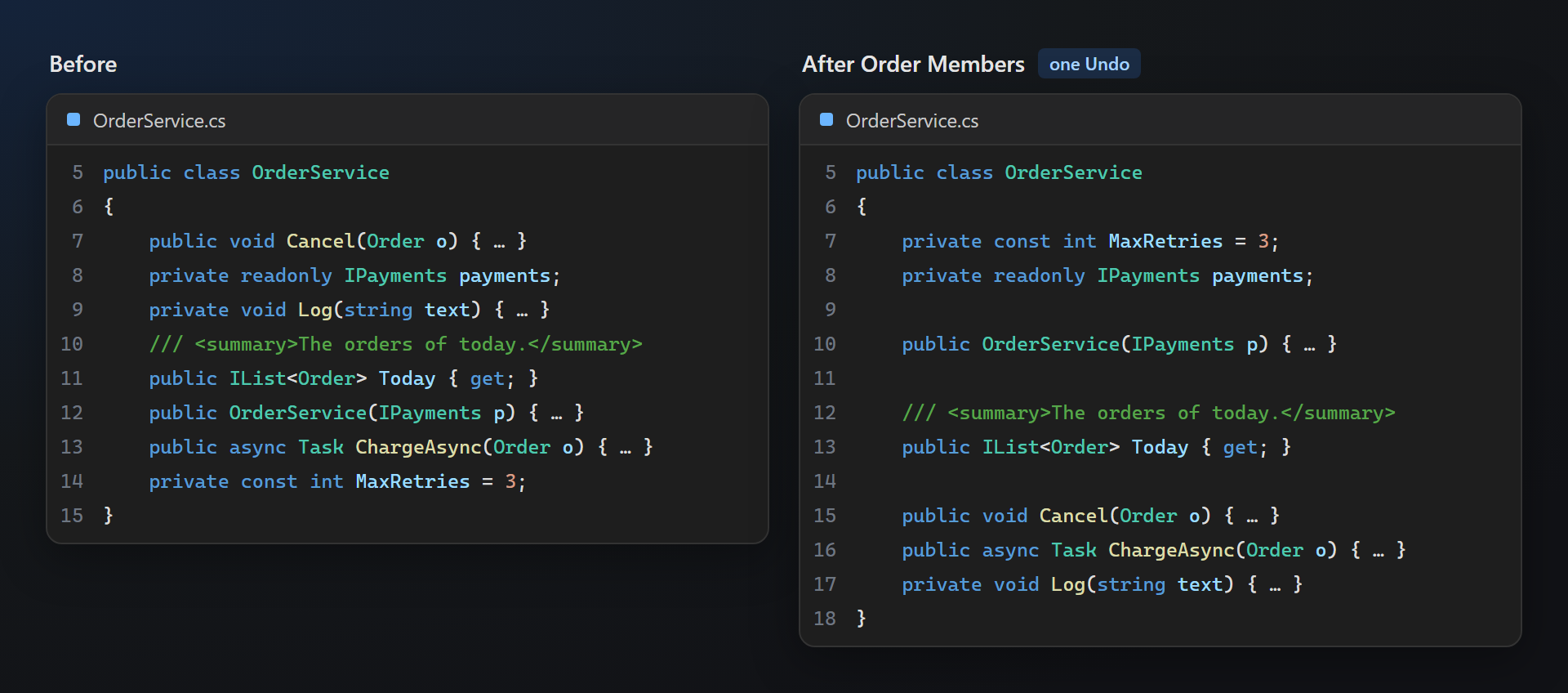
TidySmith — C# code in the order your team wantsTidySmith orders the members of your classes with a preview and one Undo, puts regions where your rules say, wraps comments to your line length, can tidy every file on save — and marks with gray dots where something can be tidied, with the fix one Ctrl+. away. A free successor to CodeMaid, built on Roslyn. Free. Forever. No subscriptions, no trial, no "pro" version, no nag screens, no data collection, no messages at startup. 📖 Documentation · Visual Studio 2022 and 2026 · x64 and ARM64 · UI in 14 languages Order members — safelyEdit › TidySmith › Order Members… (or right-click in the editor, or on files, folders and projects in Solution Explorer) sorts members by kind, access, static and name — in the order set on the options page or in
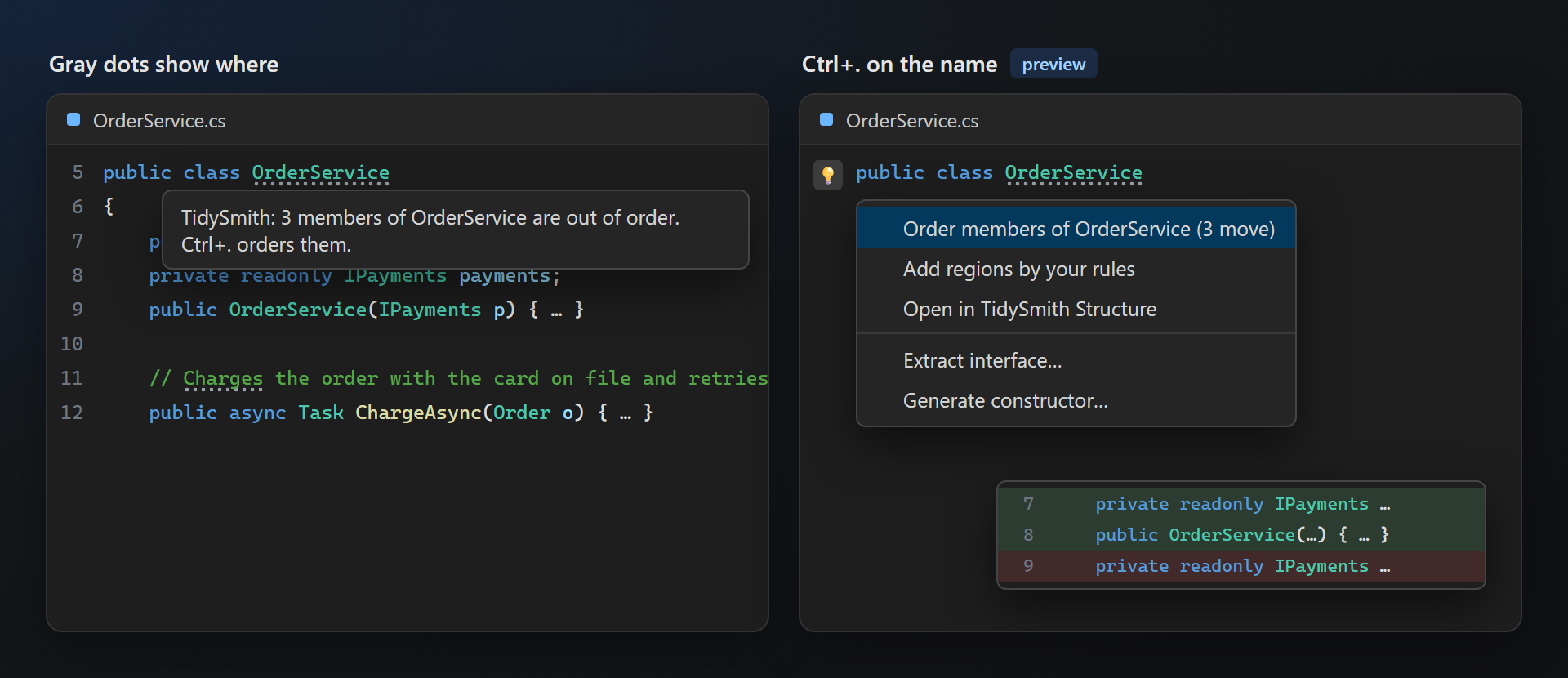
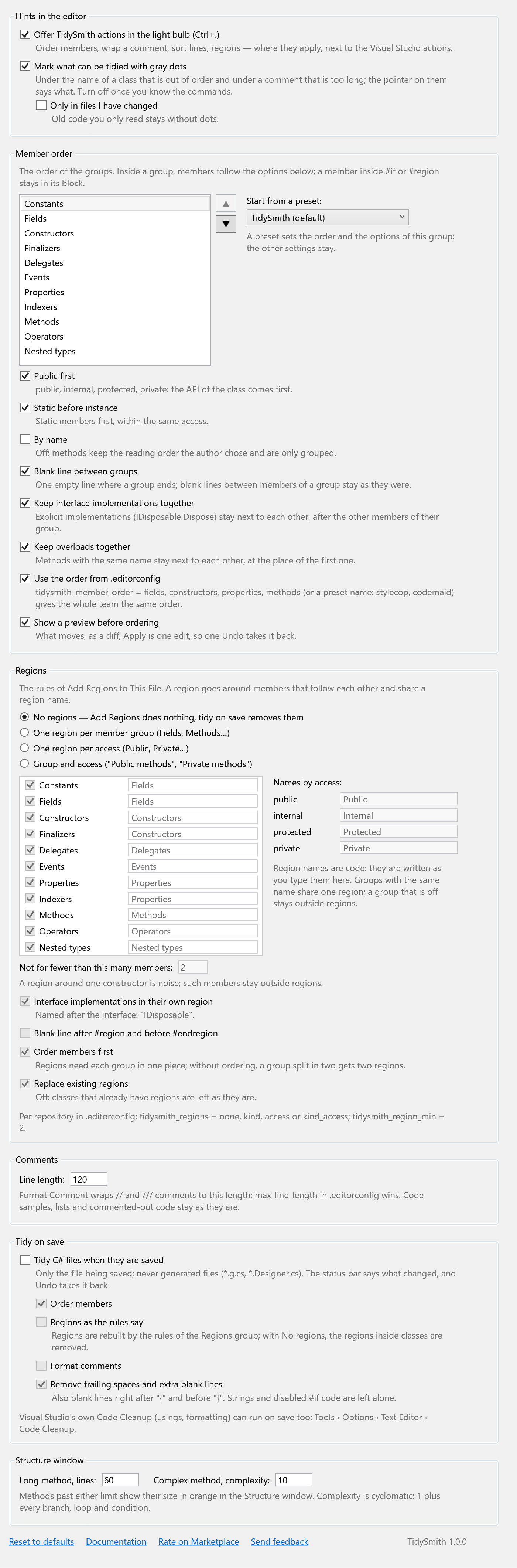
Members move with their comments, documentation and attributes; Hints where something can be tidiedGray dots under a class that is out of order, a comment that is too long or regions that differ from your rules — the way Visual Studio marks its own suggestions. Ctrl+. offers the fix next to the Visual Studio actions, with a preview. Both can be turned off once you know the commands.
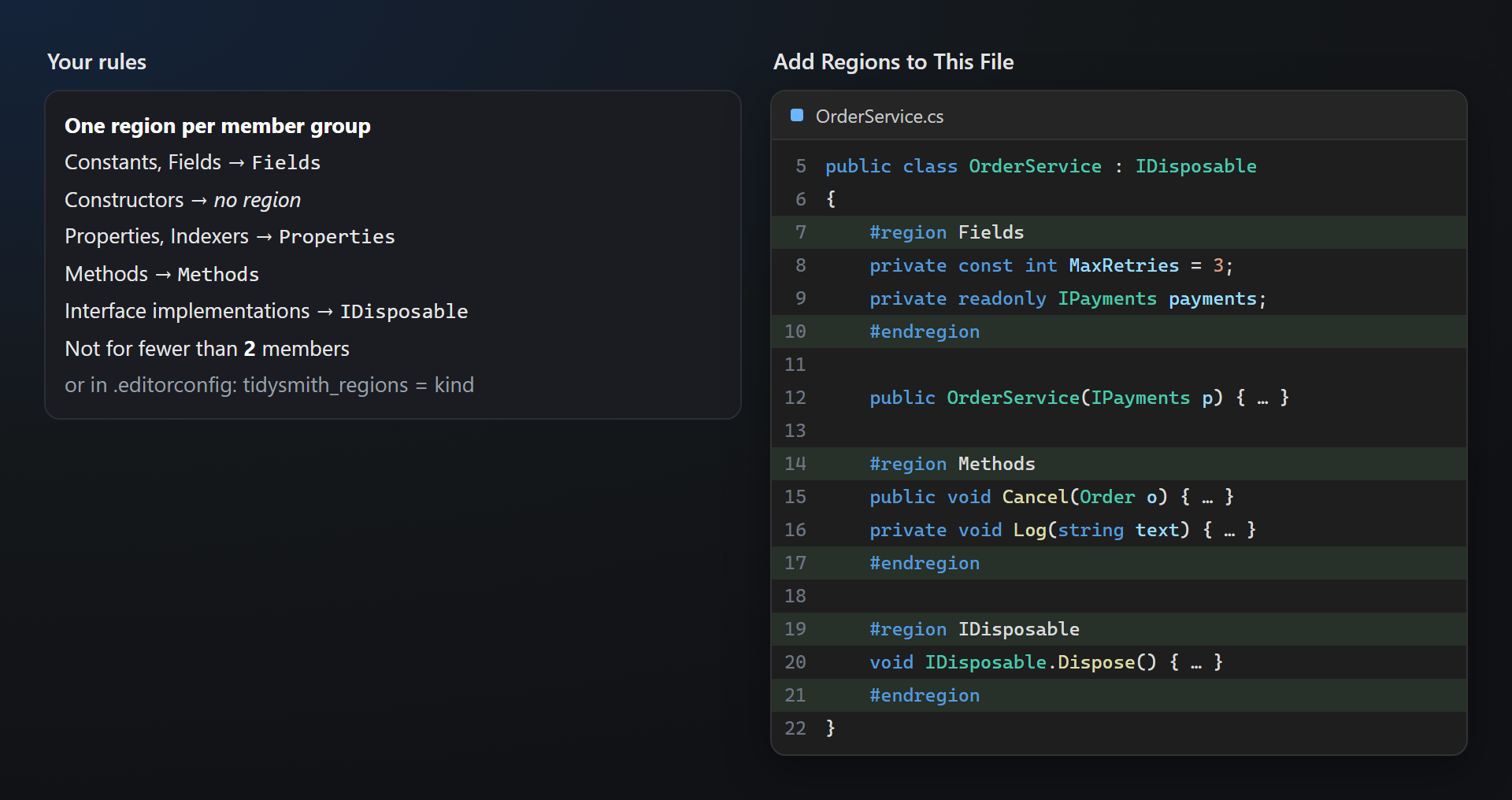
Regions by your rulesOne region per member group, per access, or both — with your own region names, a minimum size, interface implementations in their own region. Add Regions to This File rebuilds them any time. Regions are a team decision, so the default is no regions at all.
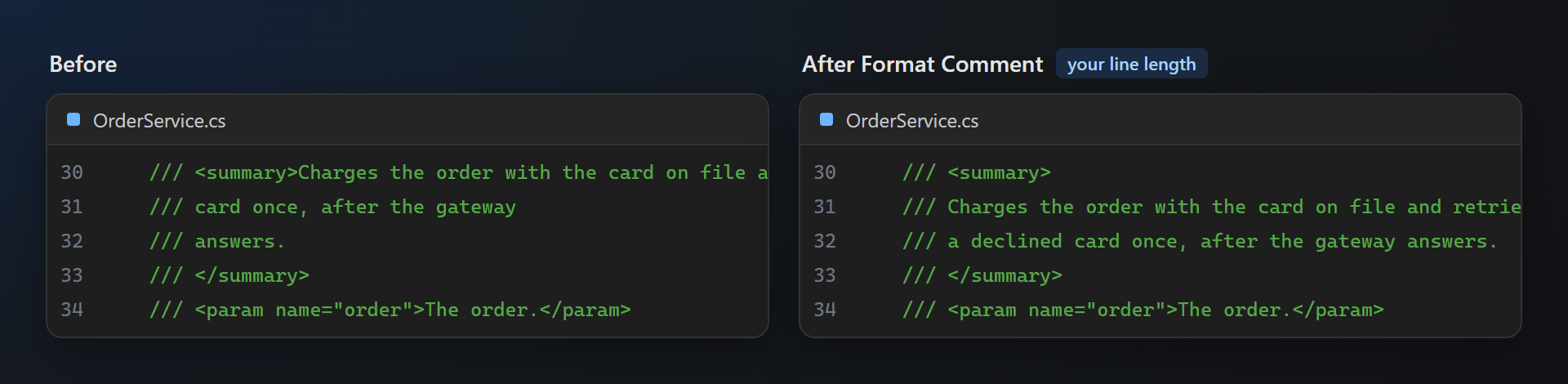
Comments that fitFormat Comment wraps
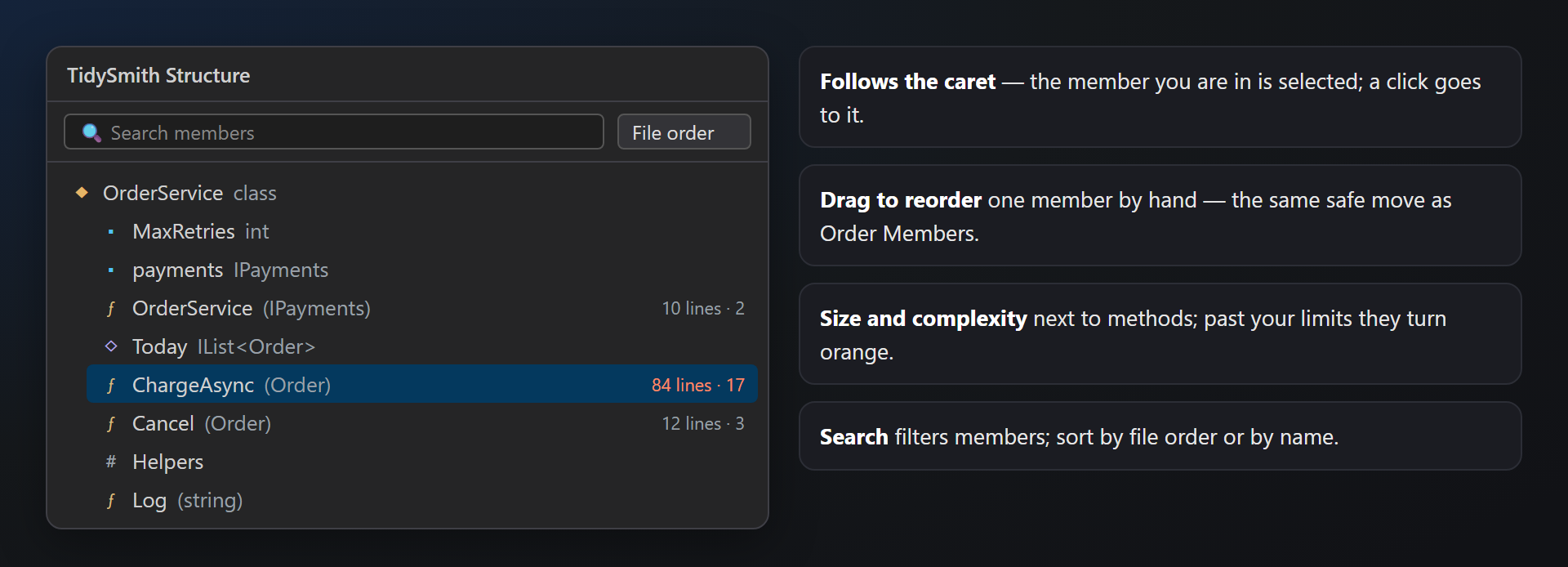
Structure window and tidy on saveView › Other Windows › TidySmith Structure lists the members of the file, follows the caret, moves a member by drag and drop, and shows the length and complexity of methods — orange past your limits. Tidy on save runs the steps you choose when a C# file is saved (off by default).
Small helpersSwitch File ( SettingsTools → Options → SmithWorks → TidySmith. Every feature can be turned off, every option has a description;
Questions or ideas? Use the Q & A tab on this page or the Feedback repository. Full documentation: lazowskianton.github.io/VSExtensions/tidysmith. |