RegexSmithRegular expressions explained and tested right in the C# editor: hover a pattern for a plain-language breakdown with its groups in color and sample strings, get warned about patterns that can hang on long input, and try your own samples in a tester that writes the pattern back... |

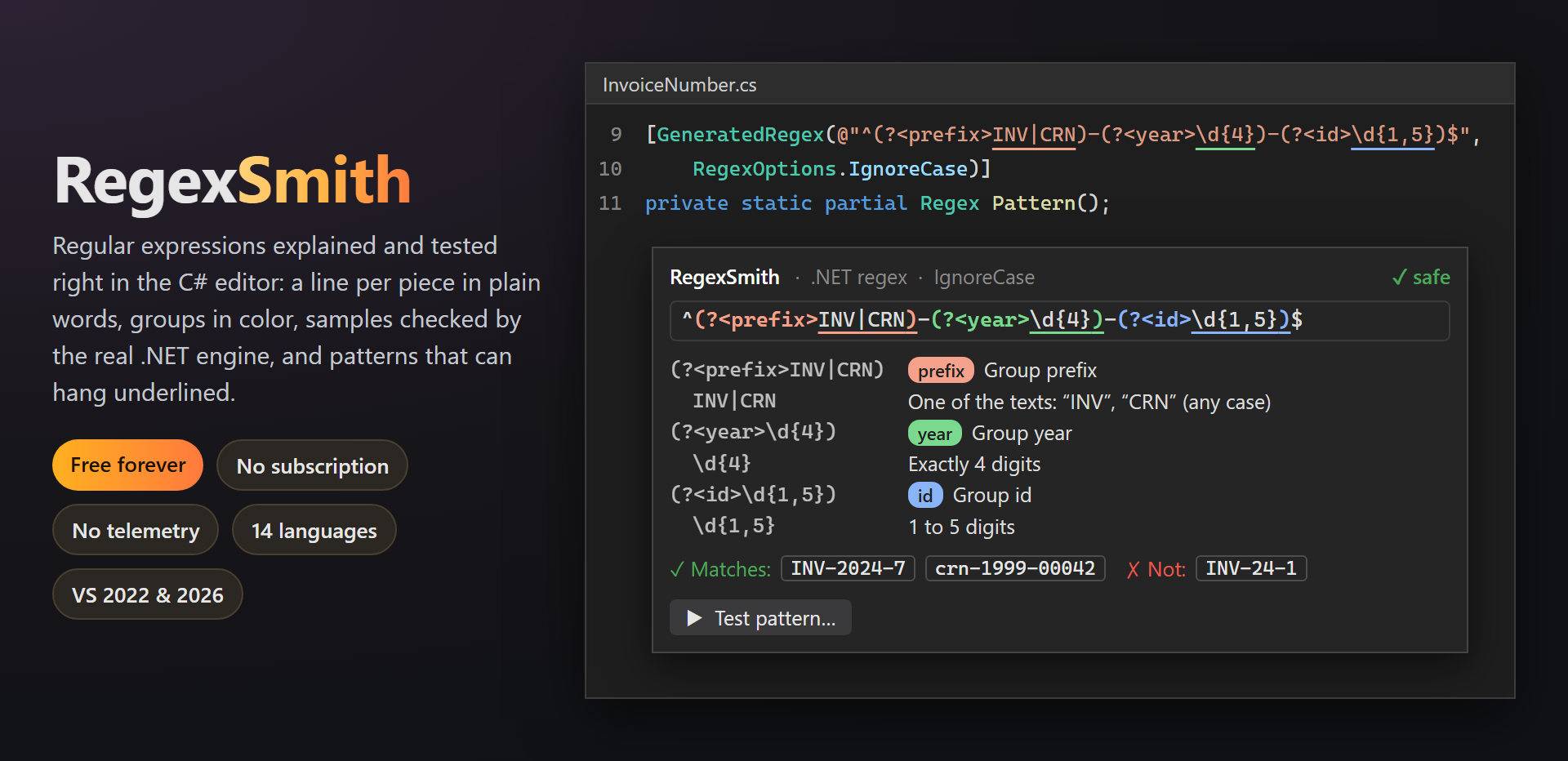
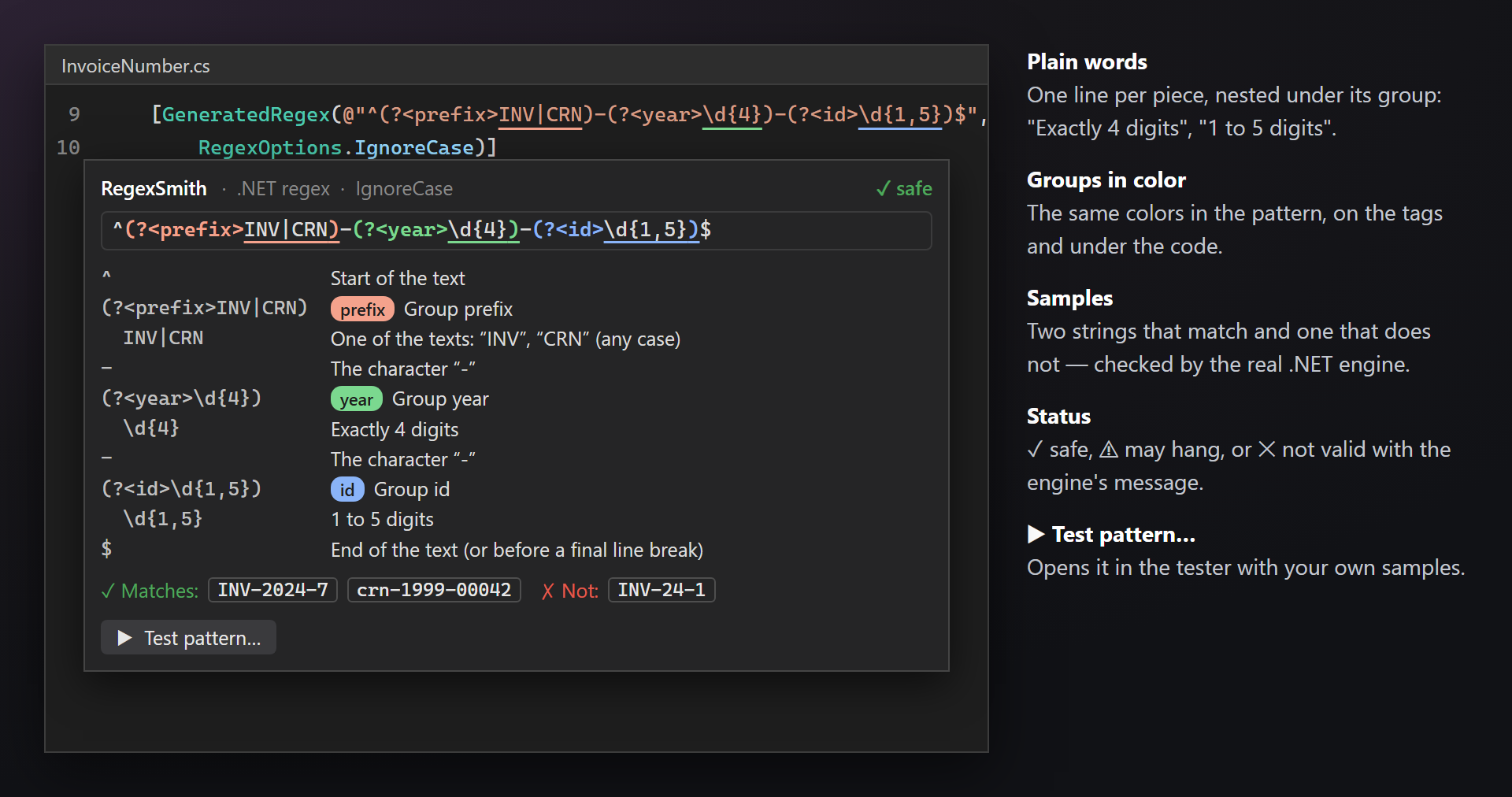
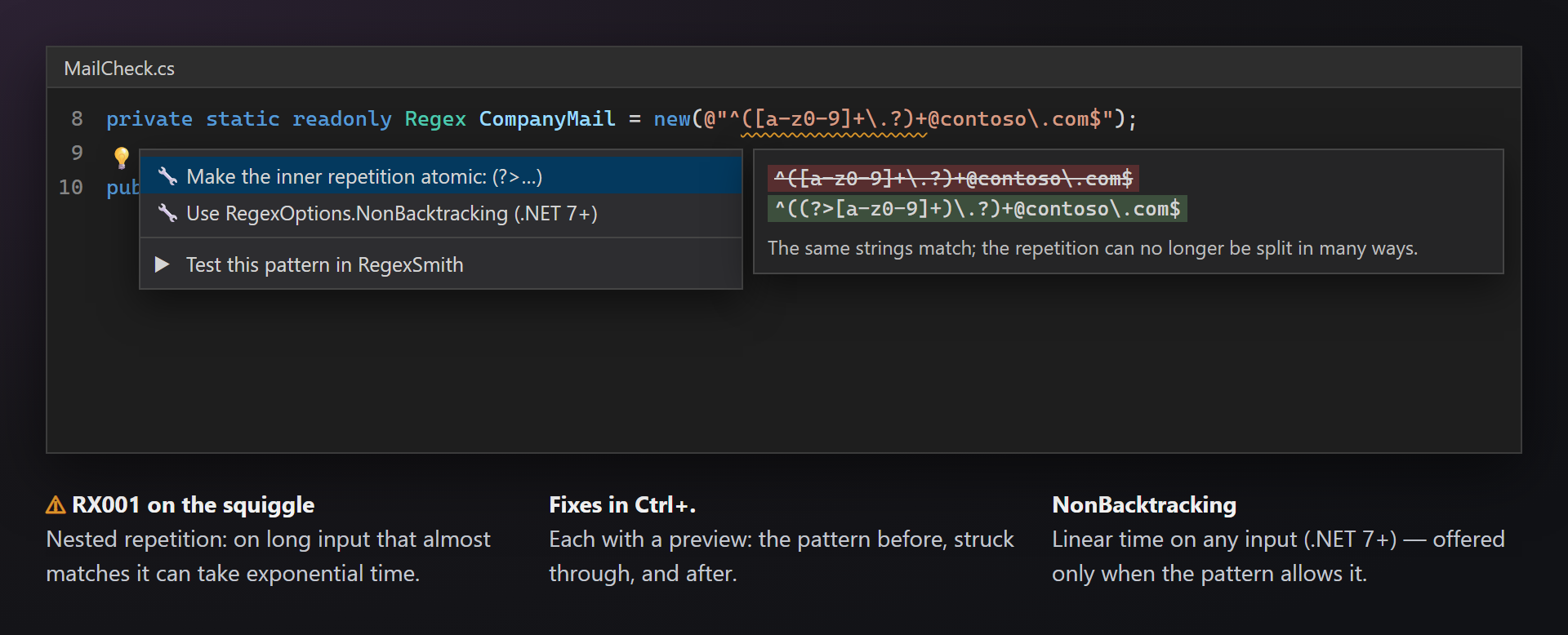
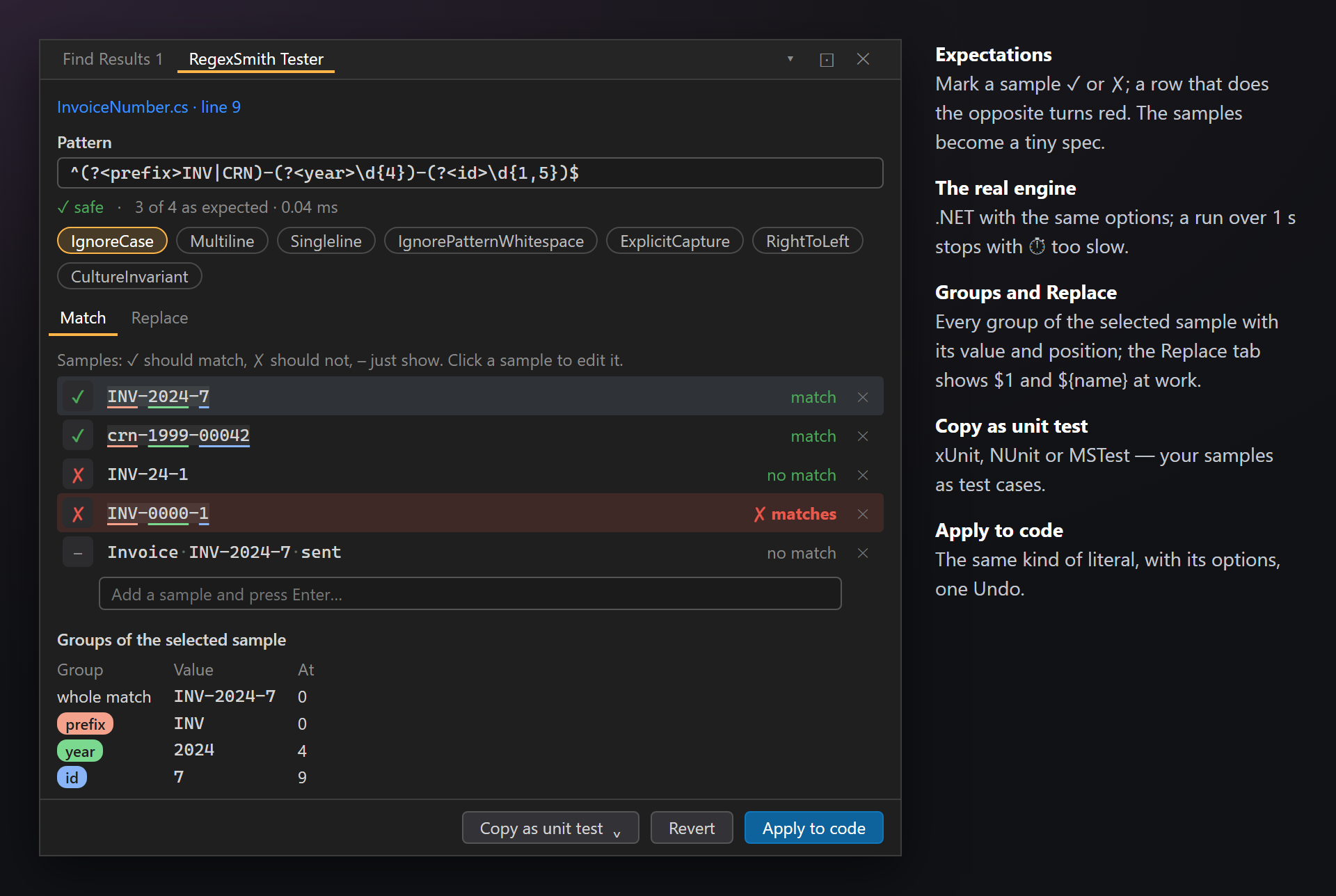
RegexSmith — regular expressions explained and tested in the C# editorHover a pattern, and RegexSmith explains it: a line per piece in plain words ("Exactly 4 digits", "One of the texts: …"), every capture group in its own color, two strings that match and one that does not — checked by the real .NET engine. Patterns that can hang get a squiggle and a fix in Ctrl+. The RegexSmith Tester runs your own samples and writes the pattern back to the code. Free. Forever. No subscriptions, no trial, no "pro" version, no nag screens, no telemetry, no messages in the Output window or at startup. Patterns and samples stay on your computer. The only thing we will ever ask — after you have used it for a while — is to rate it on the Marketplace. 📖 Documentation · Visual Studio 2022 and 2026 · x64 and ARM64 · UI in 14 languages The hover cardOver the pattern of
"Safe" means that .NET accepts the pattern and nothing in it can backtrack catastrophically — not that it does what you intend. That is what the samples are for. Groups underlined in the codeA thin line in the group's color under each capture group, right in the editor; a group inside another sits lower. A long pattern reads at a glance. Patterns that can hang (RX001)Nested repetitions like
The testerDocked next to Find Results; open it from the card, from Ctrl+. (Test this pattern in RegexSmith), from the editor context menu (Test Regex Pattern), or from View › Other Windows › RegexSmith Tester.
Samples are remembered per pattern and per solution in
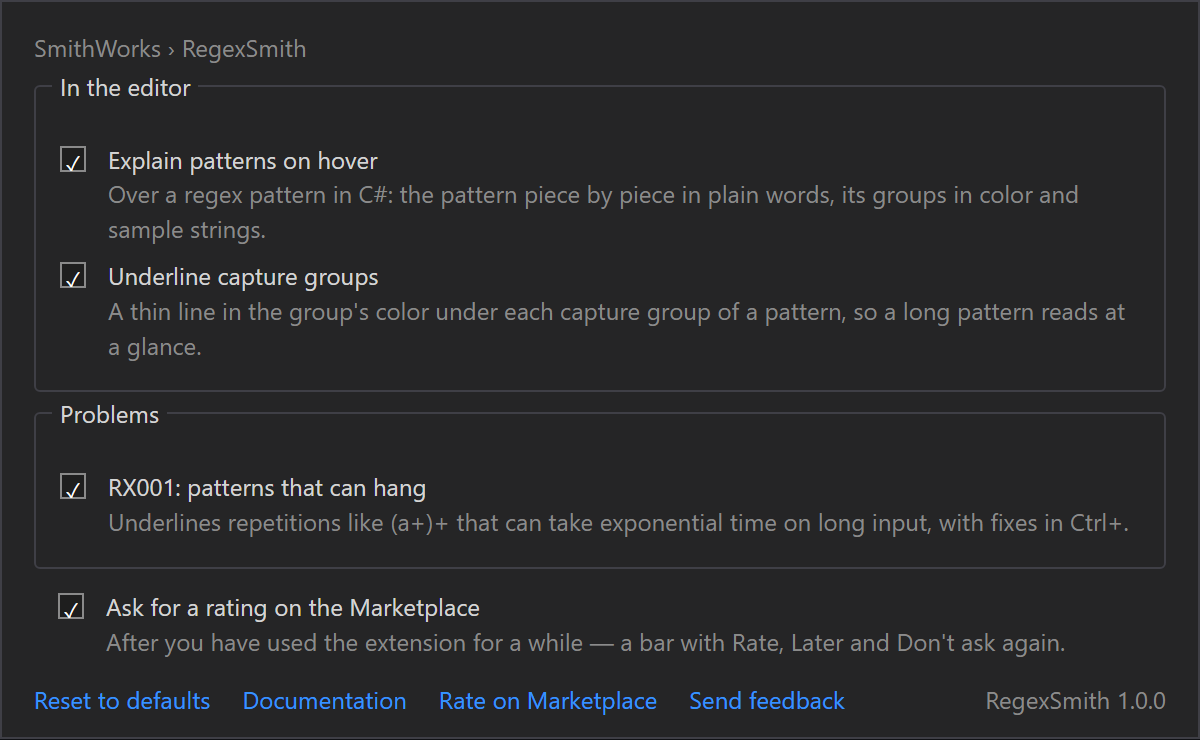
SettingsTools → Options → SmithWorks → RegexSmith: explain patterns on hover, underline capture groups, RX001. Every option has a description.
Questions or ideas? Use the Q & A tab on this page or the Feedback repository. Full documentation: lazowskianton.github.io/VSExtensions/regexsmith. |