OutputSmithColorized, readable Output window: errors and warnings stand out, build and test results at a glance, debugger noise dimmed, log levels and stack frames understood. |

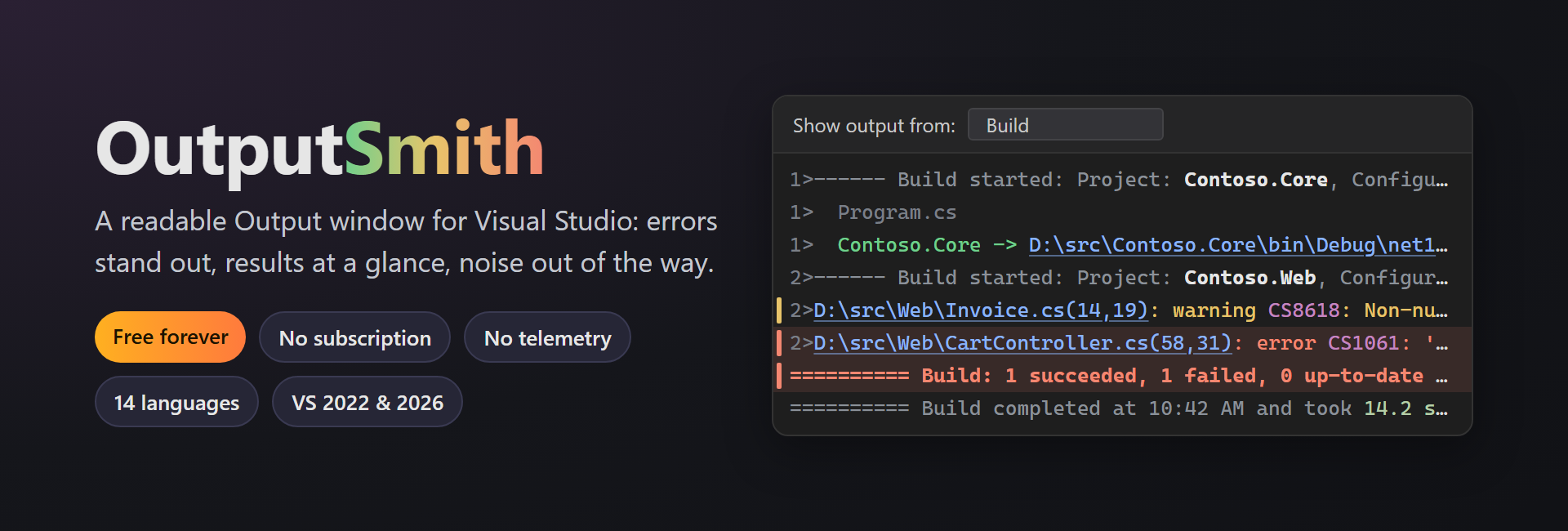
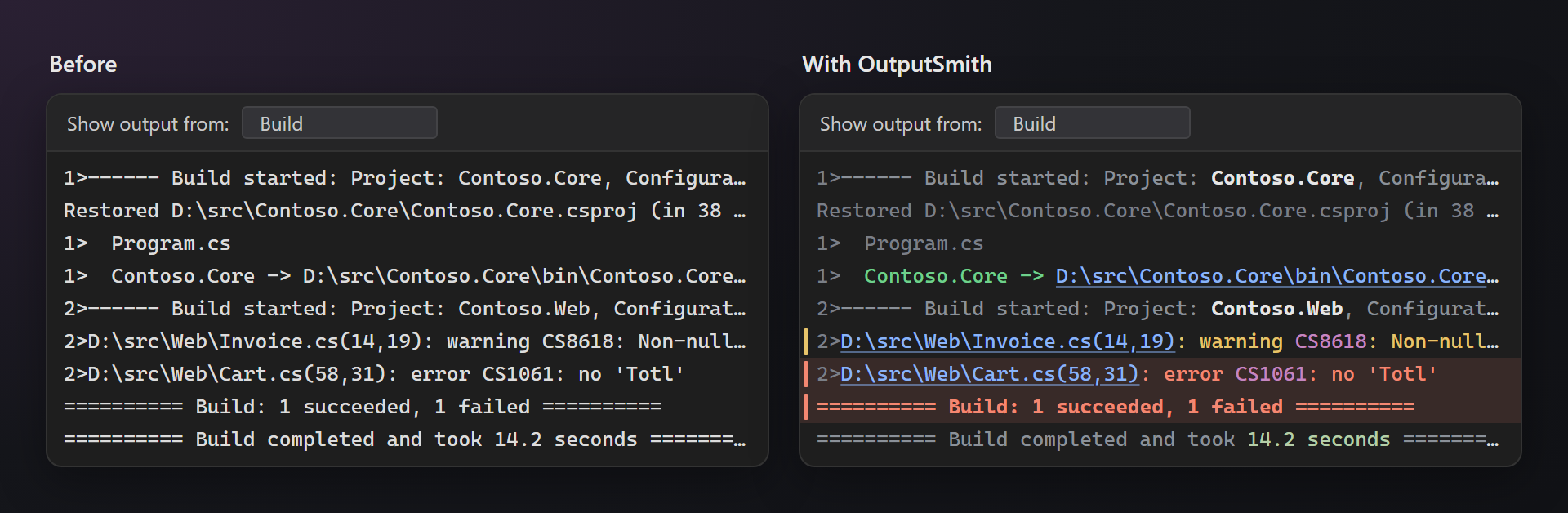
OutputSmith — a readable Output windowOutputSmith colors the Visual Studio Output window by what each line really is. Errors and warnings stand out, build and test results show at a glance, and the noise — module loads, compile steps, restore lines, test adapter chatter — steps back. Free. Forever. No subscription, no trial, no "pro" version, no nag screens, no telemetry. 📖 Documentation · Visual Studio 2022 and 2026 · x64 and ARM64 · UI in 14 languages Same output, read in a second
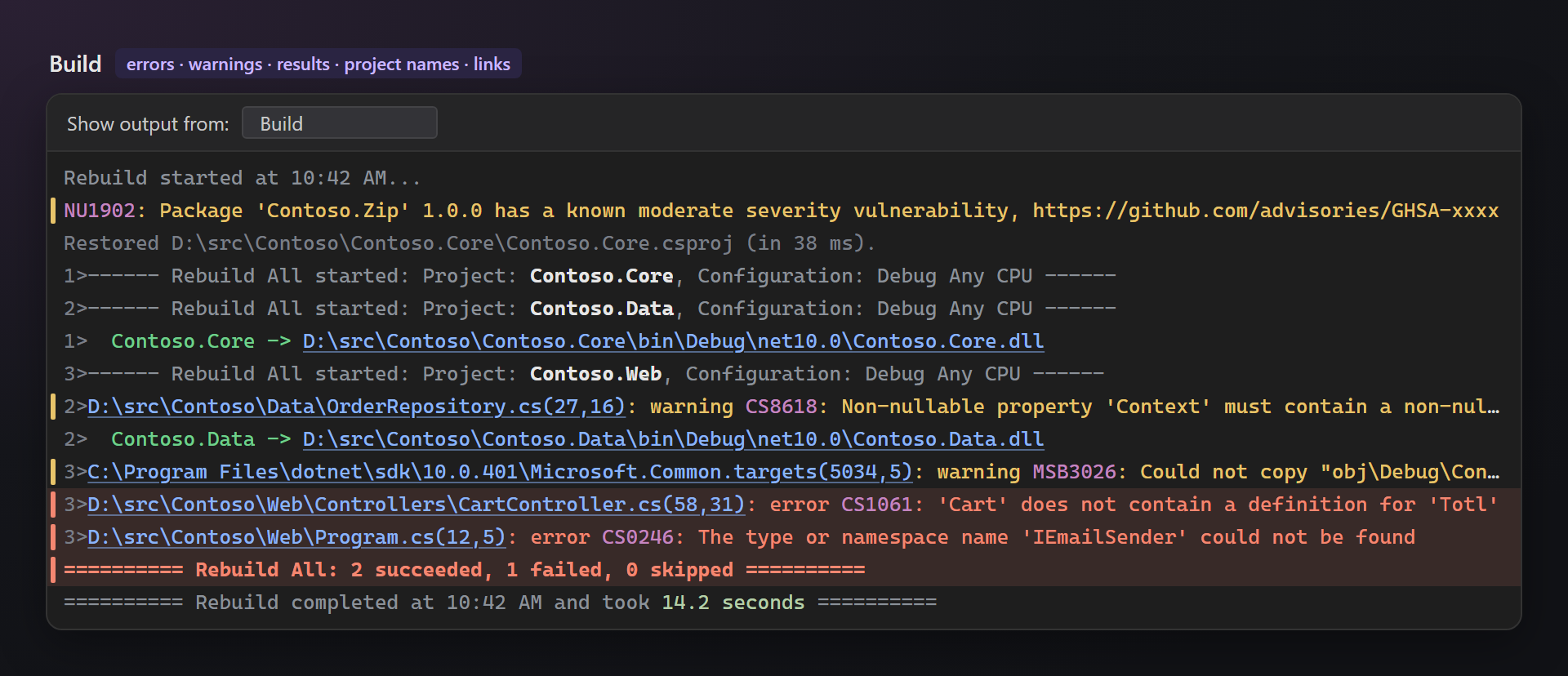
BuildProject names in "Build started" lines are bold and the rest is gray, so a parallel build is easy to follow. Errors get a light red line and a red mark left of the text, warnings a yellow one; file paths, web addresses and diagnostic codes are highlighted. NuGet vulnerability warnings (
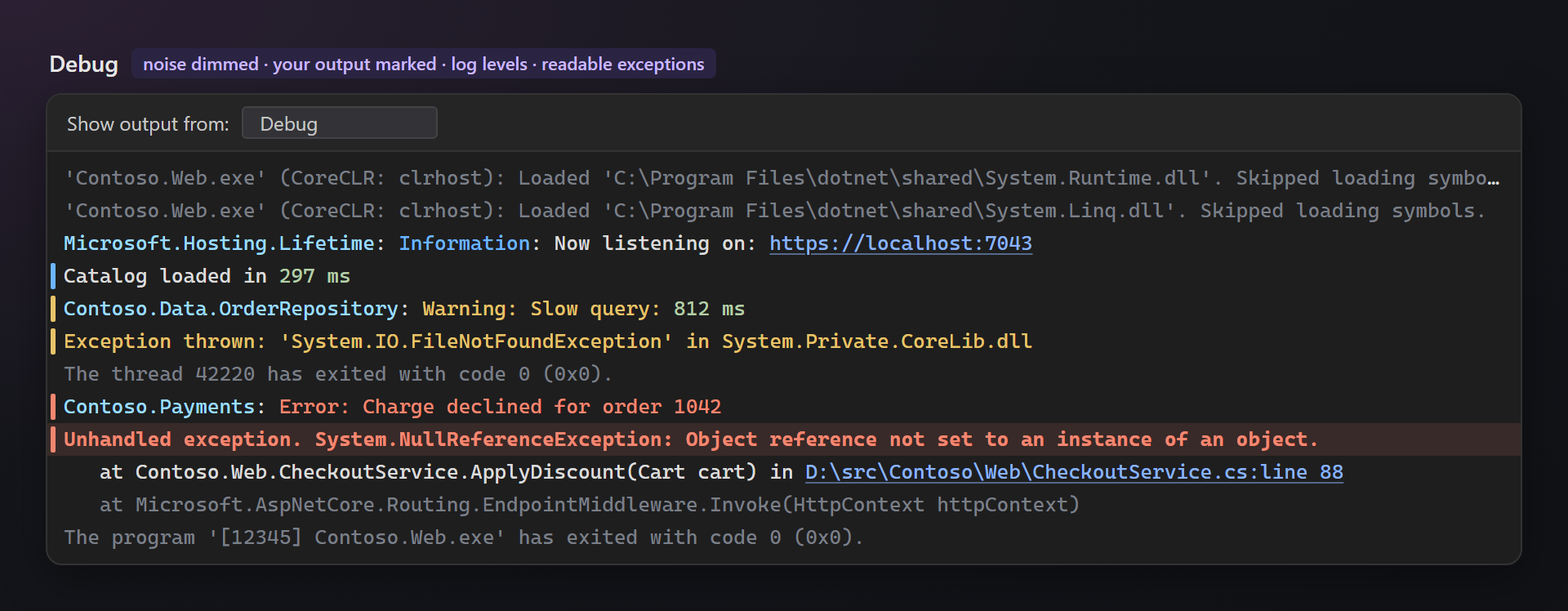
DebugThe debugger's own messages are gray, so what your application writes —
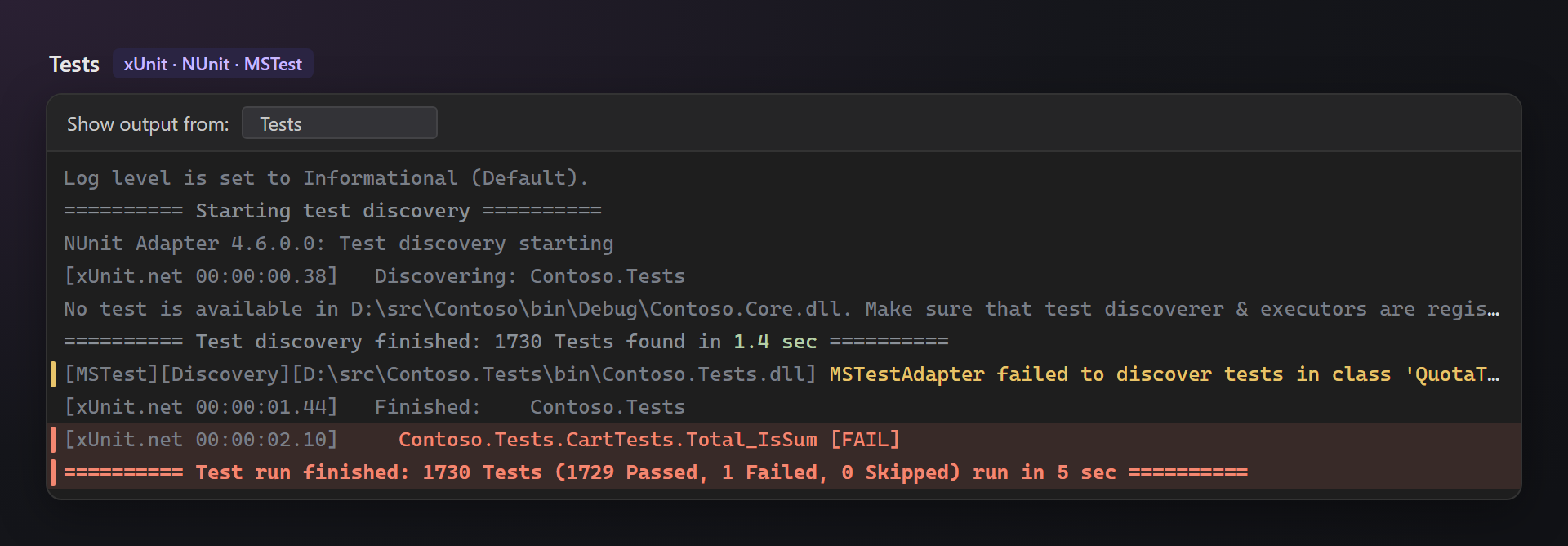
TestsxUnit, NUnit and MSTest progress and "No test is available in …" are gray. A failed test, a discovery failure and the run result stand out.
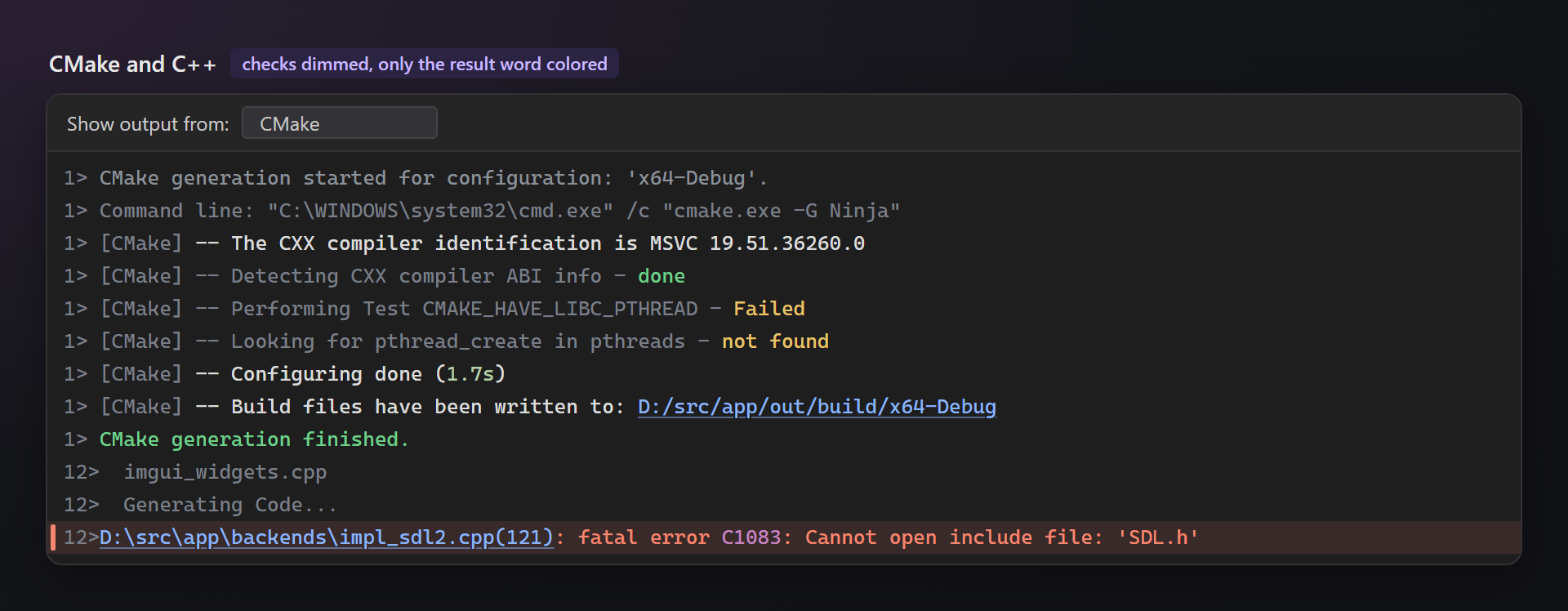
CMake and C++CMake checks are gray with only the result word colored — "not found" on Windows is often expected, so it is yellow, not red. CMake errors link to their file and line. C++ compile steps ("Generating Code…", file names) are dimmed.
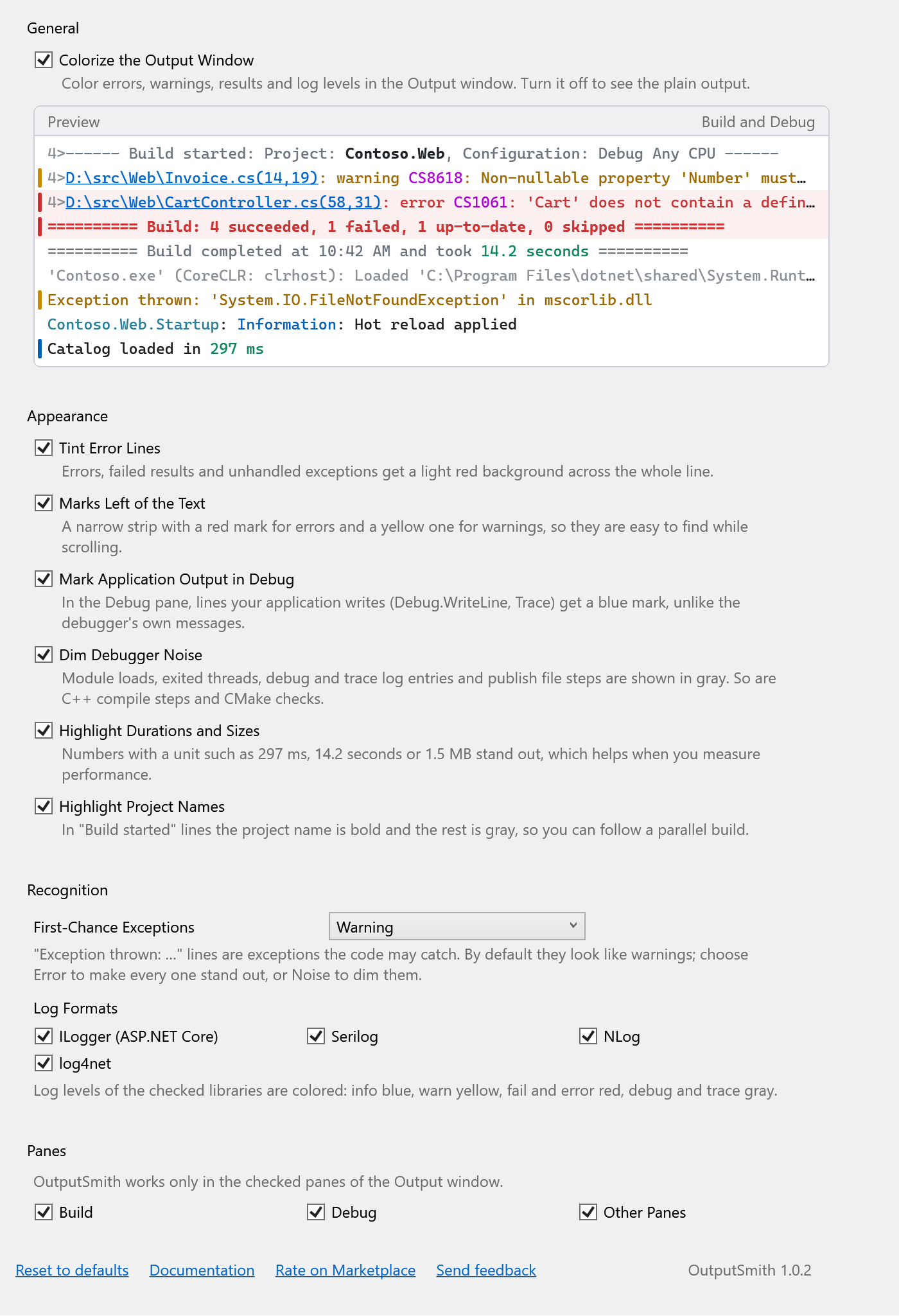
Precise, not noisyLines are recognized by the formats of MSBuild, compilers, NuGet, test runners, loggers, the debugger and CMake. A line that merely contains the word "error" is not guessed. Only visible lines are colored, so even a huge build stays fast. SettingsTools → Options → OutputSmith. Every highlight can be turned off, each option has a description, and a live preview shows the result. Works in Build, Debug and every other pane; each can be turned off.
Questions or ideas? Use the Q & A tab on this page — unrecognized lines are welcome. Full documentation: lazowskianton.github.io/VSExtensions/outputsmith. |