NoteSmithComments that stand out when they should: TODO, FIXME, HACK, NOTE and your own tags in color, Better Comments shortcuts (! important, ? question, //// crossed out), a Comments window with every TODO o |

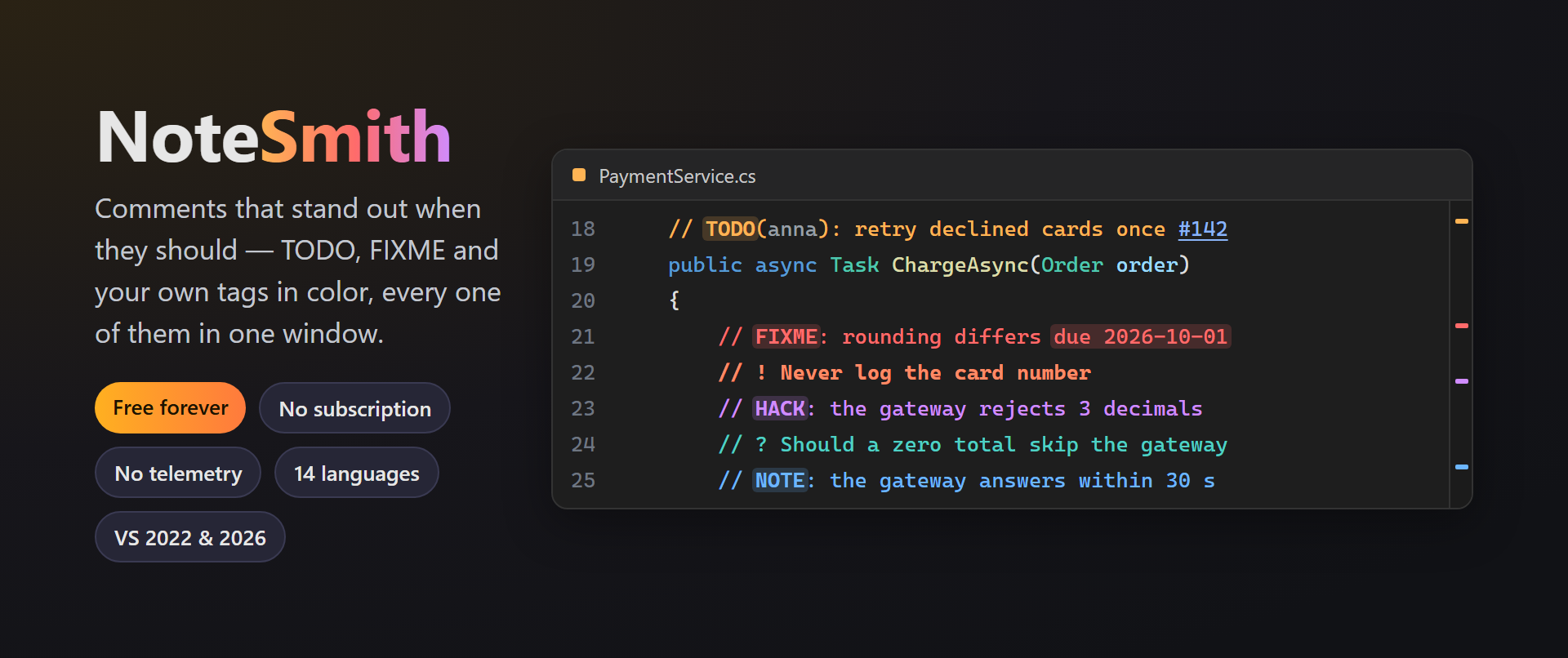
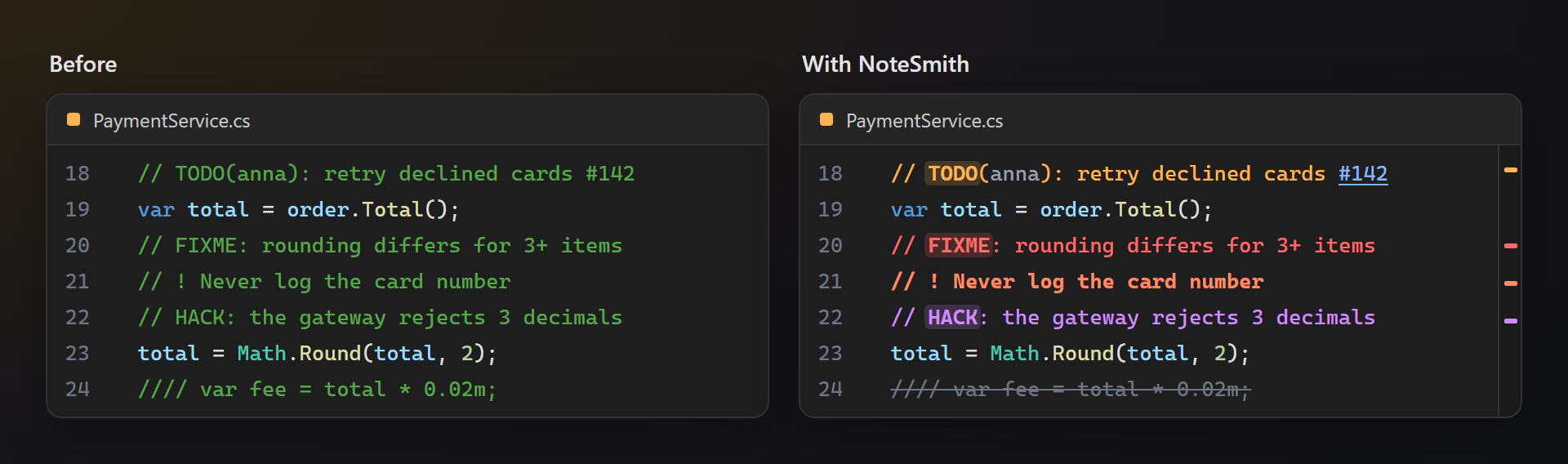
NoteSmith — comments that stand out when they shouldNoteSmith colors TODO, FIXME, HACK, NOTE and your own tags in every language Visual Studio colors comments in, collects every one of them from the whole solution into one window, and lets you jump between the parts of a long file with anchors. Free. Forever. No subscriptions, no trial, no "pro" version, no nag screens, no data collection, no messages at startup. 📖 Documentation · Visual Studio 2022 and 2026 · x64 and ARM64 · UI in 14 languages Seen at a glanceA TODO in orange with its tag on a soft chip, a FIXME in red, an important note in bold, crossed-out code struck through — the open questions of a file no longer hide among ordinary comments.
C#, Visual Basic, F#, C++, TypeScript and JavaScript, XAML, XML, HTML, CSS, SQL, Python, PowerShell, Razor and more; dark and light themes.
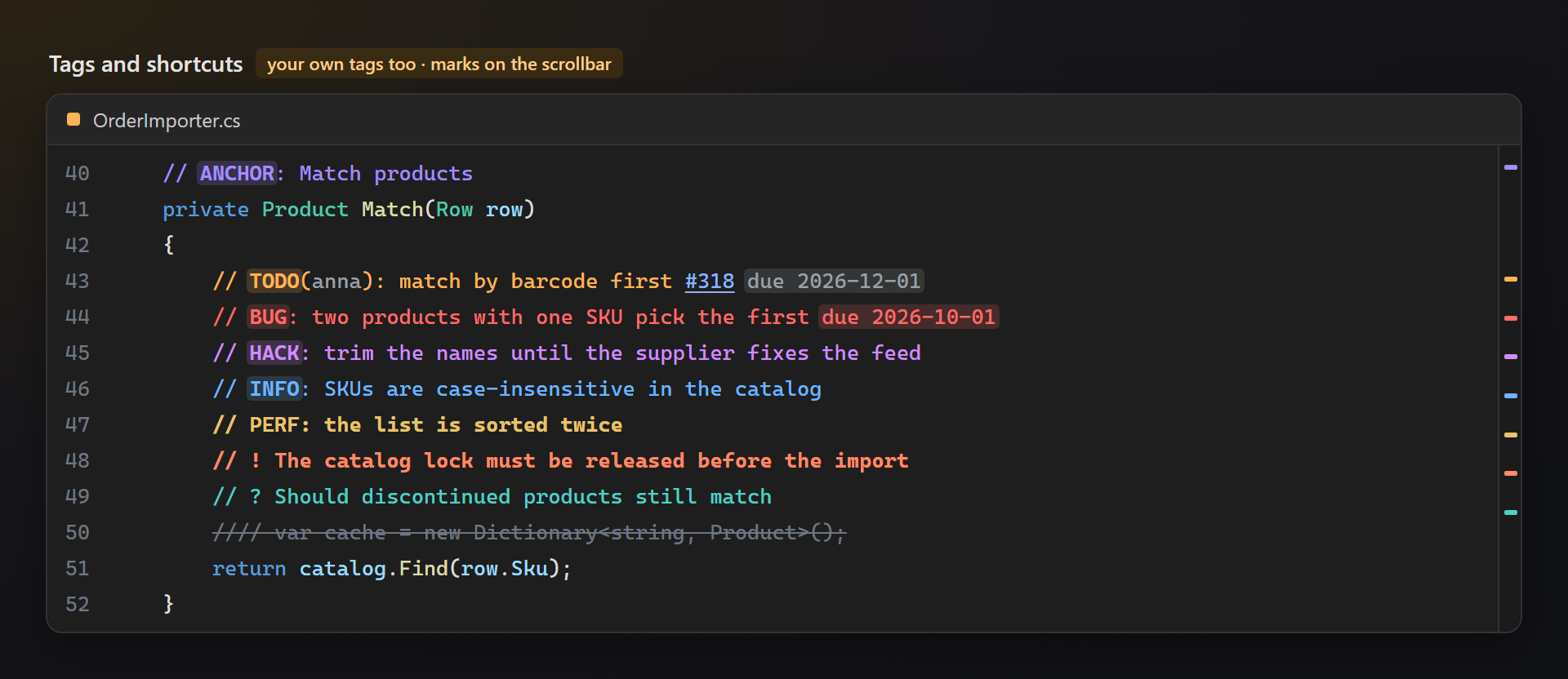
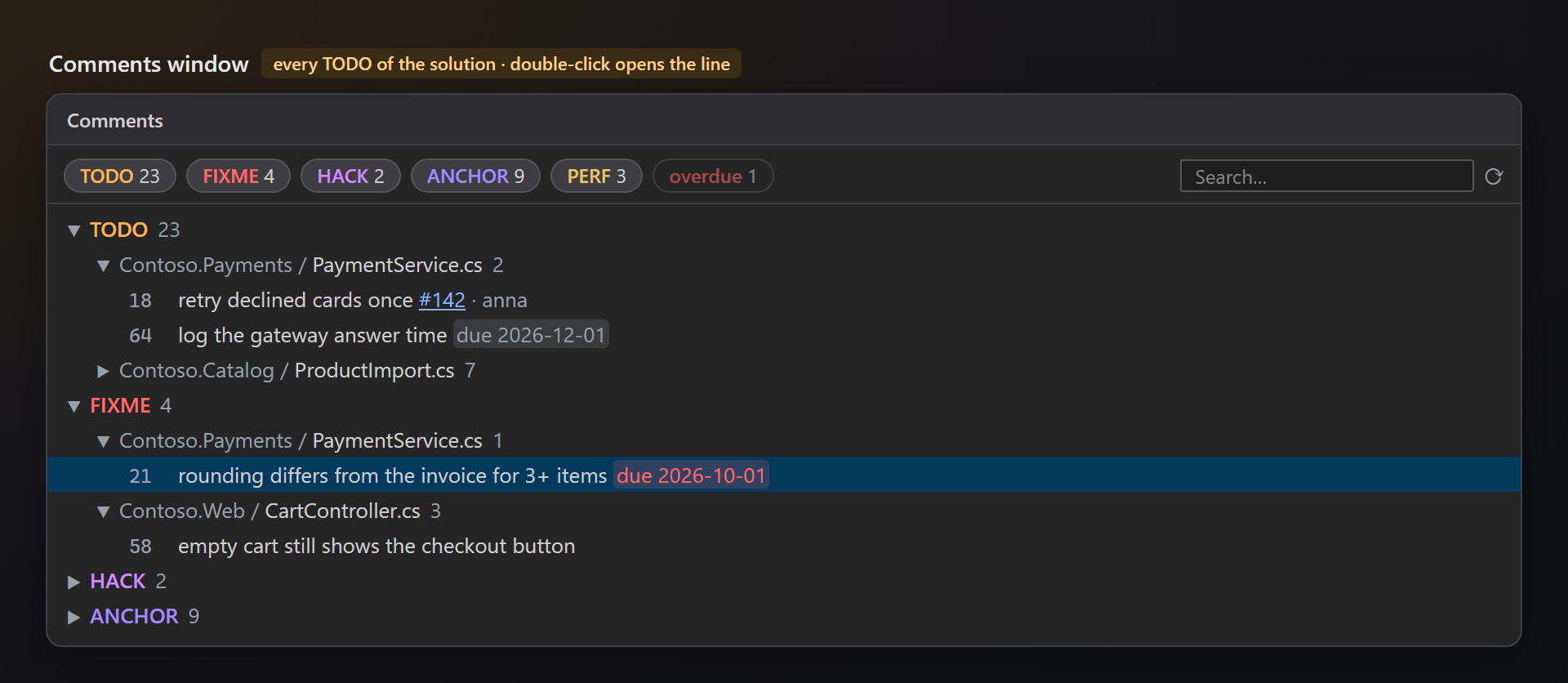
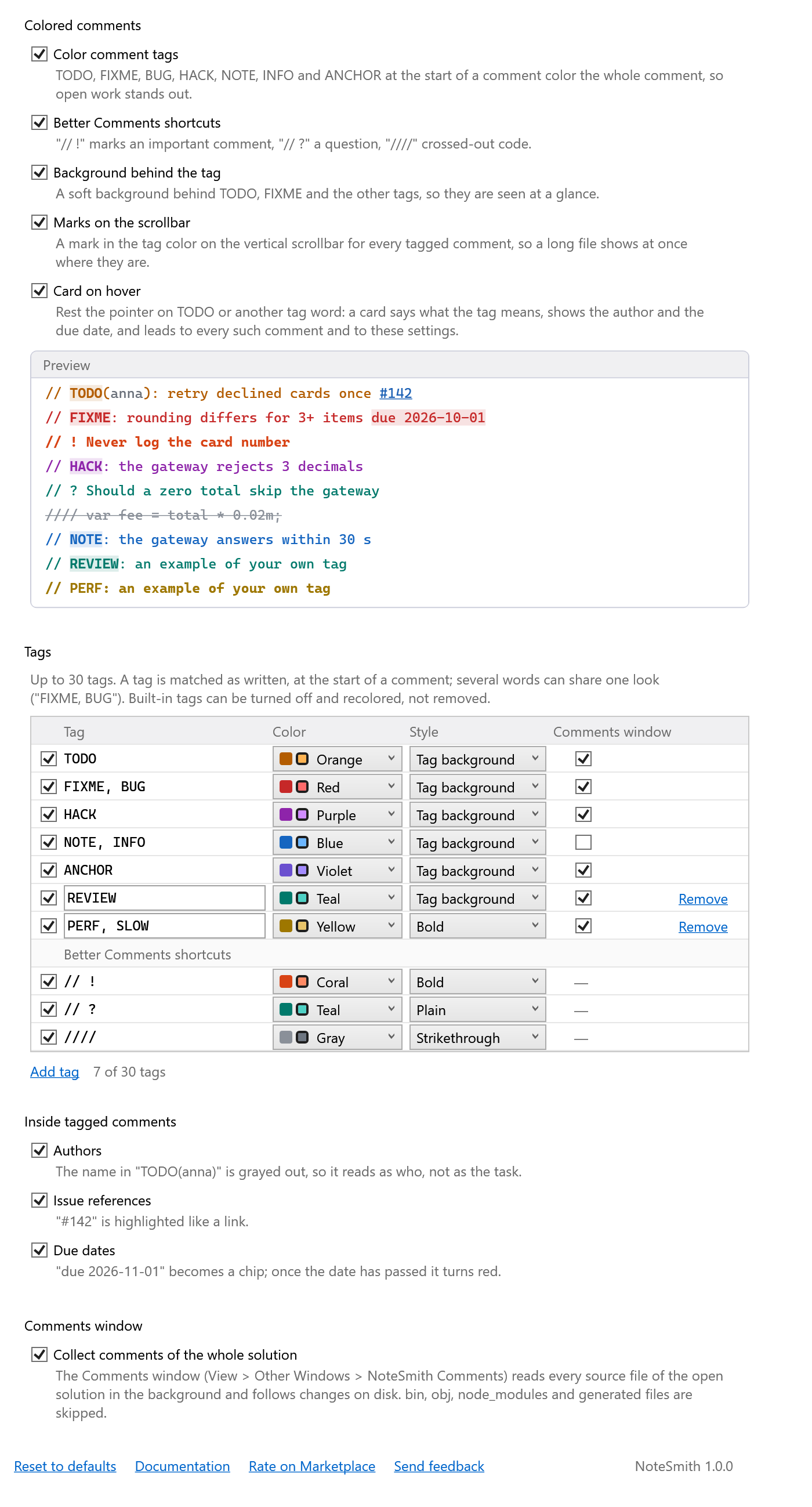
Your own tagsAdd REVIEW, PERF or any word your team uses — up to 30 tags, each with a color made for both themes, a style (tag background, bold, plain, strikethrough) and a switch for the Comments window. Every TODO of the solutionView → Other Windows → NoteSmith Comments: every tagged comment of the solution — not only the open files — grouped by tag, project and file. Chips per tag, an overdue filter and a search box; double-click opens the line. Files are read in the background and kept up to date on save;
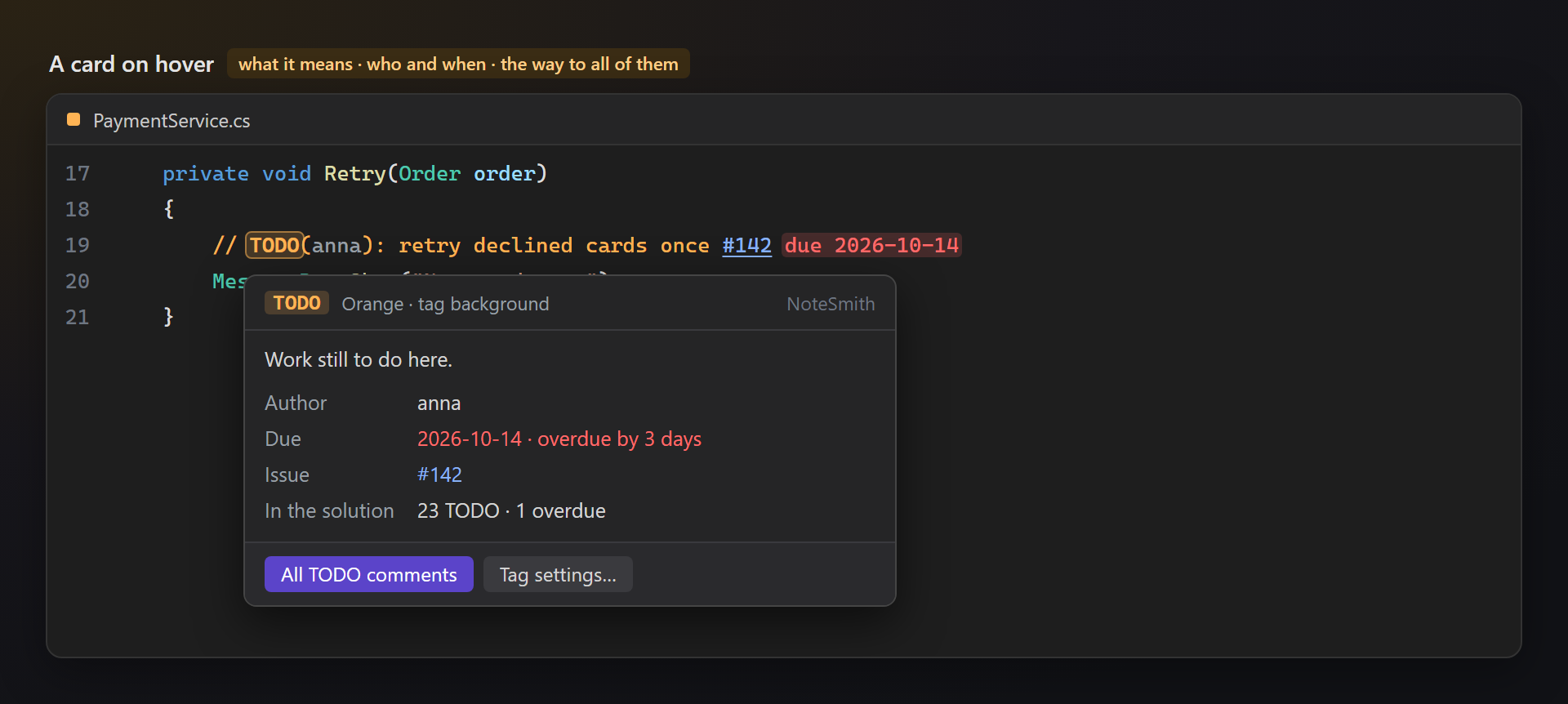
A card on hoverRest the pointer on a tag word: the card says what the tag means, who wrote it, how many days are left, and how many such comments the solution has — with buttons to see all of them and to the tag settings.
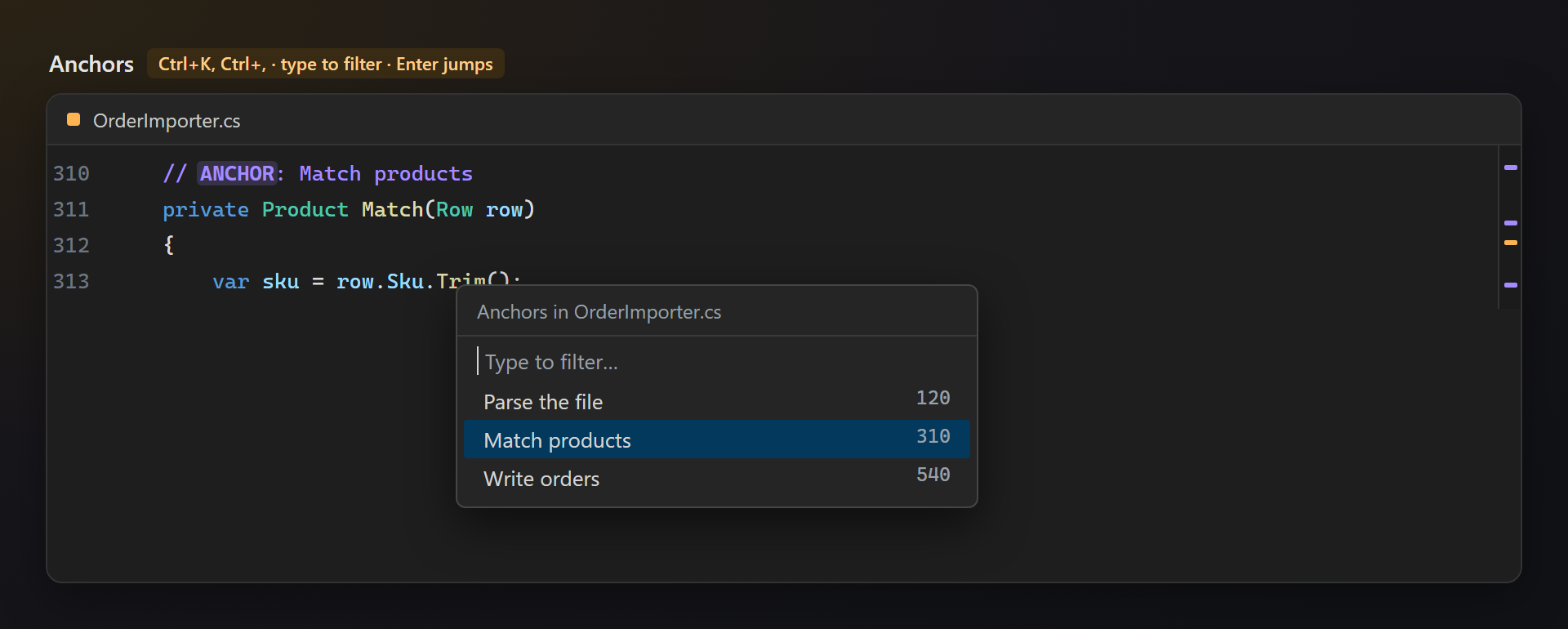
Anchors
SettingsTools → Options → SmithWorks → NoteSmith. Every feature can be turned off; every option has a description, and a live preview shows the result.
Questions or ideas? Use the Q & A tab on this page or the Feedback repository. Full documentation: lazowskianton.github.io/VSExtensions/notesmith. |