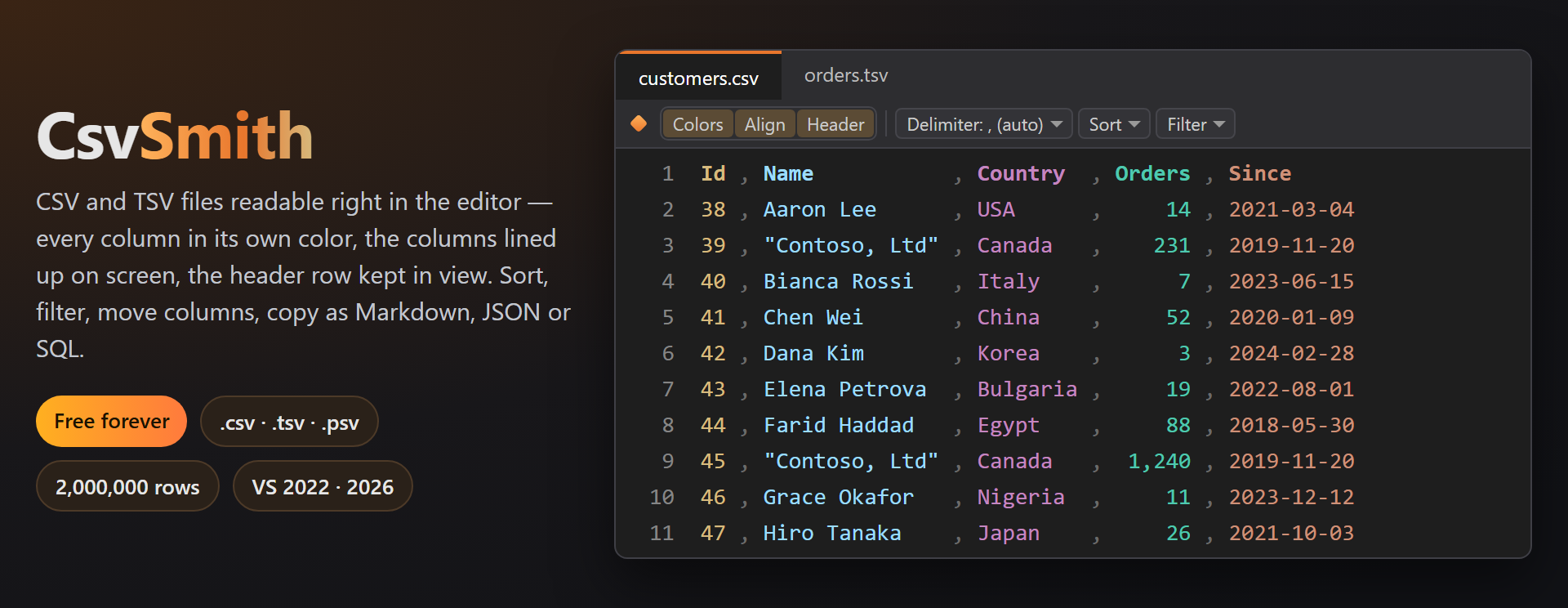
CsvSmithCSV and TSV files readable right in the Visual Studio editor: every column in its own color, columns lined up on screen without changing the file, the header row and the first column kept in view whil |

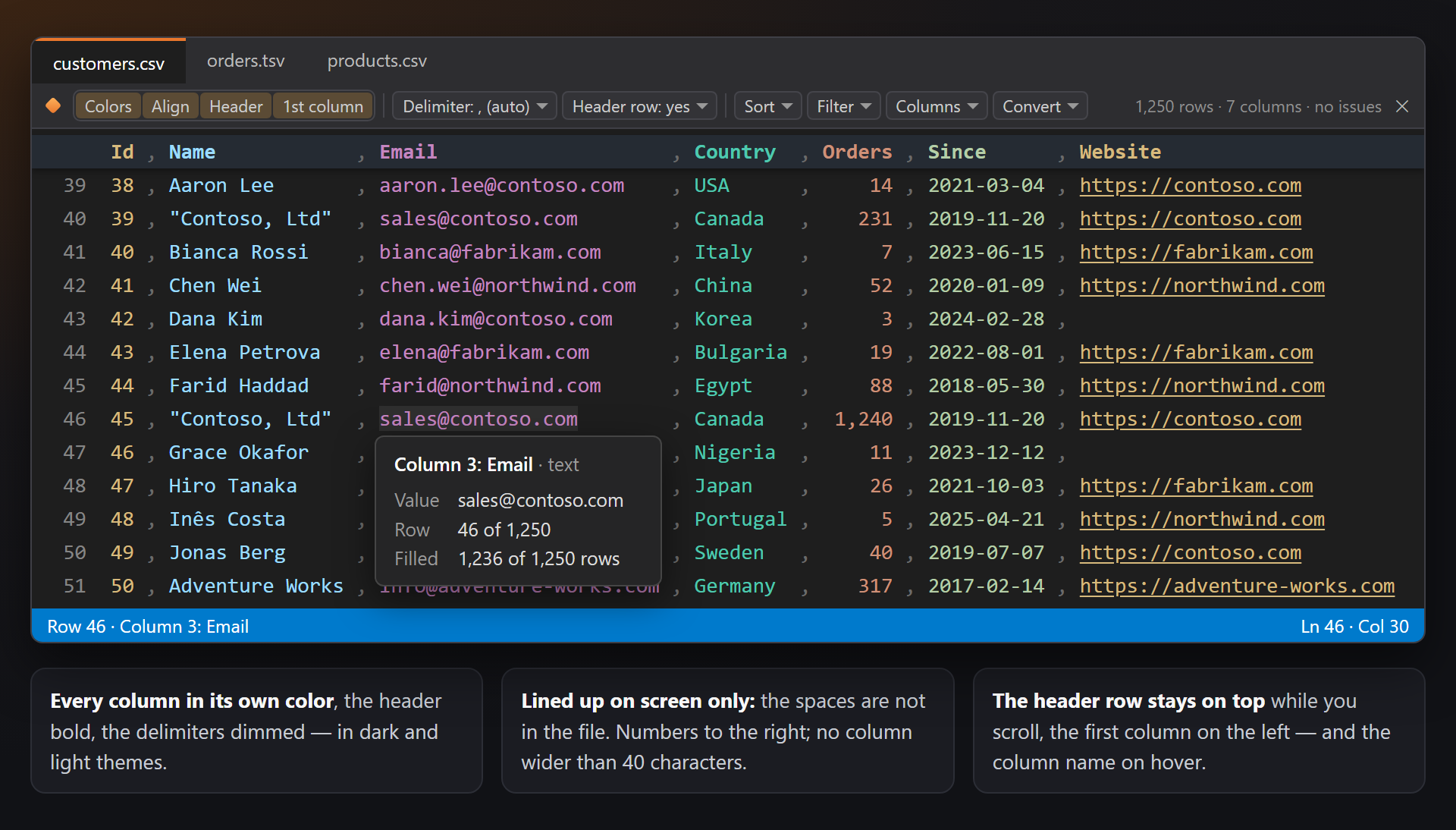
CsvSmith — CSV and TSV files readable in the editorOpen a .csv, .tsv, .tab or .psv file and it reads like a table: every column in its own color, the columns lined up on screen without changing the file, the header row and the first column kept in view while you scroll, and the column name on hover. A toolbar on top sorts, filters, moves columns and copies the table as Markdown, JSON or SQL — and the status bar adds up the selected cells. Tested on a file of 2,000,000 rows. Free. Forever. No subscriptions, no trial, no "pro" version, no nag screens, no telemetry, no messages in the Output window or at startup. The only thing we will ever ask — after you have used it for a while — is to rate it on the Marketplace. 📖 Documentation · Visual Studio 2022 and 2026 · x64 and ARM64 · UI in 14 languages A table, not a wall of commasSix column colors (dark and light themes), the header row bold, the delimiters dimmed. The columns are lined up with spaces drawn on screen only — the file stays as it is; numbers go to the right, and no column is wider than 40, 60 or 80 characters. Scroll down and the header row stays on top; scroll right and the first column stays on the left. Rest the pointer on a field: Column 3: Email · text, the value, the row and how many rows are filled. Web addresses in a field open with Ctrl+Click.
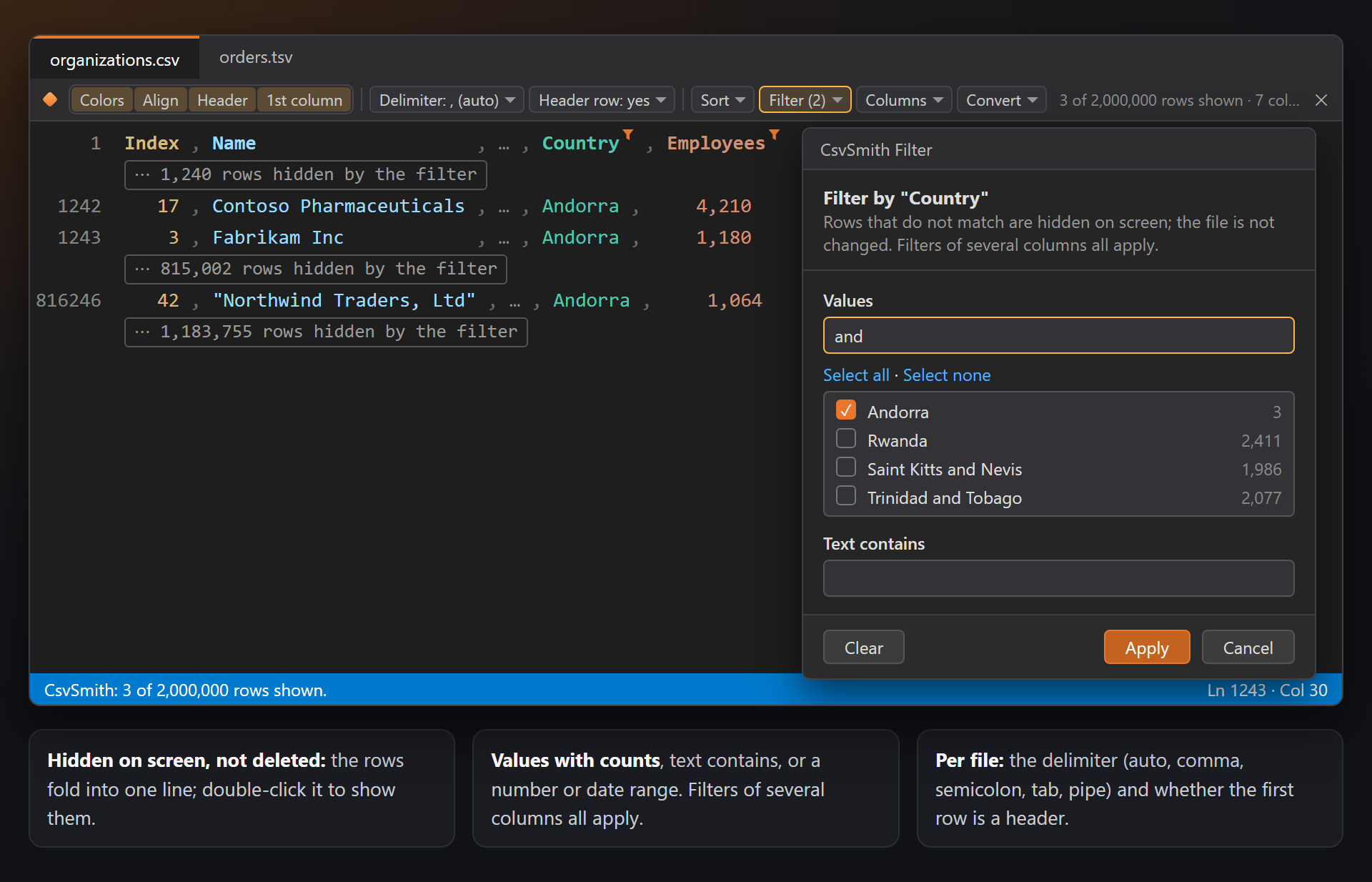
Toolbar and filterColors · Align · Header · 1st column switches, the delimiter (auto, comma, semicolon, tab, pipe) and header row remembered per file, and the menus Sort, Filter, Columns and Convert. Filter hides the rows that do not match — by values with counts, text, or a number or date range — on screen only: hidden rows fold into ⋯ 1,240 rows hidden by the filter, and a double-click shows them again.
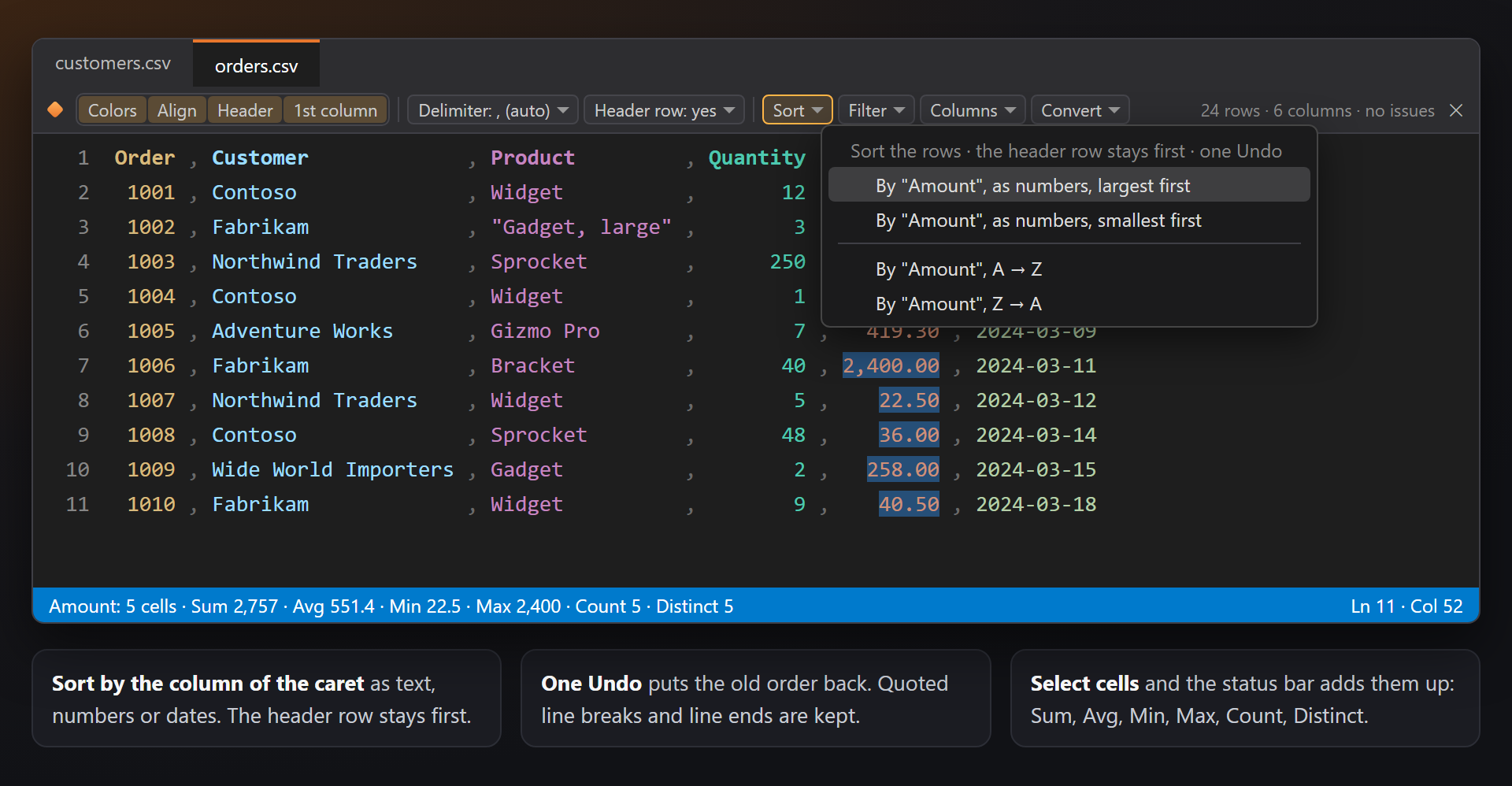
Sort with one Undo, totals in the status barSort by the column of the caret as text, numbers or dates — the header row stays first, quoted line breaks move with their row, and one Undo puts the old order back. Select cells and the status bar shows Sum · Avg · Min · Max · Count · Distinct.
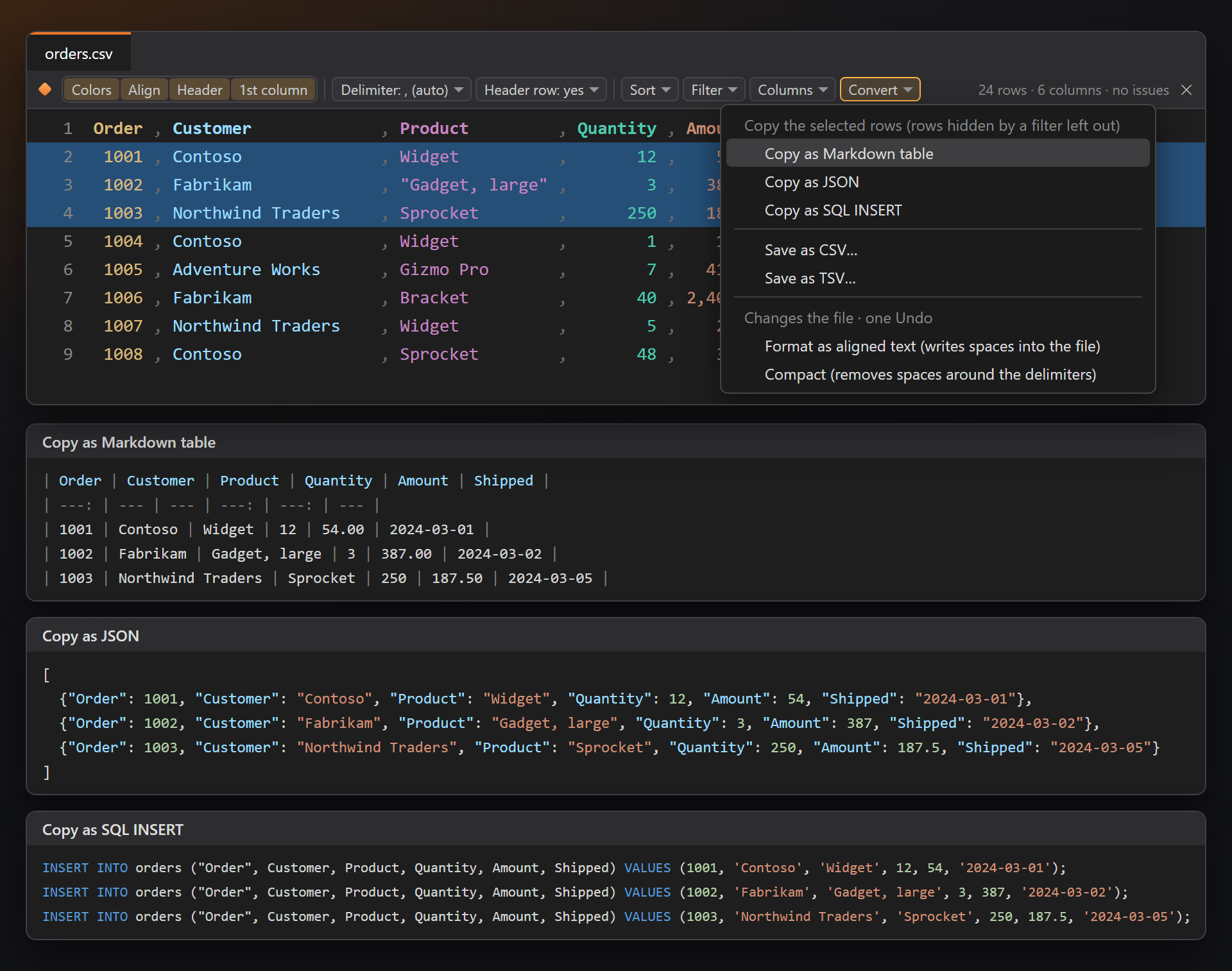
Columns and ConvertColumns: select (a selection on every field), copy, hide on screen, add, delete, move left or right. Convert: copy the table or the selected rows as a Markdown table, JSON or SQL INSERT statements, save as CSV or TSV, or format the file as aligned text or compact. Everything that changes the file is one step in Undo.
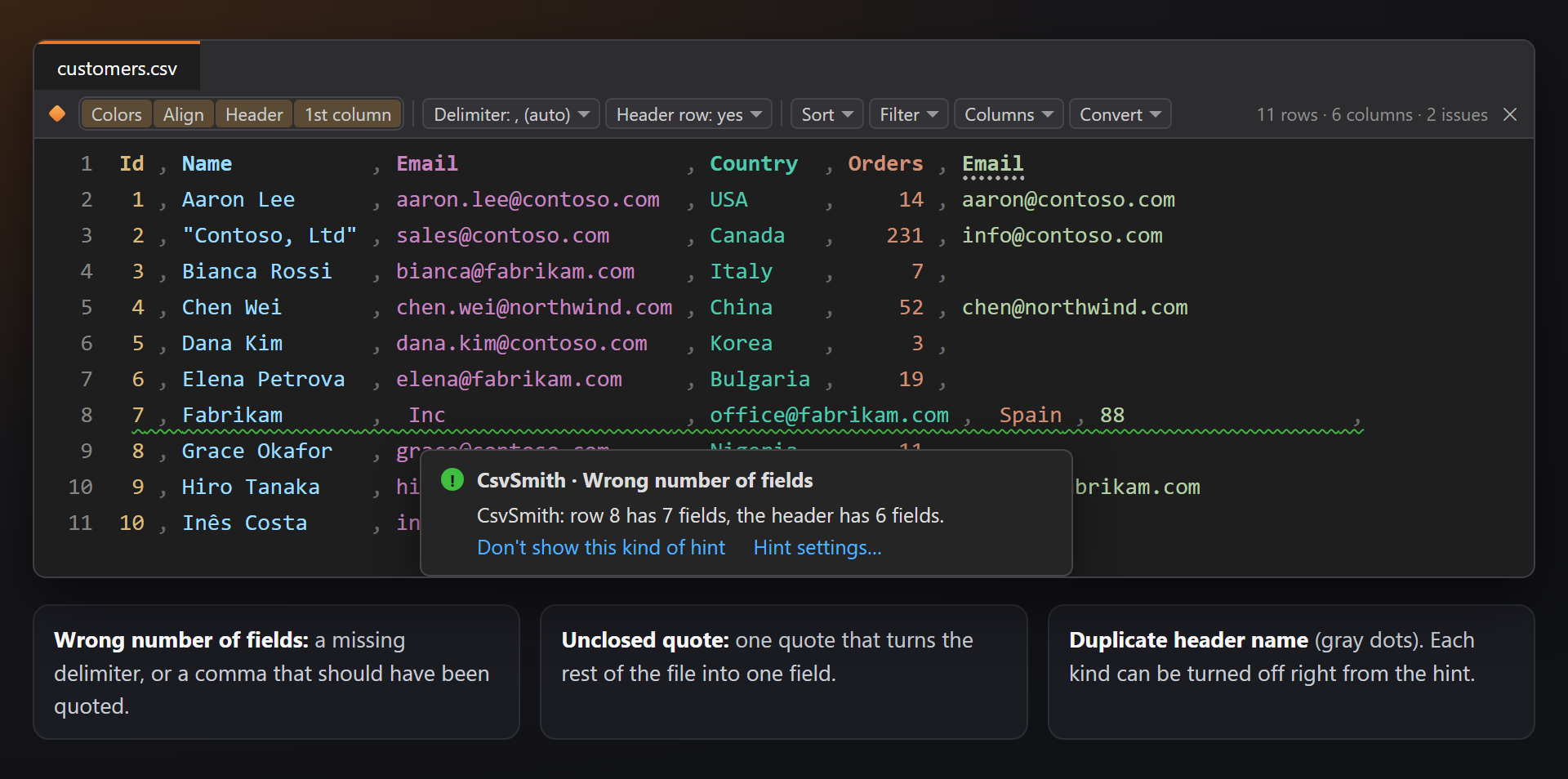
HintsCsvSmith: row 8 has 7 fields, the header has 6 fields. — rows with a wrong number of fields, an unclosed quote that swallows the rest of the file, a duplicate header name. Each kind can be turned off right from the hint (Don't show this kind of hint).
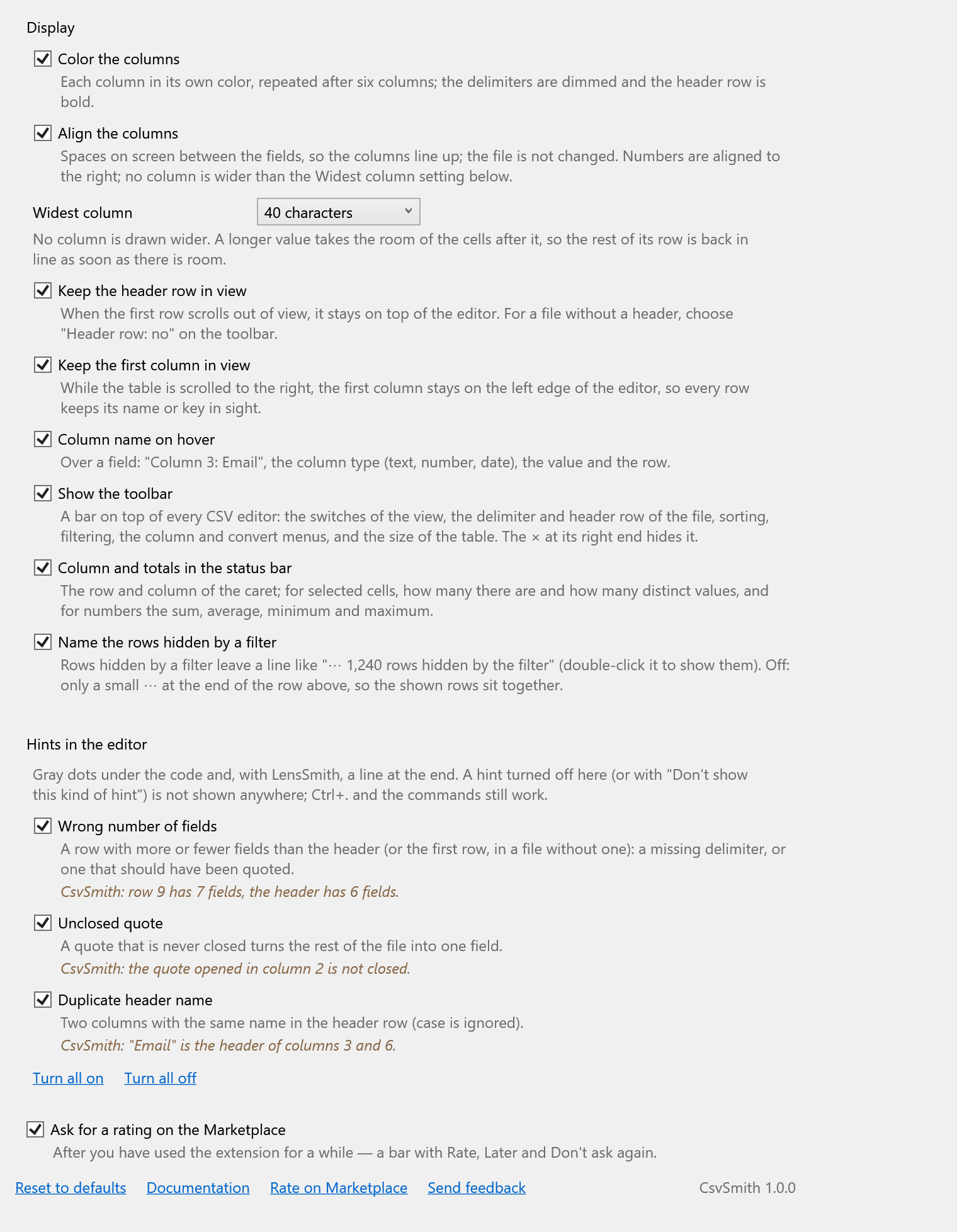
SettingsTools → Options → SmithWorks → CsvSmith. Every option has a description; each kind of hint can be turned off there or right from the hint.
Questions or ideas? Use the Q & A tab on this page or the Feedback repository. Full documentation: lazowskianton.github.io/VSExtensions/csvsmith. |