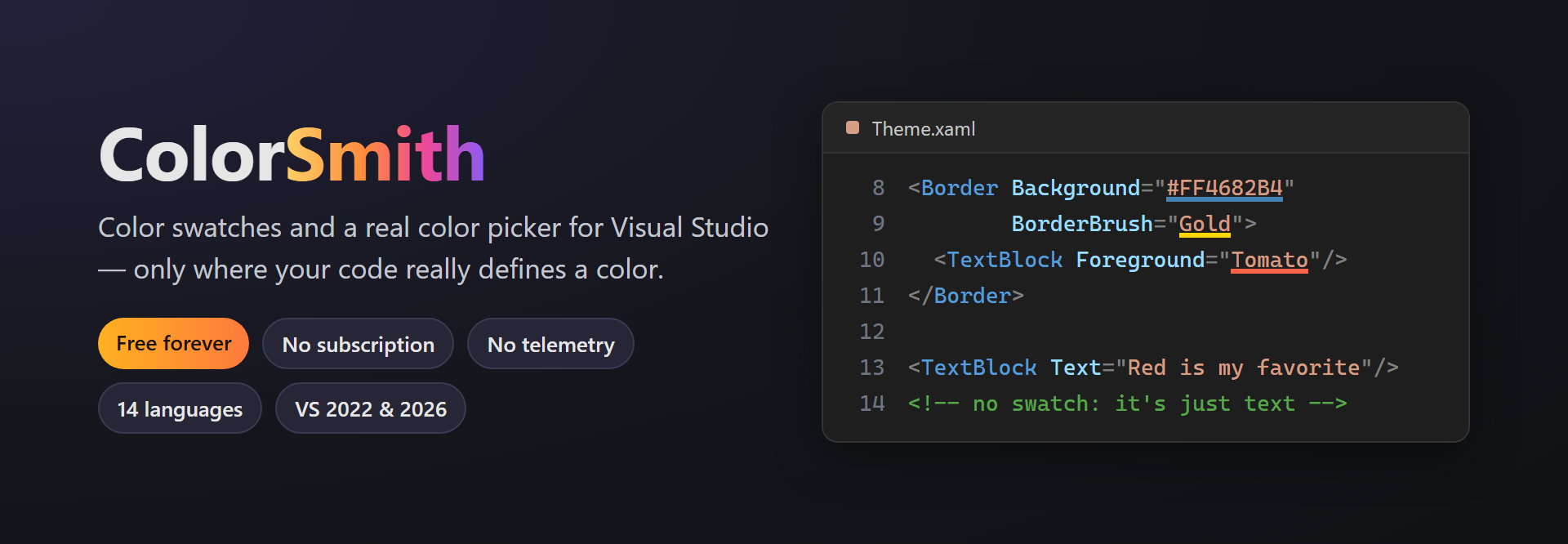
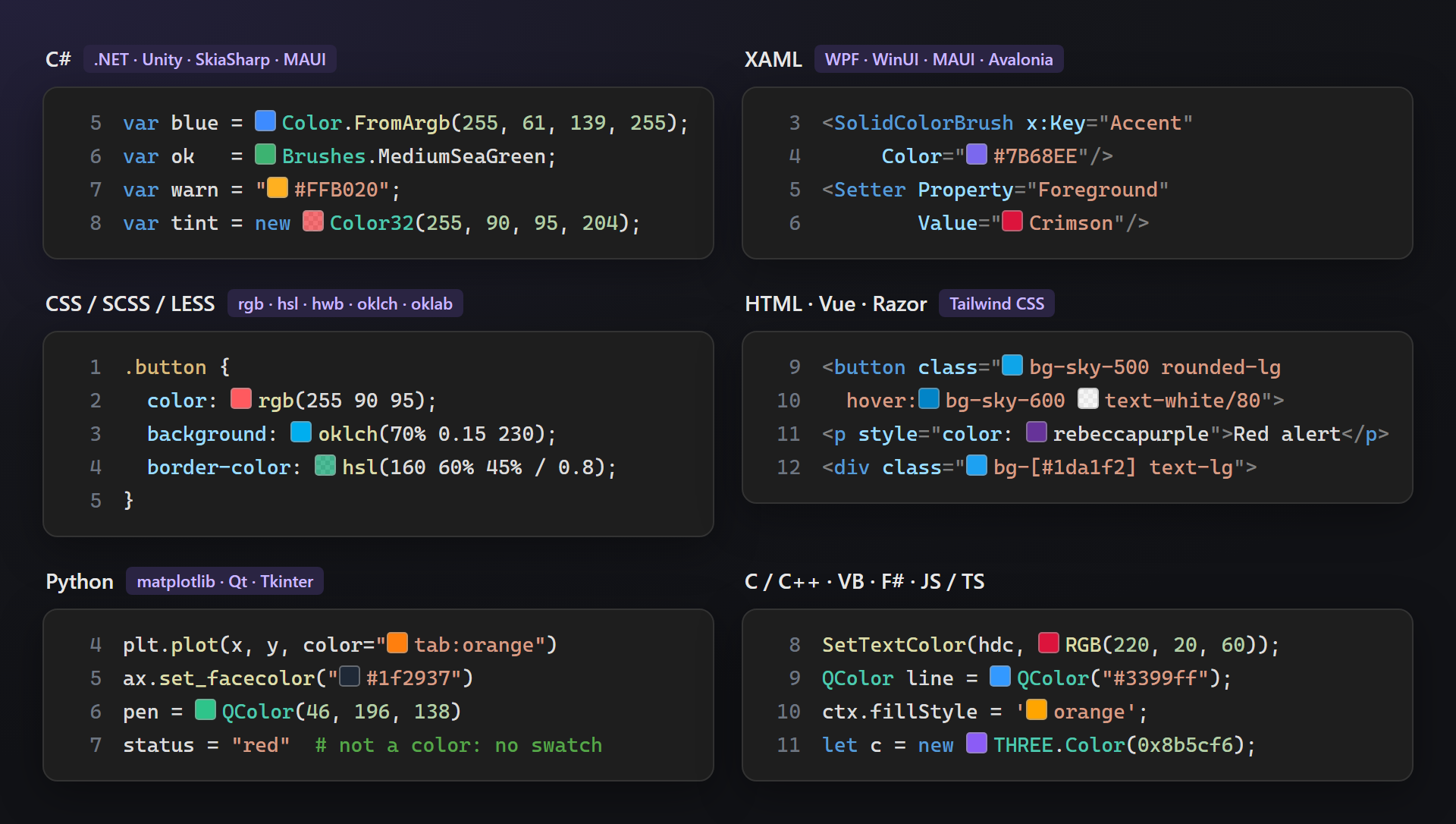
ColorSmithColor swatches and a color picker for C#, F#, VB, XAML, CSS, HTML, Razor, JS/TS, Python and C++. Shows colors only where code really defines one; edits keep the notation. |

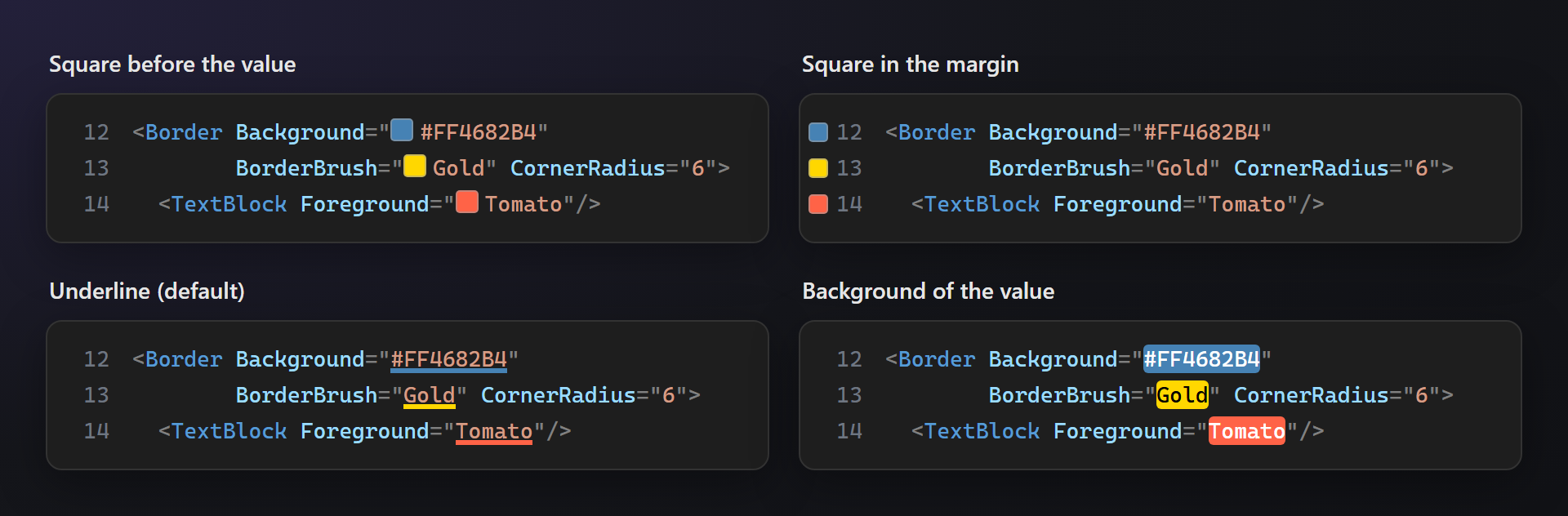
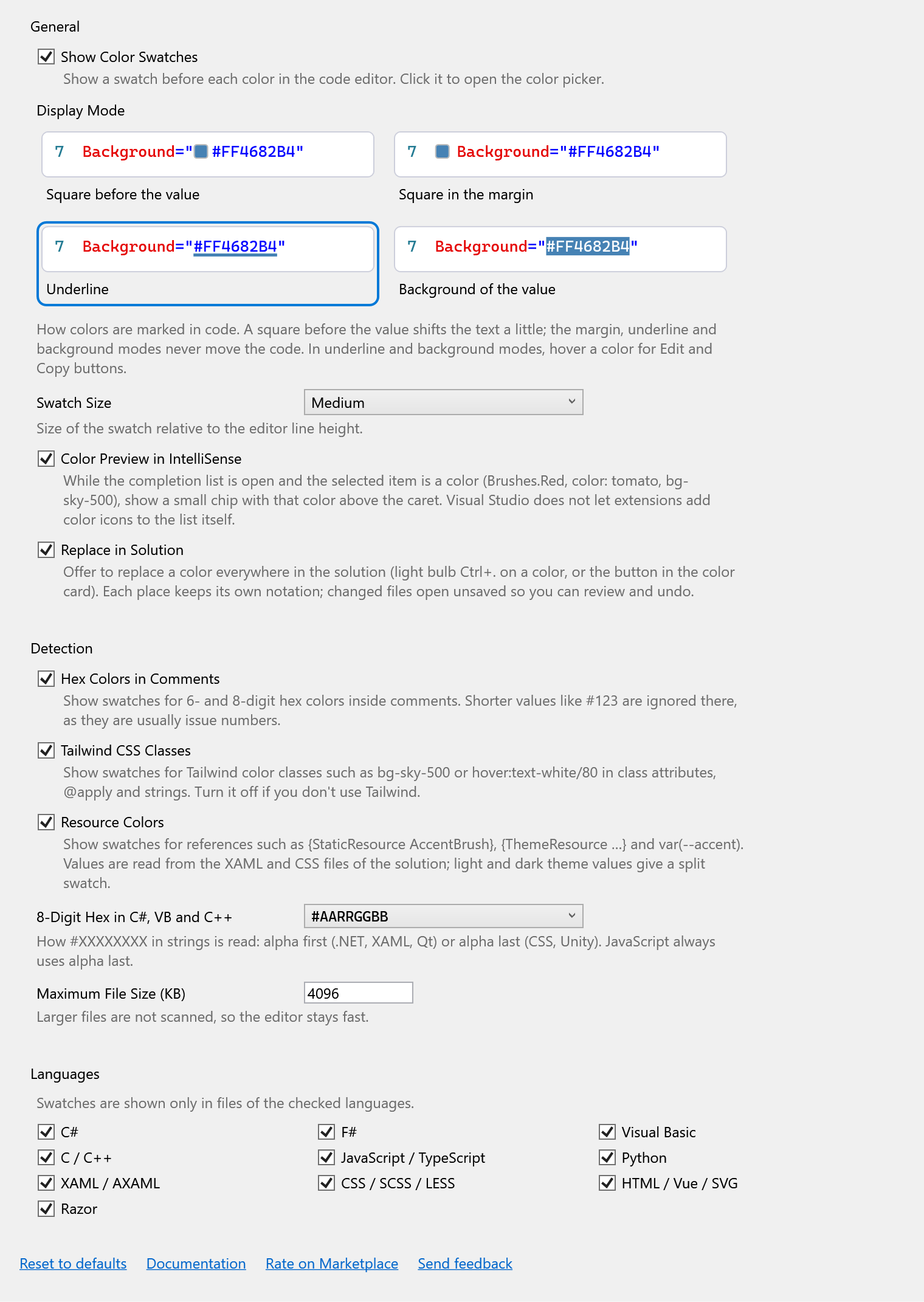
ColorSmith — see every color in your codeColorSmith shows color swatches right in the Visual Studio editor and opens a real color picker when you click one. It is smart about where: a swatch appears only where the code really defines a color — never on the word "Red" in a page text, never on Free. Forever. No subscription, no trial, no "pro" version, no nag screens, no telemetry. 📖 Documentation · Visual Studio 2022 and 2026 · UI in 14 languages Four ways to show a colorPick the one that suits you in Tools → Options → ColorSmith. Only the first one moves your text; the others never shift a single character.
Every notation, in every language you useHex,
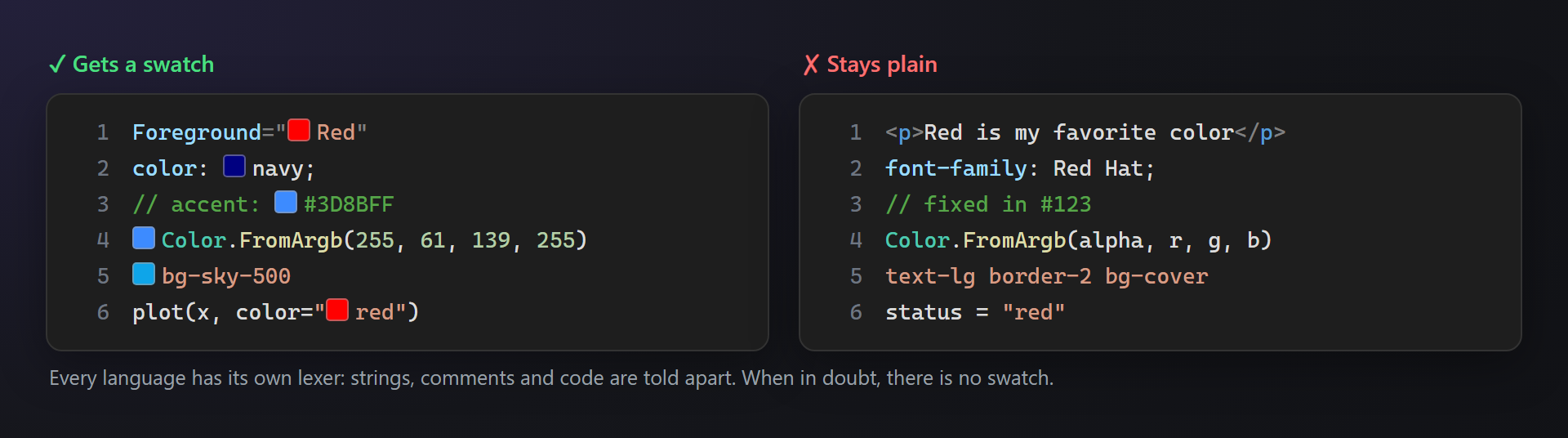
Smart, not noisyEach language has its own lexer: strings, comments and code are told apart, and a color name counts only in a color context. When in doubt, there is no swatch.
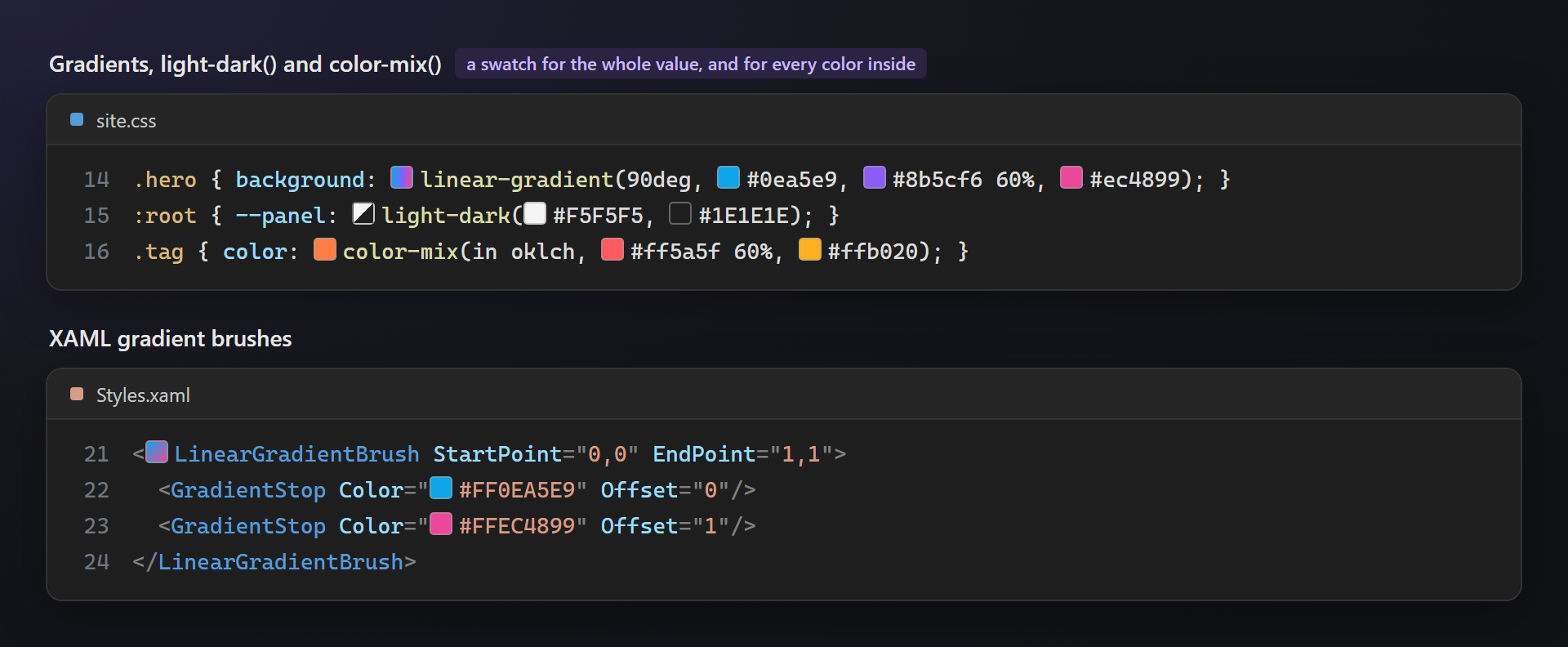
Gradients, light-dark() and color-mix()The whole value gets a swatch — a gradient preview, a split light/dark swatch, the computed
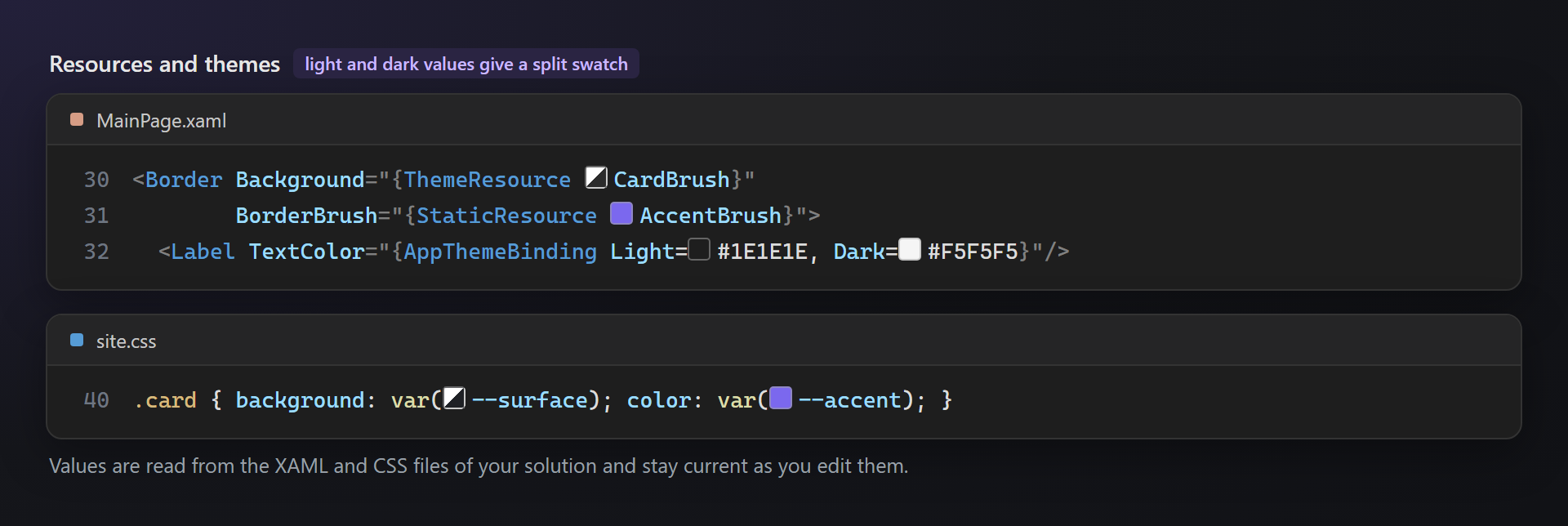
Resources and themes
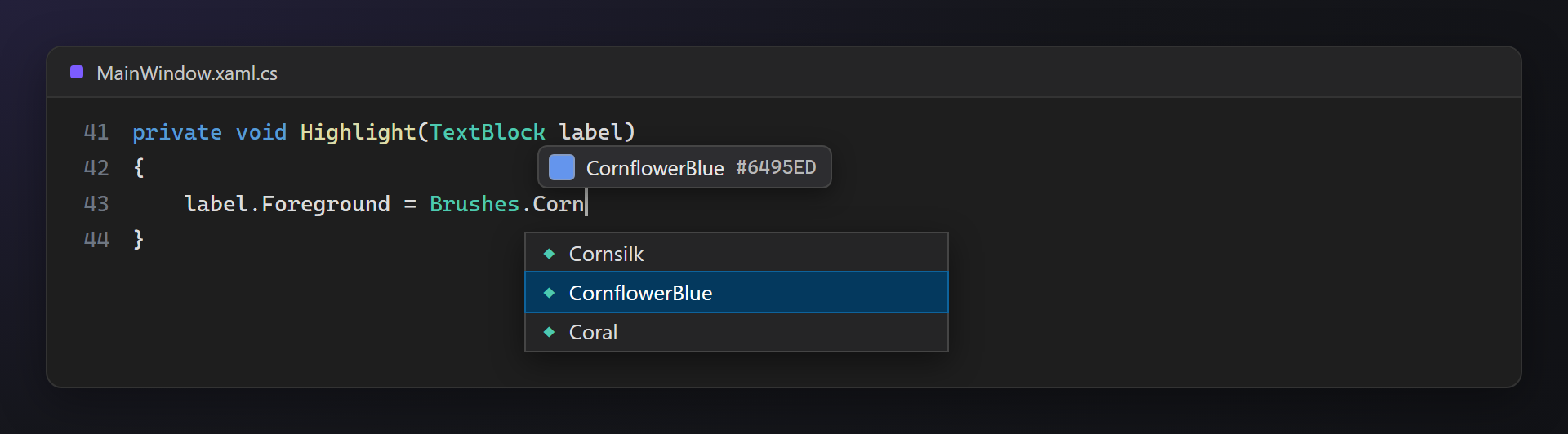
Colors in IntelliSenseWhile the completion list has a color selected, a chip with that color shows above the caret.
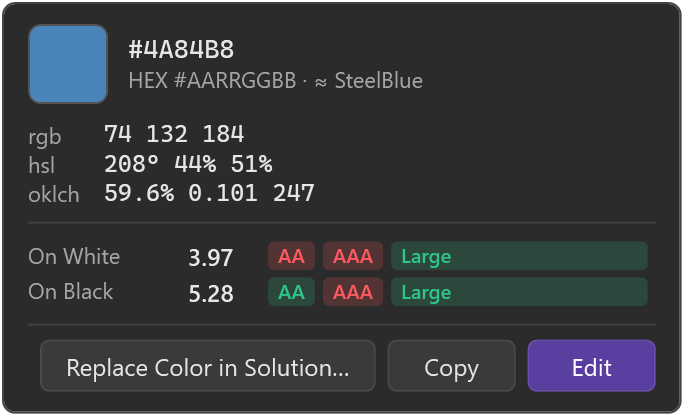
Color cardHover a color to see its values in several color spaces, the nearest named color and WCAG contrast on white and black — with Edit, Copy and Replace Color in Solution… buttons. Alt+click copies the value.
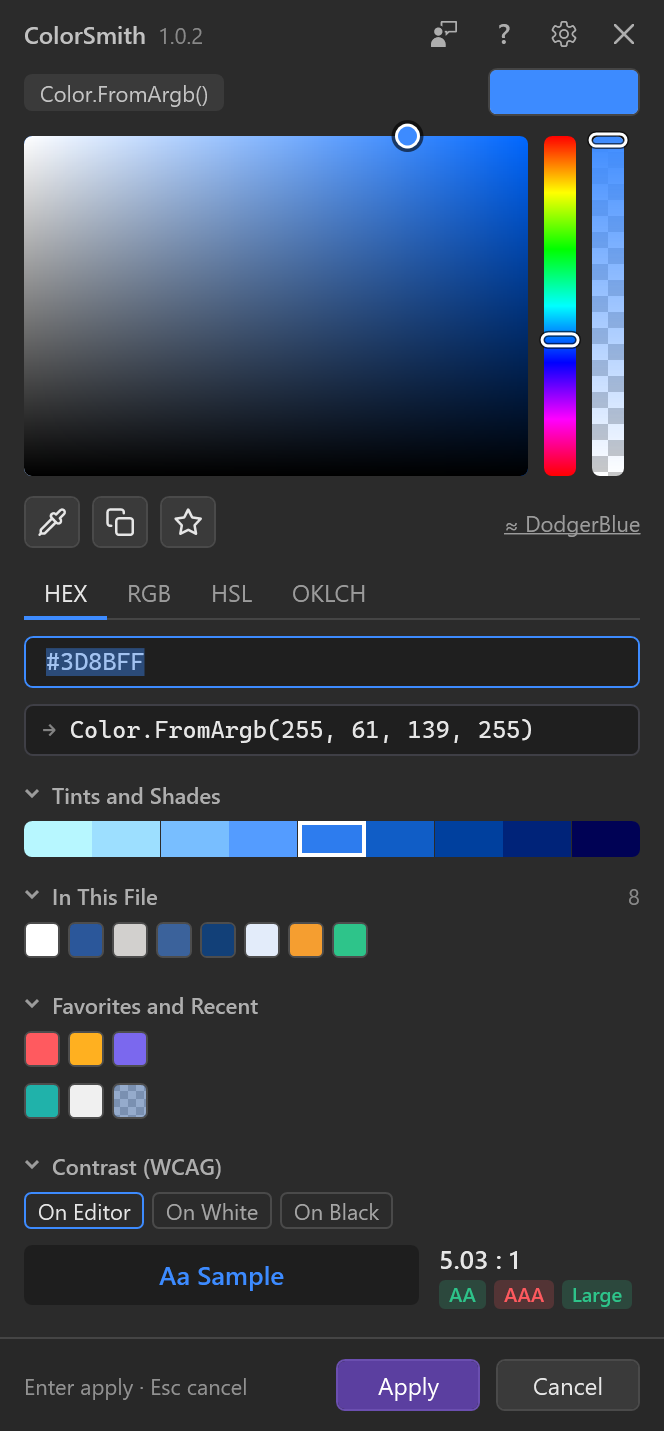
A color picker worth opening
Replace a color in the whole solutionLight bulb (Ctrl+.) on a color, or the button in the color card: ColorSmith finds the color in every notation across the solution, optionally with similar shades, and rewrites each place in its own notation. Changed files open unsaved, one undo step per file. SettingsEvery option has a description, every feature can be turned off, and each language can be switched on or off.
Questions or ideas? Use the Q & A tab on this page. Full documentation: lazowskianton.github.io/VSExtensions/colorsmith. |