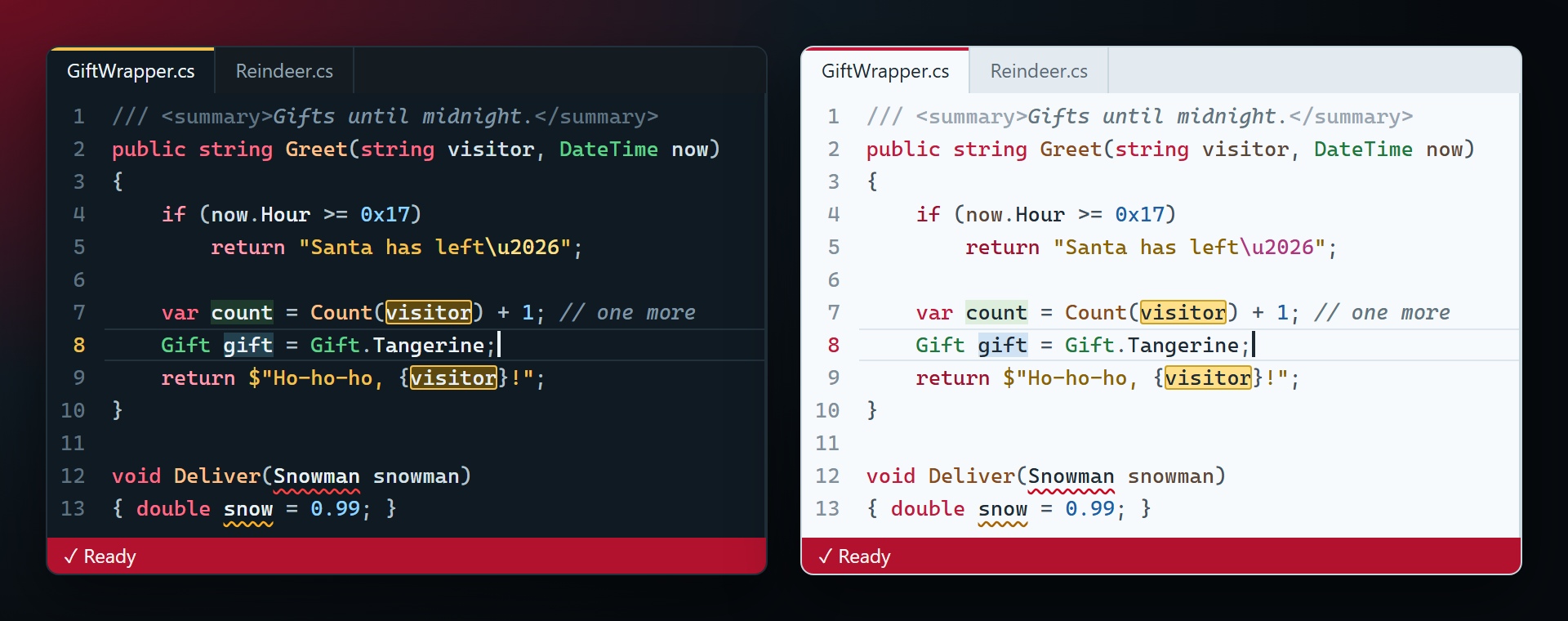
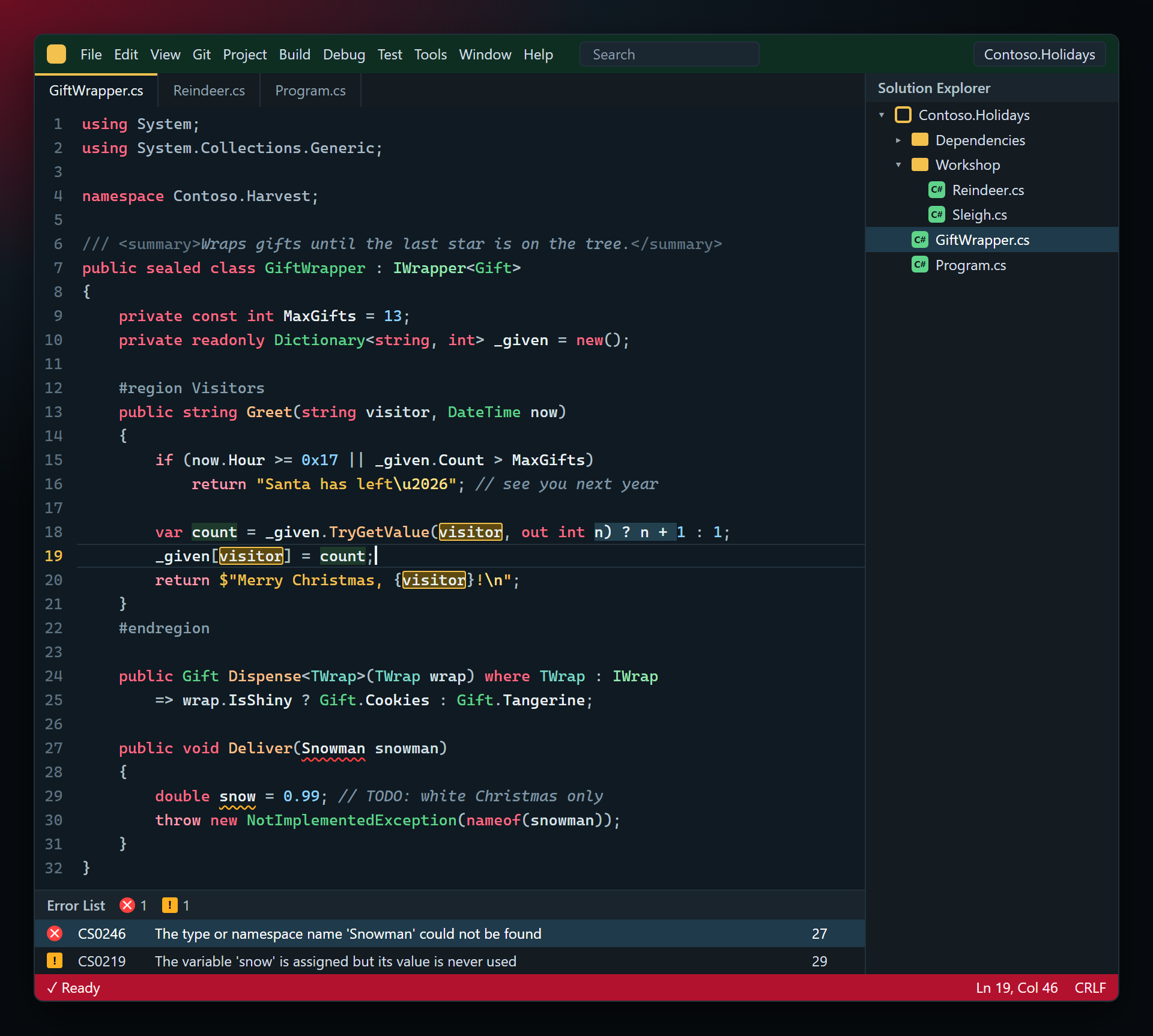
ChristmasSmith ThemesTwo Christmas and New Year color themes for Visual Studio 2022 and 2026, for the whole IDE and the code editor. Christmas Night is dark: a winter night by the tree with cranberry keywords, pine-green |

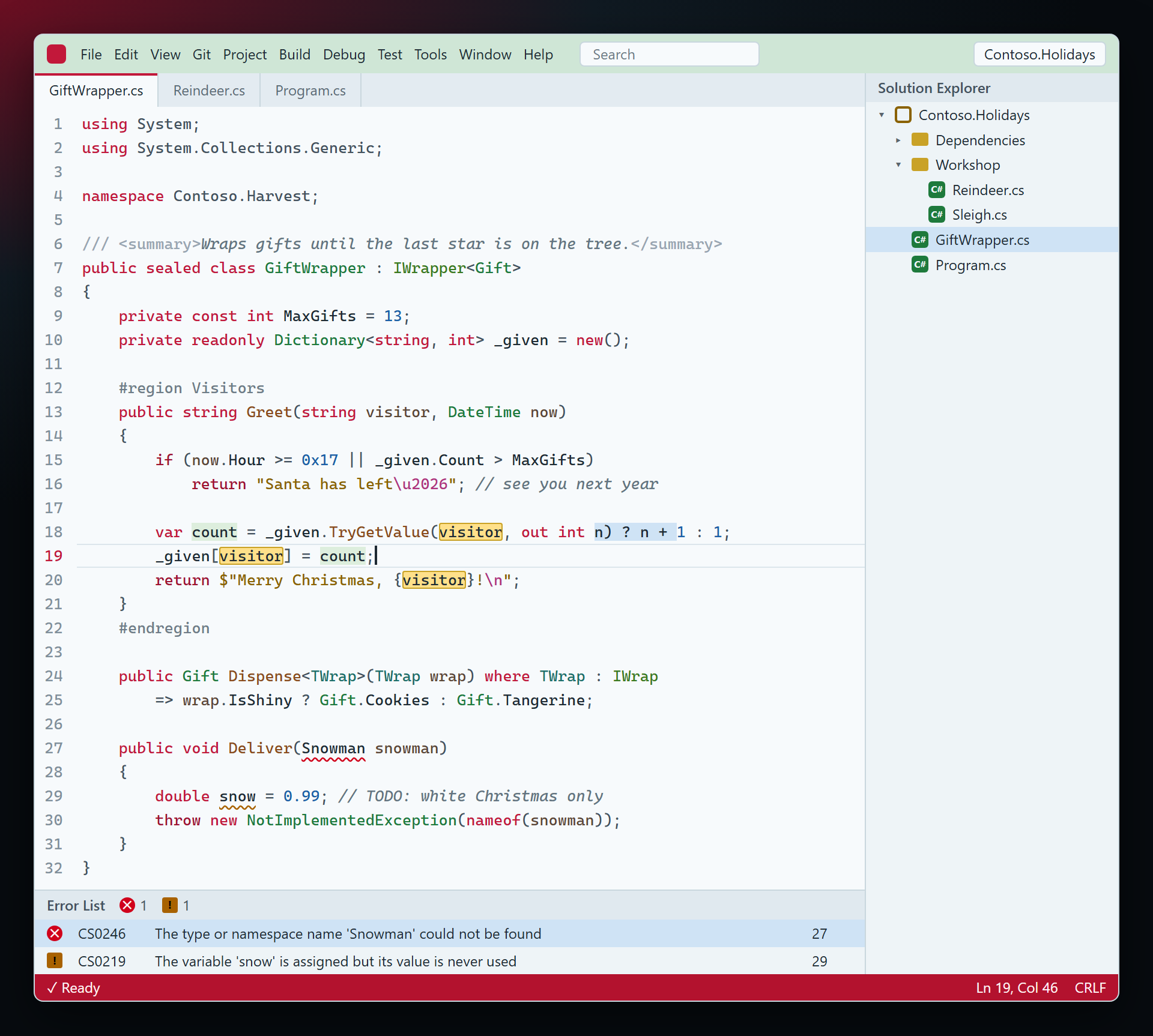
ChristmasSmith Themes — Christmas Night and Christmas LightTwo Christmas and New Year color themes for Visual Studio, for the whole IDE and the code editor. Christmas Night is a winter night by the tree; Christmas Light is a snowy morning. Cranberry baubles, pine branches and gold tinsel — festive, and still comfortable for a full working day. Free. Forever. No subscriptions, no "pro" version, no data collection, no messages at startup. There is no code inside, only colors — so it never asks for anything, not even a rating. 📖 Documentation · Visual Studio 2022 and 2026 · x64 and ARM64 Christmas NightKeywords are cranberry baubles, types pine branches, strings gold tinsel, numbers ice, methods gingerbread; comments are frosted glass. The status bar is a red bauble — gold while you debug.
Christmas LightSnow-white background with blue-grey ink, cranberry keywords, pine-green types, gold strings and gingerbread methods.
Made for coding
Turn it onVisual Studio 2026: Tools › Theme › Christmas Night (or Christmas Light), and keep Tools › Editor Appearance on Match Theme — otherwise the editor keeps the usual colors. Visual Studio 2022: Tools › Options › Environment › General › Color Theme. Colors you changed yourself in Fonts and Colors stay on top of any theme. A color looks wrong? Use the Q & A tab on this page or the Feedback repository, ideally with a screenshot. Full documentation: lazowskianton.github.io/VSExtensions/christmassmith. |