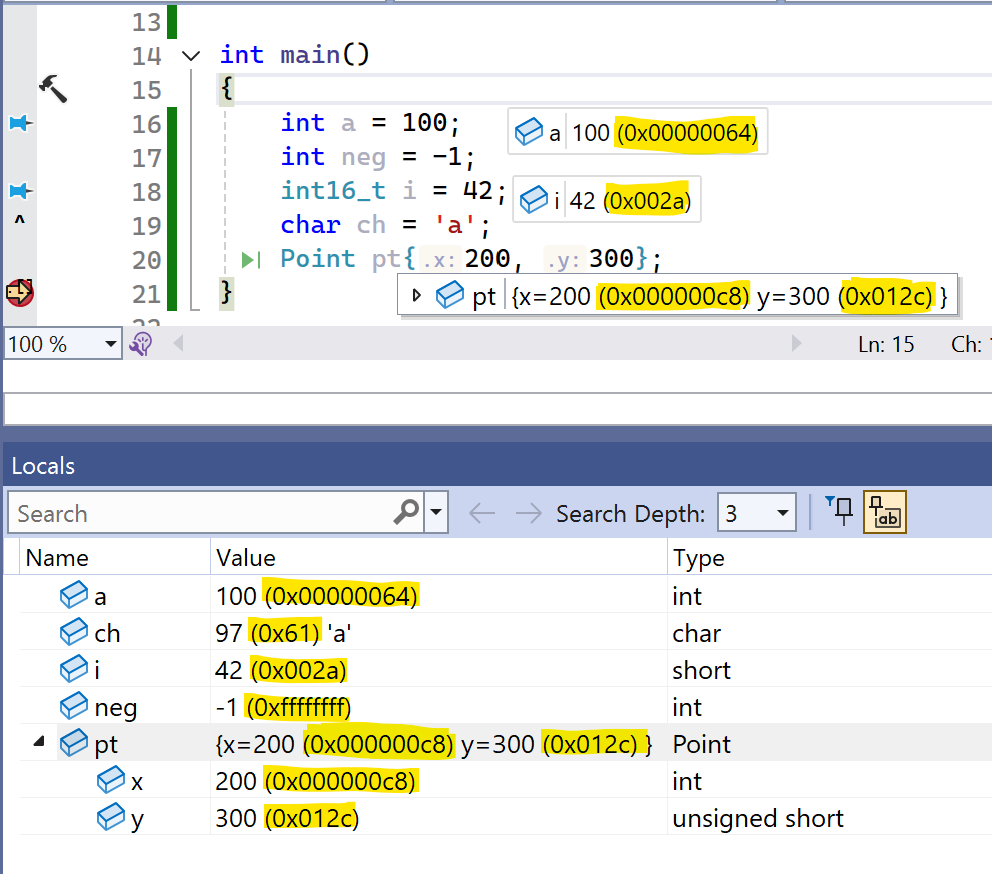
AlwaysHexShow variable values in decimal and hex together: while you debug, AlwaysHex displays every integer value in both formats at once, for example 42 (0x0000002a). No more switching "Hexadecimal Display" |

AlwaysHex - Visual Studio ExtensionShow variable values in decimal and hex together while you debug in Visual Studio.
Visual Studio's debugger shows numbers either in decimal or in hex. Which one depends on the Hexadecimal Display toggle, so you keep switching back and forth. AlwaysHex shows both:
The radix you picked with Hexadecimal Display always comes first. With hex display on,
DocumentationLicenseMIT © 2026 Jochen Baier, email(at)jochen-baier.de |