Invicti PlatformStart a new DAST scan for your web application by integrating Invicti Platform into your Azure DevOps. As a result of this scan, you can also find detailed reports. |

Invicti Platform ExtensionInvicti Platform is a comprehensive dynamic application security testing (DAST) solution. It enables you to scan websites, web applications, and web services to identify security flaws. Invicti can scan all types of web applications, regardless of the platform or the language with which they are built. Key FeaturesThis extension provides the following components:
Getting StartedInstallationThe following steps can be used in installing the shared extension within an organization.
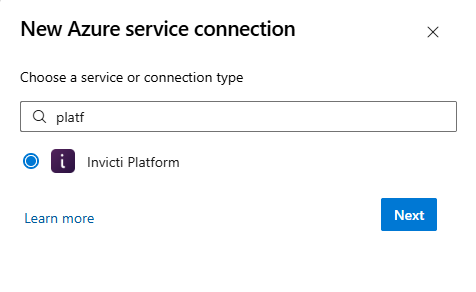
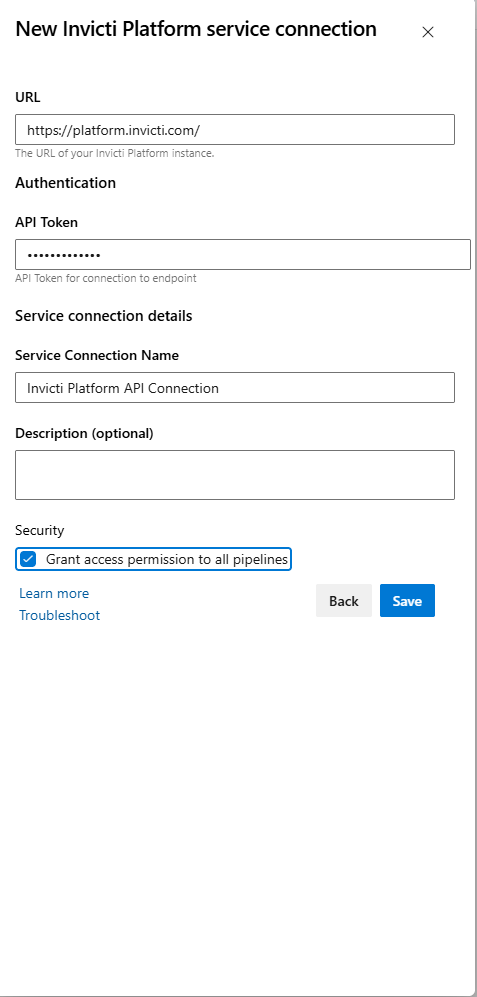
The Invicti Platform extension and task will now be available to add in build and release pipelines. ConfigurationThe following steps can be used in configuring the extension within a project's build or release pipeline. If a Service Connection has already been configured for Invicti Platform, you can skip the Service ConnectionBefore configuring the build or release pipeline, first generate an Invicti Platform API Token. This API Token is used to authorize the Azure DevOps Extension to interact with the Invicti Platform API. For further information, see CI/CD Environment Variables. Once an API Token has been generated, a Service Connection in Azure DevOps can be configured as follows:
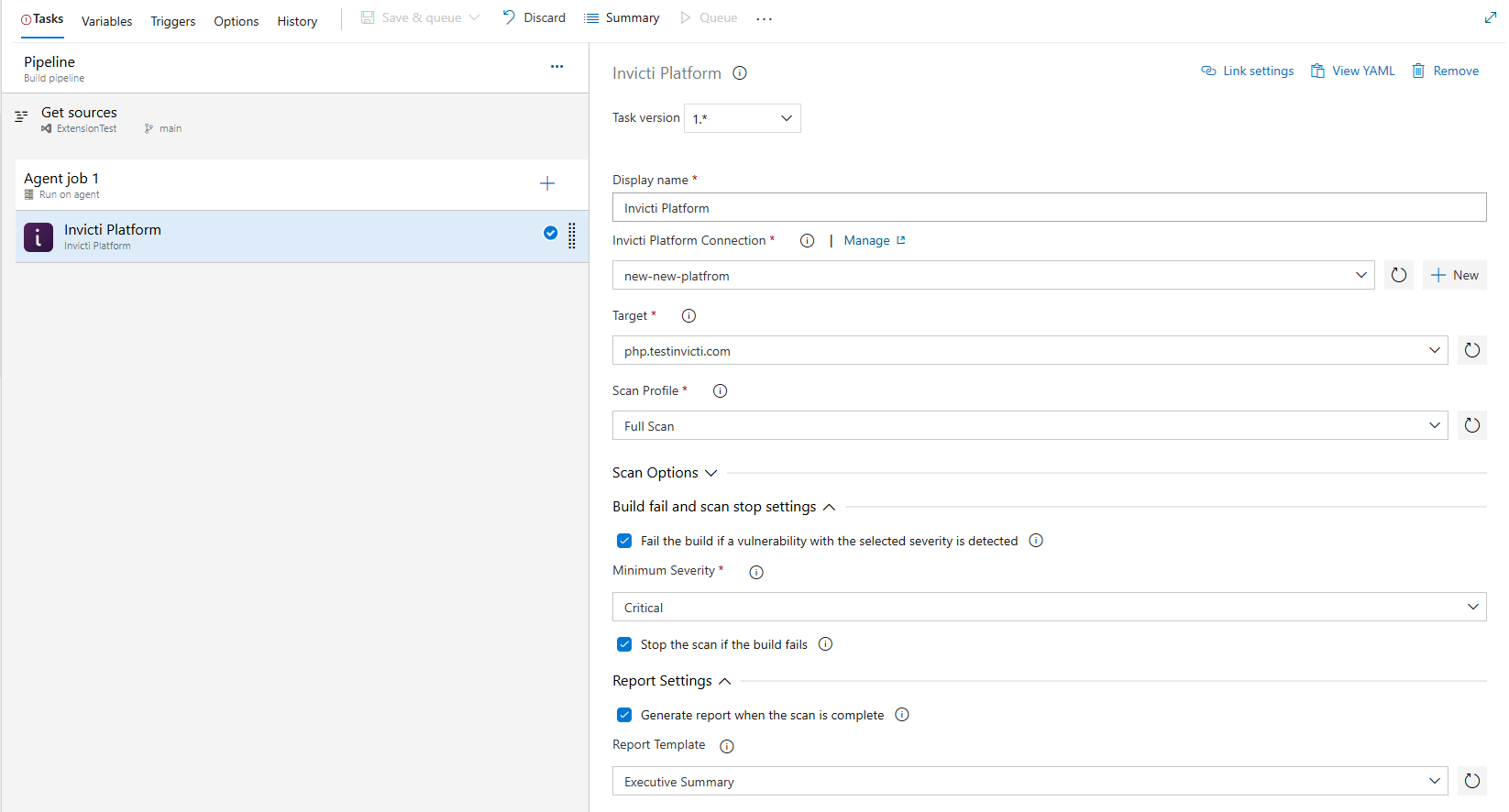
Please ensure Invicti Platform appears in the list of service connections for that project. Pipeline ConfigurationOnce you created a service connection, you can add the Invicti Platform extension into the build and release pipelines. The steps below are generalized for adding to either a build or release pipeline:
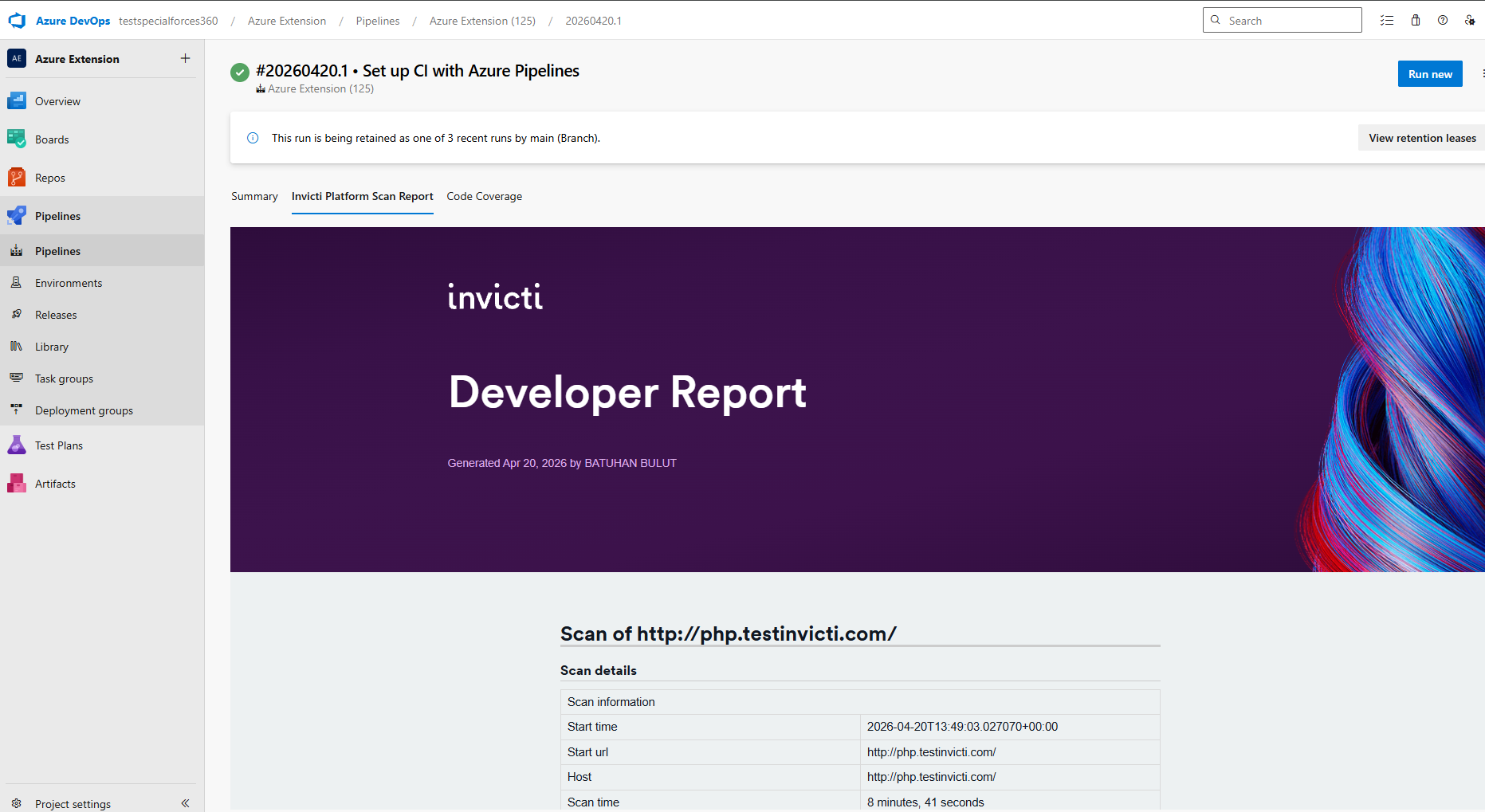
Scan ReportsYou can generate reports once the scan is completed by selecting a report template from your Invicti Platform account. When the scan is completed, you can view the selected report in a new tab as "Invicti Platform Scan Report" in the Pipelines section.
More InformationRelease Notesv1.0.0:
|