Email to Work Item
Transform Email-Driven Issue Tracking with Azure Boards Work Items for Outlook.
Seamlessly convert emails into trackable Azure DevOps work items, complete with AI-generated summaries and action items. All original email context is automatically attached to the work item, ensuring nothing gets lost in translation.
🚀 Install Now

➡️ Install from Microsoft Marketplace
Quick Links
📖 Quick Start Guide | 💬 Contact Support | 📚 Help Documentation
Key Features
- One-click work item creation from Outlook emails
- AI-powered intelligent email analysis (powered by Google Gemini)
- Original email attached to work item as EML attachment for preserved context
- Complete Azure DevOps integration: team assignment, areas, iterations, parent linking
- Seamless SSO authentication with Microsoft accounts
- Support for all work item types: Bug, Task, User Story, Feature, Epic
- Multi-organization and multi-project support
AI Features & User Control
This app uses Google's Gemini AI to enhance your productivity:
- Automatic email summarization into structured work item descriptions
- Intelligent extraction of action items from email content
- Context-aware content analysis to save you time
- Optional: You can skip AI processing and use basic email content
- Full control: Review, edit, or regenerate AI output before creating work items
- Report any inappropriate or inaccurate AI-generated content directly in the app
- Your feedback helps improve the AI experience for everyone
Problems Solved
| Challenge |
Solution |
| Manual copy-paste between emails and Azure DevOps |
Eliminated with one-click creation |
| Loss of email context and formatting |
Original email preserved as EML attachment |
| App-switching time |
Reduced with intelligent summarization |
| Inconsistent issue tracking |
Ensures consistent tracking from customer communications |
| Lost email thread context |
Maintains full email context in work items |
Ideal For
- Development teams using Azure DevOps
- Customer support teams tracking email issues
- Project managers coordinating communications
- DevOps teams integrating customer feedback
- Organizations requiring email-to-work-item audit trails
Requirements
- Active Azure DevOps organization with contributor+ permissions
- Microsoft 365 Business/Enterprise license
- Outlook desktop or web (mobile not supported)
- Internet connectivity for Azure DevOps APIs and AI processing
Limitations
- Email attachments preserved as references only
- AI features require internet connection and may take a few seconds
- AI summarization works best with English content
How It Works
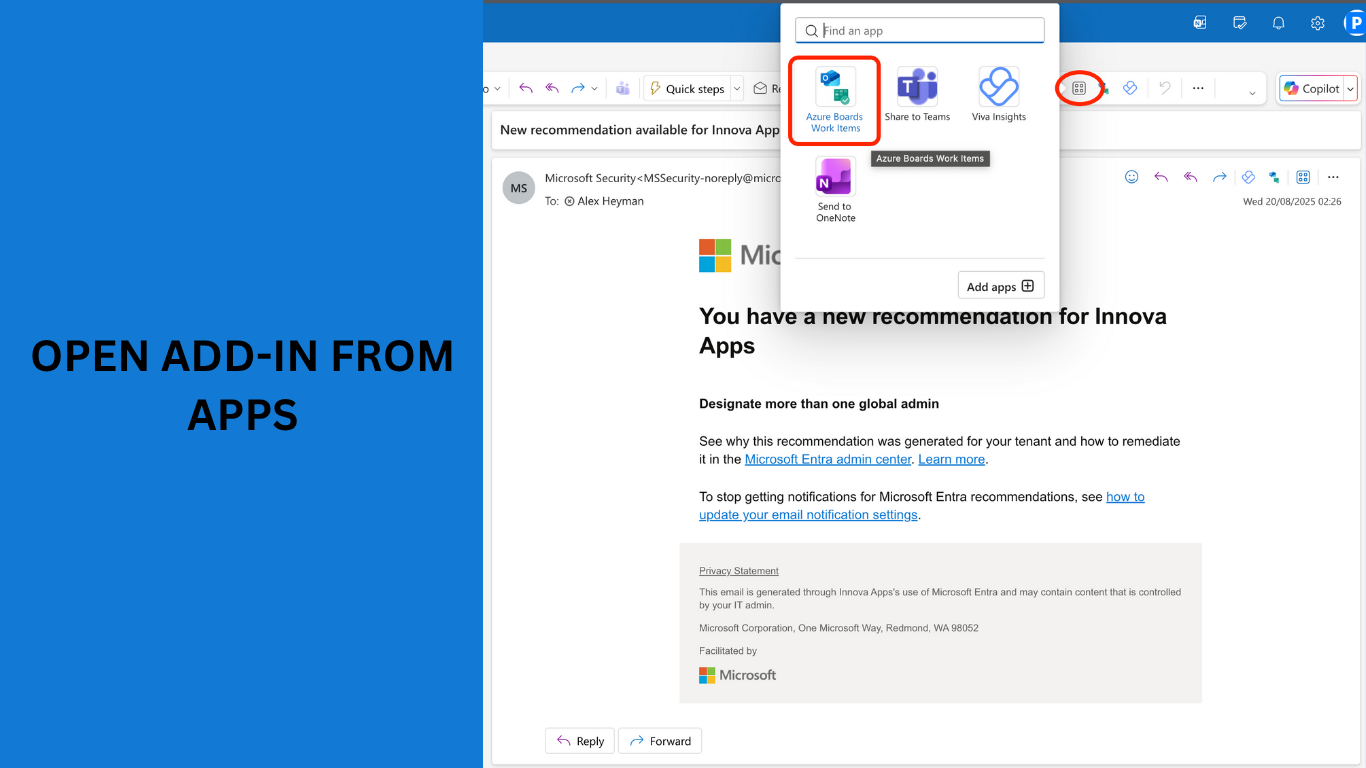
Step 1: Open the Add-in
Select an email in Outlook, then click the Apps button in the toolbar. Find and select Azure Boards Work Items from the app menu.
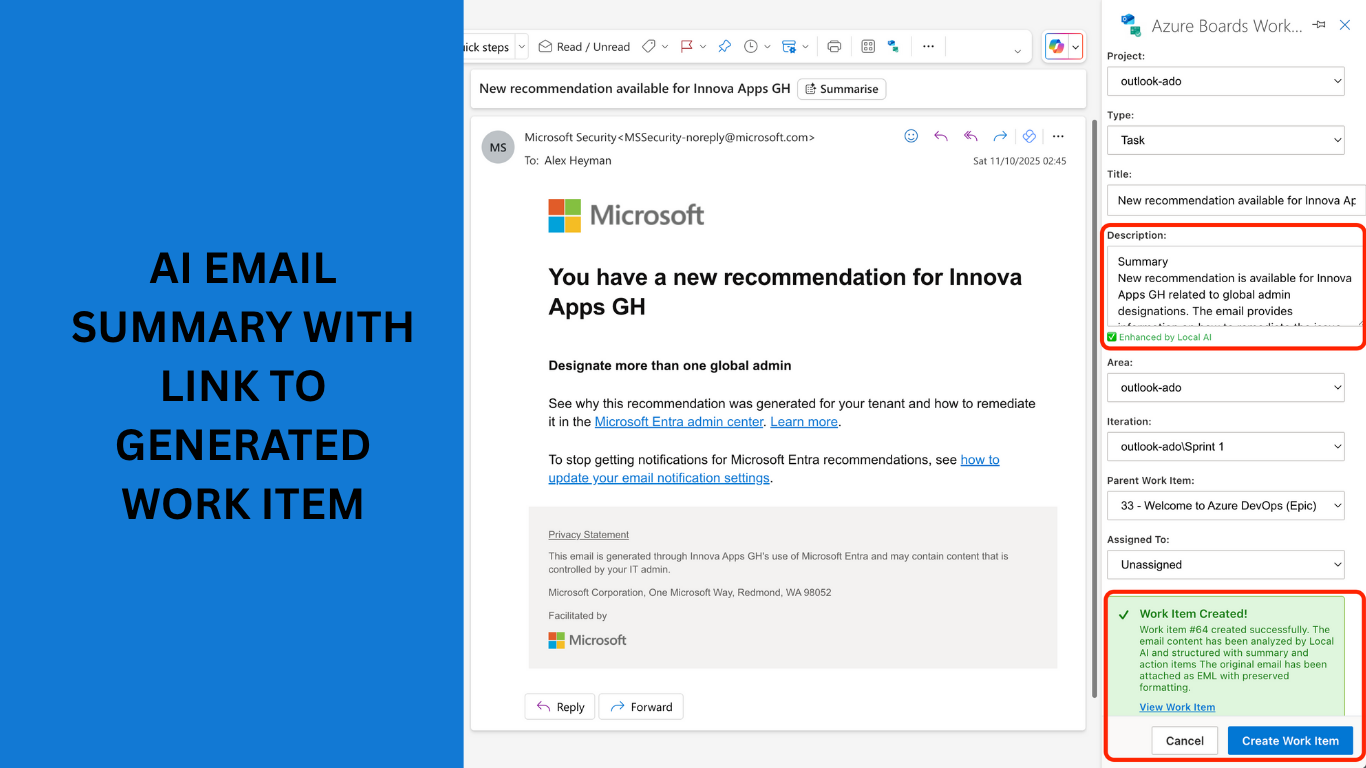
The add-in panel opens with your email content automatically populated. AI analyzes the email and generates a structured summary with action items. Select your project, work item type, area, iteration, and parent work item. Click Create Work Item when ready.
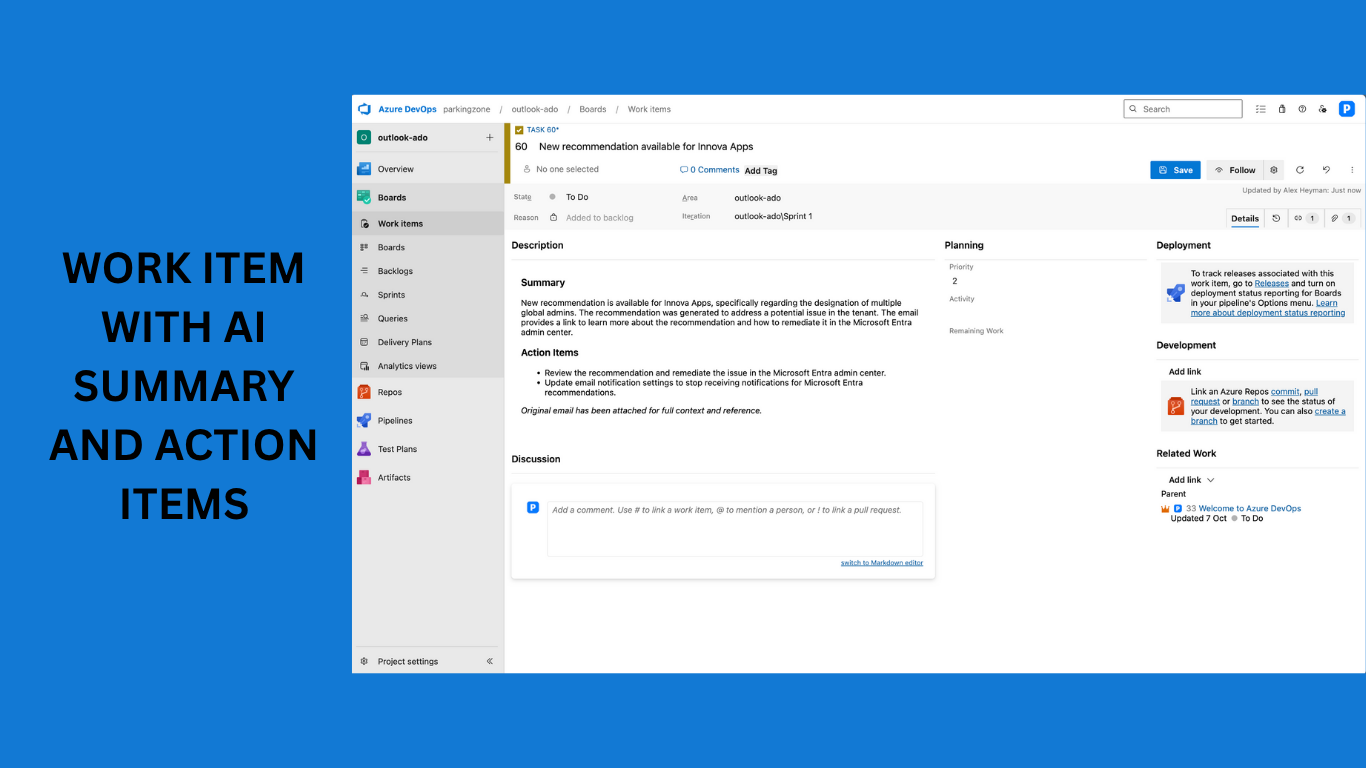
Step 3: View Your Work Item in Azure DevOps
Your work item is created with the AI-generated summary, extracted action items, and the original email attached as an EML file for full context preservation.
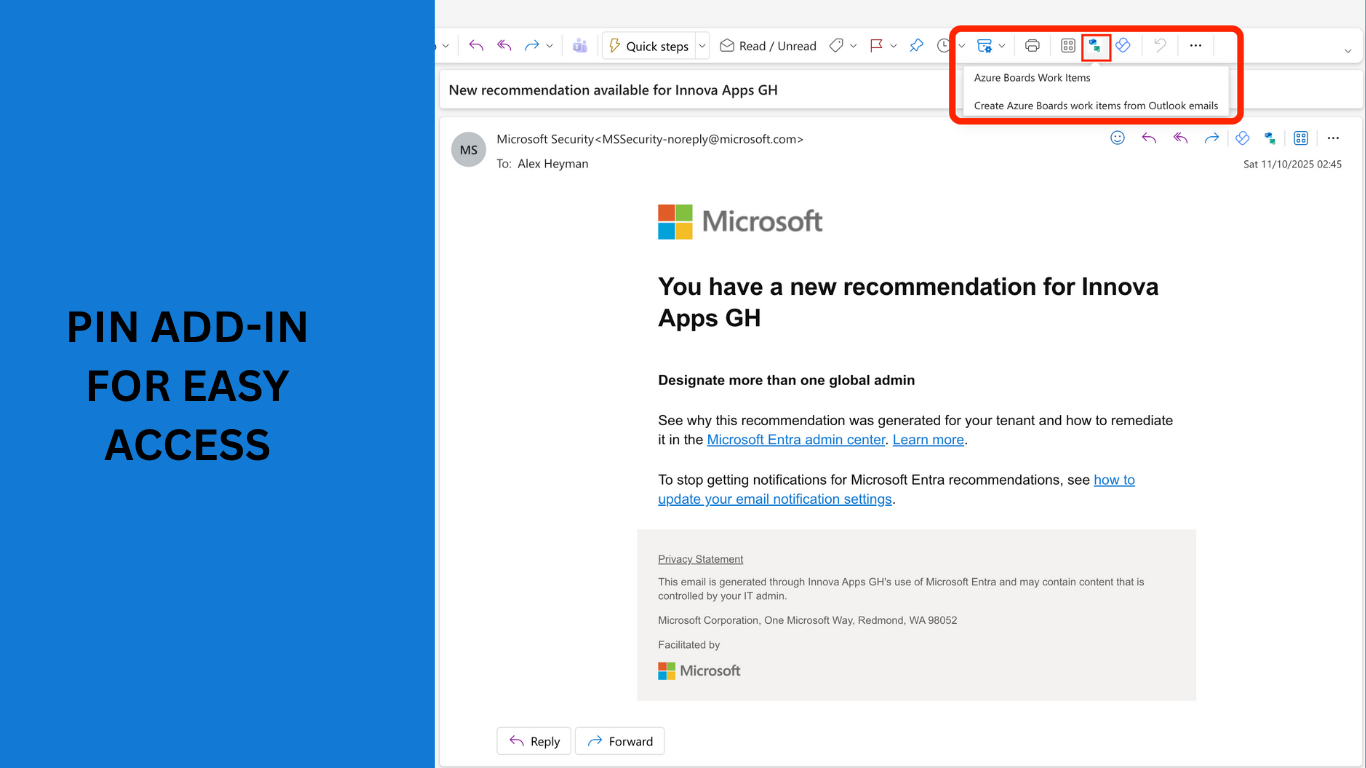
Pro Tip: Pin for Quick Access
Pin the add-in to your Outlook toolbar for one-click access. Right-click the add-in icon and select Pin to keep it visible in your toolbar.
Language Support
- Primary: English (en-us)
- Email content: Any language supported by Outlook
- Work items created with original language preserved
- AI summarization works best with English content
Transform how your team handles email-driven work requests with AI-enhanced productivity, complete context, and full user control.
🔗 Report Inappropriate Content: Available in-app or via support

