|

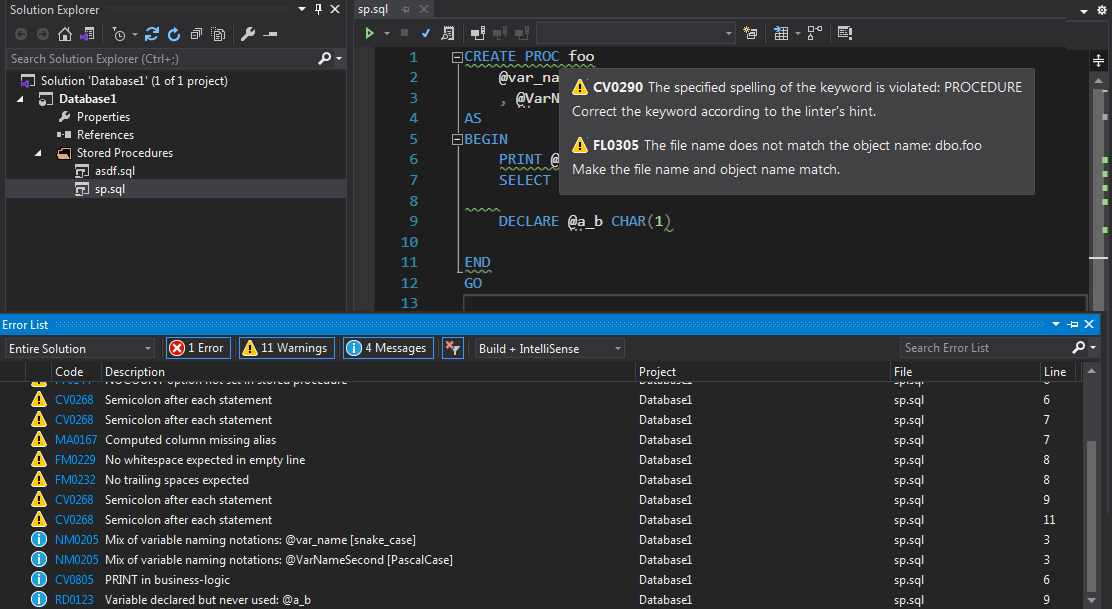
TeamTools T-SQL Linter Visual Studio ExtensionThis extension integrates IVNSTN/TeamTools.Linter.TSQL for static analysis of T-SQL code with Visual Studio. It provides 500+ linting rules. InstallationThe T-SQL linter extension for Visual Studio can be installed from the official marketplace (2019, 2022) or by downloading, unpacking, and manually installing the most recent binary from the Releases section of the project's GitHub page. How it worksAfter installation, the linter automatically runs code validation during SQL project code editing in Visual Studio.
It scans the currently active tab with a
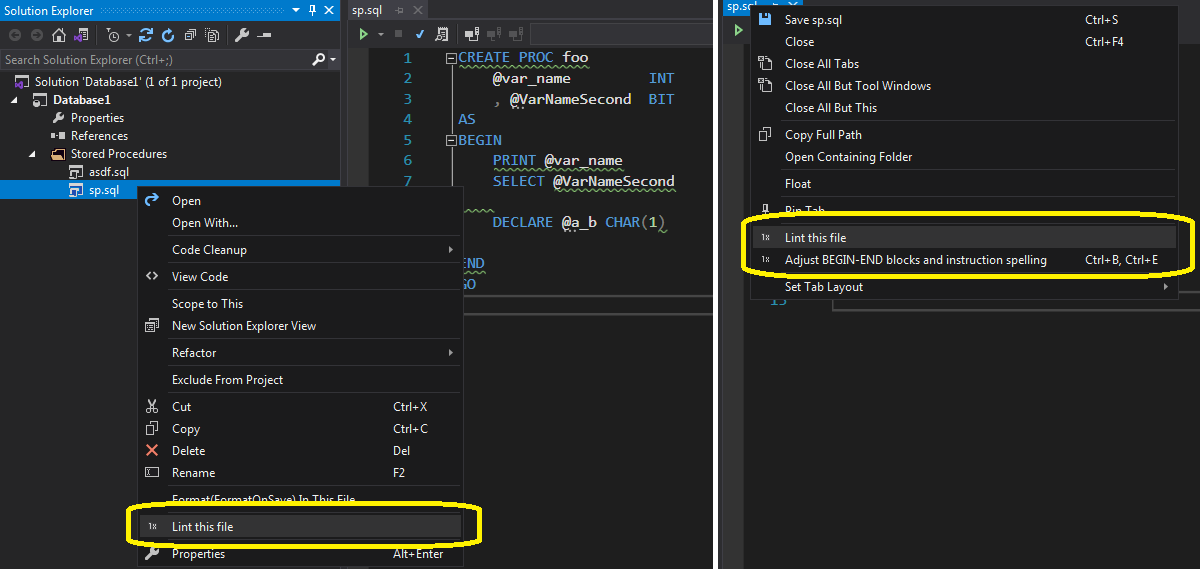
You can force a single-file scan by clicking the "Lint this file" menu item in the context menu shown on an editor tab or on a single file in Solution Explorer.
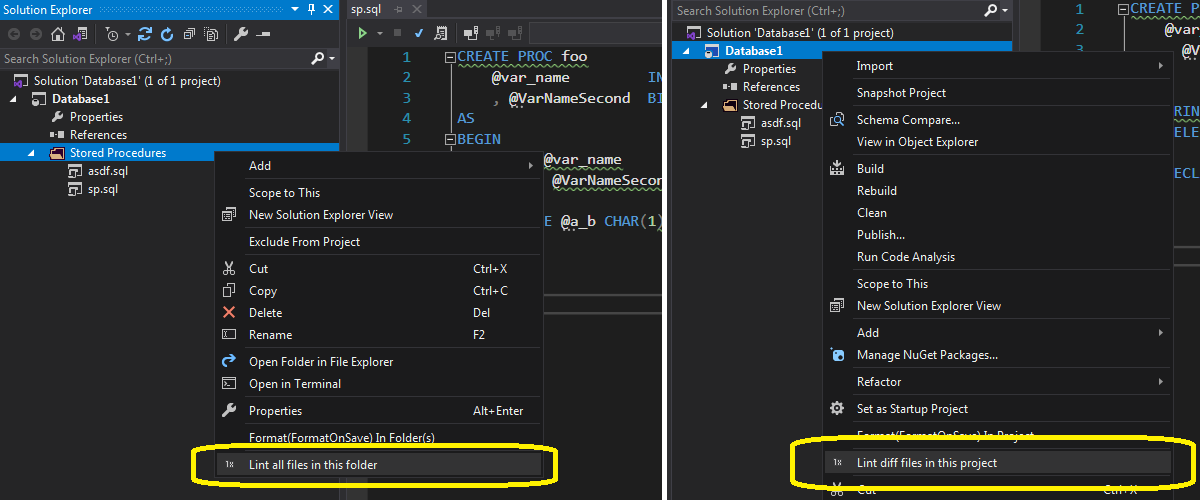
It is also possible to run linting on multiple files: click "Lint all files in this folder" in the context menu shown on a folder selected in Solution Explorer, or "Lint diff files of this project".
"Lint diff files" is available for projects located inside a Git repository. It scans all files considered different from the main branch state. LimitationsCurrently, the Visual Studio version of the T-SQL linter does not provide a configuration UI. It can be configured by editing the CLI toolIt is also possible to run code analysis in a terminal: the T-SQL linter is available as a command-line tool. Thus, it can be:
See the command-line version homepage for additional details. License |