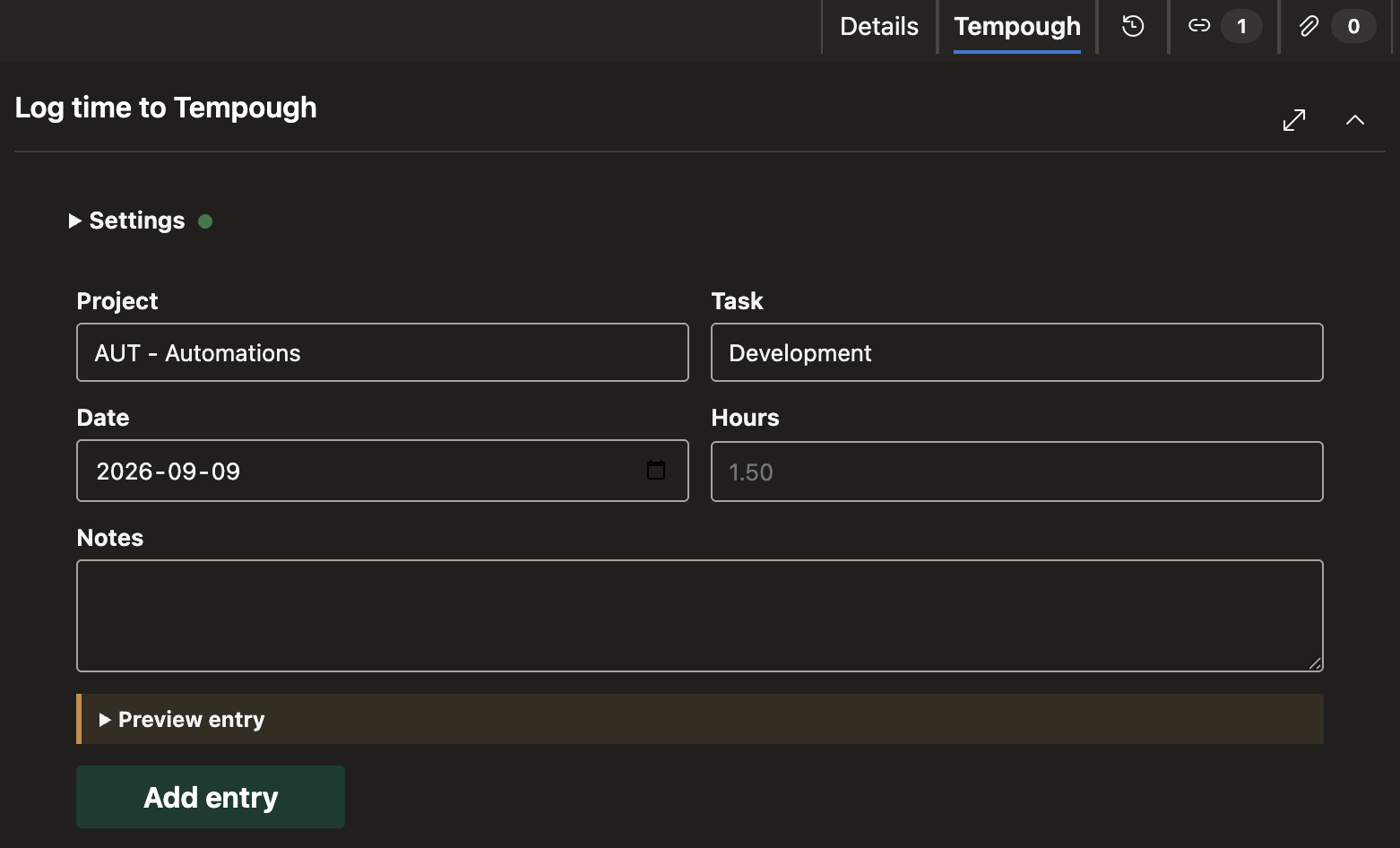
Time Entry for TempoughCreate Tempough time entries from an Azure DevOps work item. Each entry includes the Azure DevOps project code, work item number, and title.
FeaturesCreate entries using active Tempough projects and tasks, reuse your last selections, and preview notes before submitting. Requirements
Get started
Data and securityData access and storageThe extension reads the current work item's ID, title, and type from Azure DevOps via the extension SDK. Your Tempough API URL, API token, and last project and task selection are stored in Azure DevOps user-scoped Extension Data. The API token is stored in Azure DevOps user-scoped Extension Data. API requests send it from your browser to the configured Tempough endpoint as a bearer token. The extension does not include publisher-operated analytics, logging or telemetry. See the included privacy policy for details. Permissions
Other RemarksThis is an independent integration published by IT Nobody, LLC. It is not affiliated with, endorsed by, or sponsored by Tempough. Tempough is a trademark of its respective owner. Use of the name identifies the service with which this independent extension interoperates. |