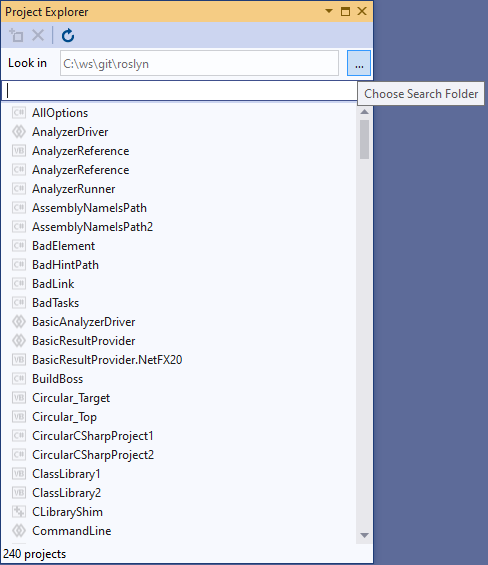
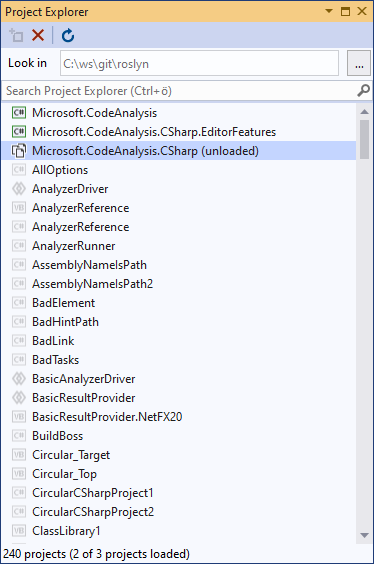
Project Explorer 2026Project Explorer is a small tool window for managing a large number of projects within a given search folder. Quickly search for projects and then load, unload or close them respectivley. |

Project Explorer 2026Project Explorer is a tool window that lists every project below a search folder, whether or not it is part of the current solution. Find a project in seconds, then add it to the solution, unload it, reload it or remove it again. It is made for large repositories where a solution only ever contains a subset of all projects. Supports Visual Studio 2022 and Visual Studio 2026. Getting started
All projects at a glanceProject Explorer recognizes every project type installed in your Visual Studio. The scan runs in the background, can be cancelled at any time and is repeated with Refresh.
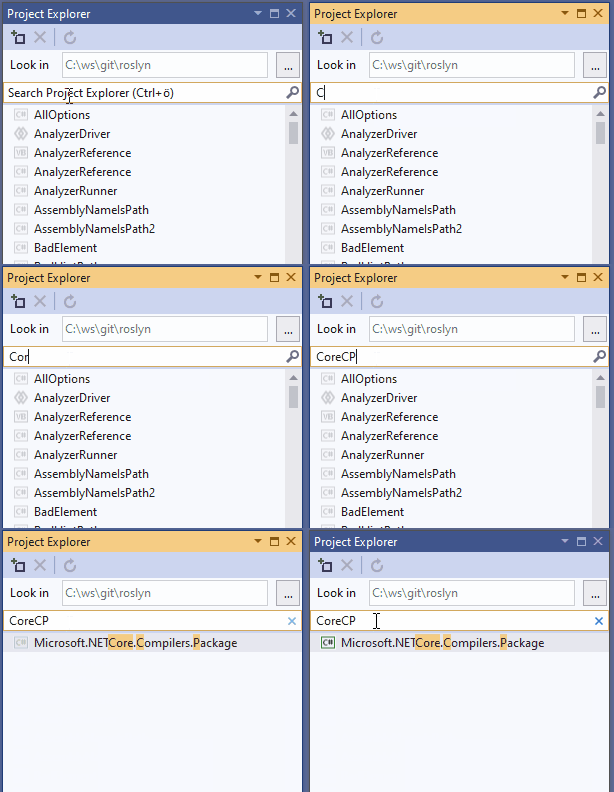
Find projects fastJust start typing. The filter uses the same pattern matching as Visual Studio's Go To, so parts of a name or camel-case abbreviations are enough. Tip: under Tools › Options › Environment › Keyboard, search for ActivateProjectExplorerSearch and assign a shortcut to jump straight into the search box.
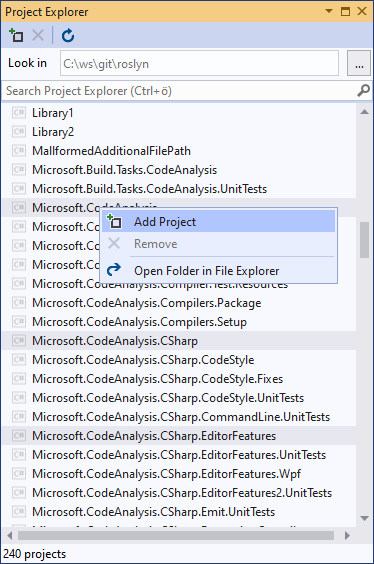
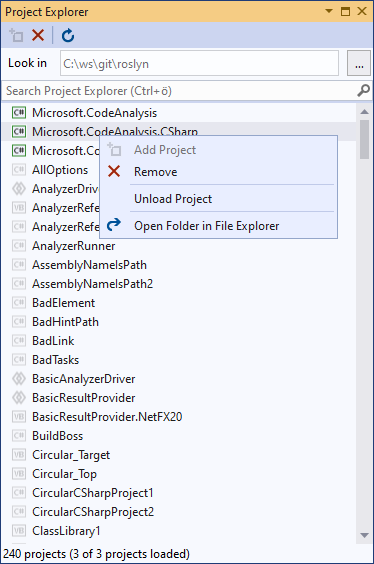
Add, remove, unload and reload projectsUse the toolbar or the context menu to add projects to the solution, remove them, unload or reload them, or open their folder in File Explorer. Multiple projects can be selected at once. A double-click or Enter performs the obvious action:
See the status of every projectLoaded, unloaded and closed projects are clearly distinguished, so you always know what is part of your solution.
FeedbackFound a bug or have an idea? Source code and issues are on GitHub. |