Git Worktree Manager for Visual Studio

A Visual Studio extension that provides an intuitive interface for managing Git worktrees directly within the IDE.
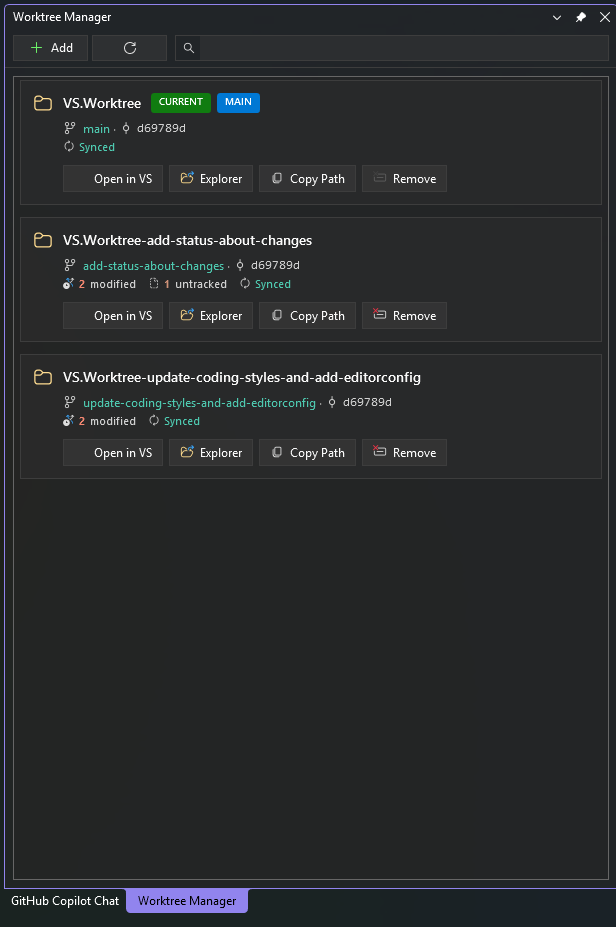
📍 Easy Access
Access the Worktree Manager from the Extensions menu or View > Other Windows.
Features
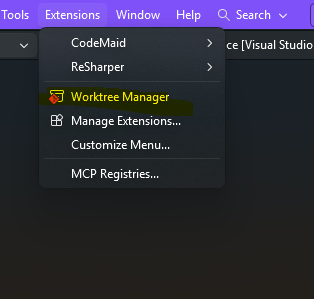
🌳 View All Worktrees at a Glance
See all your Git worktrees in a clean, card-based layout. Each worktree displays:
- Folder name and full path
- Current branch name
- Latest commit SHA
- Status badges (CURRENT, MAIN, LOCKED)
📊 Live Git Status (New)
Get real-time insights into each worktree without switching branches:
- Modified files: Count of changed and staged files.
- Untracked files: Count of new files not yet tracked by Git.
- Sync Status: See exactly how many commits you are ahead or behind from upstream.
- Non-blocking: Status is fetched asynchronously in the background so the UI stays snappy.
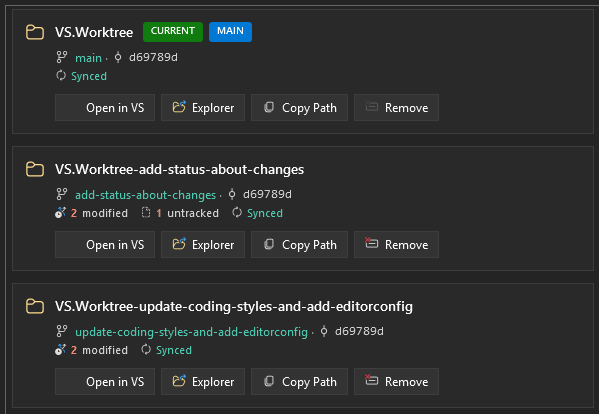
➕ Create New Worktrees
Easily create new worktrees with the Add dialog:
- Create a new branch or use an existing one
- Choose the base branch for new branches
- Auto-generated worktree path based on branch name
- Option to open the new worktree in VS immediately after creation
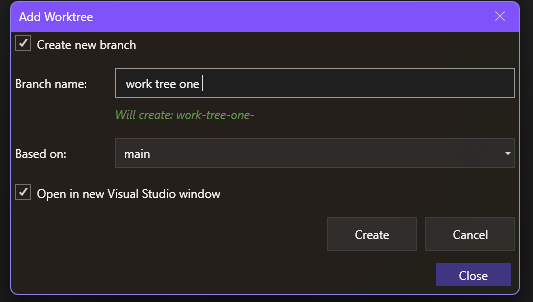
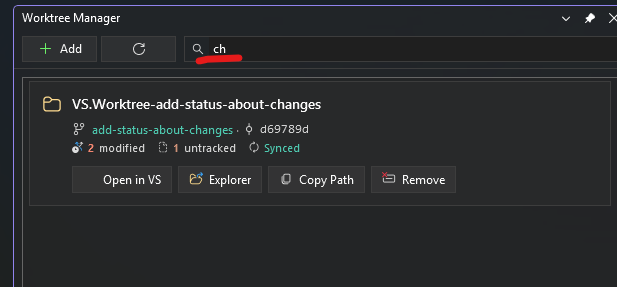
🔍 Search and Filter
Quickly find worktrees using the search box. Filter by:
- Folder name
- Branch name
- Full path
🚀 Quick Actions
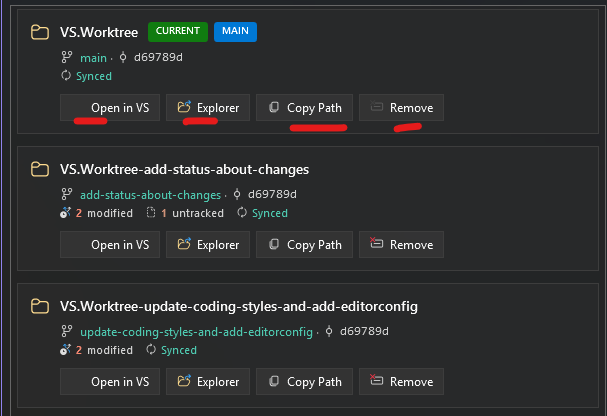
Each worktree card provides quick action buttons:
| Action |
Description |
| Open in VS |
Opens the worktree in a new Visual Studio instance |
| Explorer |
Opens the worktree folder in Windows File Explorer |
| Copy Path |
Copies the full path to clipboard |
| Remove |
Removes the worktree (includes Force Remove for dirty worktrees) |
🛡️ Safety Features
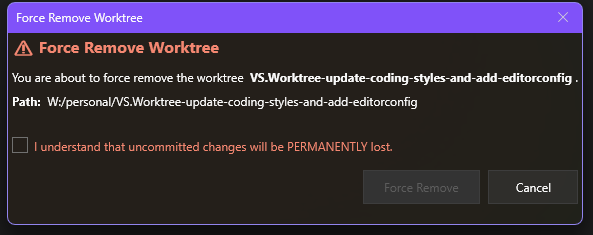
Force Remove: Safely remove worktrees even with uncommitted changes using a confirmation safety dialog.
Protected Worktrees: Cannot remove the currently open worktree or the main worktree.
Locked State: Detects and displays locked worktrees with reasons.
Smart Enrichment: Intelligent status fetching with timeouts to prevent hanging on large repositories.
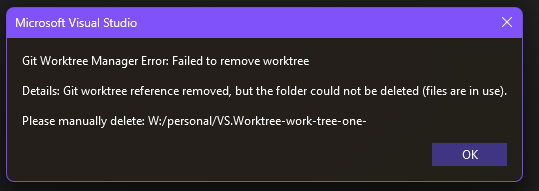
Error Handling: Handles partial failures gracefully (e.g., git reference removed but folder locked).
Requirements
- Visual Studio 2022 (17.10 or later)
- Git installed and available in PATH
Contributing
Contributions are welcome! Here's how you can help:
- Fork the repository
- Create a feature branch (
git checkout -b feature/amazing-feature)
- Commit your changes (
git commit -m 'Add amazing feature')
- Push to the branch (
git push origin feature/amazing-feature)
- Open a Pull Request
Development Setup
# Clone the repository
git clone https://github.com/iAmBipinPaul/GitWorktreeManager.git

# Open in Visual Studio
start GitWorktreeManager.sln

# Build
dotnet build

# Run tests
dotnet test
Project Structure
GitWorktreeManager/ - Main VS extension projectGitWorktreeManager.Core/ - Core library (Git operations, models)GitWorktreeManager.Tests/ - Unit tests
License
This project is licensed under the MIT License - see the LICENSE file for details.
Acknowledgments

