Vex — Your DevOps Companion
Vex = Versatile Engineering eXperience. Team Pulse, work-item dashboards, branch insight and Dynamics 365 Finance &
Operations model tools — together in one Vex entry in your project's menu.
Vex reads your code and work items. The only things it writes are its own documents (dashboards, tables, settings)
and — when you choose to — the Discussion comments you send, edit or delete from a work item's details. It sends no
telemetry, and everyone sees only what their own Azure DevOps permissions allow.
Getting started
- Install Vex in your Azure DevOps organization (an organization administrator approves the permissions below).
- Open any project — Vex appears at the end of the project menu, with Team Pulse, Dashboards,
Branches, Models and Vex settings.
- Nothing to configure: Team Pulse and Branches work straight away; Dashboards start from your saved queries.
Team Pulse
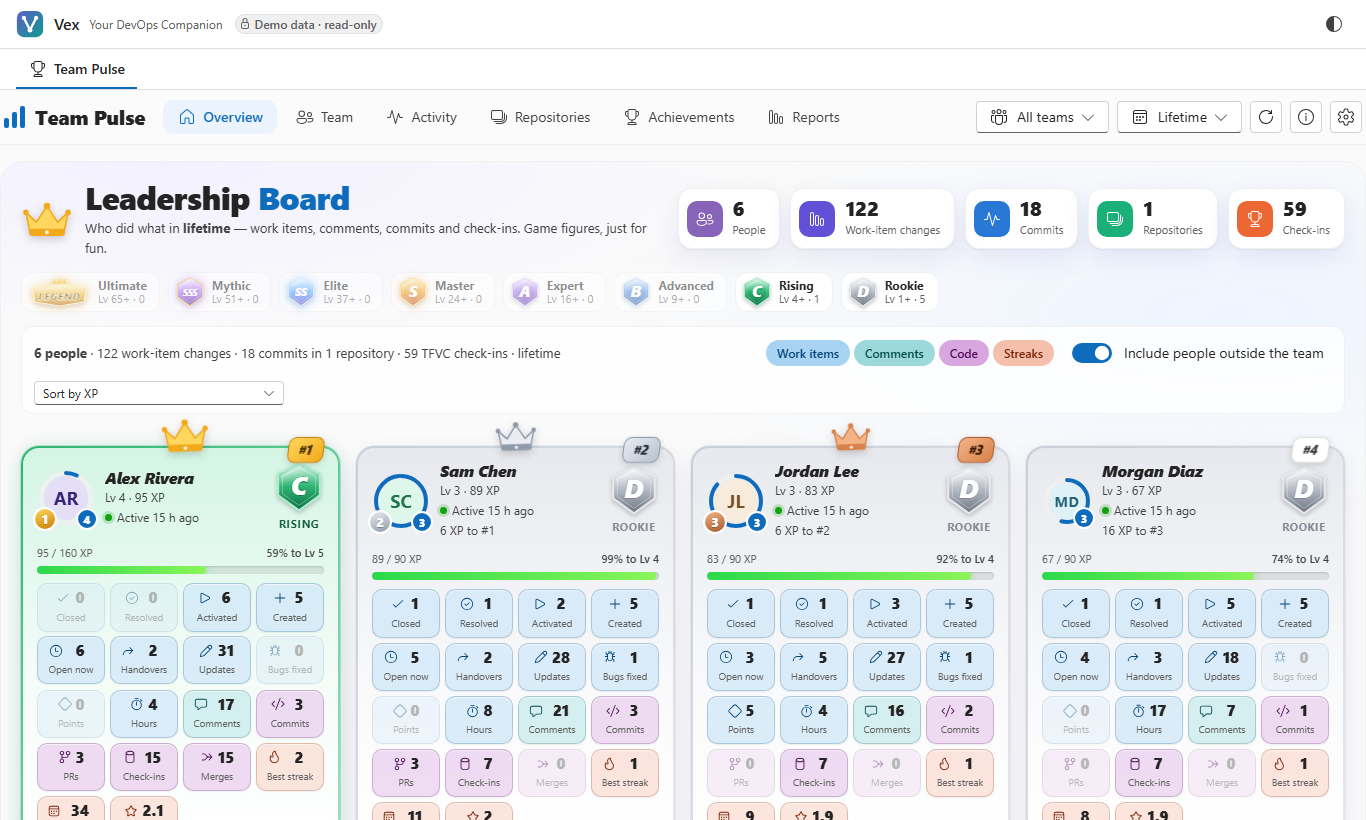
Your team's activity as a friendly game: XP, levels and titles from work items, comments, commits and TFVC check-ins
in the period you choose.
- Leadership board — every person as a card, the top three in gold, silver and bronze; every figure as a tile.
- Ranks — from D Rookie to LEGEND, each with its own emblem and animated card; you choose the levels.
- Titles and Scrum tags — MVP, Bug Hunter, Storyteller… and Scrum Master style, Facilitator, Dispatcher,
Backlog Keeper, Refiner, Finisher and a High WIP hint.
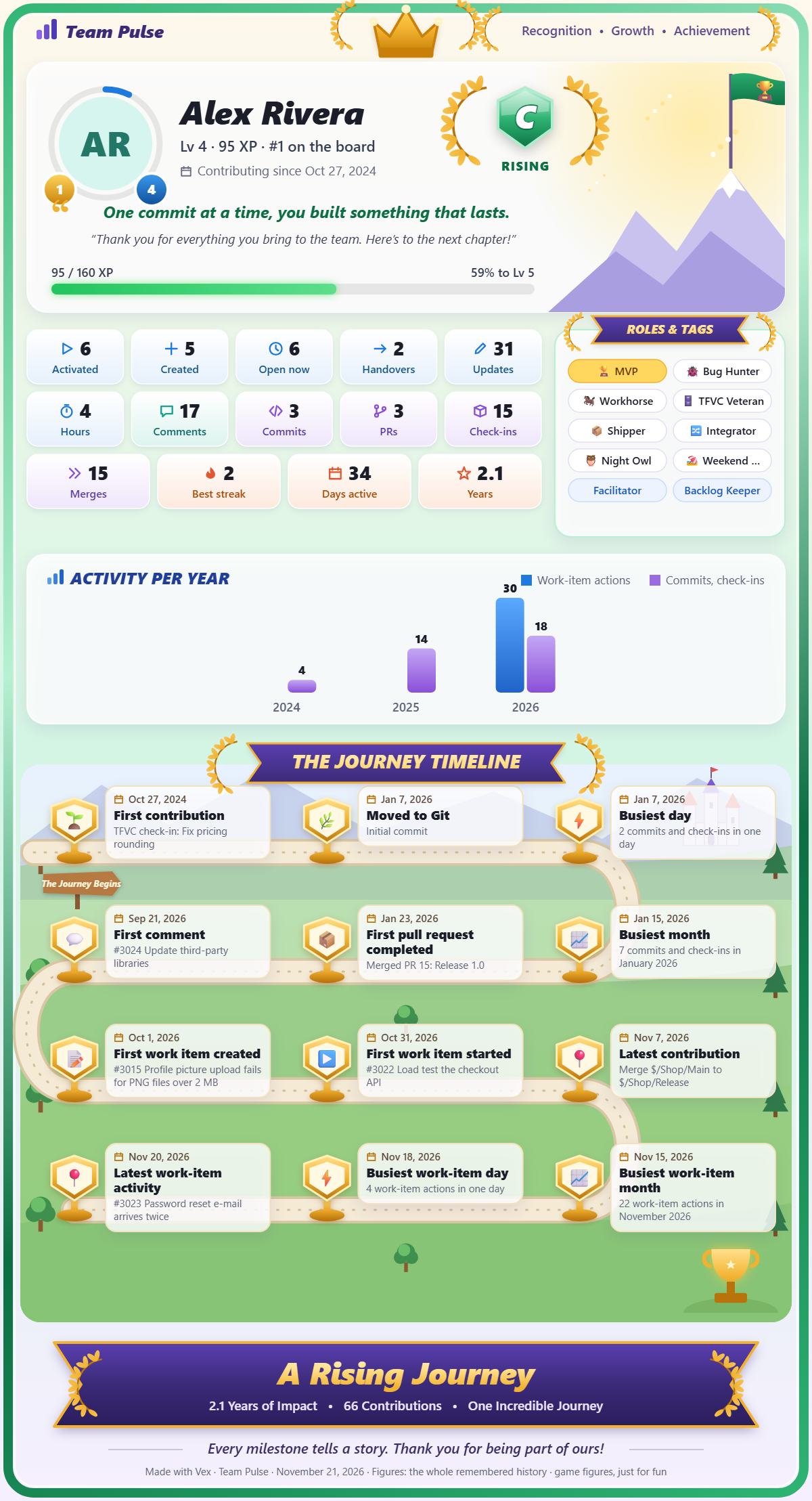
- Journey — click a person to see the milestones (code and work items: first hand-over, 100 closed, busiest
month…), contributions per year and how the XP adds up. Save it as one image — a character page with rank
emblem, every figure, roles and tags, activity per year and a journey timeline — to share as recognition.
- Team table, activity charts, repositories, achievements and a report to copy or download as CSV.
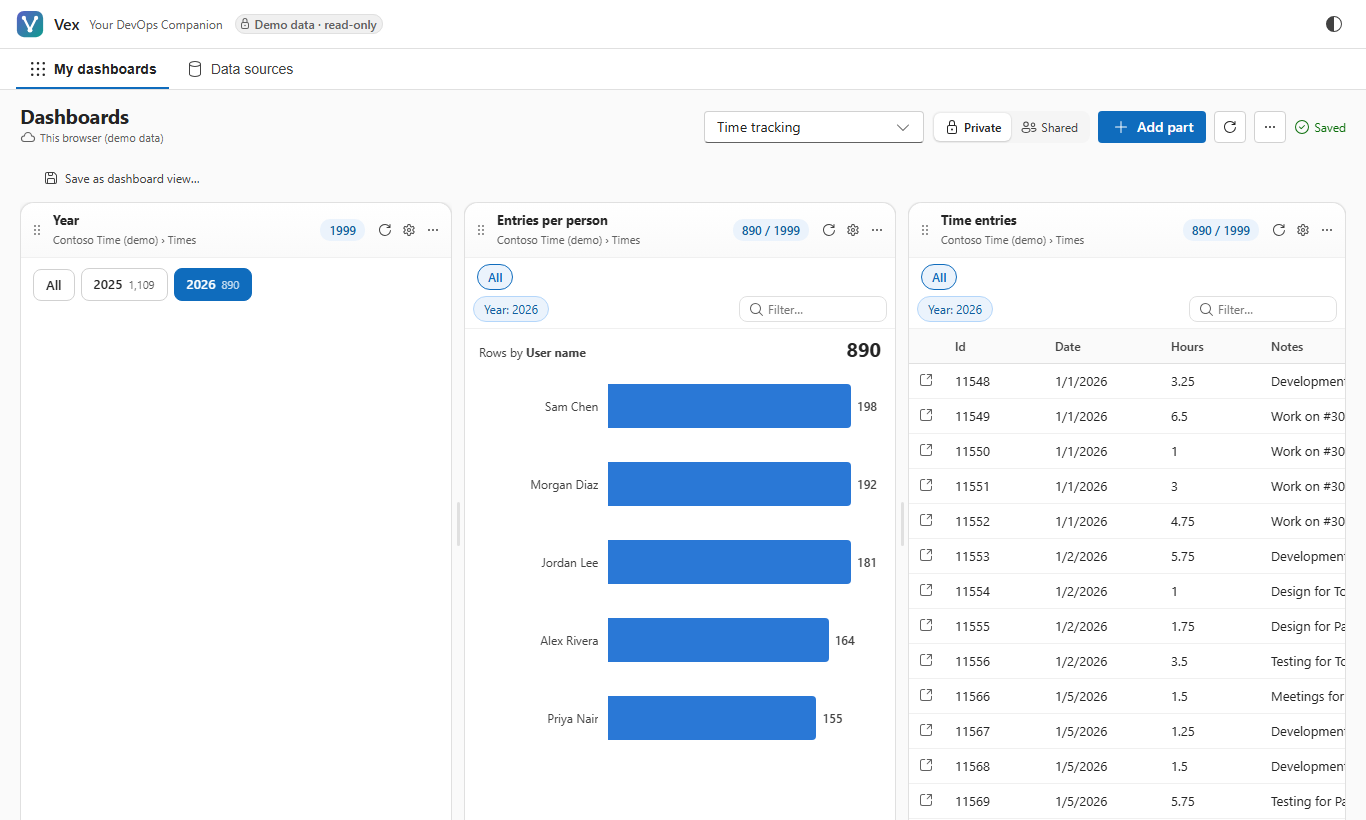
Dashboards
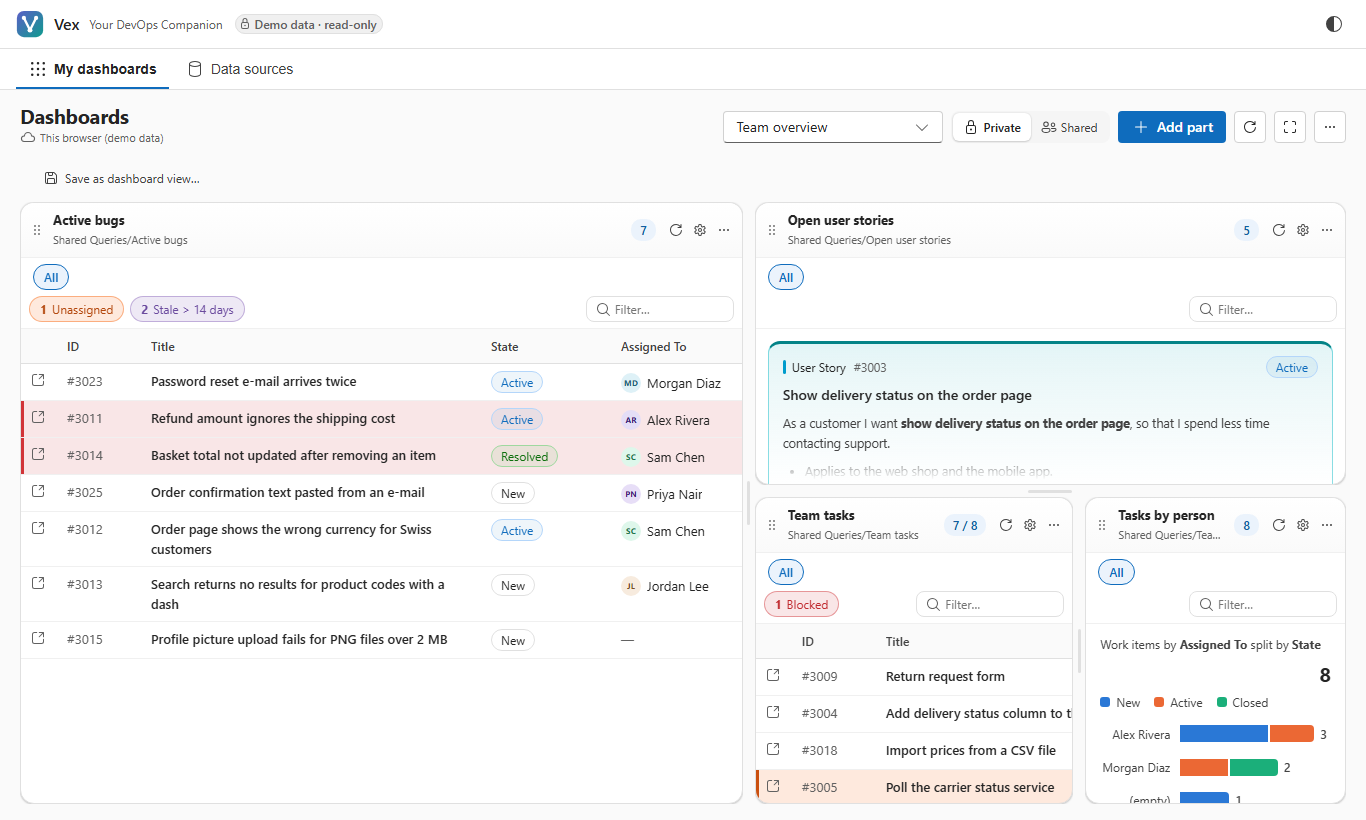
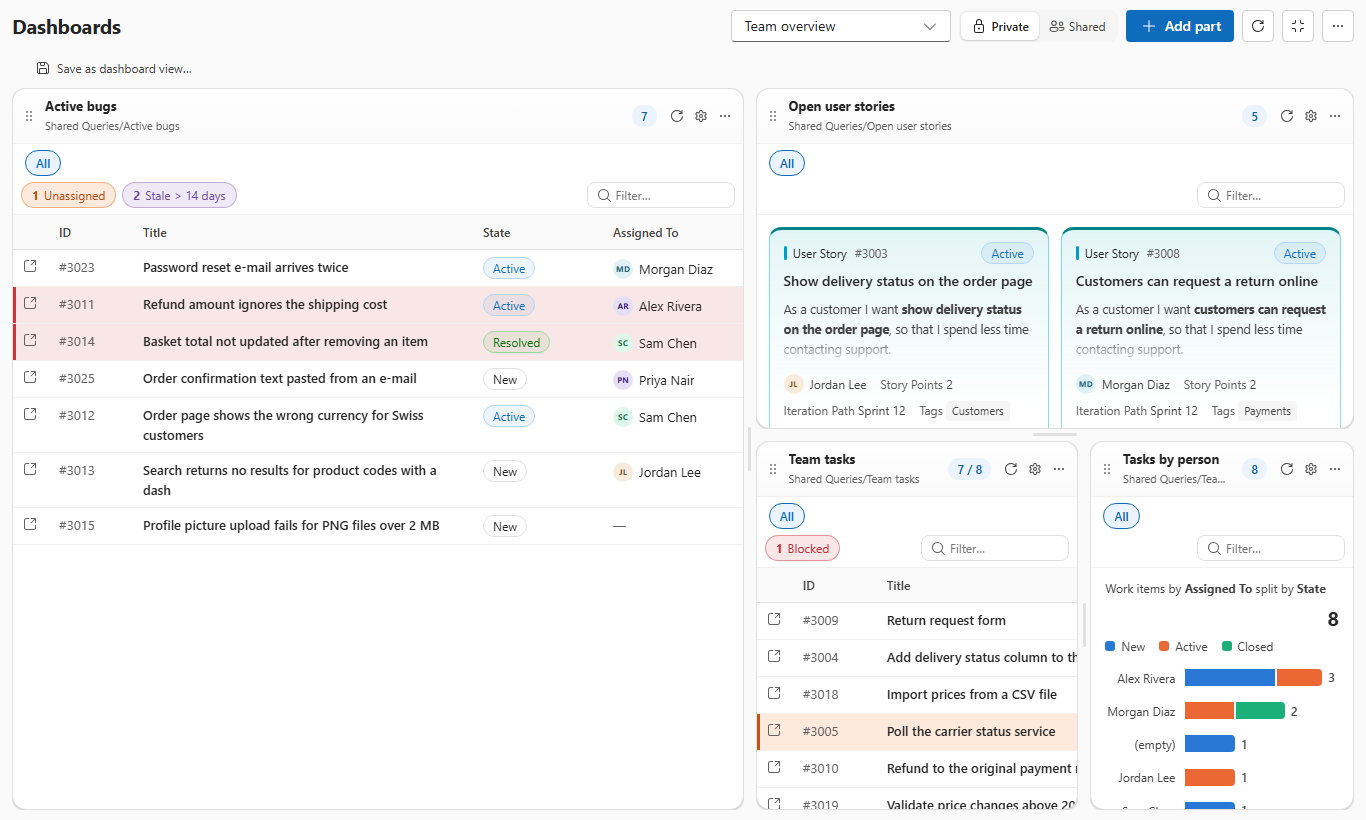
Work-item dashboards built from your saved queries.
- Parts — tables with grouping and totals, cards, charts (pie, donut, bar, column) and a live timeline of
changes; several charts and a table in one part, arranged freely by drag and drop.
- Rules — highlight, filter and count rows on any field.
- Slicers like in Power BI — filter every part on the same table, or the parts you choose.
- Large tables load while you look — the first rows appear at once and the part keeps growing.
- Saved views per part and per dashboard, with a pinned default; dashboards are private or shared.
- Fits the page, and full page mode: hides Azure DevOps' header and menu (inside the page, not the browser's
full screen) so the dashboard gets all the room. Esc returns.
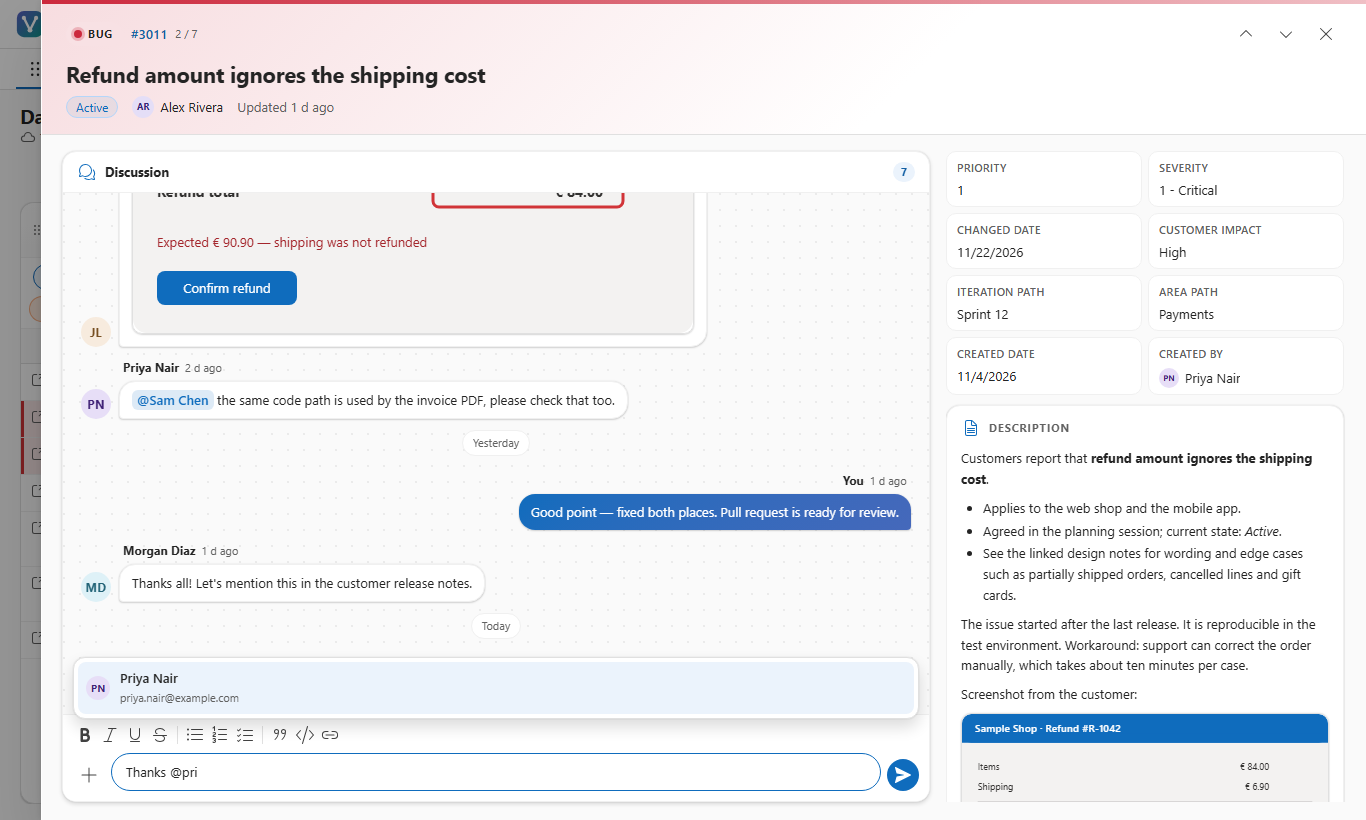
- Work-item details — click a row: fields, long text (Description, Repro Steps…) with images, and the
Discussion as a chat. Write from here: @mention people, link work items with #, format text, paste
screenshots, and edit or delete your own messages.
- Vex tables — your own tables, extra columns on work-item rows and combined tables, stored by Vex (never written
to work items).
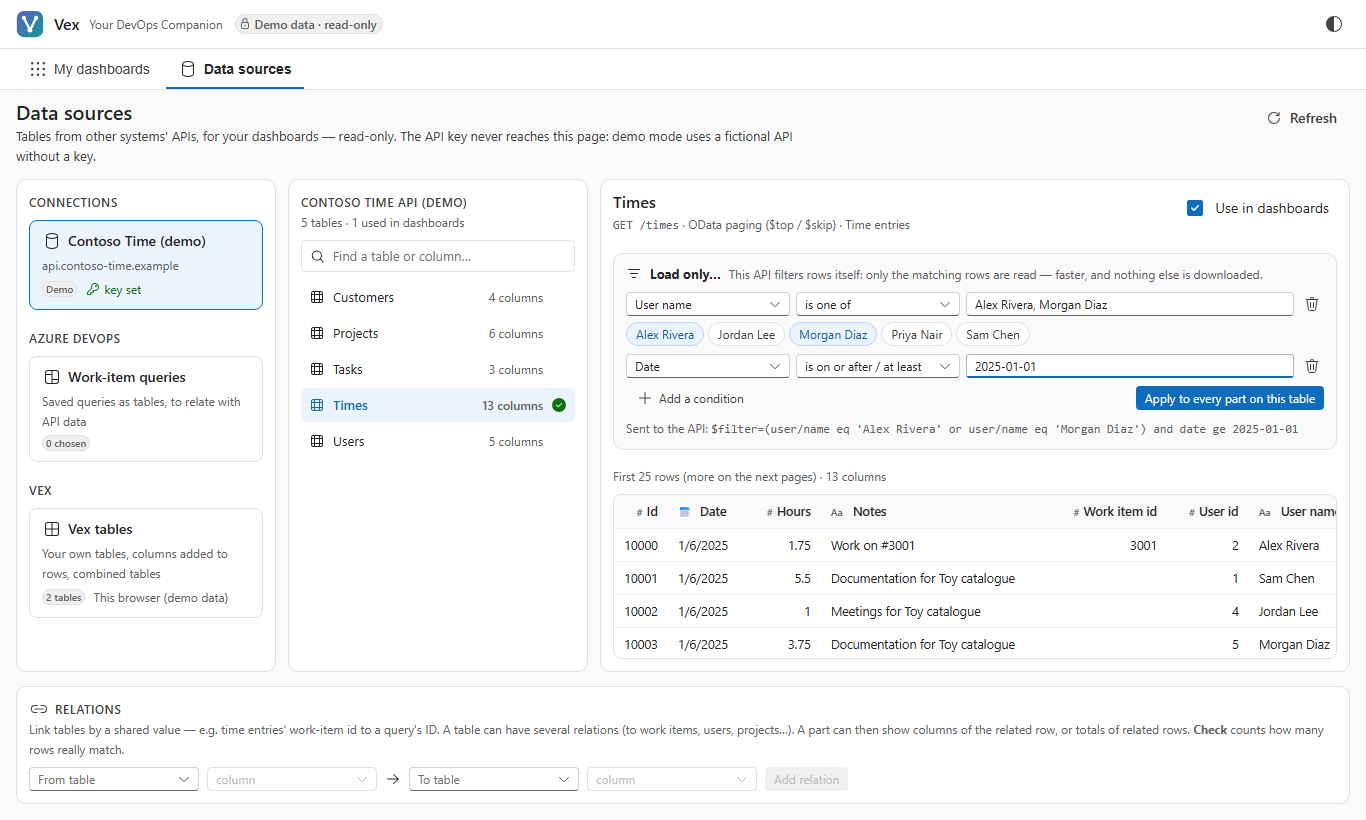
- Data sources (optional) — read-only tables from other systems' APIs, with relations to your work items. The key
stays in an Azure DevOps service connection of a Vex type (API key in header (Vex) or API bearer token (Vex));
Load only… reads just the rows you need.
Branch Intelligence
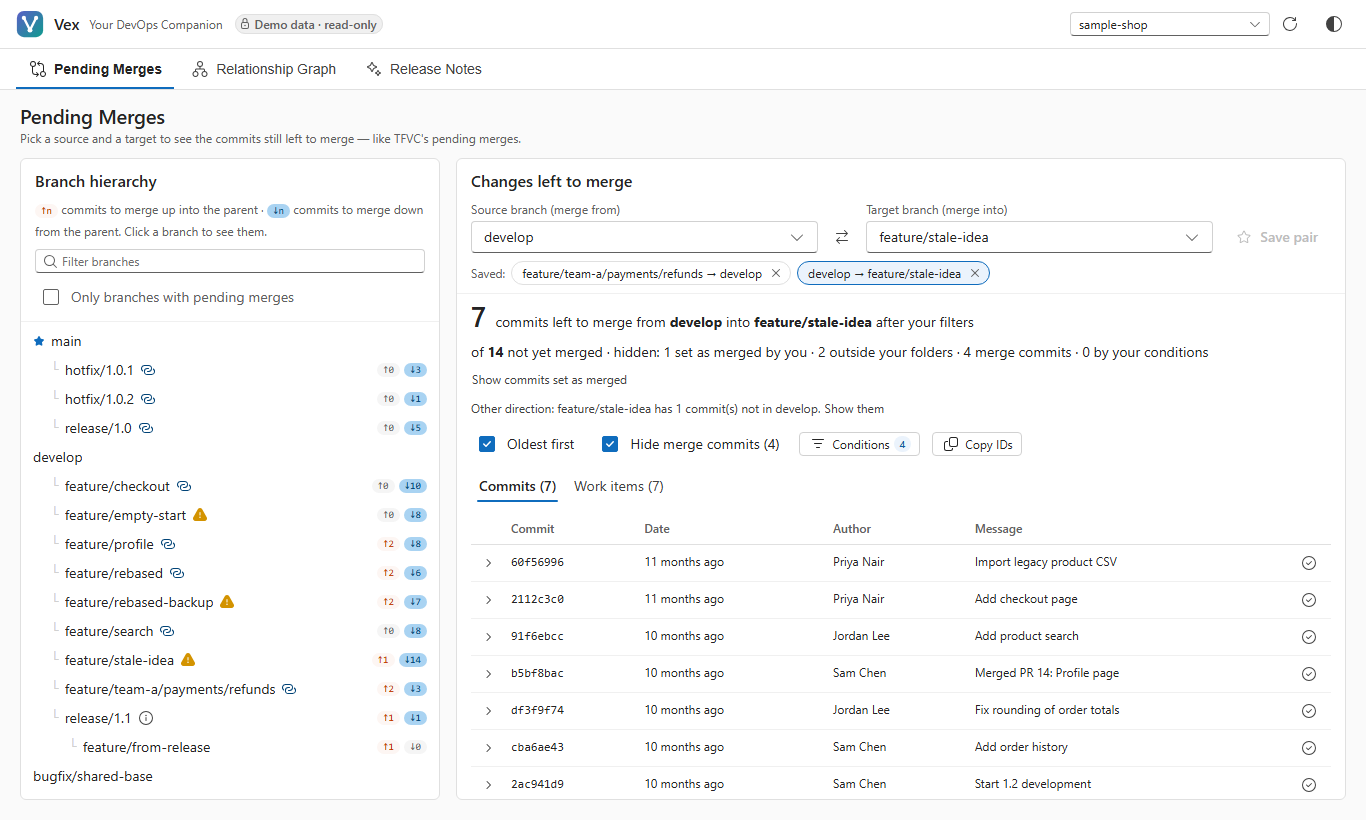
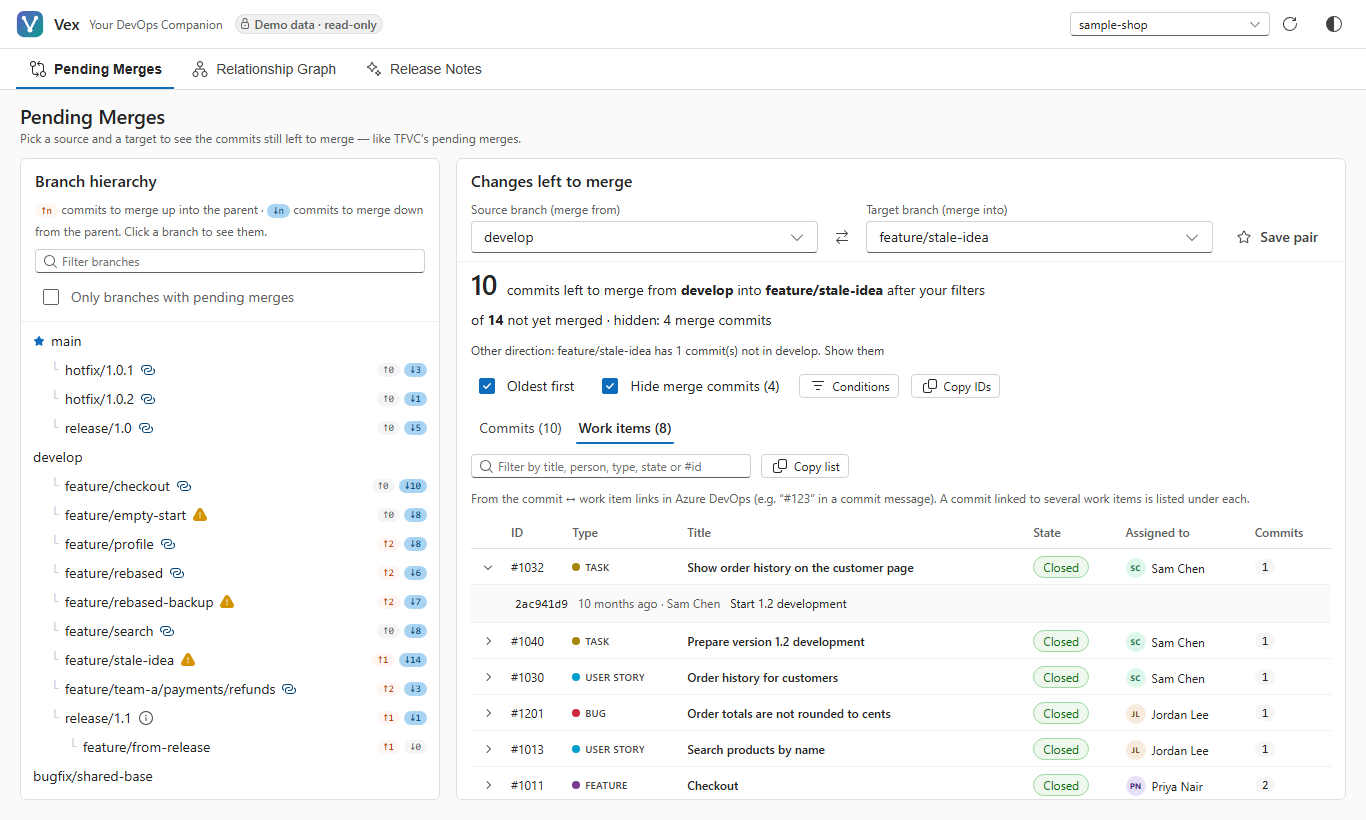
- Pending Merges — what is still left to merge from one branch into another, like TFVC's pending merges, with a
branch hierarchy and ↑/↓ counts against each parent.
- Evidence for squash merges, cherry-picks and rebases: such commits are tagged Possibly already merged.
- Conditions — hide commits whose message or author is, starts with, contains, ends with or matches a
pattern; keep only commits that change files in your folders (for example your model folders).
- Set as merged — one click for commits that reached the target outside the usual merge (undo any time).
- The big number shows what really remains; the line below says what is hidden and why.
- Work items tab — the work items behind the remaining commits, with title, state and who it is assigned to.
- Saved source → target pairs; your options are remembered.
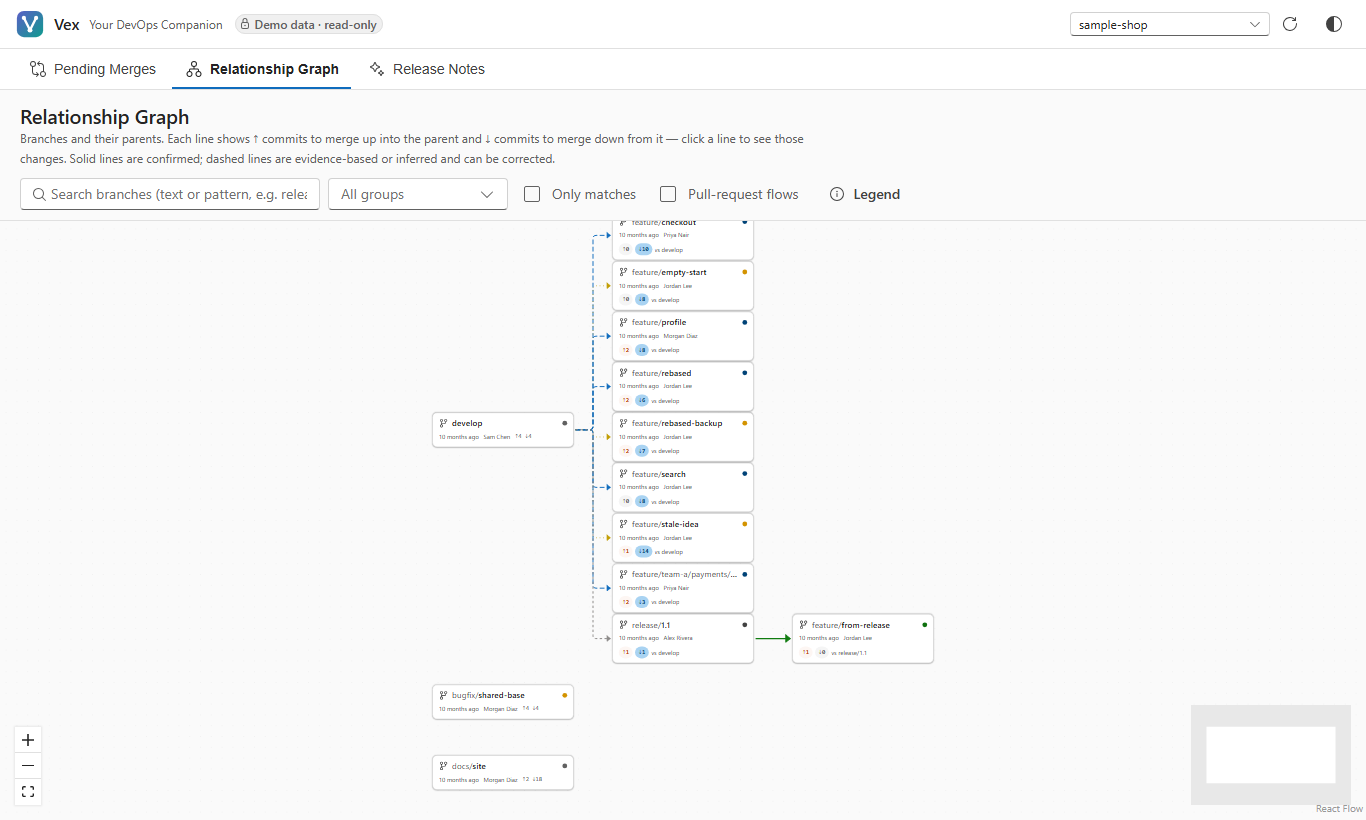
- Relationship Graph — how branches relate. Every line says how Vex knows: confirmed, pull-request evidence,
inferred from history, or ambiguous. Git has no parent branch, so Vex never pretends it does.
- Release Notes — what arrived on a branch in a period: one line per work item, grouped by type, as an internal
or a customer version.
Model Intelligence (Dynamics 365 Finance & Operations)
- Model Compare — branch with branch, model file with model file, model file with branch, down to X++ methods,
with the commit and task behind each change.
- Model Explorer — browse and search a model without unzipping it, and see how an object got there.
- Delivery Check — is a task or commit in the delivered model?
Model files (.axmodel, .zip) and local folders are opened in your browser only — never uploaded.
Vex settings
- Photos of people for Vex only, added with their consent (never written to Azure DevOps profiles).
- Export / import of everything Vex keeps — dashboards, Vex tables, data sources, Team Pulse and Pending Merges
settings — as one file, to back up or to move between organizations.
Permissions
| Scope |
Why |
Code (read) — vso.code |
branches, commits, pull requests, TFVC check-ins, model files |
Work items (read and write) — vso.work_write |
saved queries, work items and their history; the only write is Discussion comments you send, edit or delete (and their images) |
Project and team (read) — vso.project |
projects, teams and members for Team Pulse and @mentions |
Extension data (read and write) — vso.extension.data_write |
only Vex's own documents: dashboards, Vex tables, settings, photos |
Service endpoints (query) — vso.serviceendpoint_query |
optional data sources: Azure DevOps calls the API with the key from a service connection |
Azure DevOps has no narrower "comments only" scope; Vex itself sends exactly four kinds of writes to work items — post
a comment, edit or delete your own comment, upload an image for a comment — and nothing else. It never creates,
changes or deletes branches, commits, pull requests, work-item fields, links or queries.
Privacy
- No telemetry, no analytics, no AI services, no third-party servers.
- Vex runs in your browser inside Azure DevOps and talks only to your Azure DevOps organization (and, if you add a data
source, to that API through Azure DevOps' service connection — the key never reaches the page).
- What Vex stores lives in Azure DevOps extension data of your organization (private items in your user scope,
shared items in the organization scope).
Support
Questions, ideas or problems: use the Q & A tab on this page.
Preview — feedback welcome.
| |

