Xora — X++ Developer IntelligencePreviewVisual Intelligence for X++ developers on Dynamics 365 Finance & Operations and Supply Chain Management. Impact: everything a change to a method, field, EDT or enum value can affect, up to the entry p |

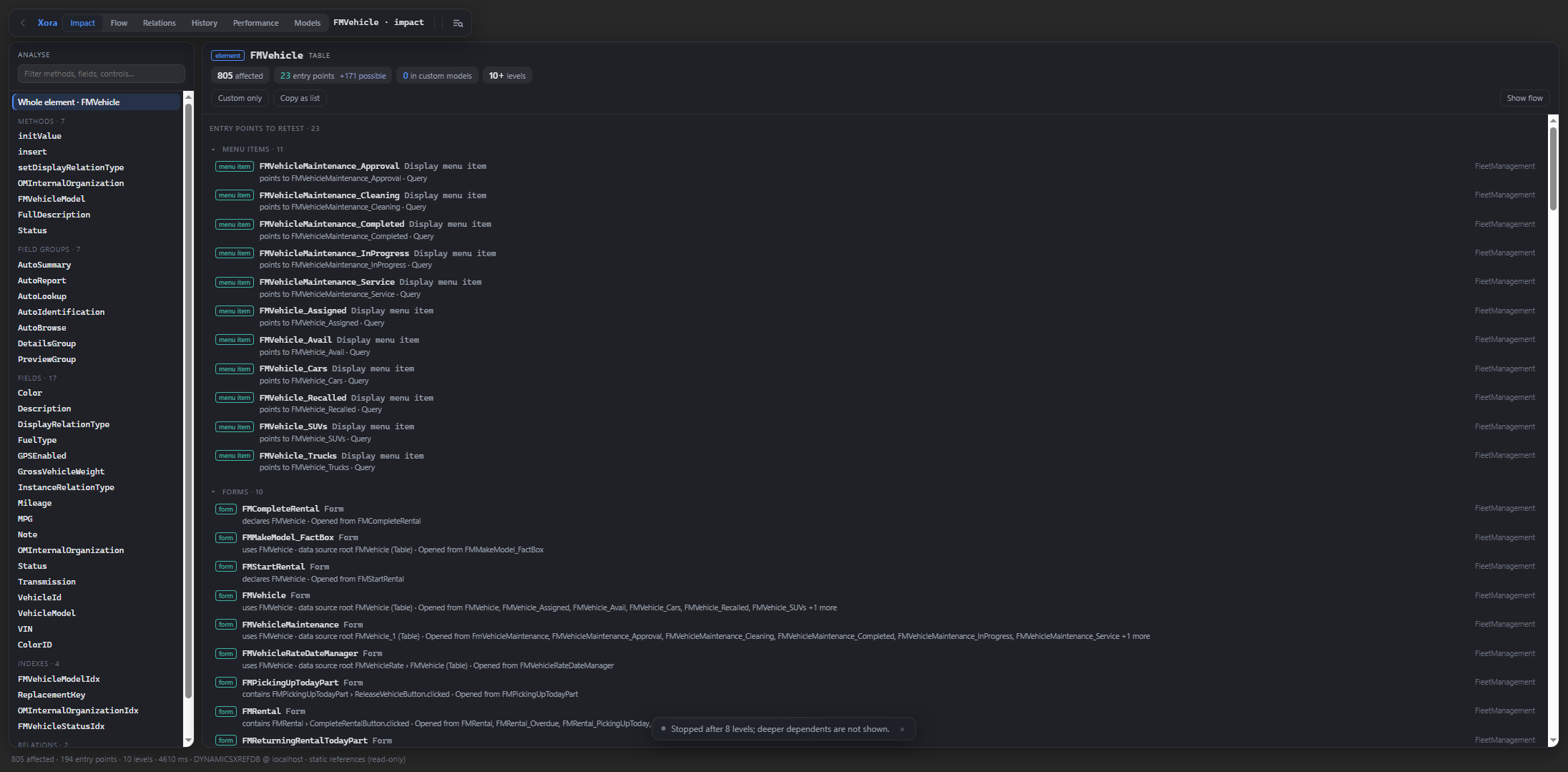
Xora brings X++ code navigation, change impact, and performance review into Visual Studio for Dynamics 365 Finance & Operations and Supply Chain Management developers. Impact — Find what to retestStart with a method, field, or other AOT element and trace a change to candidate entry points to retest. See why each result appears, follow the reference chain, and copy the findings into a test plan or pull request.
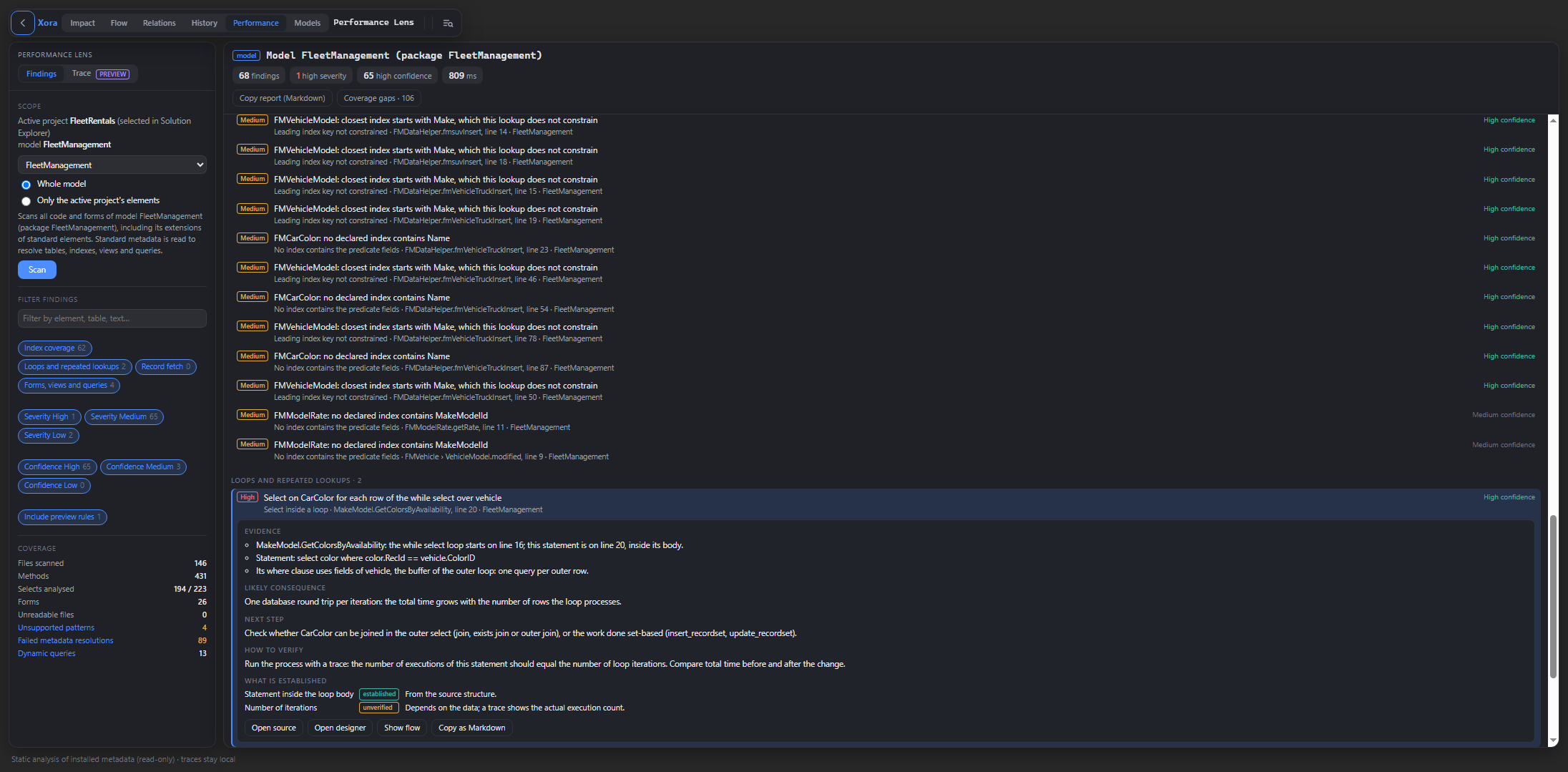
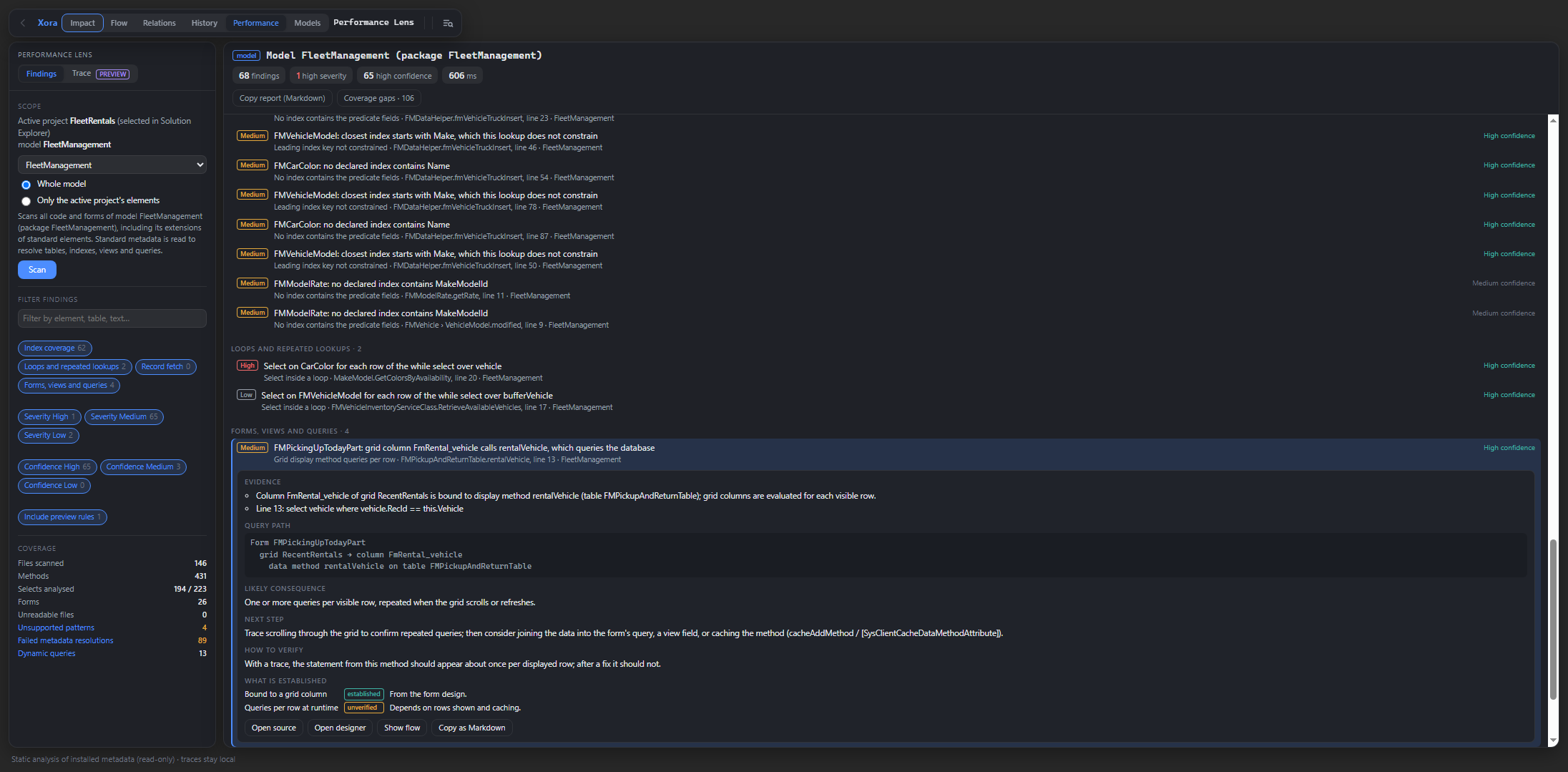
Impact on the FMVehicle table surfaces menu items and forms to review. Performance Lens — Find code and queries worth investigatingScan the active project or a selected model for potential index coverage gaps, database lookups inside loops, and costly form query patterns. Each finding shows the evidence, likely consequence, suggested next step, and how to verify it.
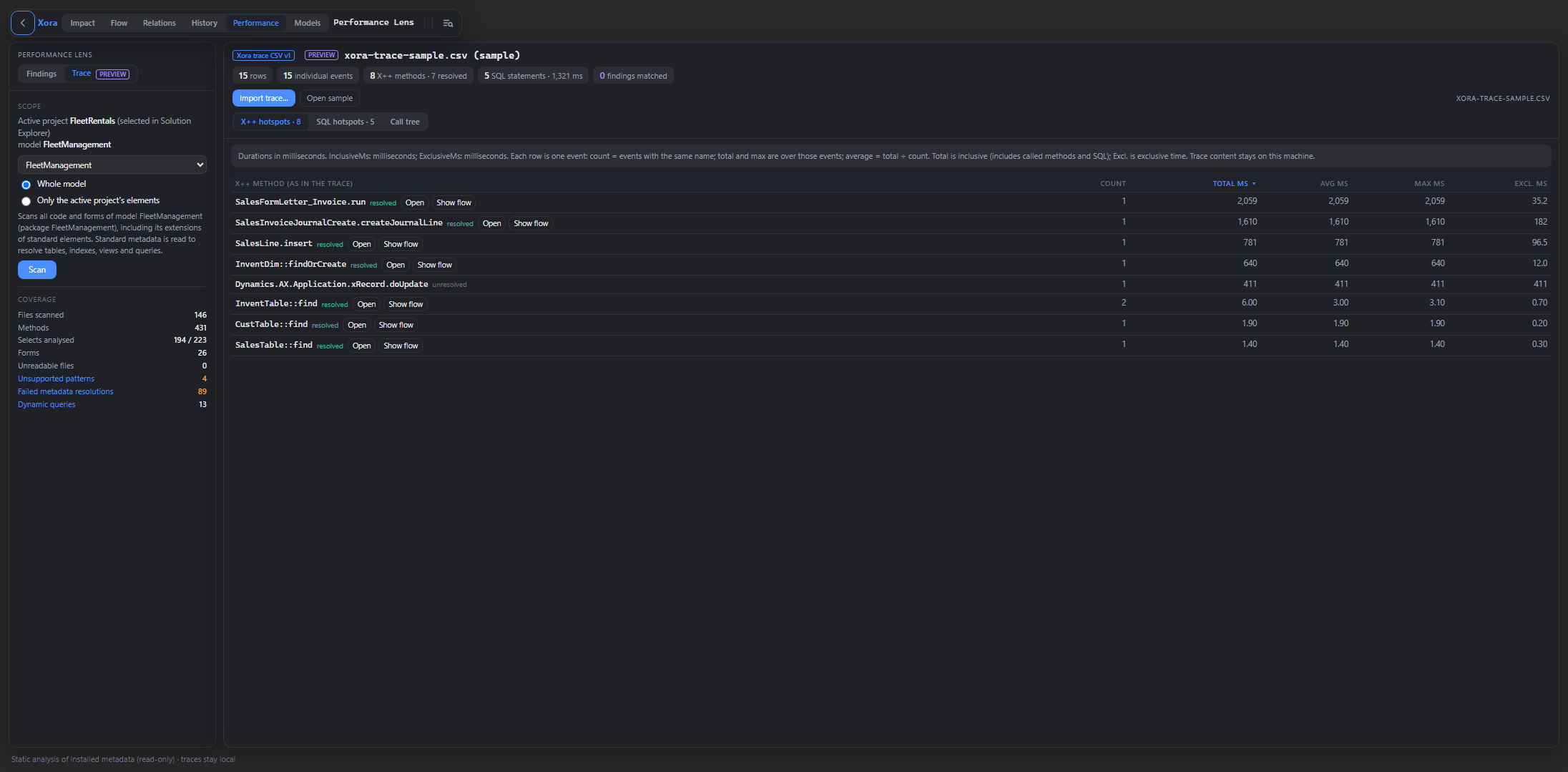
Xora flags a lookup inside a Trace import (Preview)Import X++ and SQL timings using the documented Xora CSV format. Review hotspots by duration and call count, open resolved X++ methods in source, and inspect a call tree when the CSV includes hierarchy.
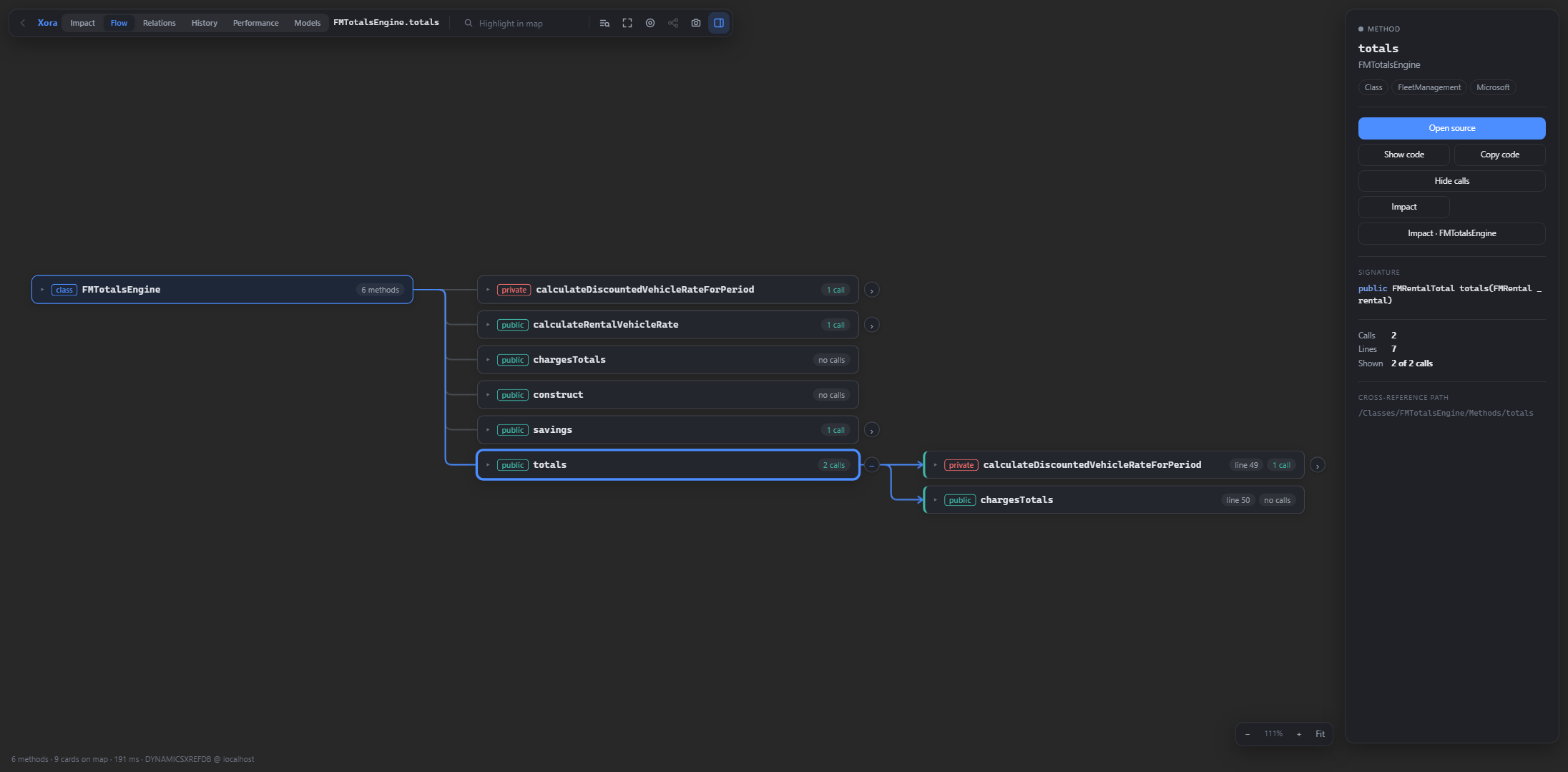
The bundled sample shows X++ hotspots sorted by total duration. Flow — Follow the codeExpand methods into the calls they make, read X++ code in context, and explore possible implementations of interface or abstract calls. Open a result from Impact as a highlighted call chain.
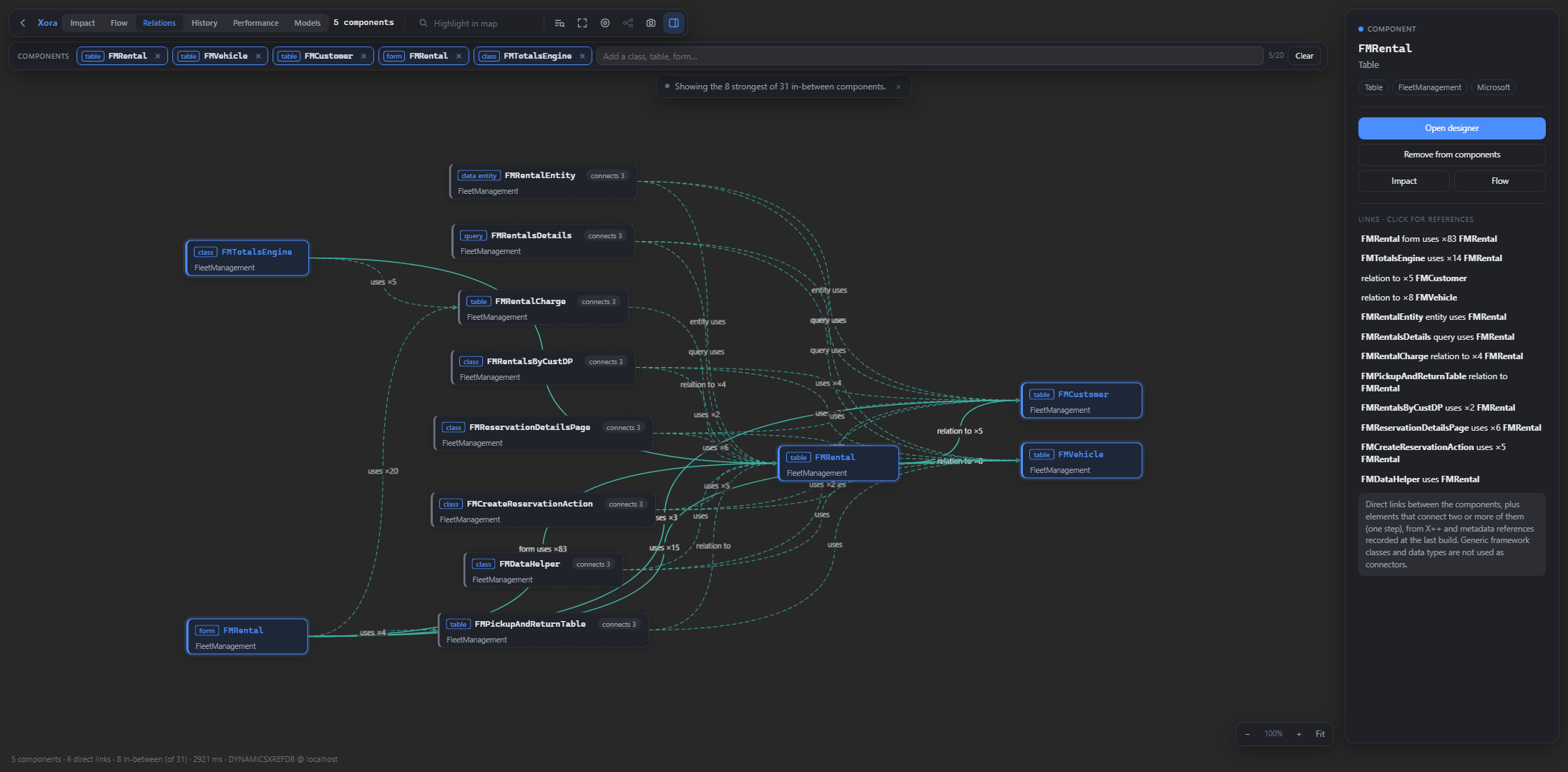
Flow expands Relations — See how AOT elements connectMap the connections between classes, tables, forms, queries, and data entities. Select a relationship to see the references behind it and navigate to the relevant source or designer.
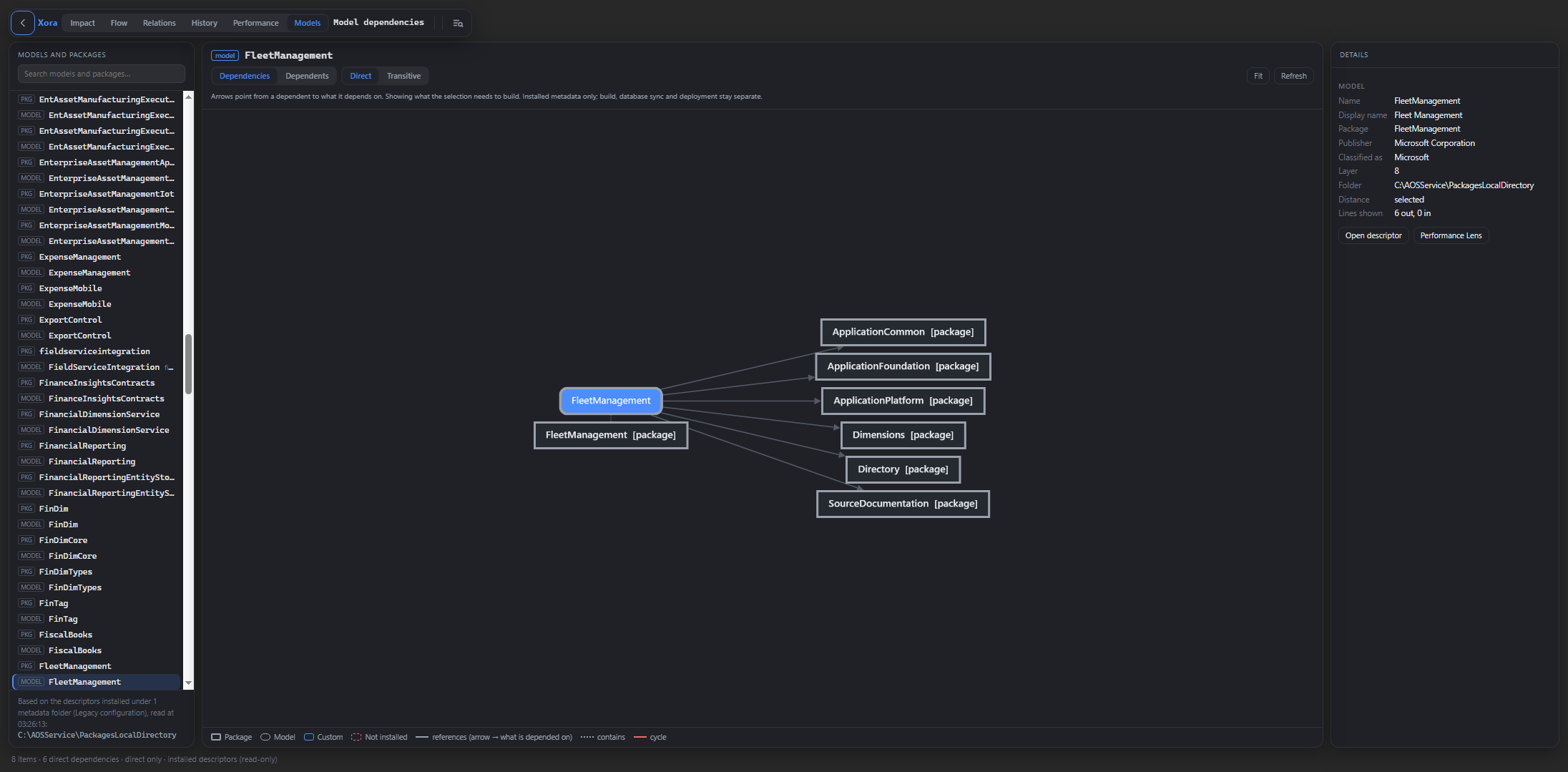
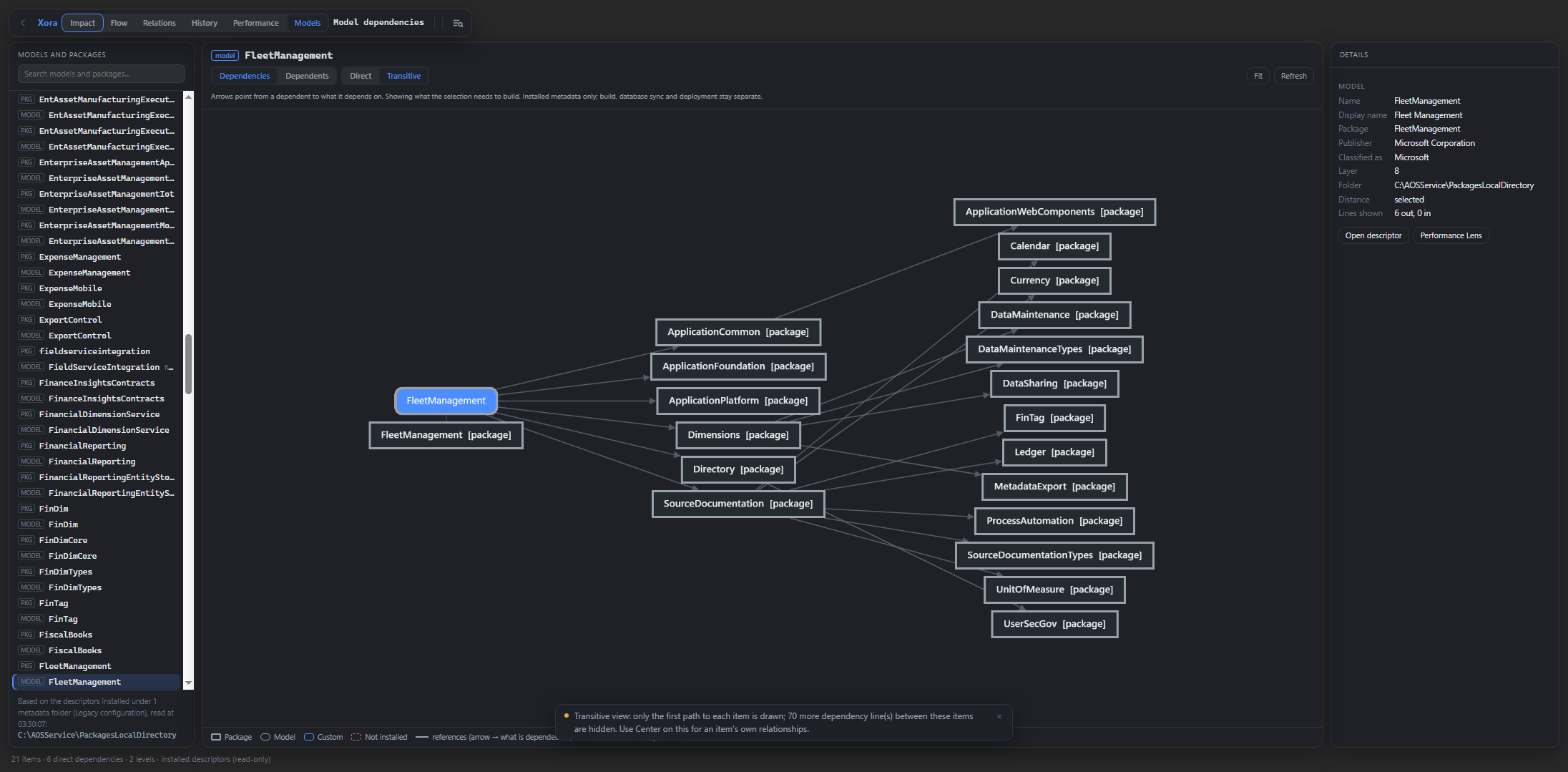
Relations shows how Fleet Management classes, forms, and tables connect through shared AOT elements. Model & Package Dependencies — See what depends on whatExplore direct and transitive dependencies and dependents using installed model descriptors. Inspect the reference behind each connection and spot unresolved references or cycles.
The direct dependency view shows the packages referenced by the FleetManagement model. History — See what changed in one part of an elementUse local Git history to review changes to a specific X++ method, field, control, or other AOT part. Compare revisions side by side or inline. Get startedRight-click in the X++ editor and choose Xora → Show in Xora, or open Extensions → Xora to select a tool. Xora requires the Dynamics 365 Finance and Operations development tools. Impact, Flow, and Relations use the cross-reference database. Performance Lens and Model & Package Dependencies use installed metadata. History uses your local Git repository. Preview and privacyXora runs locally and collects no telemetry. Impact results reflect the available cross-reference data. Treat performance findings as candidates to investigate and confirm them with a trace or execution plan before changing code or adding an index. |