Git Changes ToolboxAdds collapse/expand and locate buttons to the Visual Studio Git Changes window. |

Git Changes Toolbox
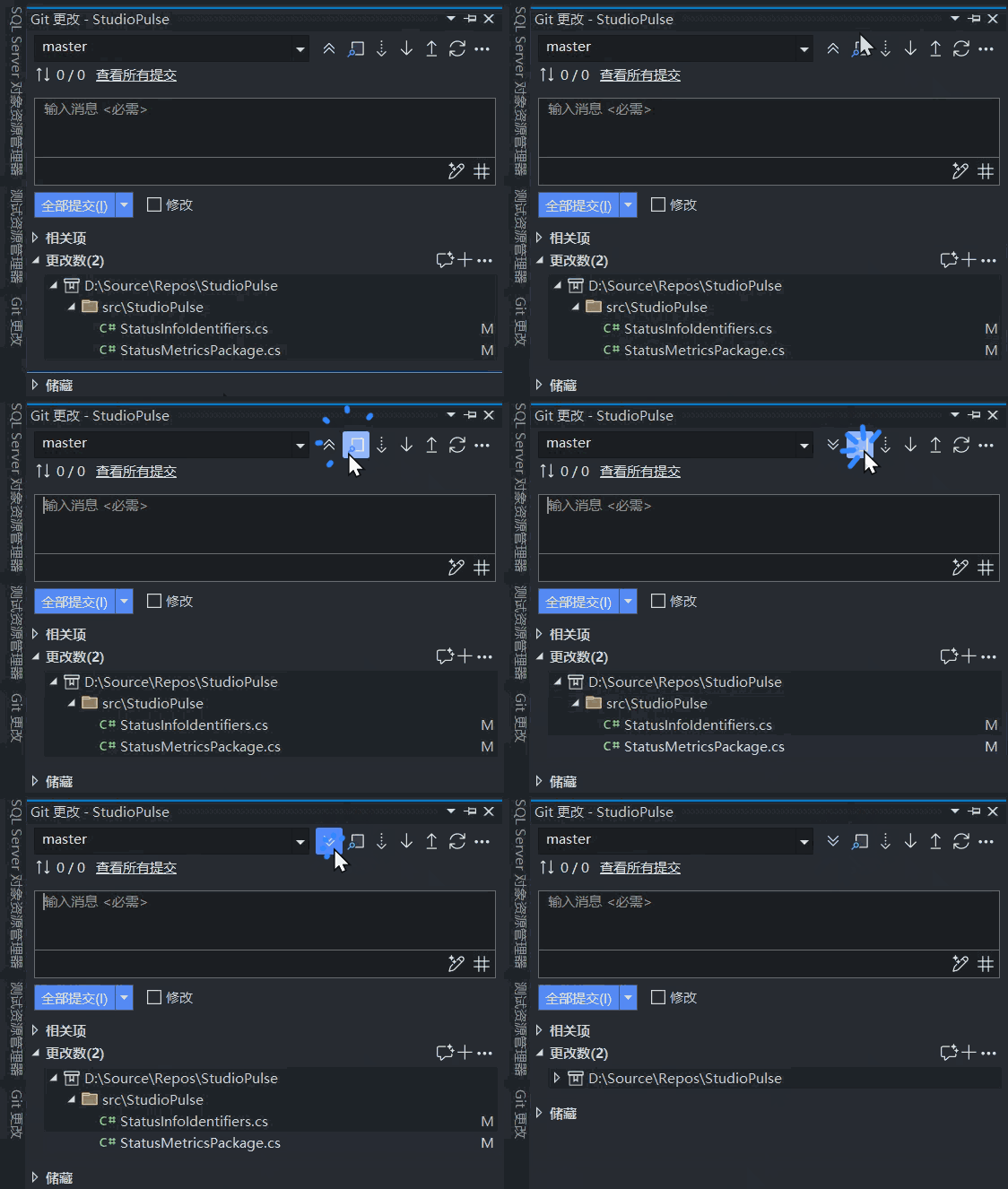
中文Git Changes Toolbox 是一款 Visual Studio 2022 扩展,在「Git 更改」窗口顶部工具栏加入两个按钮,折叠、展开和定位文件都不用再翻菜单。
打开「视图 > Git 更改」,两个按钮出现在窗口顶部工具栏最前面。 支持以下版本:
处理大型解决方案时,把翻找文件的时间省下来,专注在代码上。 EnglishGit Changes Toolbox is a Visual Studio 2022 extension that adds two buttons to the top toolbar of the Git Changes window, so collapsing the tree and finding the active file no longer take extra clicks.
Open View > Git Changes; the two buttons appear at the front of the window's top toolbar. Supported versions:
Spend less time hunting through the change list in large solutions and more time in code. |