AI Work Item GeneratorSelf-contained Azure Boards AI work item generator: choose type, team, and sprint, chat to generate and refine drafts, then create and review in Azure DevOps. |

Ship backlog faster. From one sentence to real Azure Boards work items.AI Work Item Generator is an Azure Boards wizard powered by SAMi AI: choose work item type, team/area path, and sprint/iteration path, chat to generate and refine draft work items, then create and review results directly in Azure DevOps. This extension brings SAMi AI directly into Azure Boards so your team can move from idea to executable backlog without leaving Azure DevOps. In one guided wizard, you set work item type, team/area path, and sprint/iteration path, generate structured draft work items through chat, refine and deselect before create, and publish selected items with a clear results view. Like this extension? Visit vorsam.com for the full Vorsam product—the complete work item generator with deeper functionality, plus roadmap planning, delivery features, and more. It is designed to speed up backlog shaping while keeping control with your team: you decide what gets created, where it lands, and how it is structured. Stop translating ideas by handBacklog breakdown is repetitive: same patterns, same parent/child links, same second-guessing. This wizard gives you a conversation-first path—describe what you want in plain language, get a structured draft that respects your process, then create only what you approve. Product owners get speed. Engineering gets clarity. Admins keep control with bring-your-own-key AI (OpenAI or Google Gemini) stored at organization scope. What you get
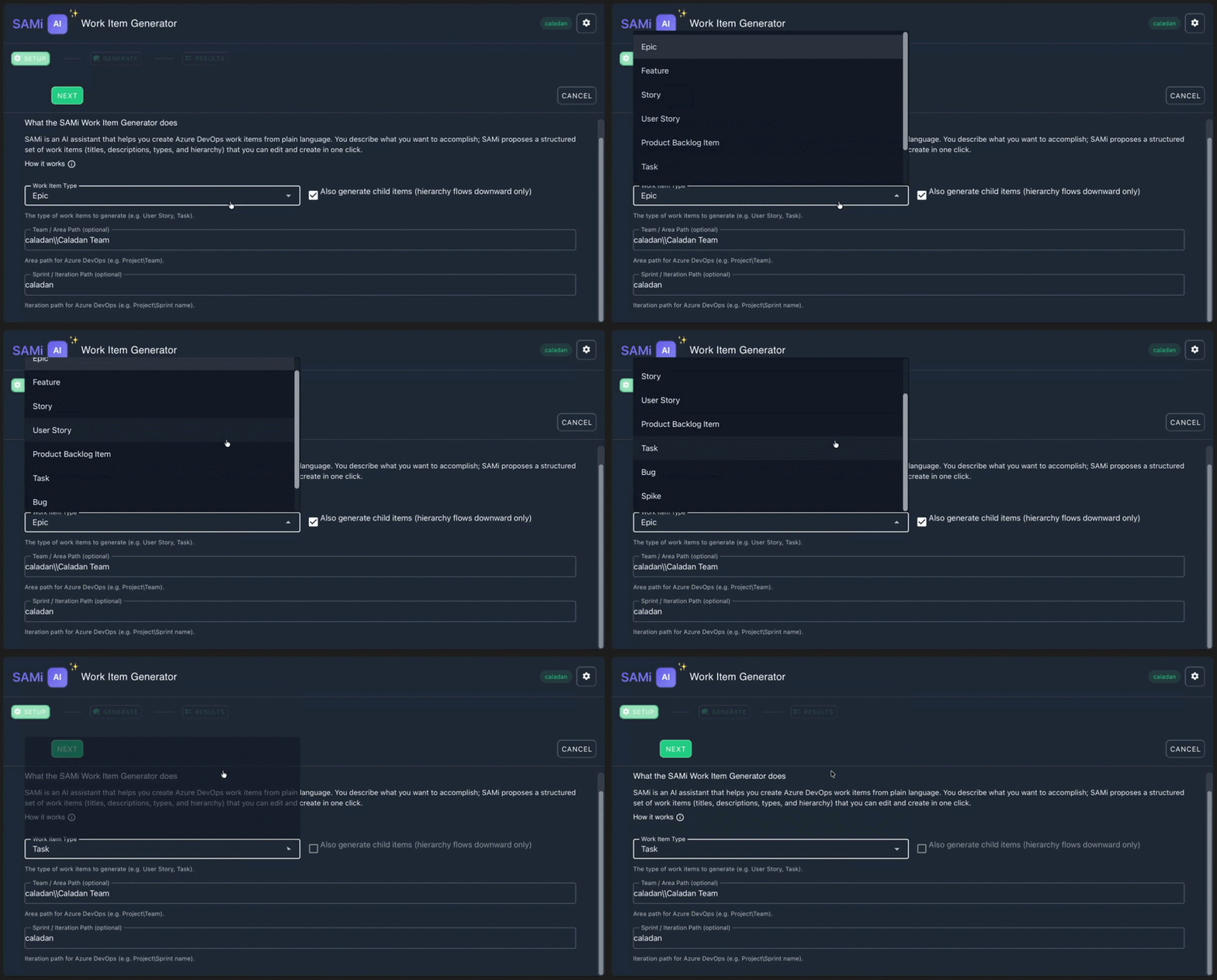
See the flow—six steps, six clipsThe GIFs below mirror the real wizard: configure → chat → review → trim → generate → create and confirm. 1 — Dial in context: type, team, sprintPick the root work item type and optional team and sprint so every generated item fits how your team works—not a generic template.
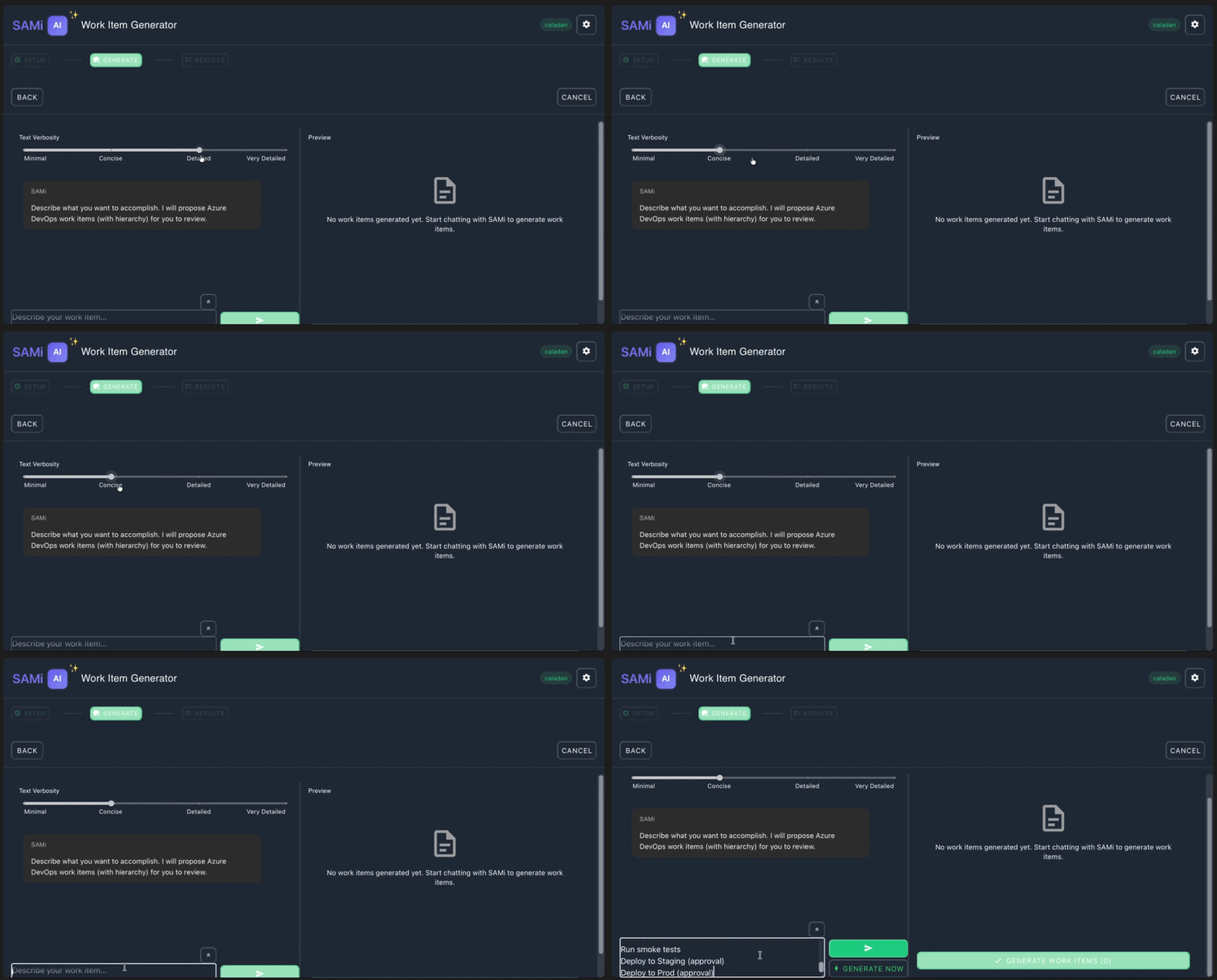
2 — Describe the outcome in chatTell the assistant what you’re building in natural language. It proposes a draft backlog shaped around your setup—so the first cut is already in your language.
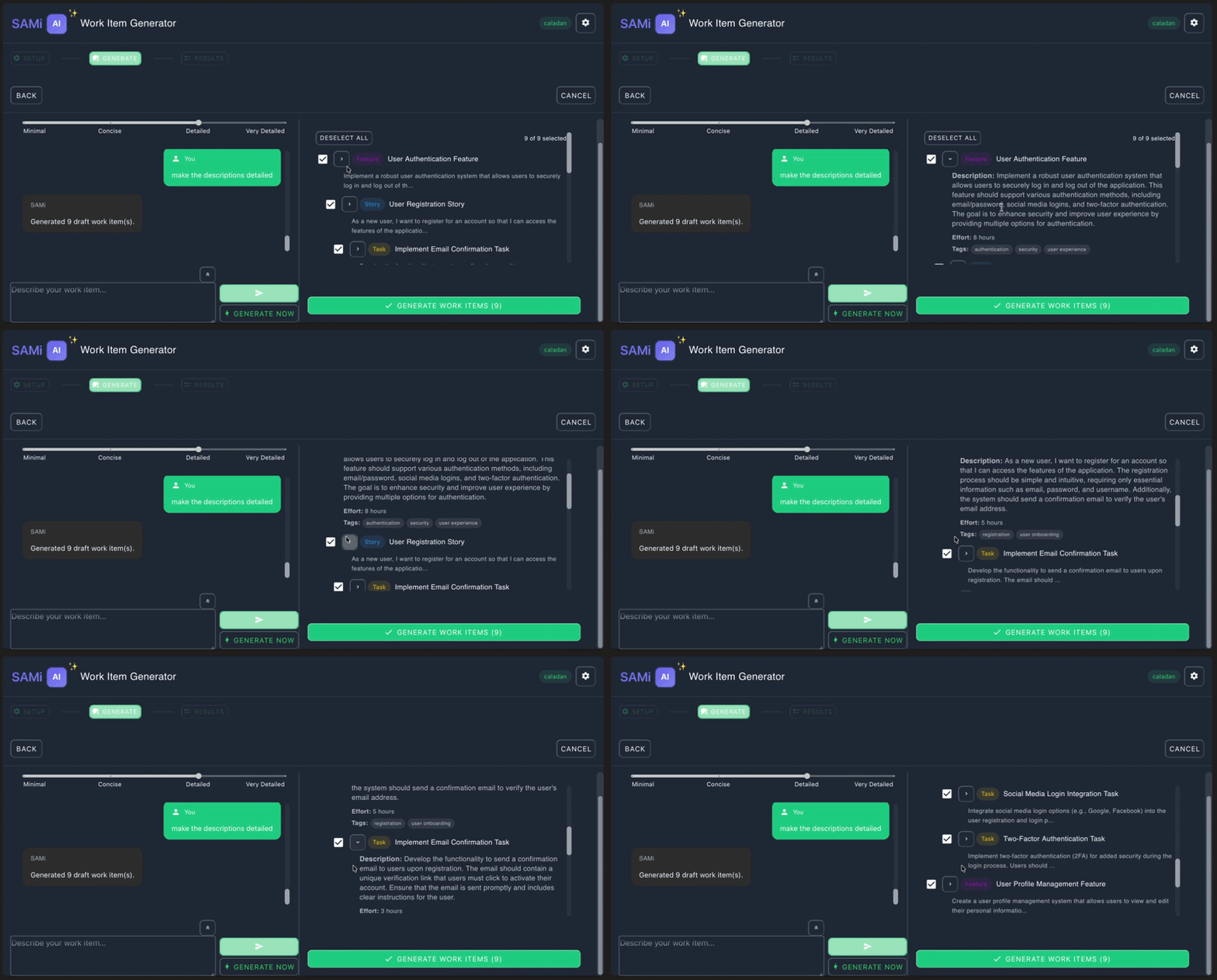
3 — Review the draft hierarchyScan parents and children, sanity-check scope, and align the structure with your release or sprint before you commit to creating anything. 4 — Deselect what you don’t needUncheck items that shouldn’t ship in this batch—so the create step matches the slice of work you actually want on the board.
5 — Generate and refineIterate until the breakdown matches what the team agrees to ship—tight feedback loops without leaving the hub.
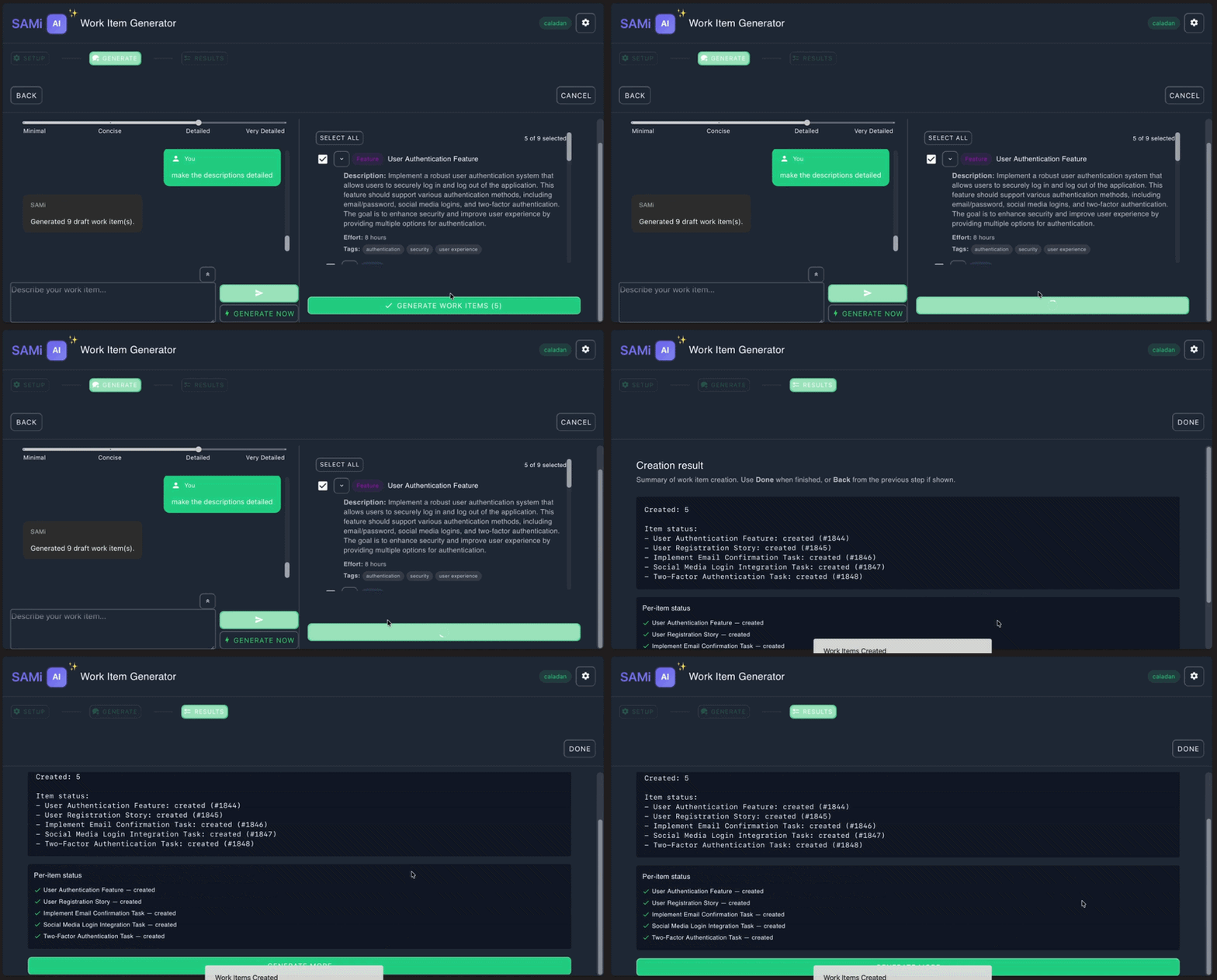
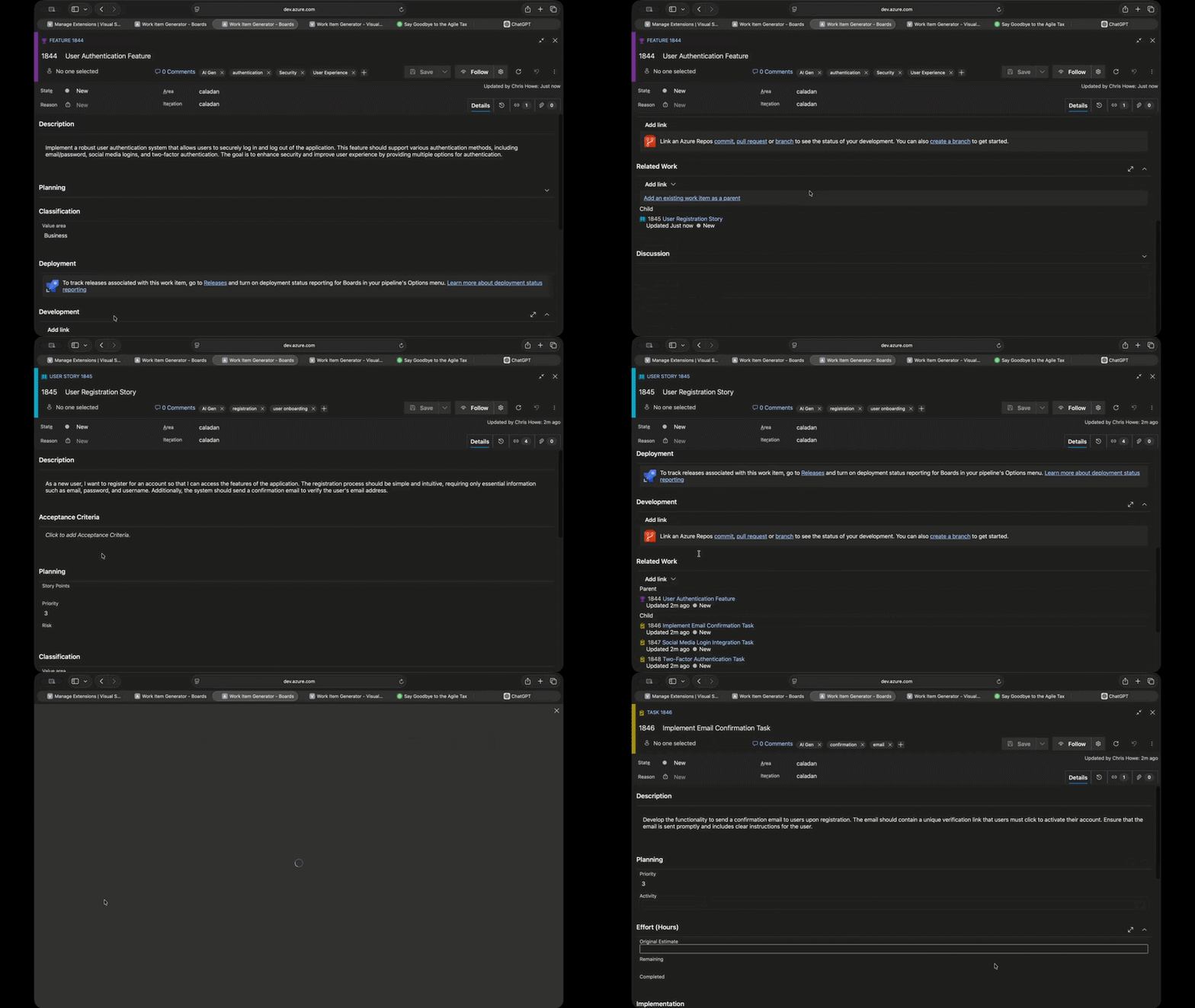
6 — Create work items and read the resultsOne pass to create the selected items in Azure Boards, with a clear readout of what succeeded and what needs a quick fix.
Built for the people who live in Boards
Get started in four steps
Questions? Use the publisher support link on this listing, or visit vorsam.com for product details. Technical note (admins)Collection-scoped Extension Data for global settings; OpenAI or Gemini; optional model override. Creation uses Azure DevOps REST APIs with hierarchy appropriate to your process. Keys are masked in the UI after save; outbound calls follow your provider’s policies and quotas. |