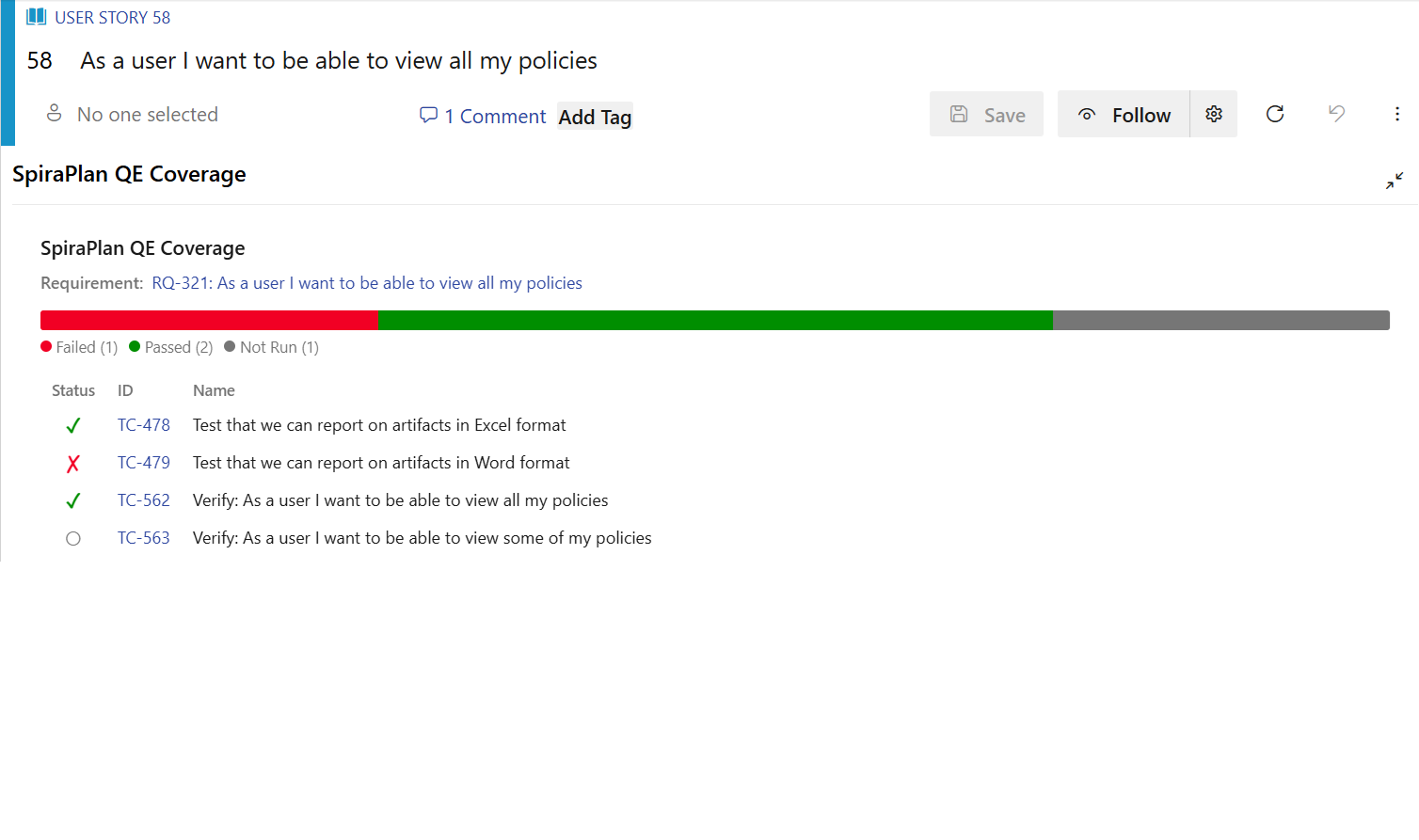
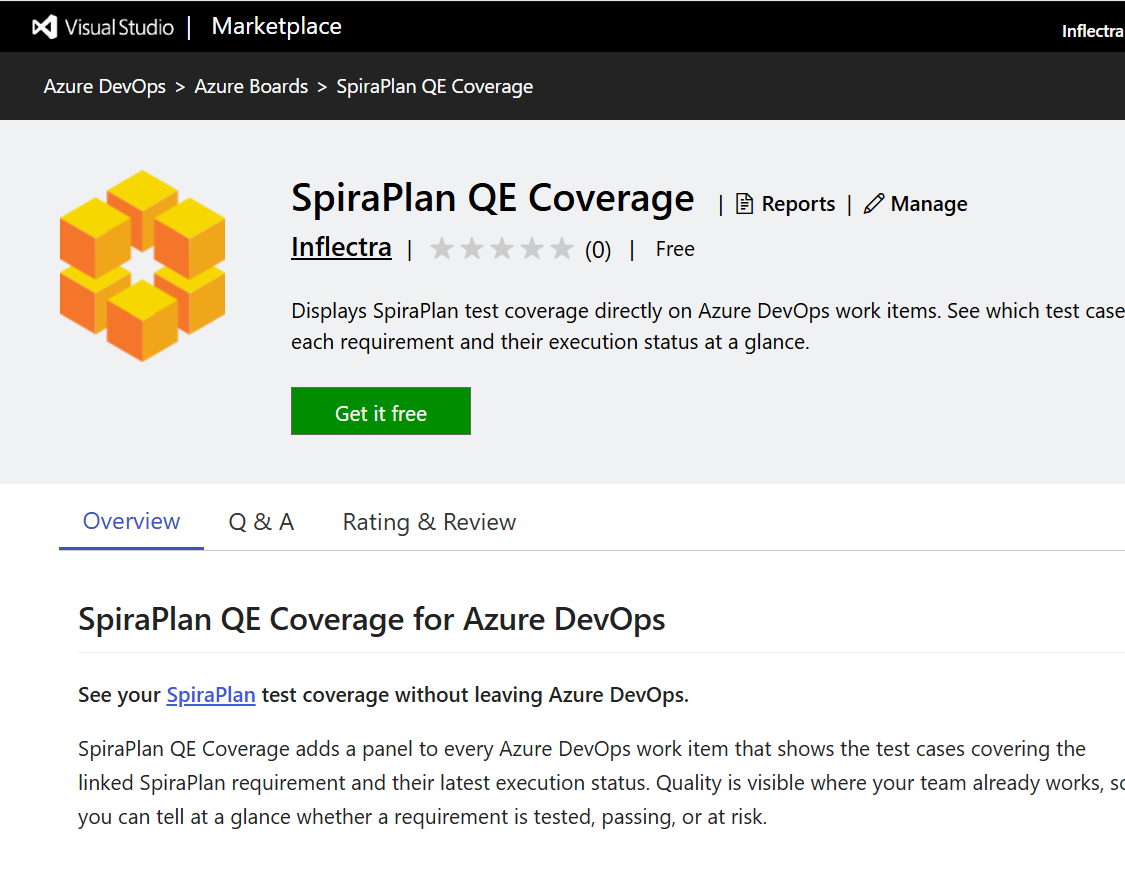
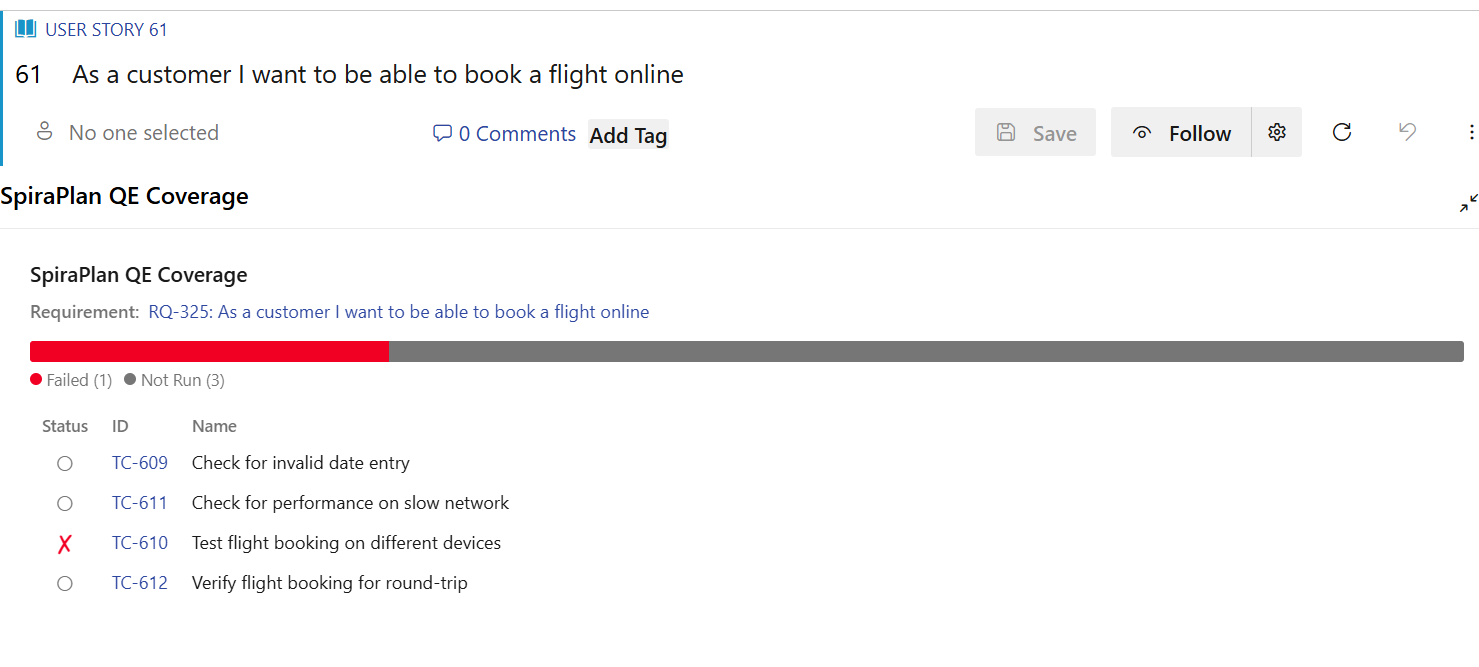
Displays SpiraPlan test coverage directly on Azure DevOps work items. See which test cases cover each requirement and their execution status at a glance.
See your SpiraPlan test coverage without leaving Azure DevOps.
The SpiraPlan Quality Engineering (QE) Coverage extension adds a panel to every Azure DevOps work item that shows the
test cases covering the linked SpiraPlan requirement and their latest execution status.
This ensures that the quality of a user story, epic or feature is visible where your team already works (in ADO), so you can tell at a glance whether a requirement is tested, passing, or at risk.
Why use it
Quality in context — Developers and product owners see test coverage on the
work item itself, without switching tools or hunting through reports.
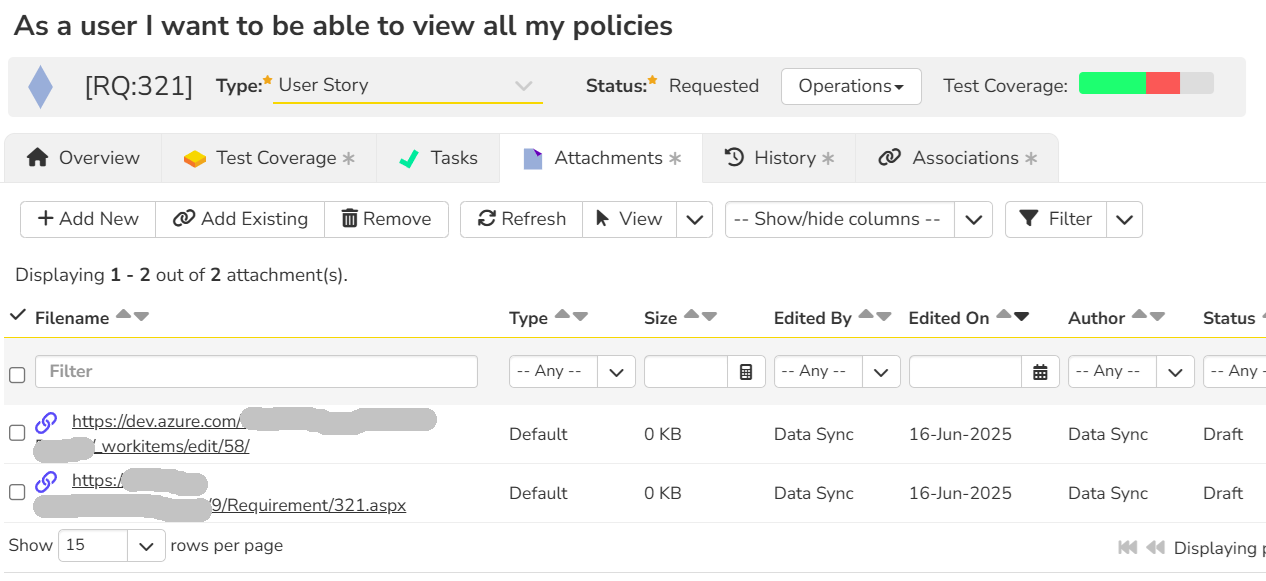
Zero manual mapping — The panel reads the SpiraPlan hyperlinks that the
SpiraPlan–Azure DevOps synchronization already adds to your work items. There is
nothing to tag or configure per work item.
At-a-glance health — A color-coded status bar summarizes execution results so
you can spot untested or failing requirements immediately.
Features
Per-work-item coverage panel — View the test cases that cover the SpiraPlan
requirement linked to each work item, directly on the work item form.
Execution status bar — A proportional, color-coded breakdown of test
statuses: Passed, Failed, Not Run, Blocked, Caution, and N/A.
Linked test case list — Every covering test case with its status, ID, and
name. Select any test case or the requirement to open it in SpiraPlan.
Automatic link detection — Reads the SpiraPlan hyperlinks created by the
SpiraPlan–Azure DevOps sync. No manual tagging or per-item mapping required.
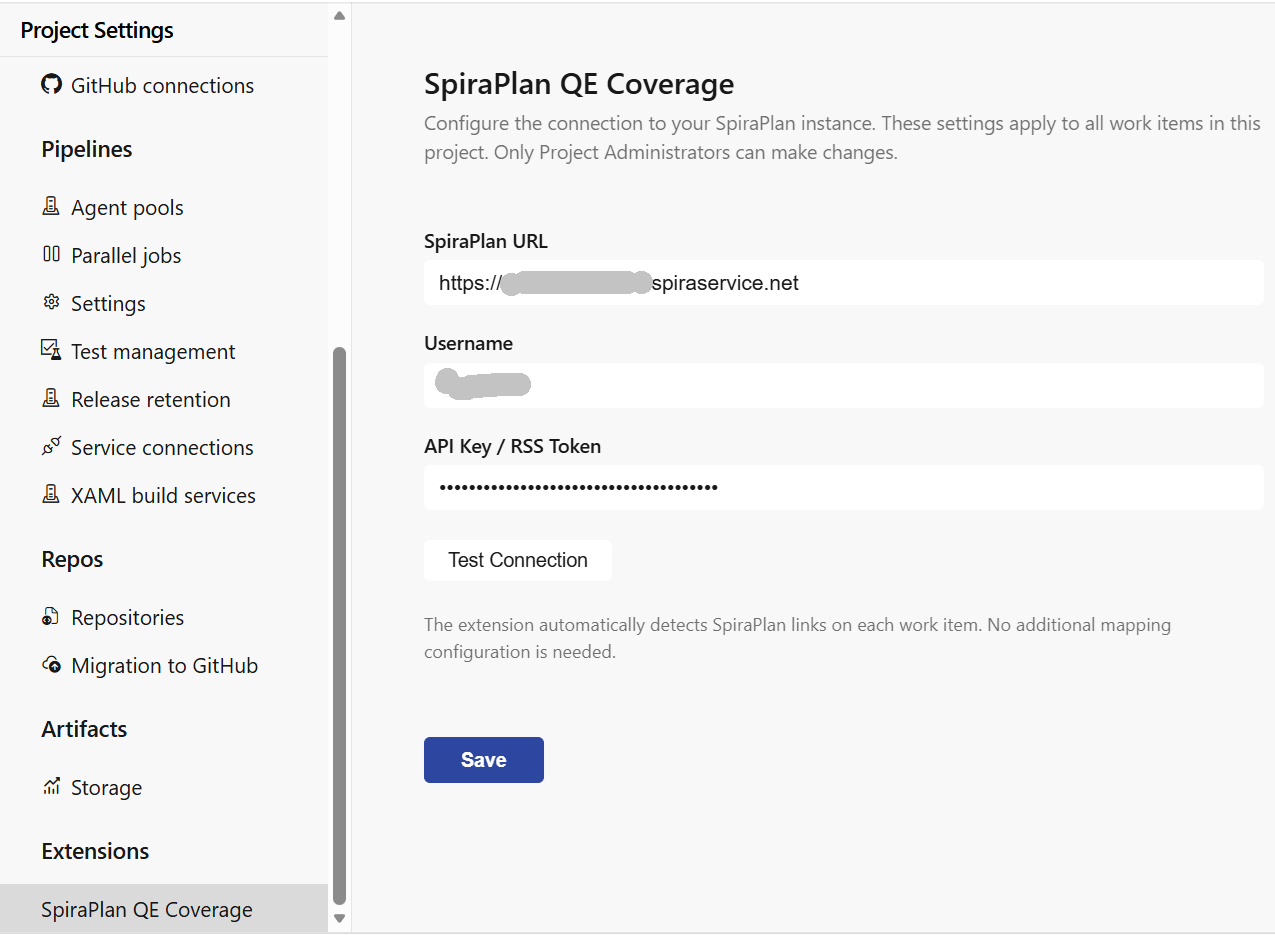
Centralized configuration — A Project Administrator sets the SpiraPlan
connection once; the configuration is shared across the organization.
How it works
The extension adds a SpiraPlan QE Coverage group to the Azure DevOps work
item form.
When a work item opens, the panel scans its hyperlinks for SpiraPlan URLs.
When it finds a linked SpiraPlan requirement, it calls the SpiraPlan REST API
to retrieve the covering test cases and their execution status.
Results appear as a status bar and a detailed, clickable test case list.
Getting started
Install the extension into your Azure DevOps organization.
As a Project Administrator, open Project Settings → SpiraPlan QE Coverage
and enter your SpiraPlan connection details (URL, username, API key / RSS token).
Use Test Connection to confirm the credentials, then Save.
Open any synchronized work item and expand the SpiraPlan QE Coverage group.
Only Project Administrators can change the connection settings. Other users see
the coverage panel in read-only form, and are prompted to contact an
administrator if the connection has not been configured yet.
Requirements
SpiraPlan v6.0 or later with the REST API enabled.
The SpiraPlan–Azure DevOps synchronization configured (it creates the work
item hyperlinks the extension reads).
A SpiraPlan service account with an API key / RSS token.
Privacy and data
The extension communicates only between your Azure DevOps organization and the
SpiraPlan instance you configure. It does not send your data to any third party.
Connection settings are stored in Azure DevOps extension data storage.