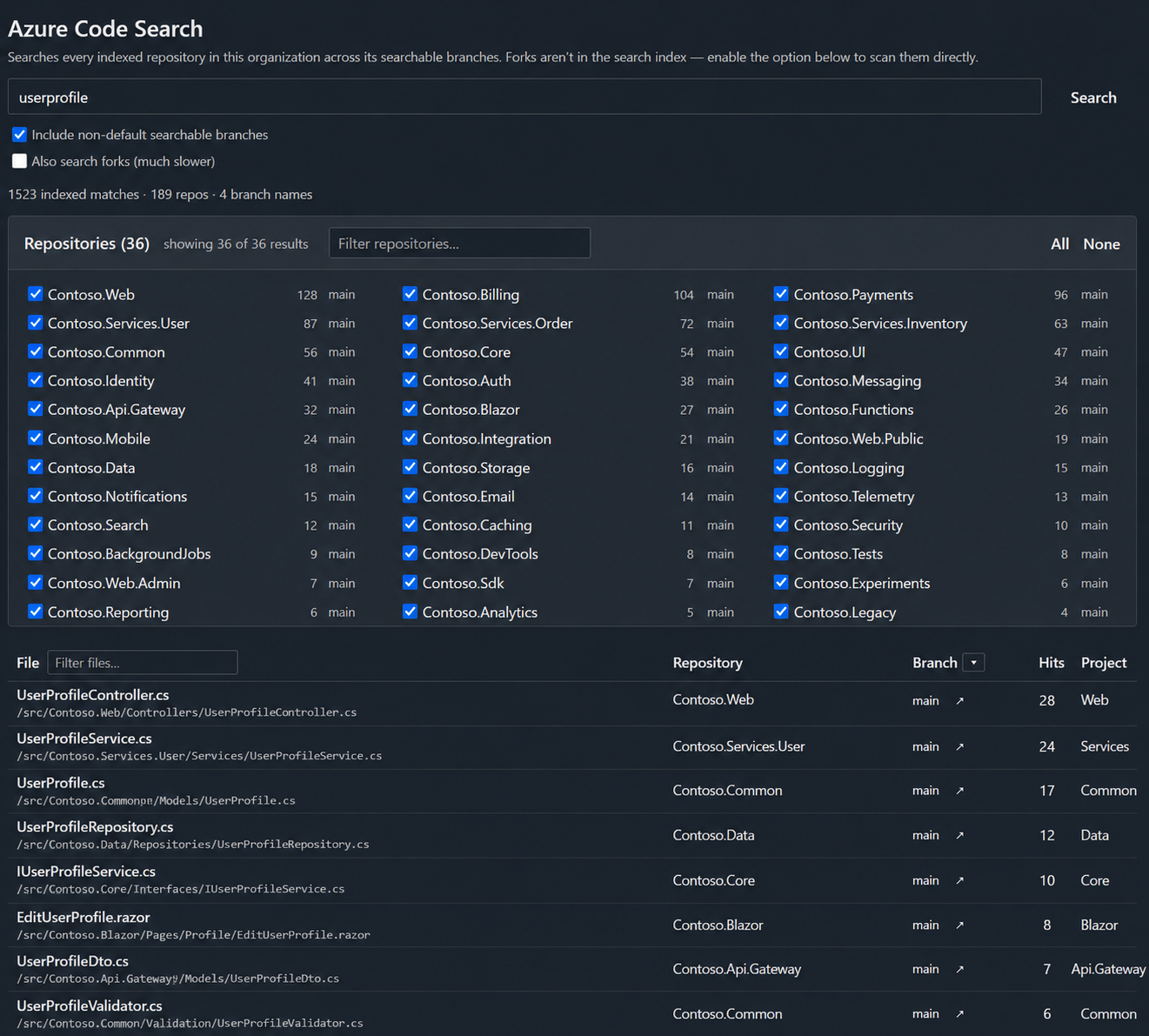
Azure Code SearchOrganization-wide code search across all repos and searchable branches, with an optional slower scan of forks that Code Search doesn't index. Results link to the matching file. |

Azure Code SearchSearch all your repositories from one place — every searchable branch, plus an optional scan of forks. A free, lightweight Azure DevOps extension that adds a Code Search hub under
Repos. Type a query and search across every repository in your organization
and each repository's searchable (indexed) branches, not just
Features
Who it's forTeams on Azure DevOps who need to answer "where is this string used across all our code?" — across many repos, forks, and long-lived release/feature branches — without opening each repository's search box one at a time. Requirements
Permissions and data handlingThe extension requests only the Frequently asked questionsWhy doesn't my match on a feature branch show up? Azure DevOps only searches indexed branches. By default that's just the repository's default branch. Add the branch under the repository's Searchable branches setting (max 6 per repo) and it will start appearing. Does it search forks? Not through the index — Microsoft's Code Search does not index forked repositories, and there's no setting that changes that. Instead, enabling "Also search forks" makes the extension download each fork's searchable branches and scan them directly in your browser. This genuinely covers forks, but it's much slower, matches text literally (case-insensitive, no wildcards/operators), and skips very large repos — which is why it's off by default. When a fork branch is skipped, it's listed under the results with the reason (e.g. too large, with its size against the limit), so you know exactly what wasn't scanned. The alternative, if you want forks in the fast index, is to detach them in Azure DevOps so they become normal repositories. What does "Include non-default searchable branches" do?
On (default), the search spans every branch marked searchable across your repos. Off,
it searches only default branches — slightly faster, and useful if you only care
about Is any of my data sent anywhere? No. The extension calls the standard Azure DevOps REST APIs from your browser with your own session. Nothing is persisted and no third-party services are contacted. (The only non-ADO request on this listing page is the Buy Me a Coffee button image.) Does it work on Azure DevOps Server (on-prem)?
The manifest targets Support
Support the project ☕This extension fixes a blind spot Microsoft has ignored since 2019. Organization-wide code search and the inability to search across forks have been on Azure DevOps Developer Community since 2019 — repeatedly requested, upvoted, and left unaddressed year after year. If you're reading this, you already know the pain: opening repository after repository, one search box at a time, never quite sure you've covered every branch or every fork. I built this to solve that — free to use, runs entirely in your own browser with zero telemetry. It's the tool Microsoft should have shipped years ago. If it saved you even ten minutes of hunting, please tip. A coffee is a tiny price for closing a six-year gap, and every tip directly funds the time I spend maintaining this, fixing bugs, and building the next feature your team asks for. The more support this gets, the more I can keep pushing it forward. Tips keep independent tools like this alive. Thank you for your support. ❤️ (This is an independent project — not affiliated with Microsoft or my employer.) |