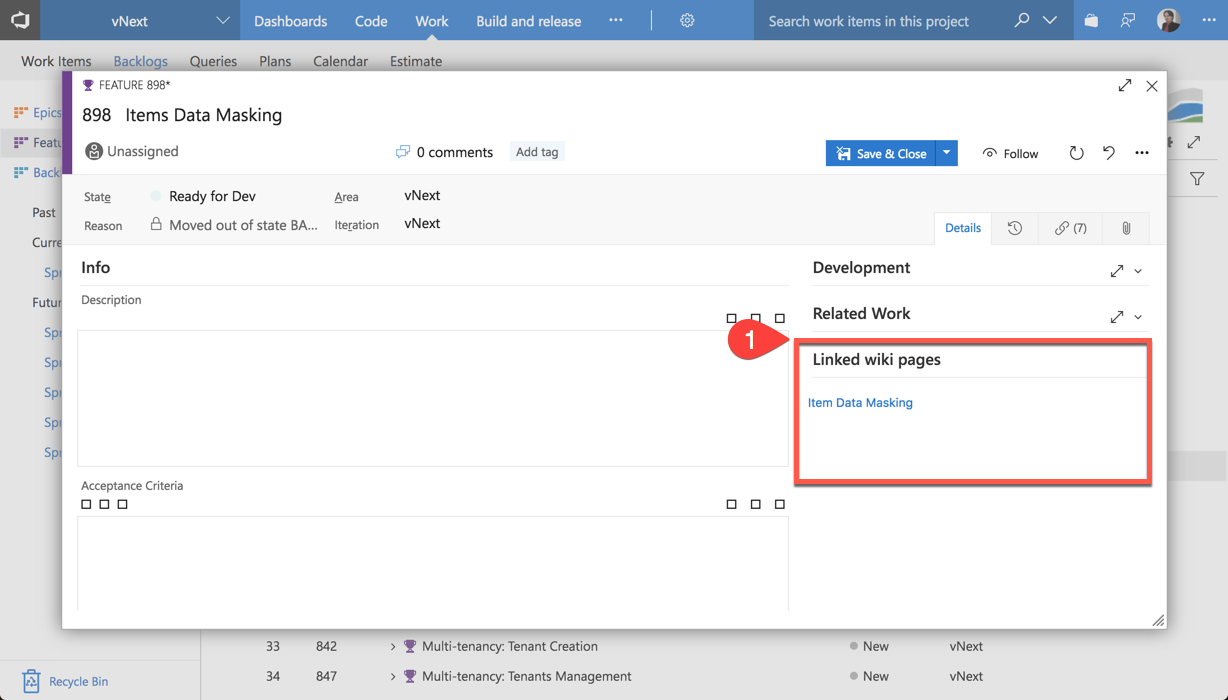
Link Work Items to Wiki PagesThis extension will add a custom UI control for all Work Item forms. With this UI control you will be able to see all the Wiki Pages that were attached to current Work Item. How to installAfter you install this extension from Marketplace it will automatically add custom UI control to all Work Item forms, no further configuration required. How to use1
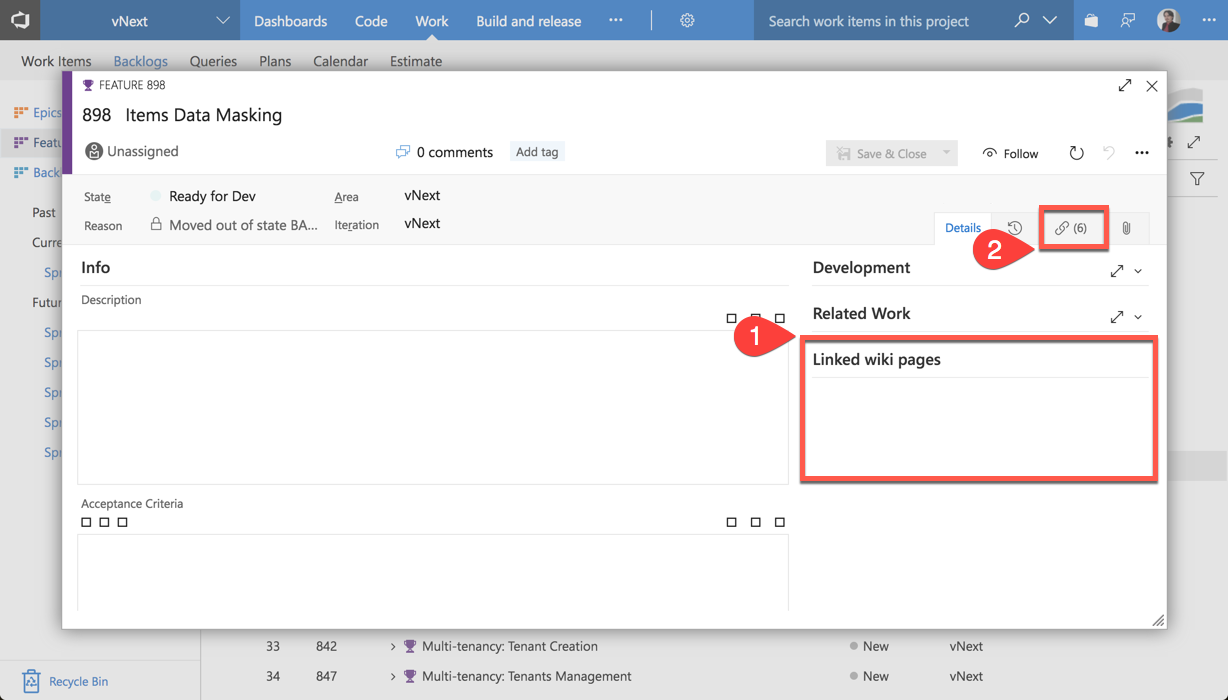
1.1. When you open some Work Item from backlog you will see that there are, probably, no linked Wiki pages yet. 2
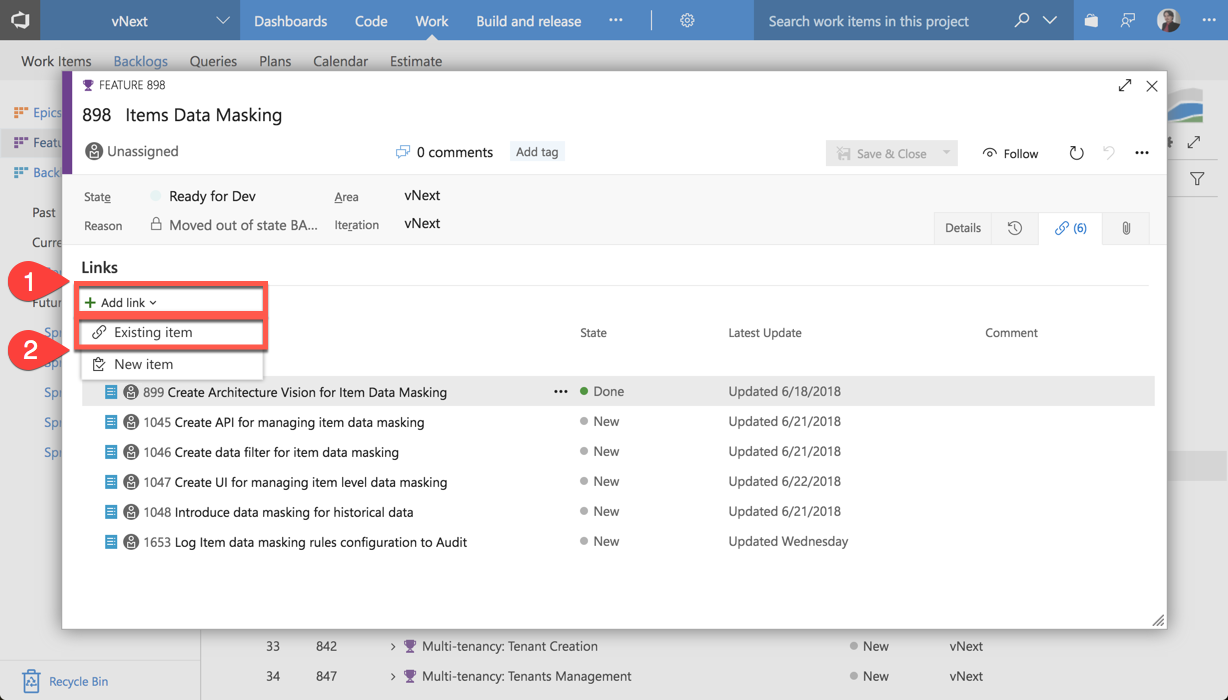
2.1. Click on 3
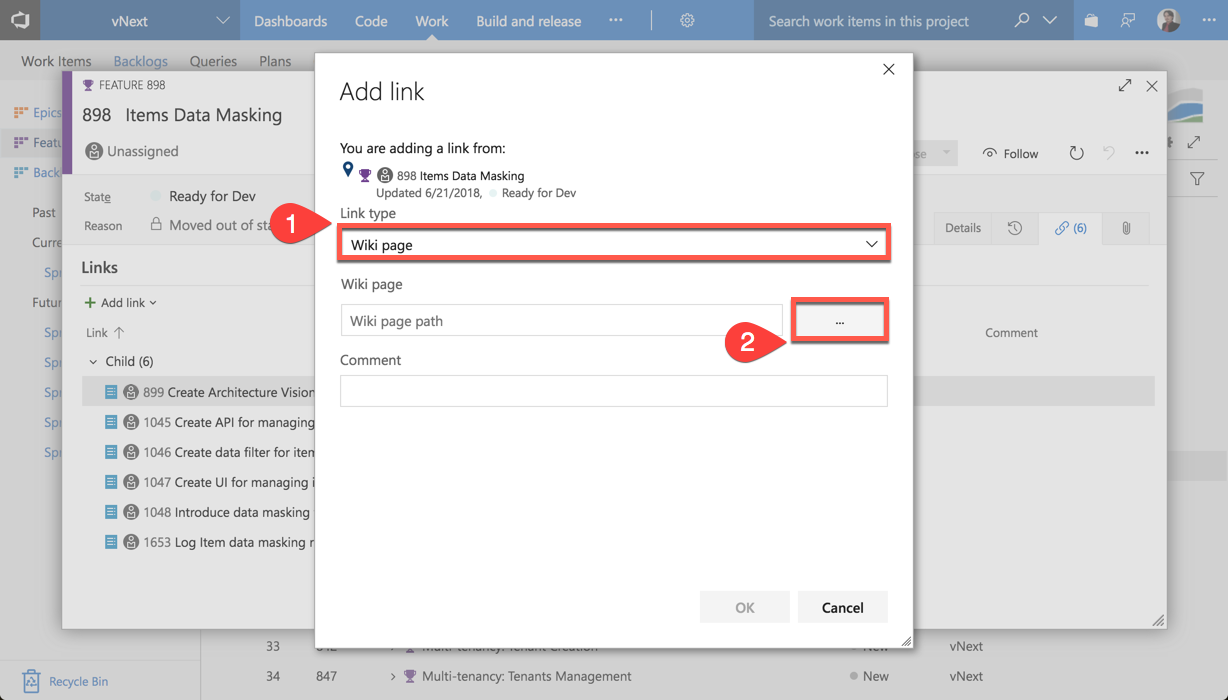
3.1. Choose 4
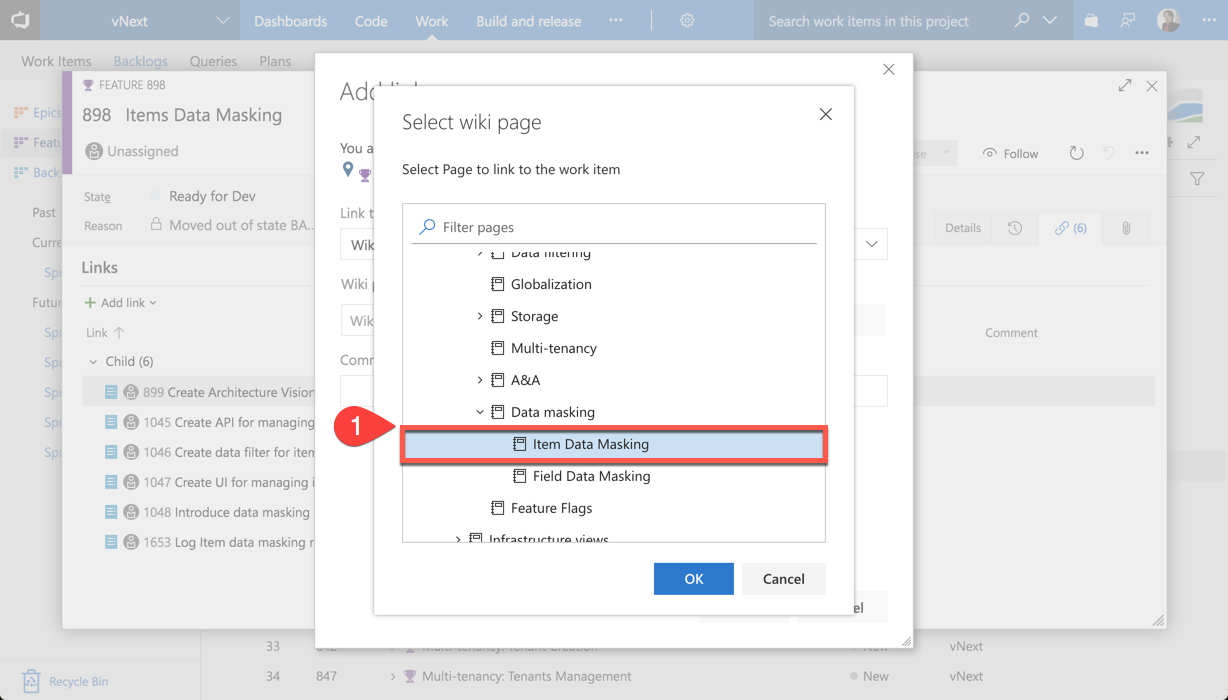
4.1. Choose which Wiki page will be linked to current Work Item. Click 5
5.1. Now you can get back to Auto-Link ScannerInstead of manually linking wiki pages to work items, you can use the Wiki Auto-Link Scanner to do it automatically. The scanner reads through all wiki pages in your project and finds work-item references written as How to use the scanner1 – Open the scanner hubNavigate to Boards (Work hub group) and select Wiki Auto-Link Scanner from the navigation. 2 – Choose scan mode
3 – Run the scannerClick Scan Wiki Pages. The log area shows real-time progress: which pages are scanned, which work items are referenced, and whether links are created, skipped (already exist), or encounter errors. 4 – Review resultsAfter the scan completes you will see a summary with:
|