Skip to content
| Marketplace
Sign in
Visual Studio>Tools>Entity Developer
Entity Developer

Entity Developer

Devart Software

|
71,392 installs
| (10) | Free
Entity Developer is a high-end ORM designer for Entity Framework, Entity Framework Core, NHibernate, LinqConnect, Telerik Data Access, and LINQ to SQL.
Download

Entity Developer is a high-end ORM designer for Entity Framework, Entity Framework Core, NHibernate, LinqConnect, Telerik Data Access, and LINQ to SQL. It introduces new approaches to building ORM models and facilitates fast and effective development of database applications.

Entity Developer offers a number of visual designer tools and code generation features to help you design ORM models faster and generate professional and extensible code for them. The tool supports Entity Framework Core version 9.0 and PostgreSQL version 17. There are three options available: standalone, console, and Visual Studio integration.

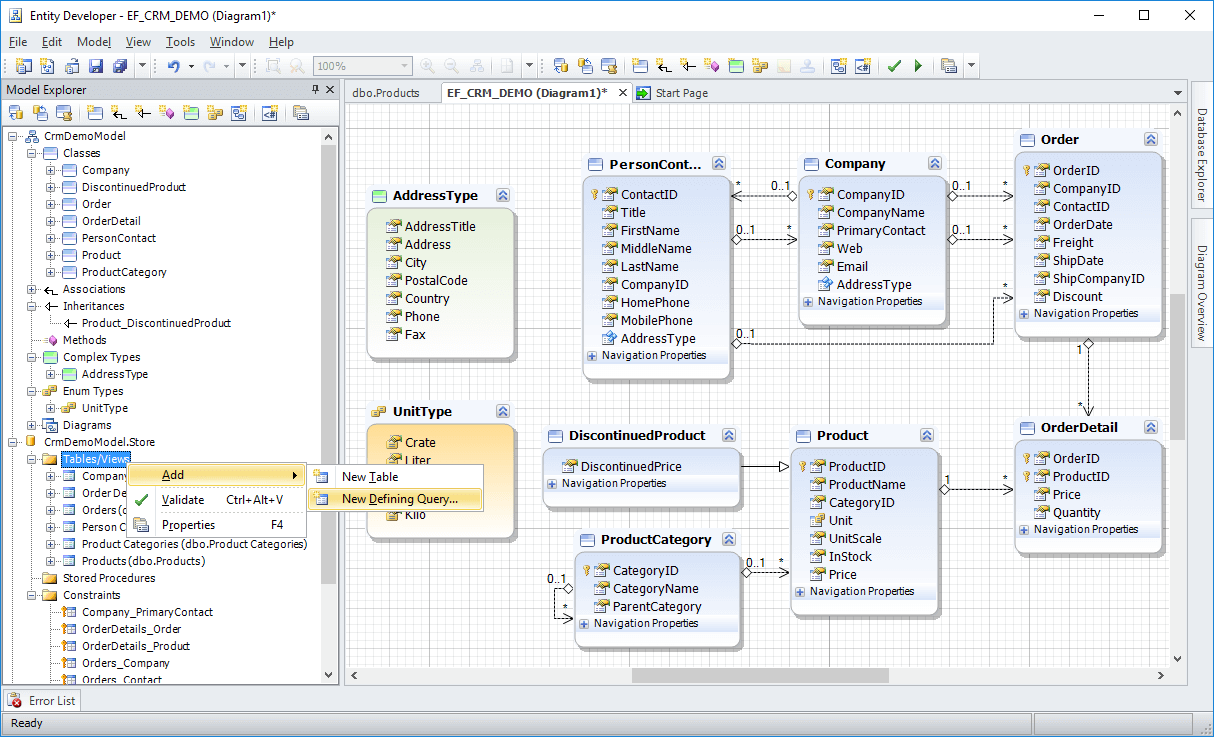
Wide Mapping Support

Edit nearly any kind of mapping for all the supported ORMs visually.

  • Visual editors for classes, properties, complex types, enums
  • Support for various kinds of inheritances and associations
  • Mapping CRUD operations to stored procedures
  • Create methods from stored routines or command texts
  • Visual editing of a storage part of Entity Framework v1-v7 models
  • Table splitting, entity splitting, query views
  • and many more...

mapping-features.png

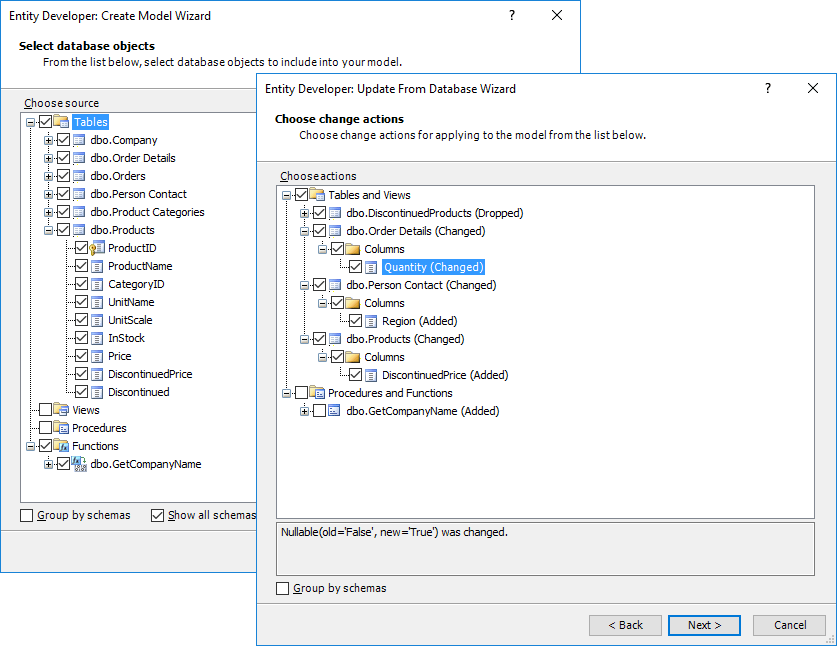
Database-First Approach Support

Easily generate a model from a database and apply database changes to the model. Switch to model-first whenever necessary.

  • Generate a model from a database in a few clicks
  • Apply changes of the database schema to the model
  • Configure generation with lots of various options
  • Flexibly configure naming of generated classes, members, and methods
  • Get from database to ready-to-use code in minutes

database-first.png

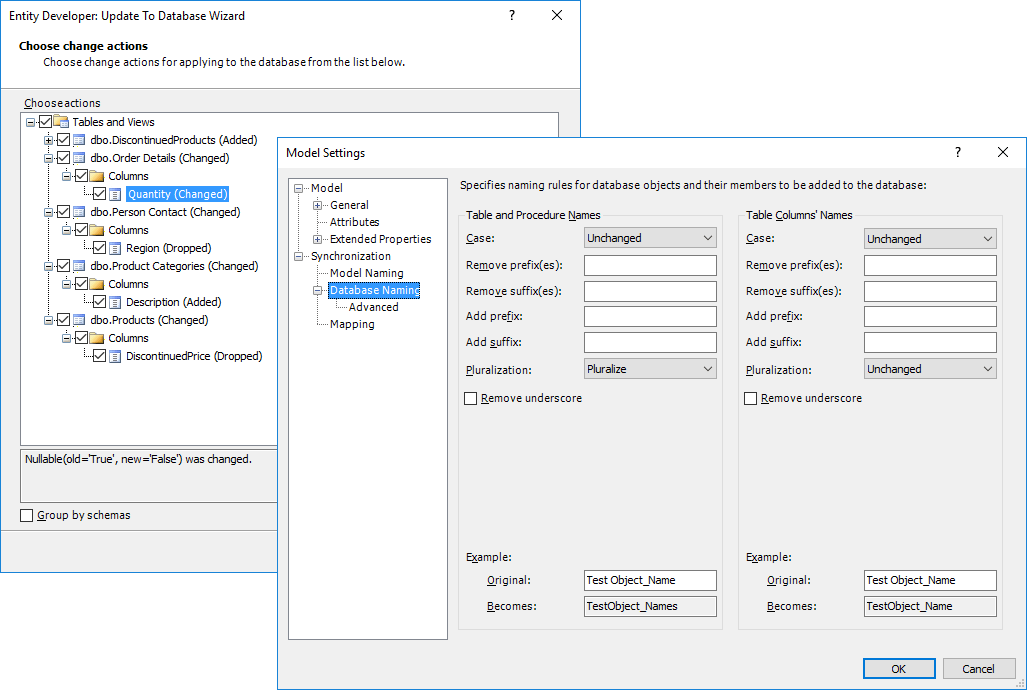
Model-First Approach Support

Create a model and then generate a database from it automatically. Apply model changes to the database without losing data where possible.

  • Generate a database from a model in a few clicks
  • Specify a default set of properties to be added to each new entity
  • View, select, and apply model changes to the database
  • Flexibly configure naming of generated tables and columns

model-first.png

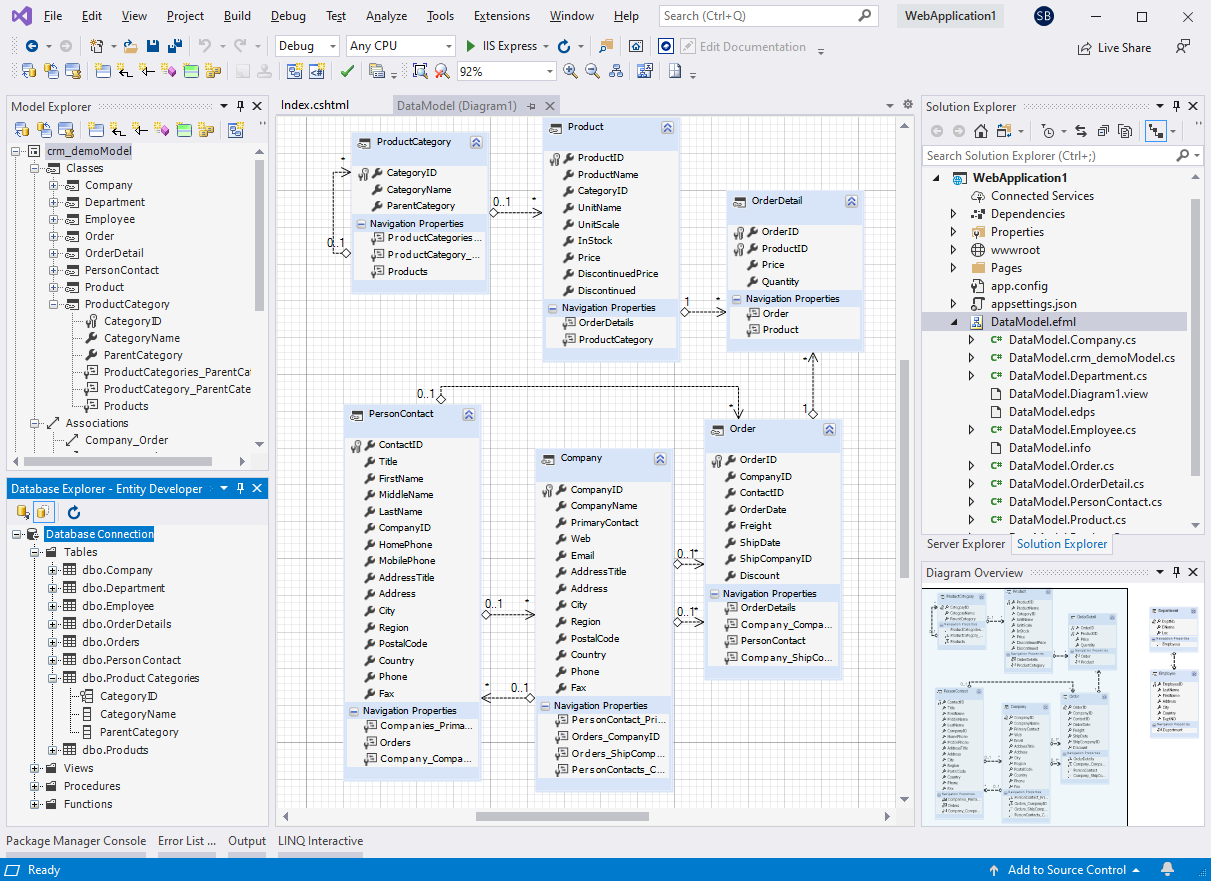
Visual Studio Integration

Entity Developer is seamlessly integrated into Visual Studio; however, if you don't have Visual Studio, you still can use Entity Developer as a separate application.

  • Design model directly in the IDE
  • Visual Studio 2015 - 2026 support
  • Refactoring integration
  • Code is generated when you save the model
  • Errors in model are displayed in Visual Studio Error List
  • Model diagrams, template editor behave like usual IDE documents
  • Documentation is integrated into Visual Studio documentation

ed-vs.png

More features find on the official Devart website.

Compatibility

Support

  • Contact us
  • Jobs
  • Privacy
  • Manage cookies
  • Terms of use
  • Trademarks
© 2026 Microsoft