Assembly Info Properties UpdaterAzure DevOps Build task to update assembly information |

IntroductionThis Azure Devops Build Task simplifies the process of updating assembly information. During the build, it automatically updates all AssemblyInfo files, removing the need to manually modify attributes in each project. Just leave the existing settings as they are—the build process will handle everything for you. NOTE: This is an updated version of sebastianlux.UpdateAssemblyInfo with the latest powershell3 handler. Release Notes1.3.2 (17-Mar-2026)
1.3.0 (13-Jan-2025)
1.2.0 (09-Apr-2017)
1.1.2 (11-Mar-2017)
1.1.1 (04-Mar-2017)
1.1.0 (21-Jan-2017)
1.0.0 (19-Dec-2016)
Getting Started
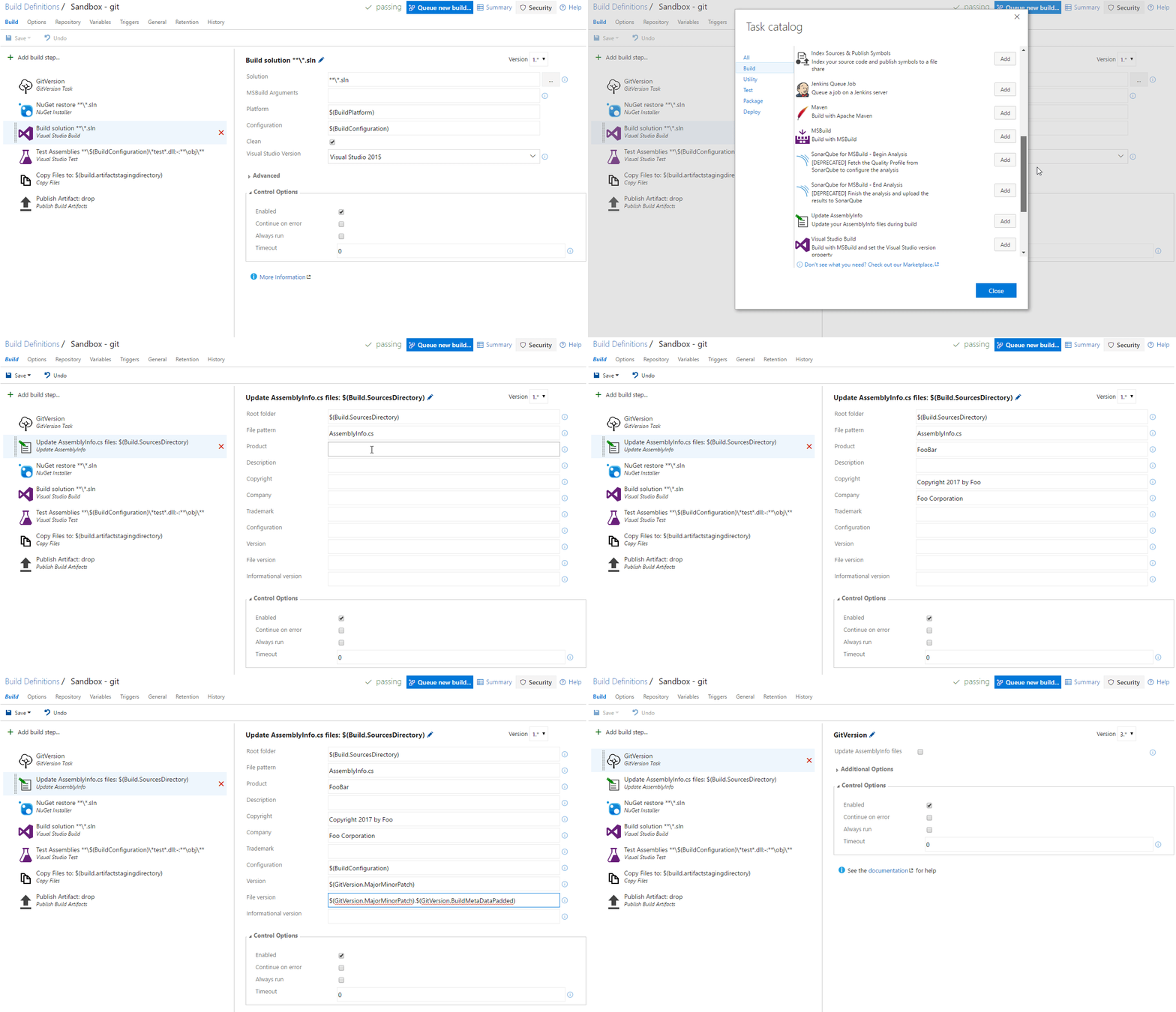
If an attribute is not configured (left empty) in the build task configuration, it will be skipped for update and therefore the original value will be kept. If a file does not contain a specific attribute, the attribute is not added to the file. This is to prevent a build failure in case of projects with multiple AssemblyInfo files. The build task updates all files that match the If the file pattern is left empty, the build task updates all AssemblyInfo.cs and AssemblyInfo.vb files. In case you have a GlobalAssemblyInfo file, you can adjust the If you only want to update specific files, you can adjust the It is also possible to add the build task multiple times to update different files with different content. You can also update any other assembly attribute via the Custom attributes field using the pattern 'AssemblyAttribute=value', each key-value pair separated by a semicolon (e.g. 'FirstNameAssemblyAttribute=John;LastNameAssemblyAttribute=Doe'). |