Inheritance Navigator
A lightweight Visual Studio extension for navigating type hierarchies
quickly and efficiently.
Jump to base types or derived types directly from the current caret
position using a clean popup selector window.
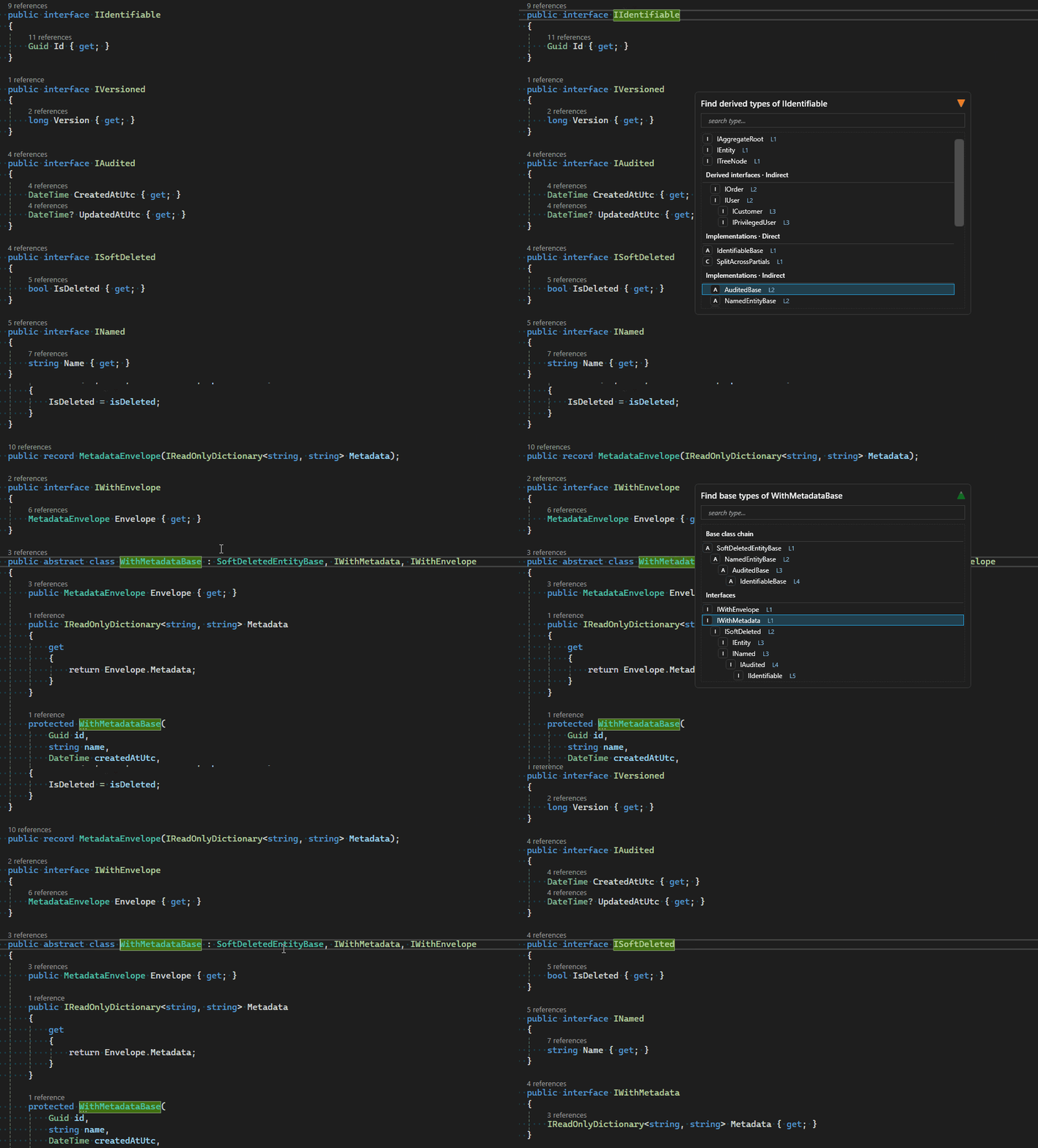
Features
- Navigate to base types
- Navigate to derived types / implementations
- Clean popup selection window
- Keyboard-first navigation
- Works with classes and interfaces
- Preserves context at caret position
Installation
Install from:
- Visual Studio Marketplace
- Or build the
.vsix file and install manually
After installation, restart Visual Studio.
Usage
- Place the caret inside a class or interface.
- Trigger the command via keyboard shortcut.
- A popup window appears listing:
- Base types (if navigating upwards)
- Derived types / implementations (if navigating downwards)
- Use arrow keys to select.
- Press
Enter to navigate.
Adding Keyboard Shortcuts (Important)
You must manually assign keyboard shortcuts in Visual Studio.
Steps
Go to:
Tools → Options → Environment → Keyboard
In Show commands containing, search for:
Tools.NavigatetoBaseType
Tools.NavigatetoDerivedType
Assign your preferred shortcuts (recommended):
Alt + Home → Tools.NavigatetoBaseTypeAlt + End → Tools.NavigatetoDerivedType
Critical: Remove Conflicting Shortcuts
For Alt + Home and Alt + End to work correctly, you must:
- Search for
Alt+Home
- Remove ALL existing assignments
- Search for
Alt+End
- Remove ALL existing assignments
Only after removing all existing mappings should you assign these
shortcuts to:
Tools.NavigatetoBaseType
Tools.NavigatetoDerivedType
If existing bindings remain, the extension may not trigger correctly.
Up / Down → Move selectionEnter → NavigateEscape → Close window
Designed for fast, mouse-free usage.
Supported Types
- Classes
- Interfaces
- Abstract classes
- Multiple interface implementations
Technical Notes
- Uses Roslyn
SymbolFinder
- Supports transitive hierarchy traversal
- Built with WPF and MVVM
- Optimized for fast keyboard navigation
- Minimal UI footprint
Why Inheritance Navigator?
Visual Studio navigation is powerful but often mouse-heavy.
Inheritance Navigator focuses on:
- Speed
- Keyboard-first workflow
- Lightweight hierarchy traversal
- Clean popup-based selection

