Git repository list
This extension adds two new ways to view all the git repositories in your collection/organization.
- All repositories that belong to your collection/organization can be viewed from the new button on the collection/organization level.

- All repositories that belong to a certain project can be viewed from the new button under Repos.
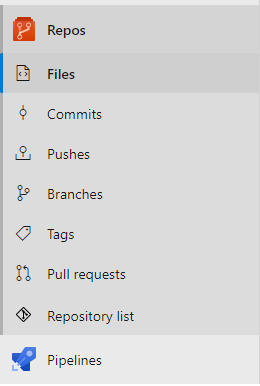
Only repositories that the currently logged in user has access to will be shown!
Filtering
Both views include a filter input at the top of the page. Type any part of a repository name to narrow the list instantly. Wildcard patterns using * are also supported — for example auth* to match names starting with "auth", or *-service to match names containing "-service". The counter next to the page title updates to show how many repositories are currently visible out of the total (e.g. 5 of 42).
Last push
Both hubs display when each repository was last pushed to. The value is lazy-loaded in the background after the list appears and updates automatically as data arrives. The column is sortable.
Open PRs
Each repository row shows a draft | active pull request count, lazy-loaded after the list renders. Hovering the count shows a tooltip (2 draft, 5 active). Clicking it navigates directly to that repository's active pull request list. The column is sortable — repositories with more active PRs rank higher.
Tree view (organisation level)
The organisation-level hub offers a toggle between the default flat list and a tree view that groups repositories by project. Each project node can be expanded or collapsed individually. When a filter is active, only projects containing matching repositories are shown, and they expand automatically. The tree view is styled to match the Azure DevOps branches list.
The selected view mode (list or tree) is remembered per browser and restored automatically on next load.
Privacy notice
No data is collected from this extension. Your data is your own. For further details see our privacy policy.
Release notes
1.1.0
- Feature: Open PRs column — each repository row now shows a
draft | active pull request count, lazy-loaded after the list renders. Hovering shows a tooltip; clicking navigates to the active PR tab. Sortable by active count.
- Feature: Last push column — shows relative date of the most recent push per repository, lazy-loaded in batches.
- Feature: Tree view added to the organisation-level hub. Toggle between the existing flat list and a new grouped view that organises repositories by project. Each project node is collapsible, shows a repository count pill, and auto-expands when a filter is active.
- Feature: Filter input added to both hubs. Plain-text typing does a case-insensitive substring match; patterns with
* use glob-style matching. The count pill next to the title shows 5 of 42 while a filter is active.
- Feature: Sortable columns — click any column header to toggle between ascending and descending order.
- Dependency updates and major refactor of the source code
1.0.13
- Bugfix: The size of empty repositories sometimes displayed NaN, will now display 0.00MB instead.
- Bugfix: The repository list inside the project was not sorted.
- Bugfix: The table of repos on the collection/organization level had a limit to amount of entries, this is now gone.
- Feature: When the size of a repo is larger than 1000MB, it is instead represented as GB.
- Minor changes to the description of this extension.
1.0.14
- Changed name of the pivot element to "My repositories" on the organization/collection level to follow naming convention
- Added title with repository counter to the page


