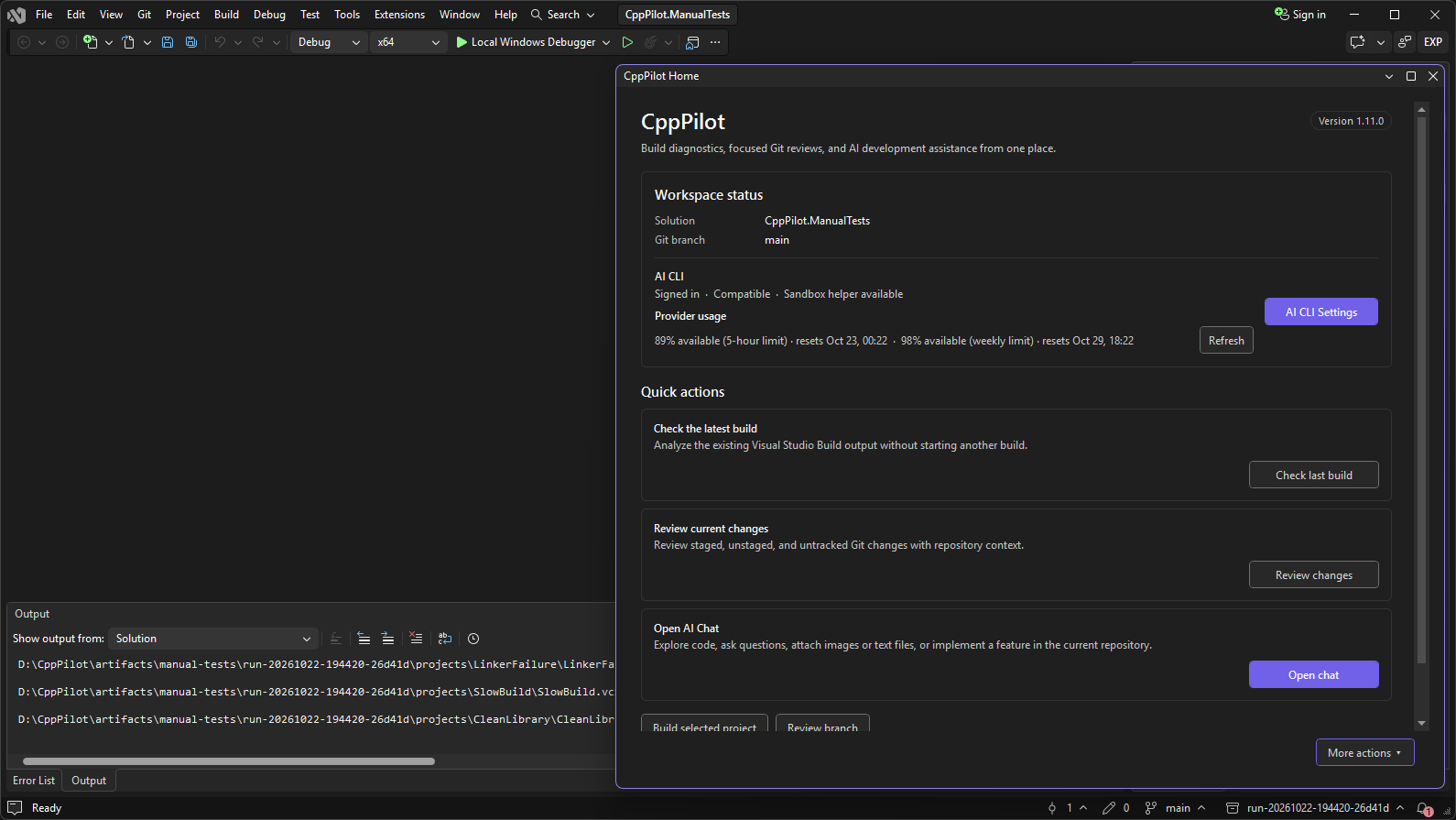
CppPilot 1.12.0Codex- or Claude-powered build fixes, Git reviews, crash and dump analysis, project configuration checks, and development chat for C++ in Visual Studio. CppPilot brings AI-assisted C++ workflows directly into Visual Studio. Diagnose and fix MSVC build errors and warnings, review local Git changes before committing, investigate native crashes and crash dumps, check how your solution and projects are configured, and use a persistent development chat without leaving the IDE. Choose the locally installed Codex CLI or Claude Code CLI and use your existing provider authentication. CppPilot detects both CLIs and automatically selects the only available provider. No Codex or Claude account? Try CppPilot Cloud (preview): sign in with your email address and start with the free plan. CppPilot downloads the official Codex CLI from OpenAI's GitHub releases, verifies it, and never runs an installer. New in 1.12.0: CppPilot Cloud (preview)No Codex or Claude account? Sign in to CppPilot Cloud with your email address, and CppPilot uses the AI included in your plan. There is nothing else to set up: CppPilot downloads the official Codex CLI from OpenAI's GitHub releases, checks it against the checksum built into CppPilot, and runs no installer.
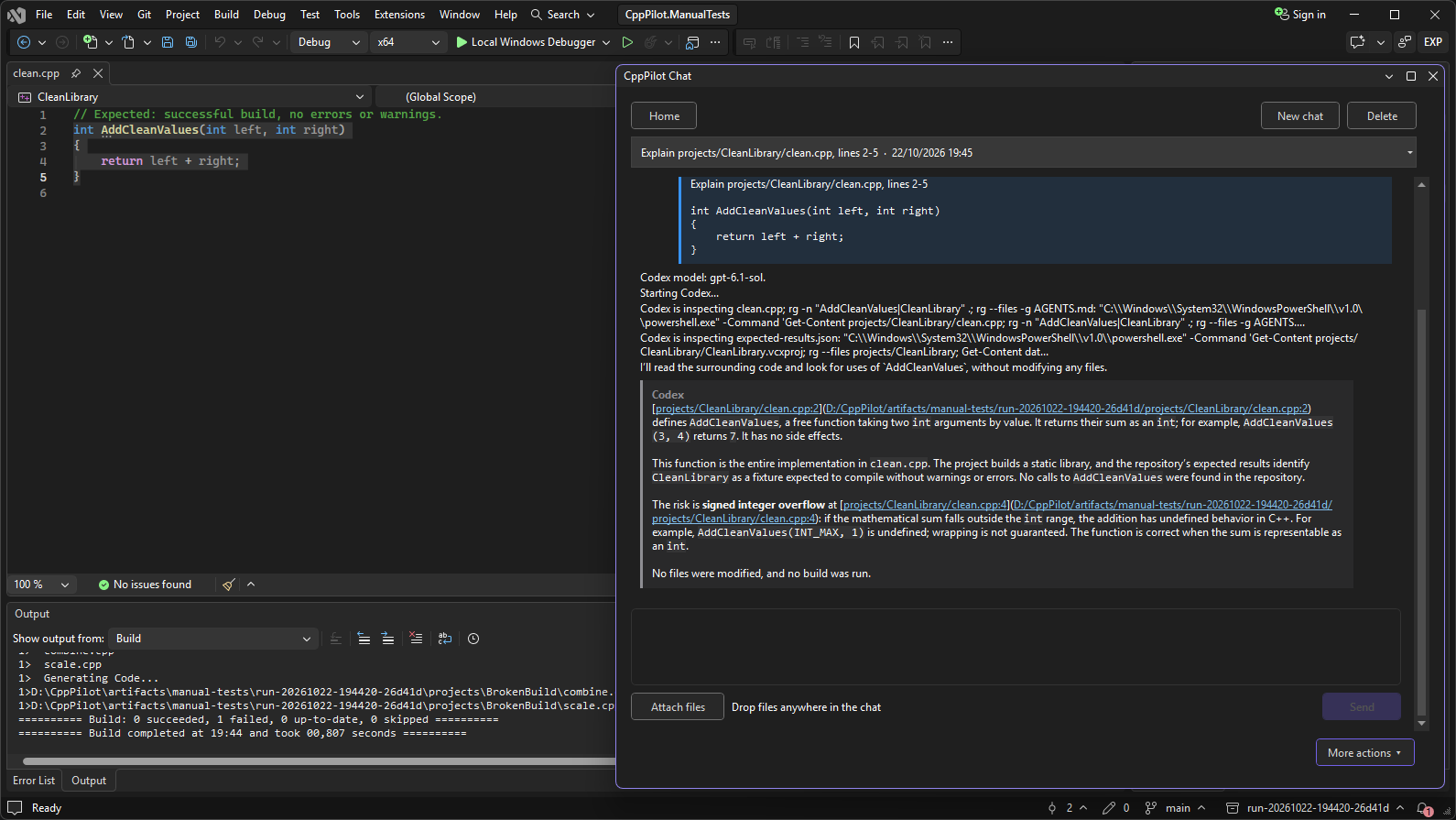
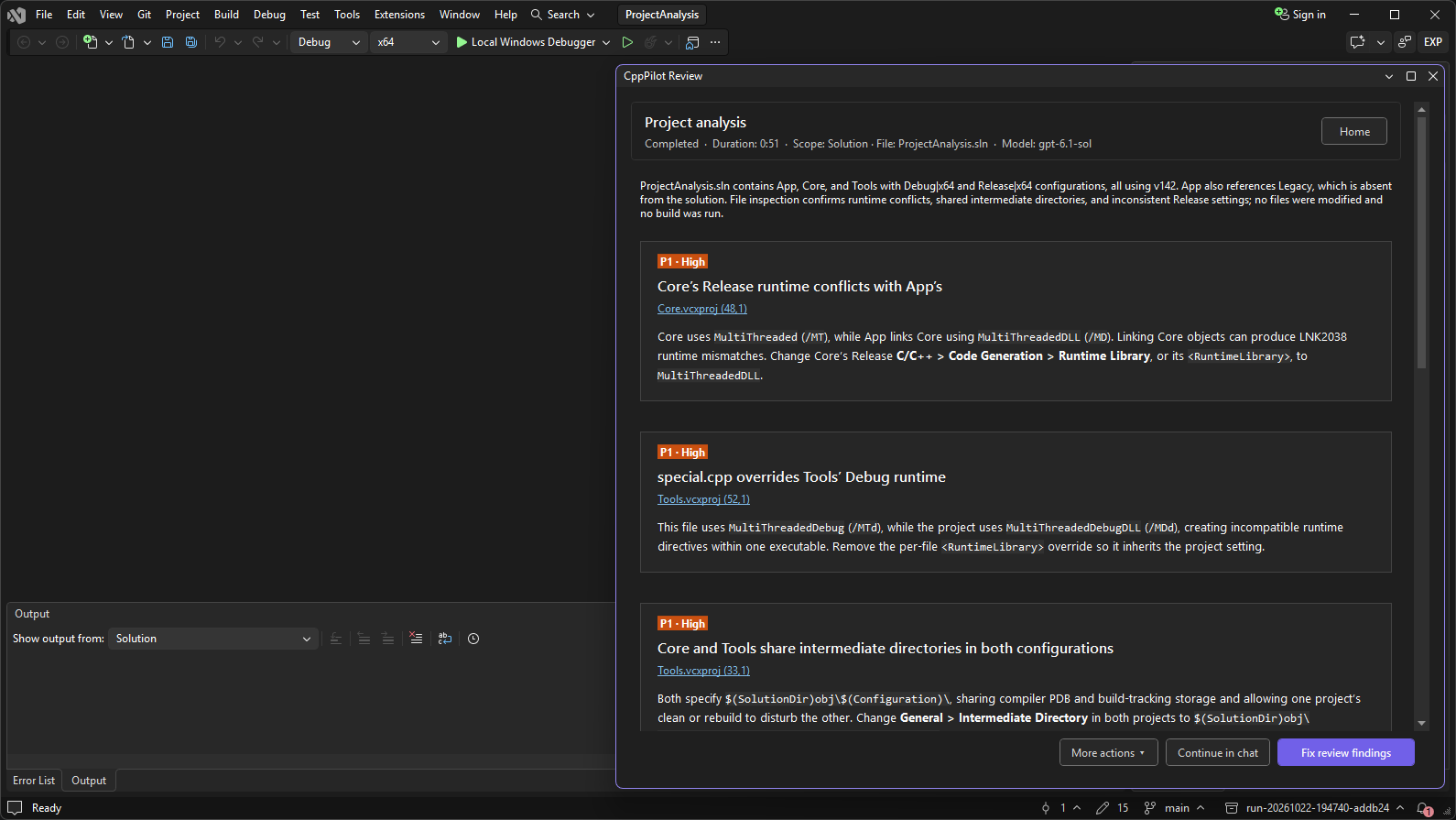
The AI chat is not included in the CppPilot Cloud plans; build fixes, reviews, crash analysis, and project analysis are. AI CLI Settings now opens inside the CppPilot window. New in 1.11.0Analyze crash dumpsChoose Analyze Crash Dump..., pick a Your debugger symbol path is restored when debugging stops, even if the dump cannot be opened, and the symbol folders are remembered for next time. Analyze your solution and projectsRight-click the solution or a project in Solution Explorer and choose CppPilot > Analyze Solution, Analyze Selected Project, or Build Performance and Modernization. The same commands are under Extensions > CppPilot > Project & Solution. CppPilot reads the
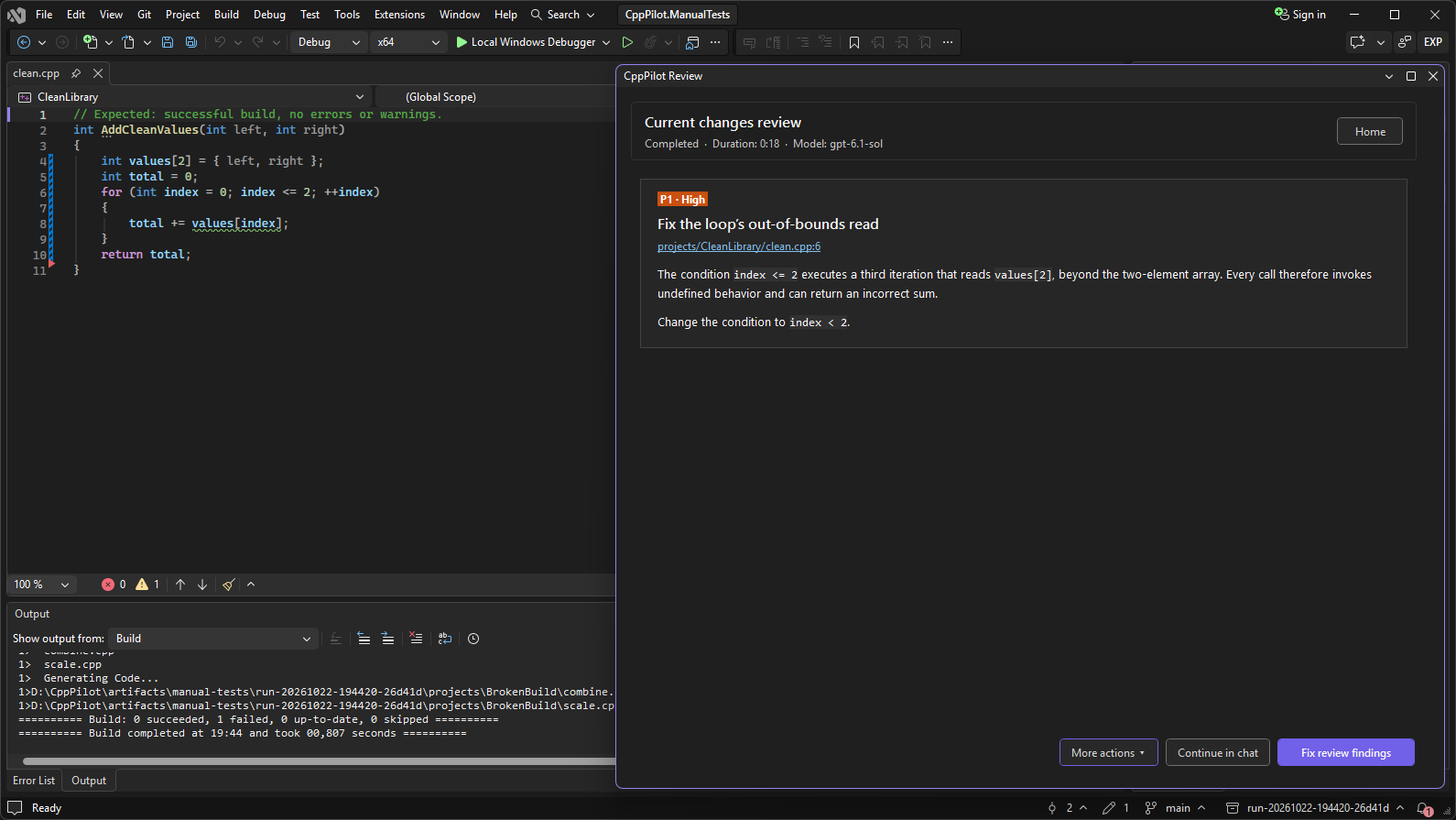
Each finding points to the line to change. The AI confirms and explains it, and Fix review findings can correct the project files. The analysis itself never changes a file. Continue any result in chatEvery result—an error explanation, a review, a crash analysis, a project analysis—now offers Continue in chat. It opens a new conversation that already knows the result, so you can ask follow-up questions without copying anything. The AI sees more of Visual Studio
Also improved
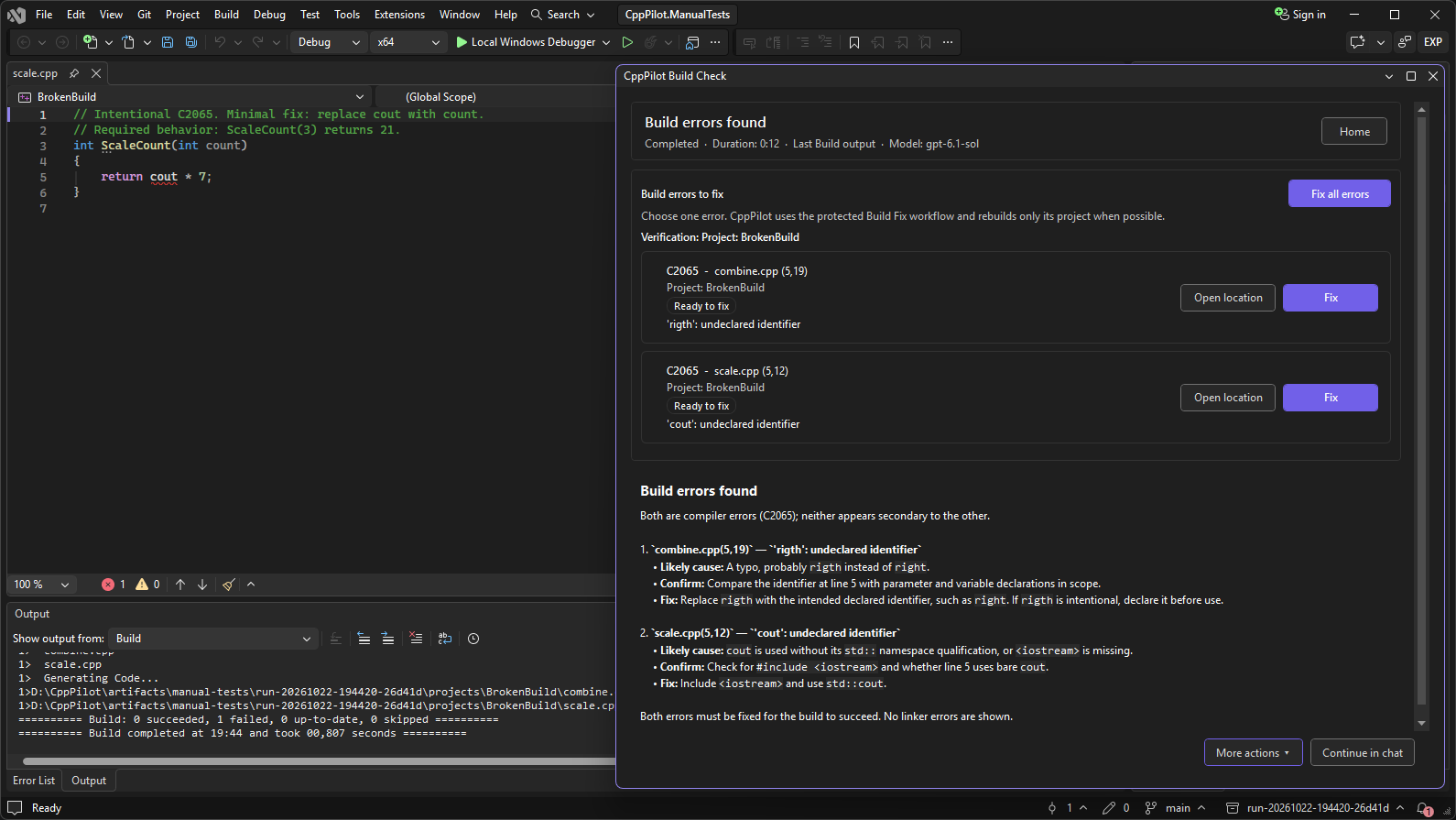
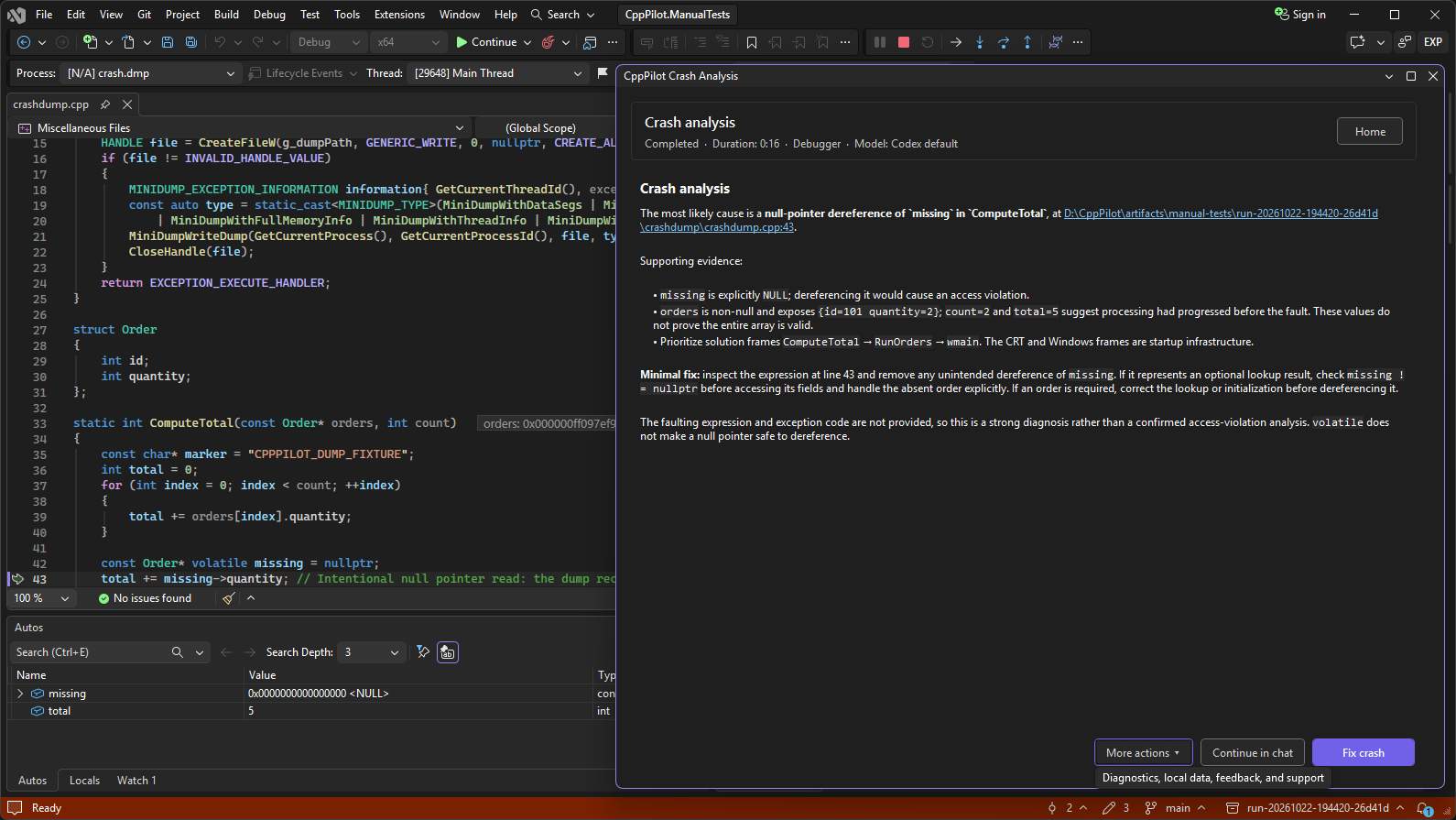
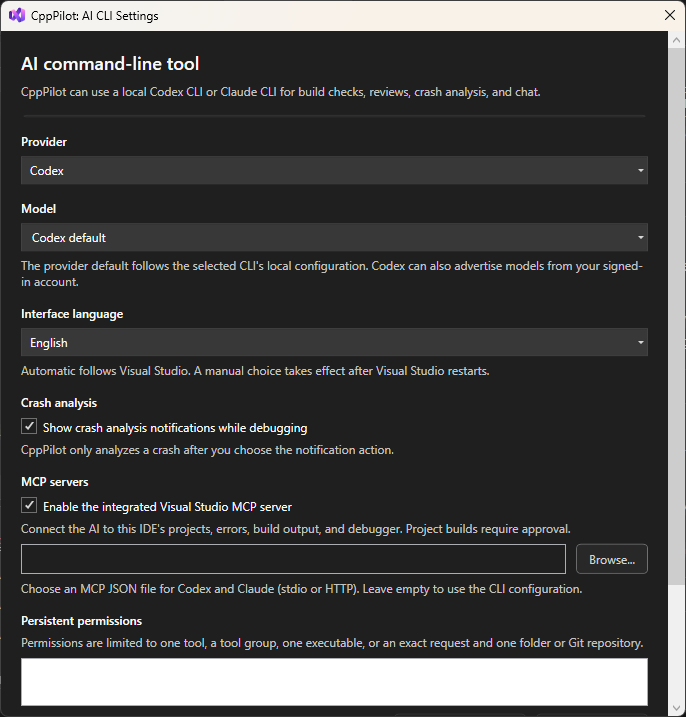
Visual Studio integration for Codex and ClaudeAn integrated MCP server gives both providers access to the open solution, its projects and their build settings, the active document and selection, the Error List, Build output, and bounded debugger snapshots. The AI can open a file at a given line and request a build of one project. No additional extension or configuration is required. You can disable the integrated server in AI CLI Settings, and select one external MCP JSON configuration file shared between Codex and Claude. AI-requested project builds use CppPilot's approval controls: allow a build once, until the current request ends, or always for that project. CppPilot refuses builds that cannot start, such as while another build is running or while you are debugging, and checks that the solution, configuration, and platform have not changed before starting an approved build. Build diagnostics and fixesOpen the same diagnostic workflow from the Error List, the latest Build output, or a CppPilot build command. Fix one diagnostic at a time or use Fix all errors for progressive, multi-pass correction. CppPilot rebuilds the relevant C++ project when Visual Studio can identify its build scope and tracks each diagnostic through ready, correcting, verifying, resolved, or still-present states. Check Last Build Warnings displays one card per warning, with Open location and Fix actions, plus Fix all warnings. Each fix is verified by rebuilding the warning's project, and the AI is instructed to correct the underlying issue without disabling the warning. Supported diagnostics include common MSVC compiler, linker, and MSBuild errors, including Git reviewsStart Review with CppPilot directly from the Git Changes window to review staged, unstaged, and untracked changes. You can also review the current file, changes in the current file, or a branch against its detected parent branch. Findings appear as cards with a translated priority, a clear title, a clickable location, and an explanation. Use Fix review findings to send validated findings back to the selected provider for focused correction. Native crash analysisWhen Visual Studio breaks on a supported native exception, assertion, or debug break, CppPilot can offer a non-modal crash analysis. The same analysis runs on crash dumps. It captures bounded debugger context—including the active location, call stack, arguments, and local variables—and asks the selected provider to identify the likely root cause. Analysis starts read-only. You decide whether to apply the proposed correction. Crash notifications can be disabled from the notification itself or from settings. Development chatUse Codex or Claude for questions, exploration, and implementation work in the current workspace.
Permissions you controlWhen a CLI requests permission to run commands, change files, or access additional resources, CppPilot displays a non-modal Visual Studio notification. Review the affected paths, working directory, and reason, then allow once, allow until the operation ends, remember the permission for the current repository or working folder, or deny. Remembered permissions are manageable from AI CLI Settings. CppPilot stores permission fingerprints and scopes, never raw command text. The integrated Visual Studio tools do not trigger unnecessary provider approval prompts; external MCP servers retain each provider's approval controls. Languages and requirementsCppPilot follows the Visual Studio interface language and supports English, French, German, Italian, and Spanish. English is the fallback, and you can override the language in settings. Requirements:
A separate CppPilot package is available for Visual Studio 2019. Privacy and licensingCppPilot runs your locally installed Codex or Claude CLI under your own authentication and configuration, or Codex through CppPilot Cloud when you choose it. Code and context used by an operation may be transmitted by the selected CLI to OpenAI or Anthropic. CppPilot itself has no telemetry and sends nothing to its publisher. Conversations, preferences, and logs stay on your computer. With CppPilot Cloud, Codex sends its requests to CppPilot Cloud, which relays them to OpenAI without storing their content and counts their cost against your plan. See the CppPilot Cloud privacy policy. CppPilot is an independent extension and is not an official Microsoft, OpenAI, or Anthropic product.
|