cv4vs AgentsClaude Code inside Visual Studio — agentic coding with a rich chat pane and an interactive terminal, wired into the editor, solution and debugger through an in-process MCP server. |


cv4vs AgentsClaude Code with full access to Visual Studio. A chat pane, a terminal, and an agent that can drive the IDE itself: build the solution, read the errors, step the debugger, follow references through the symbol graph, run the tests. 80 MCP tools, in process, so the agent reads the live state Visual Studio already holds, not the files on disk. Visual Studio 2022 and 2026. Free, GPL-3.0. What the agent can actually do
The chat panel and the diff viewer are the easy part. Compiler diagnostics are not: they live in a
structured model behind the Error List, not as text in a buffer. Reaching them means going through
Visual Studio's own APIs, which is what these tools do, via Roslyn's per-document language
services and And it offers before you ask. Stop on an exception and a bar appears over that file: one press asks about the break, and the answer comes from the live call stack and locals rather than a guess at the source. Breakpoints are opt-in (you placed it, you know why you are there) and stepping never asks. Every tool, one by one and debugging with the agent in the documentation. Before you startThis extension needs the Claude Code CLI installed separately: it drives it, and cannot work without it: Other platforms and methods are in Anthropic's setup guide. If it is missing, the pane says so and links you there instead of failing silently. Then open View → cv4vs Agents → Claude. The IDE tools are wired up automatically: nothing to
configure, no API key, no separate billing: it drives your own It is not a fork of the CLI. The binary is never bundled, and version differences are handled by feature detection rather than by pinning a version. The whole walkthrough in the documentation. Two panes, one session
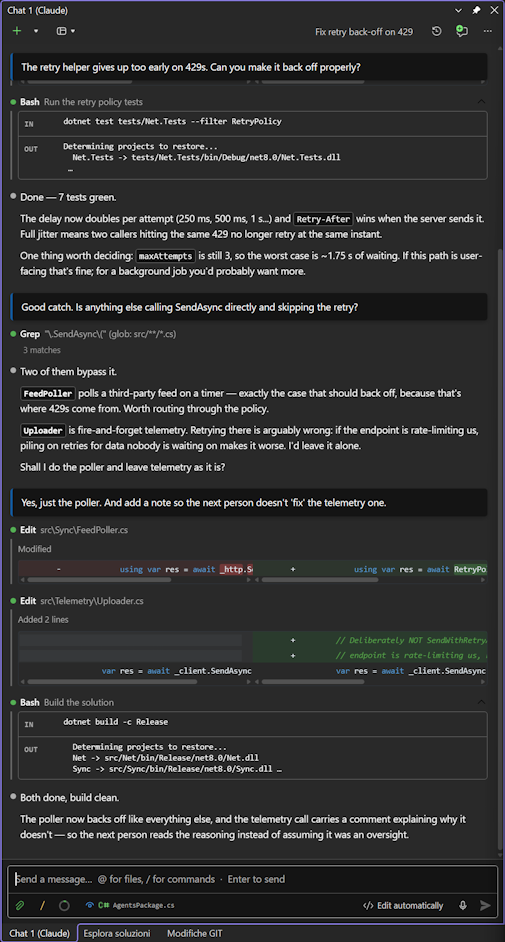
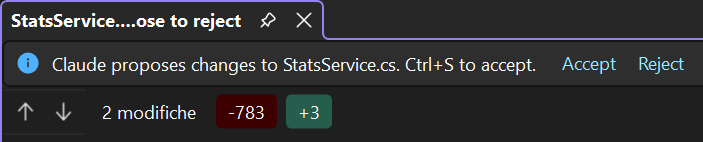
Chat: streaming replies, thinking blocks, collapsible tool output, inline diffs, clickable file
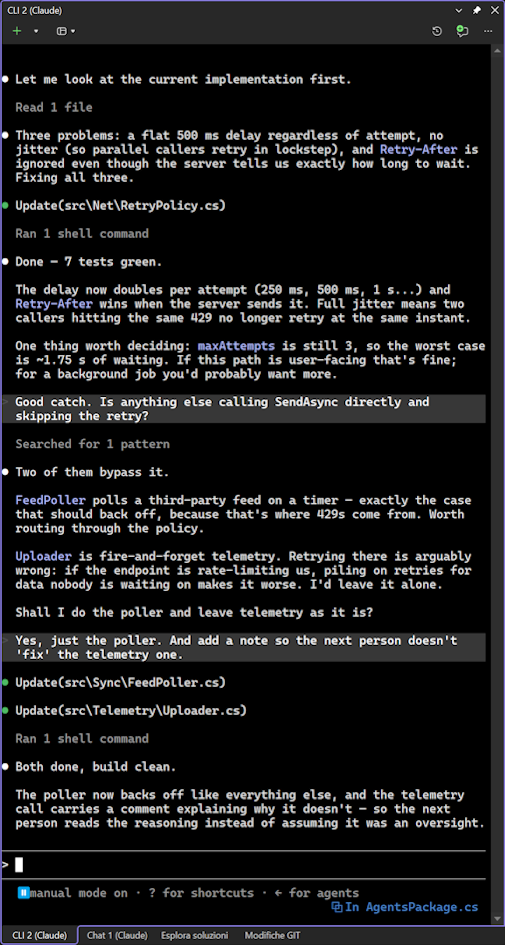
references ( Under the message box, a row for the turn itself: model and effort and permission mode, each a click away. Which model is answering, and what it may do without asking, are the two things that change a turn the most: they belong in sight, not three levels down a menu. View mode decides how much of what Claude did (the commands, file reads and edits, searches, MCP calls and sub-agents) the transcript shows: all of it, each run folded into one row that opens in place, or none of it, leaving the conversation. What you took part in stays in every mode: answers to questions, plan decisions, the task list, anything waiting on your approval. And a plan too long for the banner's small box opens in the editor as a normal document, where you can edit it before approving: the banner sends what you wrote. CLI: the real Both read the same session store, so a conversation started in one opens in the other, or in VS Code. Not one or the other: both, on the same conversation. Panes can run on different working directories at the same time. More on the two panes in the documentation. Right-click to askEvery place that shows code or a failure has a cv4vs Agents submenu:
Each menu ends with Add to chat: it puts a reference ( The menus and how to edit their prompts in the documentation. Built for long sessionsNothing is built, read or started until you look at it. The chat holds nothing in memory: the transcript is read from the session file on demand, newest page first, older pages as you scroll, and heavy blocks (images, sub-agent transcripts, full diffs) only when you open them. Services, the MCP server and the panes themselves start on first use, not on solution load. A long session opens as quickly as an empty one. Walk away from a long turn and come back to it finished: while a chat is working, Windows is kept from going to sleep: the screen still turns off on its own timer, and everything goes back to normal the moment the reply ends. Messages written while Claude is still working reach it while it works: they are read when the step in progress ends, and can be taken back until then. What the conversation shows, and how much in the documentation. Context and cost, visible
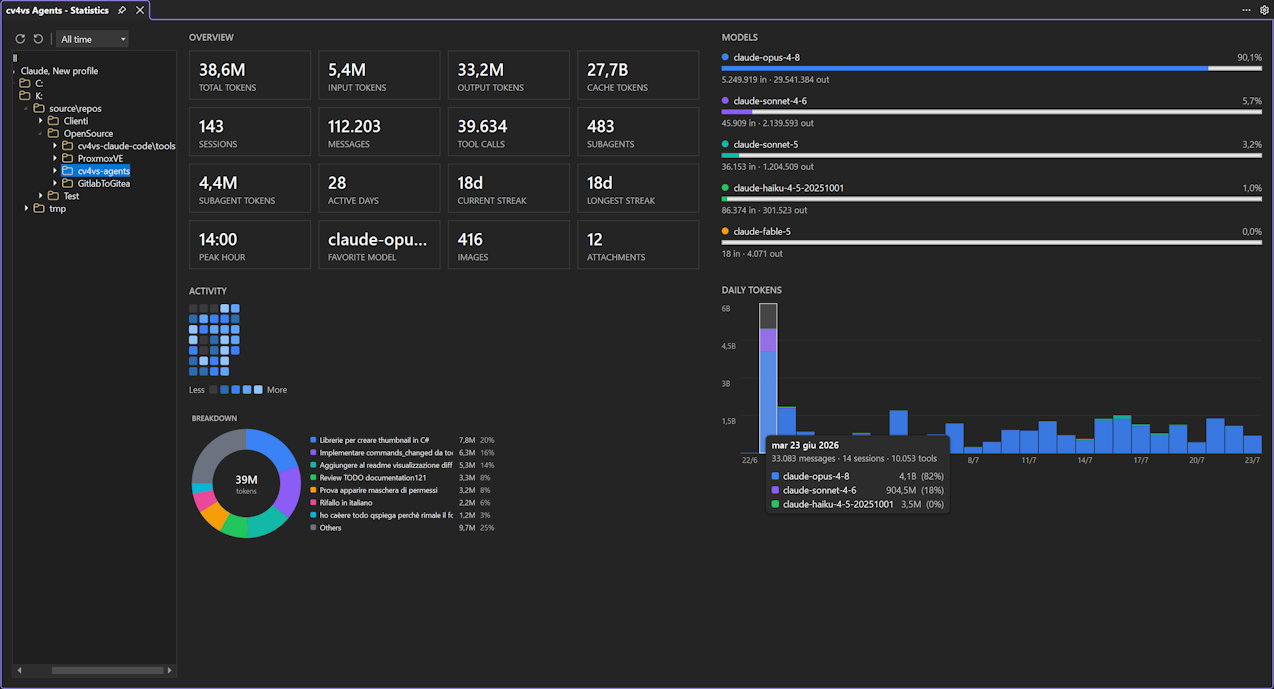
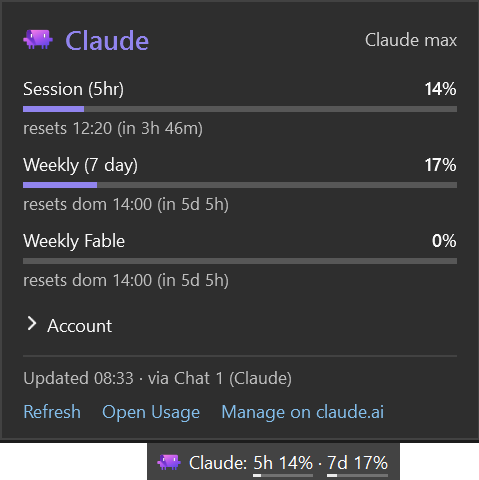
A live gauge in the composer shows how full the context window is, and a small clock beside it warns when the prompt cache is about to expire: after a break the next message can cost up to ten times more, and the warning comes while there is still time to send. A full-window Statistics tab aggregates token usage and cost from your local session files: a navigable tree (All → Profile → Folder → Project → Days/Sessions) drives summary tiles, a GitHub-style activity heatmap and per-day/per-model charts. A companion Usage tab shows each profile's live plan and rate-limit windows, and a Context usage tab breaks down how any historical session fills the model's context window. The plan's session and weekly figures also sit in Visual Studio's status bar, one click from every limit and when each resets.
Before overwriting a file, Claude Code copies it, and nothing ever prunes those copies: they outlive the session and the transcript alike, quietly reaching tens of megabytes. The File history tab shows what they cost per project and per session, diffs any backup against the file as it is now, and deletes the ones you no longer want, orphans included. Your project files are never touched. All aggregated locally. No telemetry. The gauge and the prompt cache in the documentation. Sub-agents and plugins
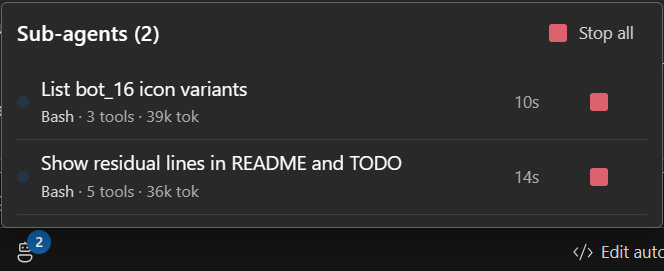
When Claude fans out to sub-agents, the chat usually just sits there on a spinner. Here they get their own panel: how many are alive, what each one is doing right now, how long it has been at it, and a Stop button next to every one of them. Their tool calls stay grouped under the agent that made them. A plugin manager covers the rest of the CLI's ecosystem: Installed, Available and Marketplaces tabs: install, enable or disable, update to the latest version, add a marketplace, without leaving the IDE. Sub-agents in the documentation. Leave the desk, keep the session
The session link lands in the conversation with a QR code: scan it and the turn you started at your desk carries on in your hand. A toolbar indicator says it is on for as long as it is, and turns it off from the same place. Or turn it on once for every session, and each new chat starts it on its own. Remote Control in the documentation. Profiles
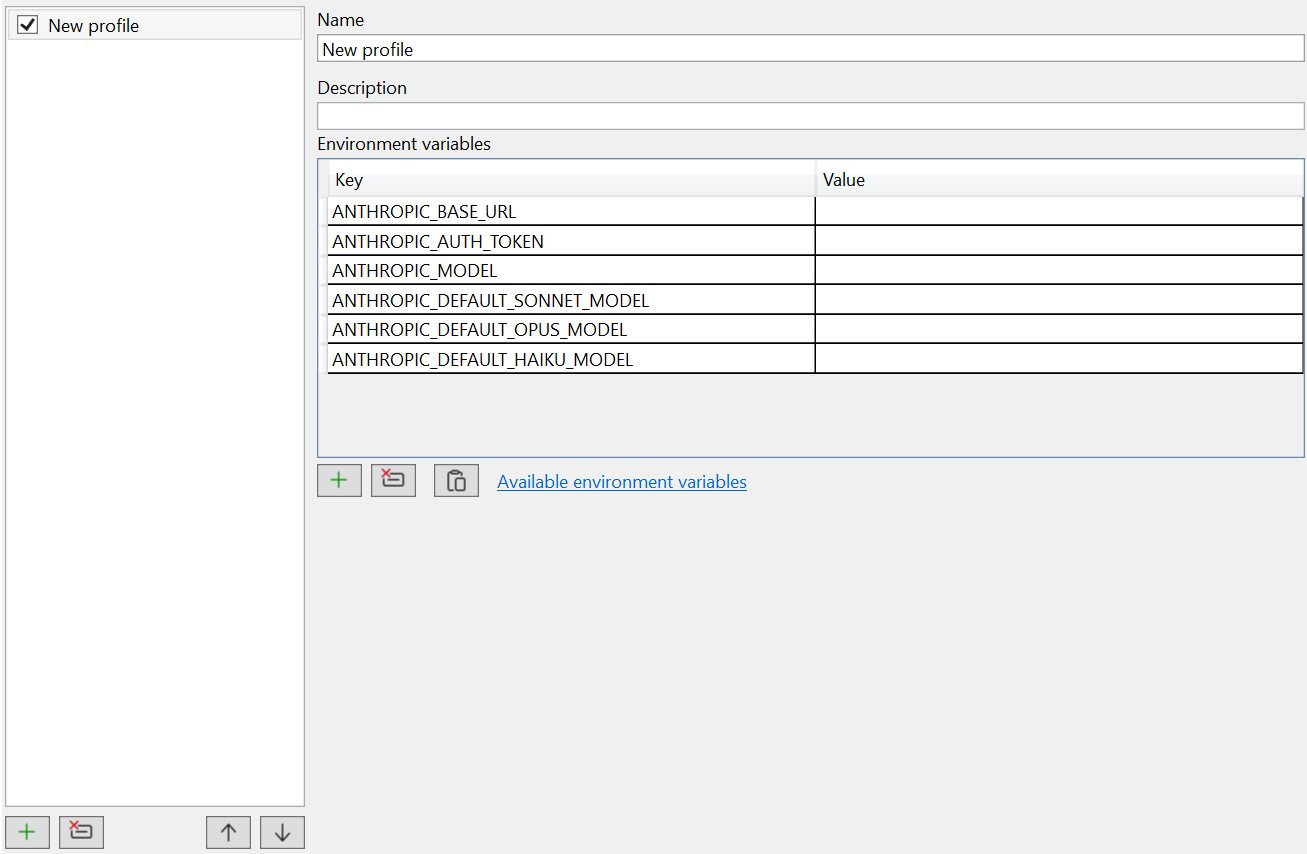
Each pane can run against a different configuration: working directory, model, permission mode and environment. That includes any Anthropic-compatible endpoint: native Claude, GLM/z.ai, or your own host, so one pane can run on a different provider while another stays on your usual account, and your global settings are never touched. The IDE tools work the same either way. Setting up another provider in the documentation. If you came here from the Claude Code issue trackerThe things people keep asking for, and where they are:
Requirements
Documentation and supportFull documentation is at corsinvest.github.io/cv4vs-agents: getting started, guides, MCP tools, options and troubleshooting. The source is on GitHub. Problems in Credits and legalArtwork by filocorsa. GPL-3.0-only, Copyright Corsinvest Srl. Made in Italy 🇮🇹 Claude and Claude Code are trademarks of Anthropic, PBC. Visual Studio is a trademark of Microsoft Corporation. This is an independent extension by Corsinvest Srl, not affiliated with or endorsed by either company; the names are used only to describe what it works with. |