PR Analytics
Pull Request Analytics for Azure DevOps - A comprehensive dashboard to track and analyze your team's pull request metrics.
Features
📊 10 Key Metrics
- Total Pull Requests - Overview of all PRs in your project
- Completed PRs - Successfully merged pull requests
- Active PRs - Currently open pull requests
- Abandoned PRs - Closed without merging
- Average Lead Time - Time from PR creation to completion
- Average Reviewers - Average number of reviewers per PR
- Completion Rate - Percentage of PRs successfully merged
- Abandon Rate - Percentage of PRs abandoned
- Average Comments - Average number of comments per PR
- PRs This Week - Pull request activity in the current week
🔍 Powerful Filtering
- Filter by date range to analyze specific time periods
- Filter by PR status (Active, Completed, Abandoned, All)
- Filter by author to see individual contributions
- Filter by repository to focus on specific codebases
Getting Started
- Install the extension from the Azure DevOps Marketplace
- Navigate to your project's Repos section
- Click on PR Analytics in the left sidebar
- Start analyzing your team's pull request metrics!
Screenshots
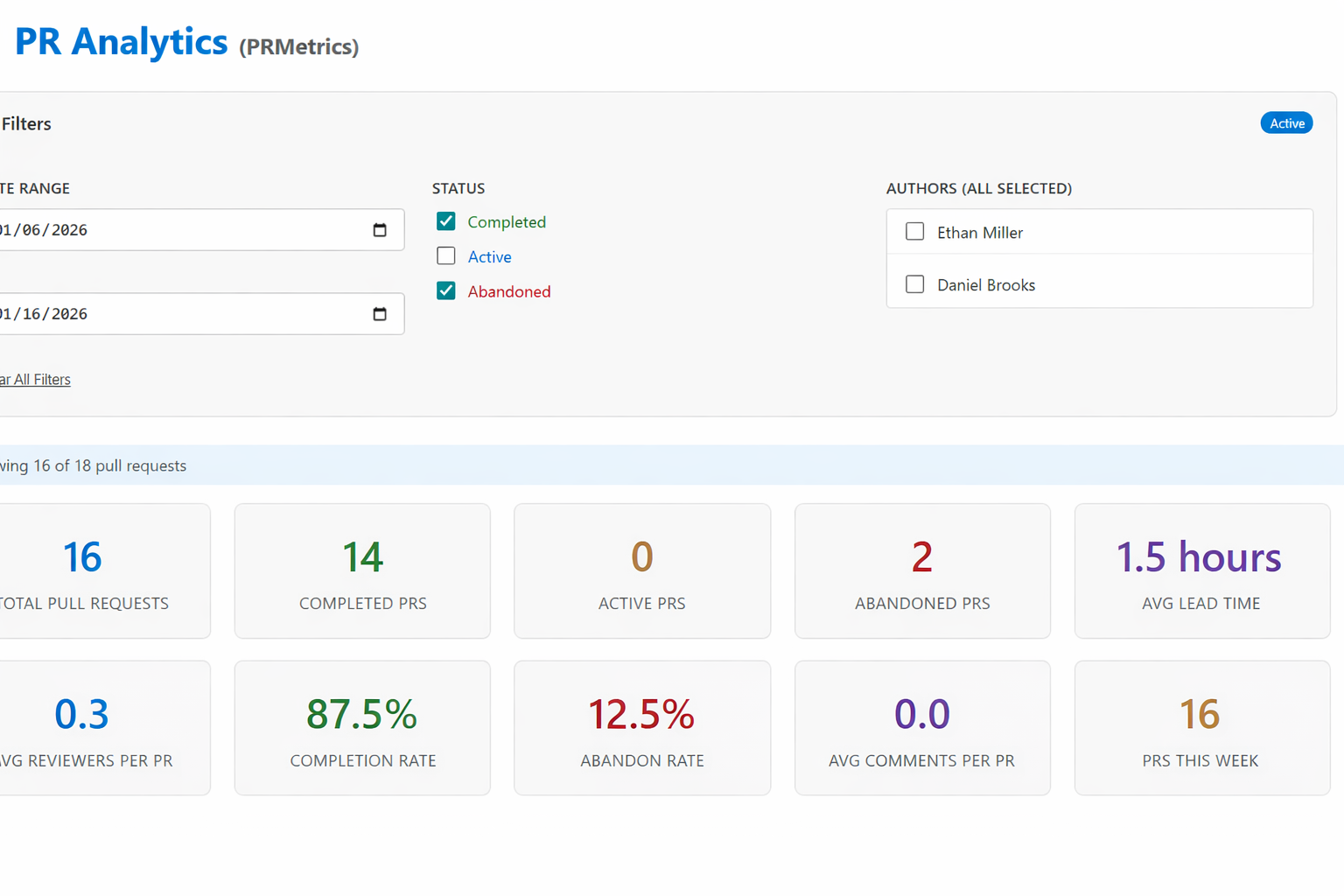
The PR Analytics dashboard provides a clean, intuitive interface to visualize your team's pull request activity and performance metrics.
Support
For issues, feature requests, or contributions, please visit our GitHub repository.
Made with ❤️ by CodeBeacon
| |

