VS2AI Exporter
VS2AI Exporter is a Visual Studio extension that creates AI-readable project context packages from Visual Studio solutions, projects, folders, and selected files.
It helps you prepare source code, project structure, export rules, AI instructions, and a concrete development task in a single Markdown context file that can be used with AI assistants such as ChatGPT, Claude, Gemini, DeepSeek, or other coding models.
The goal is not just to export files.
The goal is to give an AI assistant enough structured context to understand your project quickly and work on it safely.
Why VS2AI?
AI assistants work best when they receive:
- relevant project files
- a clear project structure
- a concrete task
- coding rules
- architecture hints
- file boundaries
- clean context without unnecessary noise
VS2AI Exporter creates exactly that.
Instead of manually copying files into a chat, VS2AI generates a structured Markdown export that is easier for AI tools to read, navigate, and reason about.
Main Features
- Export the current Visual Studio solution, project, folder, or selected files
- Supports single-selection and multi-selection exports from Solution Explorer
- Export multiple selected projects as separate Markdown context files
- Export multiple selected folders as separate Markdown context files
- Export multiple selected files as separate single-file context exports
- Selected single files are exported exactly as single-file context exports, not as complete folders
- Create an AI-readable Markdown context file
- Optionally create a clean source ZIP
- Optionally create a runnable demo ZIP
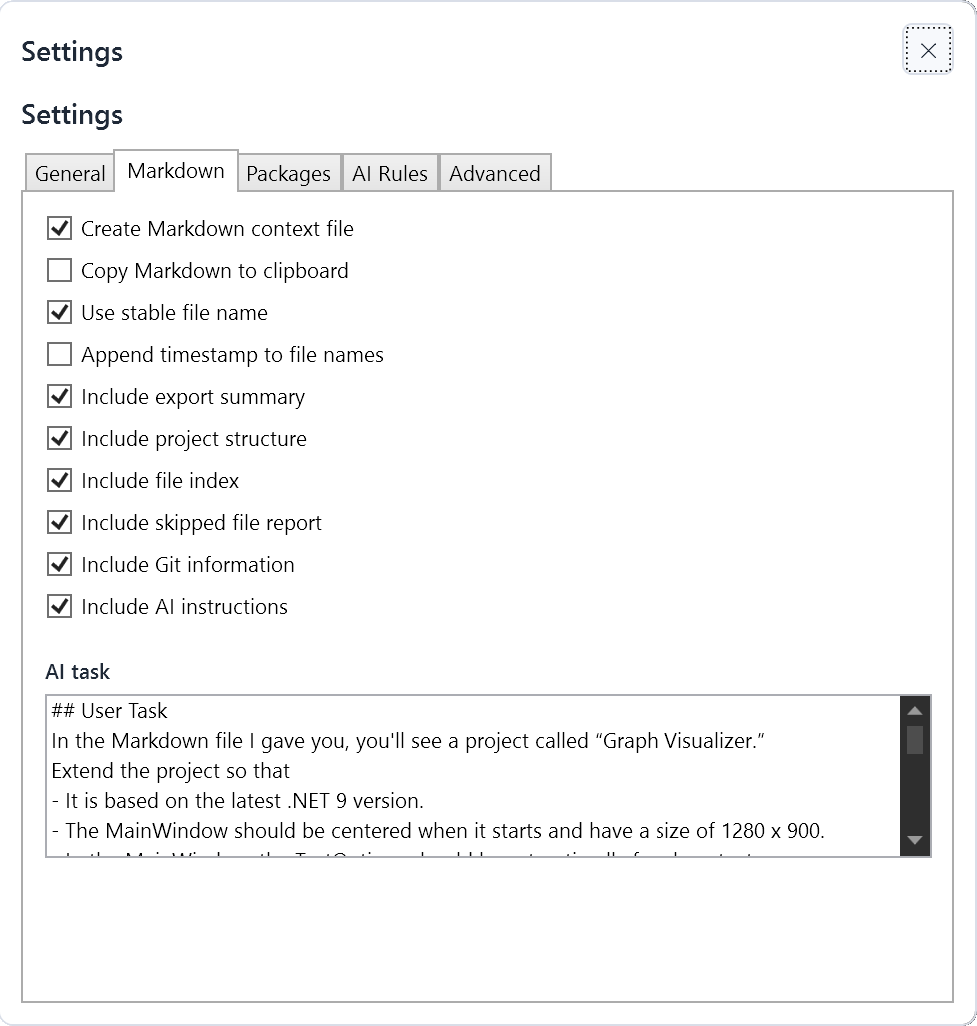
- Add a custom AI task directly into the Markdown export
- Include project structure and file index
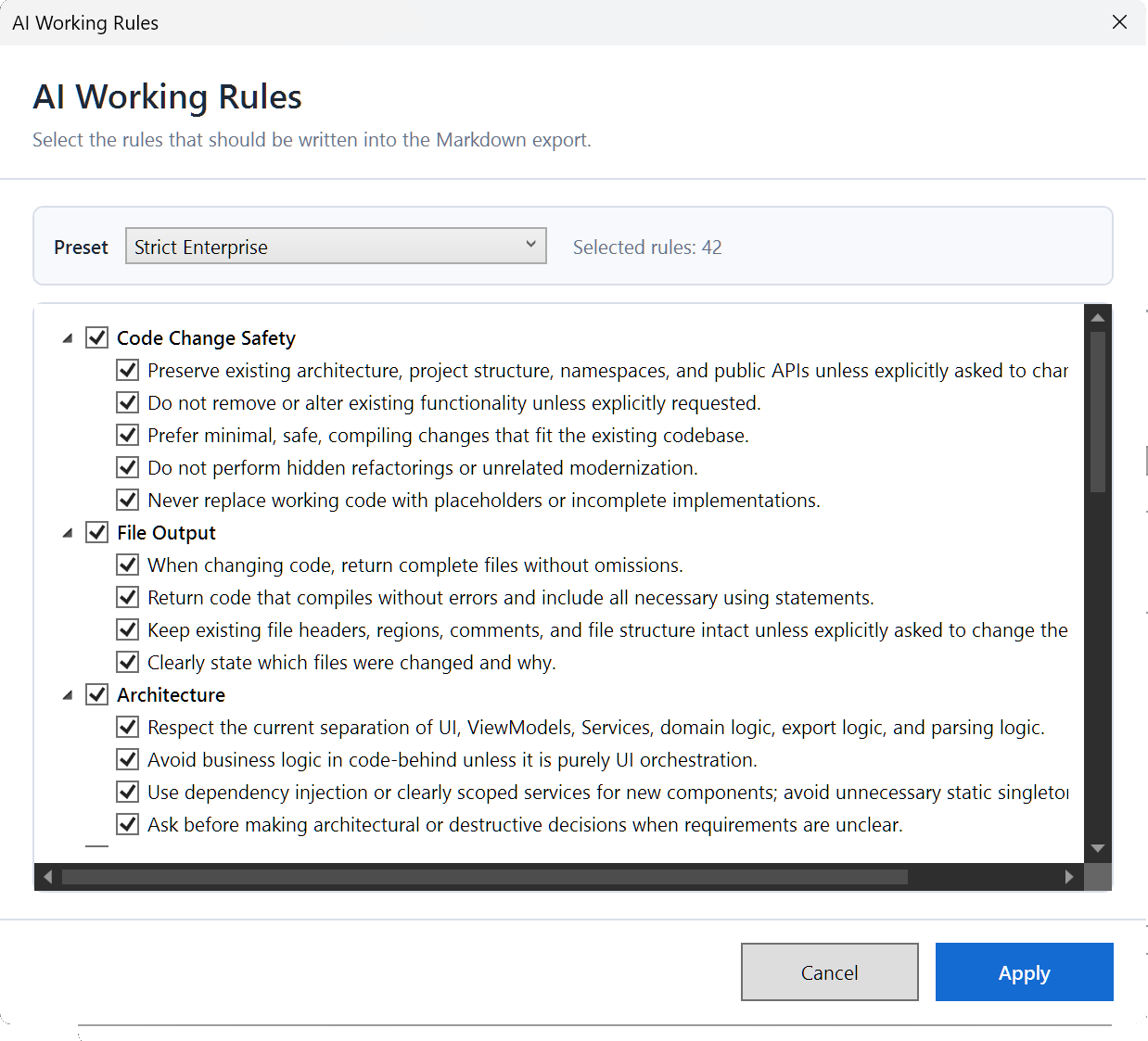
- Include configurable AI working rules
- Use stable or timestamped output file names
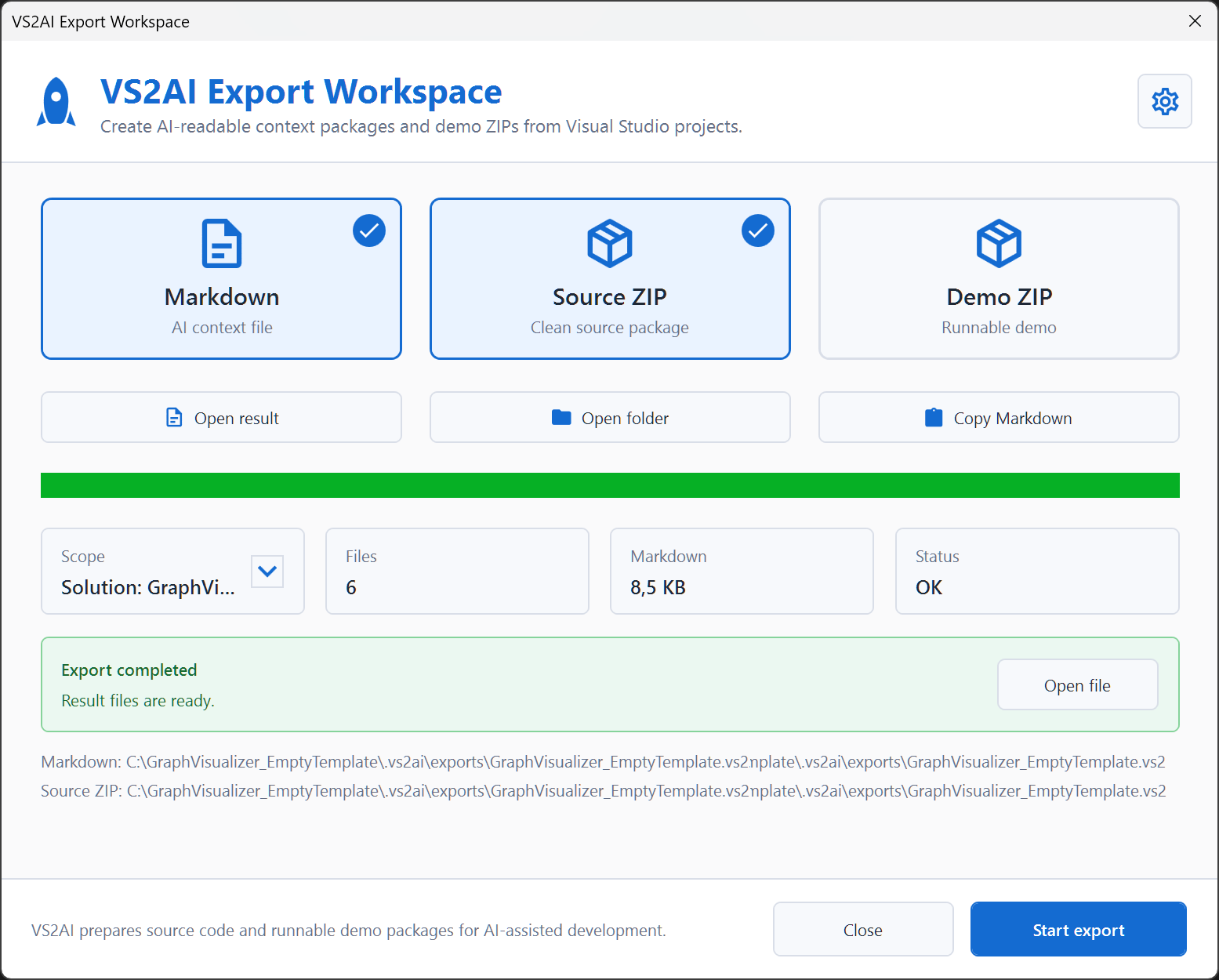
- Open result files and folders directly from the export dialog
- Copy generated Markdown to the clipboard
- Keep exports organized in a
.vs2ai/exports folder
Selection Export Support
VS2AI Exporter can be used directly from the Visual Studio Solution Explorer context menu.
You can export:
- the complete solution
- a single project
- multiple selected projects
- a selected folder
- multiple selected folders
- a single selected file
- multiple selected files
For multi-selection exports, VS2AI creates separate context files for the selected sources.
This is especially useful when you want to give an AI assistant focused context for only the projects, folders, or files that are relevant to the current task.
Single-file exports are handled as real single-file context exports. VS2AI does not silently export the whole containing folder when only one file is selected.
Screenshots

AI Task Support
VS2AI lets you define a task that is written directly into the generated Markdown file.
For example, the AI can receive a task to extend a nearly empty WPF project named Graph Visualizer.
The requested changes were:
- Use the latest .NET 9 version.
- Center the MainWindow at startup.
- Set the MainWindow size to 1280 x 900.
- Configure
TextOptions for clean text rendering.
- Allow entering any mathematical function at the top of the MainWindow.
- Provide a ComboBox with predefined sample functions.
- Render the function using SkiaSharp.
- Draw axes, values, labels, and grid lines.
- Scale the graph automatically and normalize the Y-axis.
The AI assistant receives this task together with the actual project files, project structure, export rules, and file boundaries.
AI Working Rules
VS2AI can include configurable working rules in the Markdown export.
Examples:
- Preserve existing architecture, project structure, namespaces, and public APIs unless explicitly asked to change them.
- Do not remove or alter existing functionality unless explicitly requested.
- Prefer minimal, safe, compiling changes that fit the existing codebase.
- Never replace working code with placeholders or incomplete implementations.
- When changing code, return complete files without omissions.
- Return code that compiles without errors and include all necessary using statements.
- If decision points arise while working on the code, ask for clarification before continuing.
- If a dependency is unclear, ask before inventing NuGet packages or APIs.
- Report any build, test, or validation step that could not be performed instead of implying it was completed.
These rules help reduce typical AI coding mistakes and make the generated output safer and more predictable.
Example: Graph Visualizer
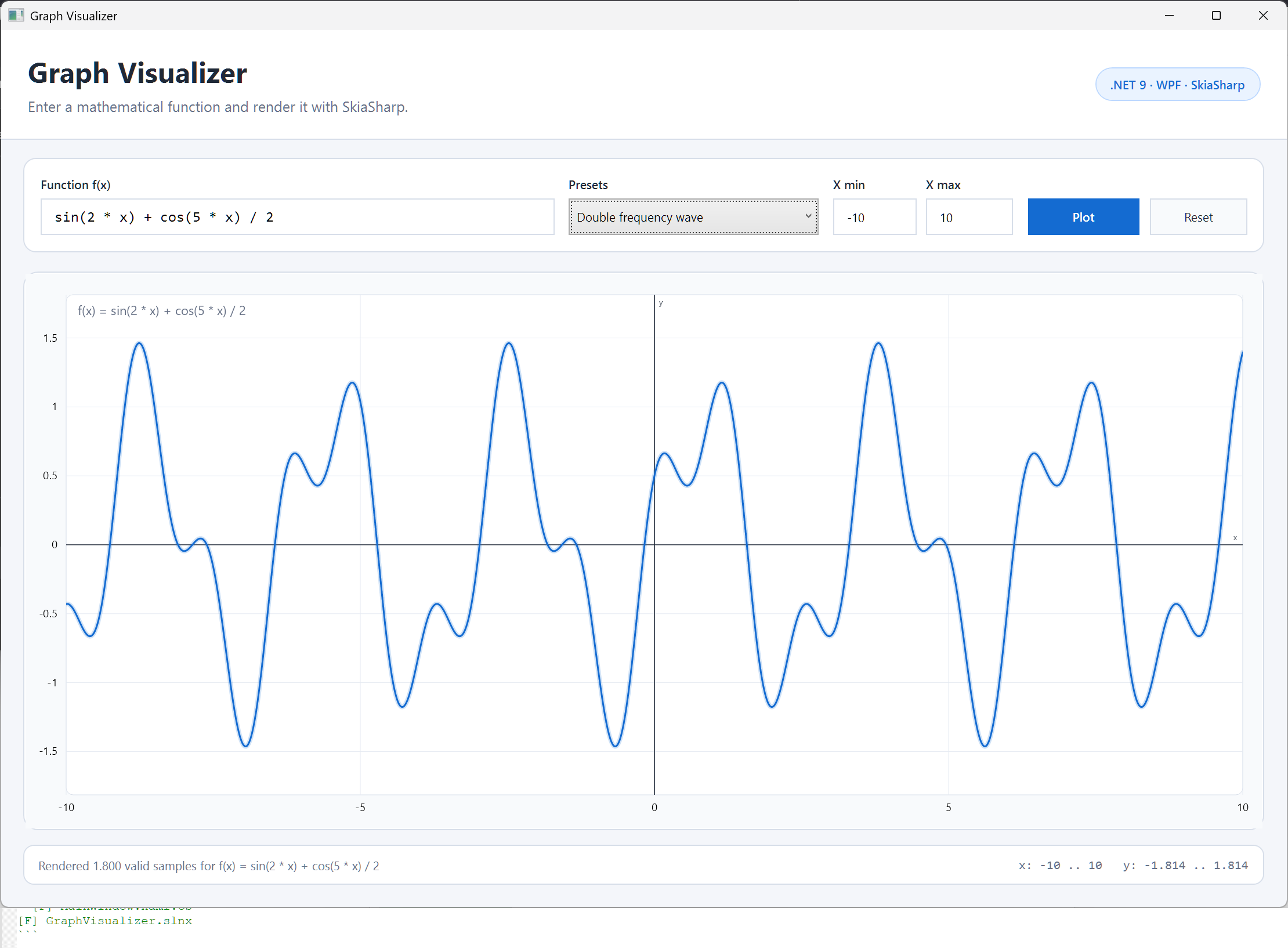
As a real test, VS2AI was used on a nearly empty WPF project named Graph Visualizer.
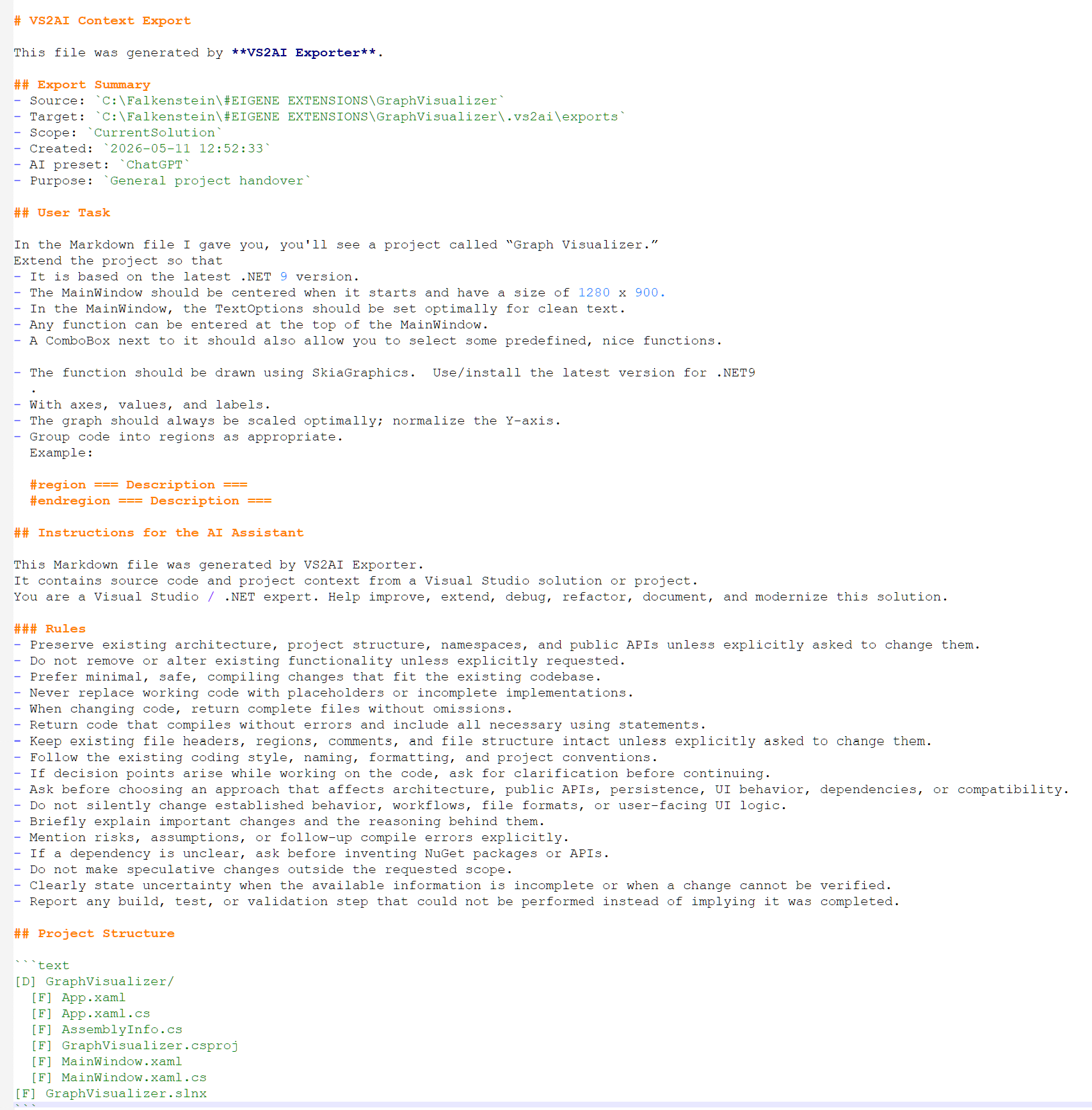
The extension generated a Markdown context file containing:
- project structure
- source files
- user task
- AI instructions
- working rules
- file index
- clearly separated file blocks
Using only this generated Markdown context, an AI assistant was able to create a complete .NET 9 WPF application with SkiaSharp rendering.
The resulting application included:
- function input
- preset functions
- SkiaSharp graph rendering
- axes
- grid lines
- value labels
- automatic Y-axis scaling
The generated project compiled and ran without manual code changes.
Output Types
VS2AI can create different export outputs depending on your workflow.
Markdown Context
The main export format.
This is the recommended format when you want to give an AI assistant structured project context.
Clean Source ZIP
A cleaned source package without build output, IDE folders, temporary files, binaries, or generated export folders.
Demo ZIP
A runnable demo package, useful when you want to share the compiled result of a project.
For Visual Studio extension projects, VS2AI can package the generated .vsix cleanly.
Typical Workflow
- Open a solution or project in Visual Studio.
- Select a solution, project, folder, file, or multiple items in Solution Explorer.
- Run VS2AI Exporter from the context menu.
- Select Markdown, Source ZIP, or Demo ZIP.
- Optionally enter an AI task.
- Optionally select AI working rules.
- Start the export.
- Give the generated Markdown file to your AI assistant.
What VS2AI Is For
VS2AI is useful for:
- AI-assisted coding
- project handovers
- bug fixing context
- architecture reviews
- refactoring tasks
- documentation generation
- sharing project context with AI tools
- reducing manual copy/paste work
Design Goal
VS2AI is built around one core idea:
Do not export as much data as possible. Export the most useful context possible.
The generated Markdown is designed to help an AI assistant build a mental model of the project quickly and safely.
Version 1.1.2
This update improves selection-based exports from Visual Studio Solution Explorer.
VS2AI Exporter now handles multi-selection more reliably and can create separate context files for selected projects, folders, and files. Single-file exports were also corrected so that only the selected file is exported, instead of the containing folder.
Changes
- Improved context menu support for Solution Explorer selections
- Added support for exporting multiple selected projects
- Added support for exporting multiple selected folders
- Added support for exporting multiple selected files
- Fixed single-file export behavior
- Batch exports now create separate Markdown context files per selected source
- Source ZIP export now follows the selected export source more closely
- Updated version to 1.1.2
This release focuses on making VS2AI Exporter more predictable when working with focused AI context exports.
Version 1.1.4
This update improves export completeness for full solution Markdown exports.
VS2AI Exporter now keeps important source and project files more reliably when exporting a complete solution. In previous versions, some folders such as Data, Migrations, Documents, or similar project-specific folders could be filtered too aggressively. This could cause important files such as .cs, .xaml, or project-related configuration files to be missing from the generated Markdown context.
Changes
- Improved source completeness for full solution exports
- Prevented important source files such as
.cs, .xaml, .csproj, .props, .targets, and .sln from being skipped because of folder names
- JSON files are now included in Markdown exports by default
- Added support for exporting files such as
appsettings.json, launchSettings.json, dotnet-tools.json, and .slnLaunch
- Improved reliability when exporting projects that use
Data, Migrations, Documents, Logs, or similar folders for real source code
- Kept technical output folders such as
bin, obj, .vs, .git, .vs2ai, packages, and node_modules excluded
- Improved project context completeness for AI analysis, debugging, architecture review, and project handover
- Updated version to 1.1.4
This release focuses on making VS2AI Exporter more trustworthy for full solution exports. The generated Markdown should now preserve all relevant source code and project context needed for reliable AI-assisted development.
Version 1.1.5
This update improves the reliability and completeness of full solution exports.
VS2AI Exporter now handles Markdown and source ZIP exports more consistently. The internal export validation has been improved, so the extension can better detect whether the expected AI-relevant files were actually included in the generated Markdown context.
Changes
- Improved reliability of full solution Markdown exports
- Improved consistency between Markdown context exports and clean source ZIP exports
- Added internal export validation for expected and written Markdown files
- Removed the automatically generated
.vs2ai.export-report.json file from normal exports
- Export validation results are now shown in the export status instead of creating an extra report file
- Detailed export reports are only written when detailed export logging is enabled
- Detailed export logs are written under
.vs2ai/logs/
- Improved handling of source folders such as
Data, Migrations, Documents, and similar project folders
- Prevented important source files such as
.cs, .xaml, .csproj, .props, .targets, .sln, and JSON files from being skipped only because of folder names
- JSON files remain included by default for better AI project understanding
- Example JSON files such as
*.example.json, *.sample.json, and *.template.json are preserved when safe
- Technical output folders such as
bin, obj, .vs, .git, .vs2ai, packages, and node_modules remain excluded
- Sensitive or deployment-specific files such as
.user, .pubxml, .publishsettings, .pfx, .pem, and .key remain excluded from normal exports
- Updated version to 1.1.5
This release focuses on making VS2AI Exporter more trustworthy for real project handovers, AI-assisted debugging, architecture review, and full solution analysis.
Notes
VS2AI Exporter does not send your source code to any external service.
It creates local export files on your machine.
You decide which generated files you share and with which AI tool.


