Skip to content
| Marketplace
Sign in
Visual Studio>Tools>Pinknoise Theme
Pinknoise Theme

Pinknoise Theme

Preview

ChxosCode

|
3 installs
| (0) | Free
A plum dark theme with pink actions and cyan focus cues for Visual Studio 2026. Preview release.
Download

Pinknoise Theme

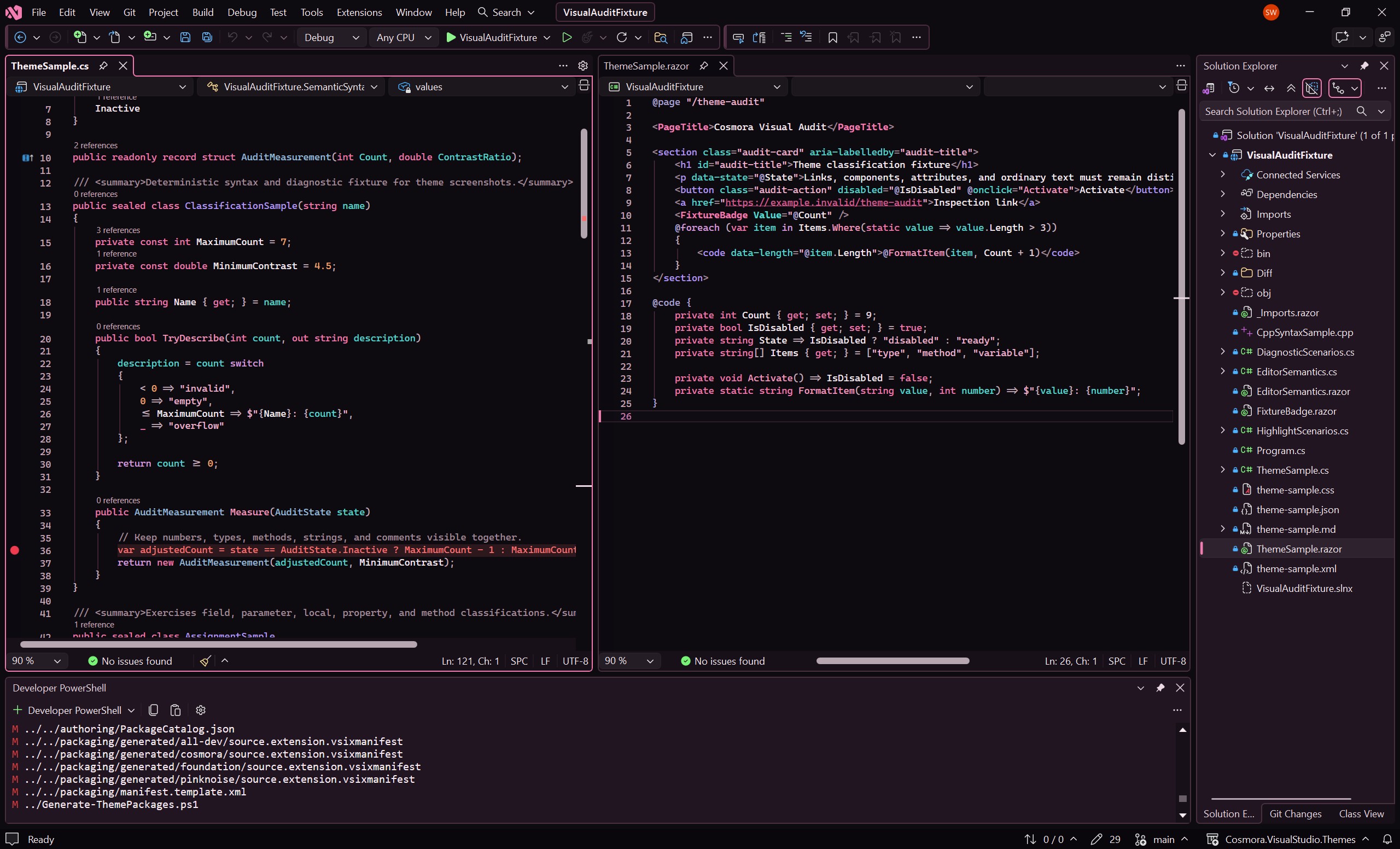
A plum dark theme with pink actions and cyan focus cues for Visual Studio 2026. Pinknoise colors the IDE and editor, including selections, diff backgrounds, and C#/Razor semantic highlights.

Pinknoise in Visual Studio 2026

Version 1.0.1 in Visual Studio Community 2026, with C# and Razor editors set to Match Theme.

Install and select

  1. Install the extension and restart Visual Studio when prompted. For a manual install, open pinknoise-1.0.1.vsix and select your Visual Studio 2026 instance.
  2. Choose Theme > Pinknoise and set Editor Appearance to Match Theme.

Compatibility and preview status

Version 1.0.1 is a preview for Visual Studio 2026, Community, Professional, and Enterprise. The installer targets stable API version 17.14 and later, so Visual Studio 2022 17.14 is also eligible but has not been tested. Earlier Visual Studio versions and Visual Studio Code are not supported.

Testing has focused on AMD64. ARM64 is allowed by the installer but has not been verified in use. Runtime review is still incomplete for some semantic colors, overlapping editor highlights, display configurations, and Windows High Contrast. Fonts and Colors overrides and other extensions can affect the result.

Feedback

Report a rendering problem with the theme and extension version, full Visual Studio version, steps to reproduce, and a screenshot with private code removed.

Source and installation help · Release notes · Free, under the MIT License.

  • Contact us
  • Jobs
  • Privacy
  • Manage cookies
  • Terms of use
  • Trademarks
  • Your Privacy Choices
  • Consumer Health Privacy
© 2026 Microsoft