Buy the developer a coffee ☕
This extension was built solo, fueled by caffeine and the mild suffering of debugging
Vite/AMD module errors at midnight. If it saved you from hand-editing nested JSON ever
again, you can say thanks (and keep the coffee supply chain running) over at
Ko-fi.com/cem000. Entirely optional — your gratitude alone
also keeps the lights on, but coffee helps more.
i18n Translation Manager
Edit your app's i18n JSON translation files directly inside Azure DevOps — in a clean,
spreadsheet-like table — and let the extension open the pull request for you. No cloning,
no manually editing nested JSON, no asking a developer to ship a one-line text change.
Why use this
Translation updates are usually small text edits buried in JSON files that non-developers
can't easily touch. This extension adds a Translations page to your project's left-hand
navigation where anyone with repo access can:
- See every translation key and every language side by side in one table
- Edit, add, or remove keys without ever opening a JSON file or a code editor
- Get instant feedback on missing translations and invalid JSON
- Submit the change as a normal pull request, reviewed the same way as any other code change
Nothing is written to your repository until a pull request is actually created — all edits
live only in the browser until that point.
Screenshots
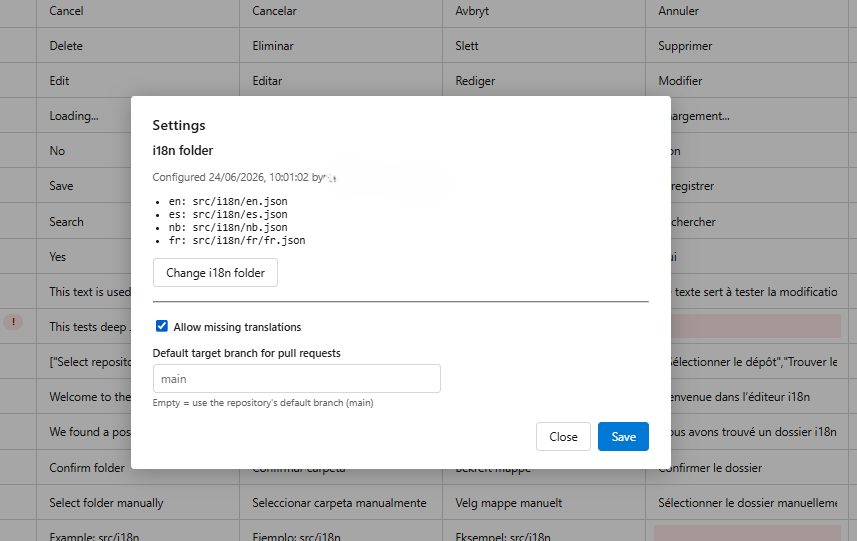
Select which files to include
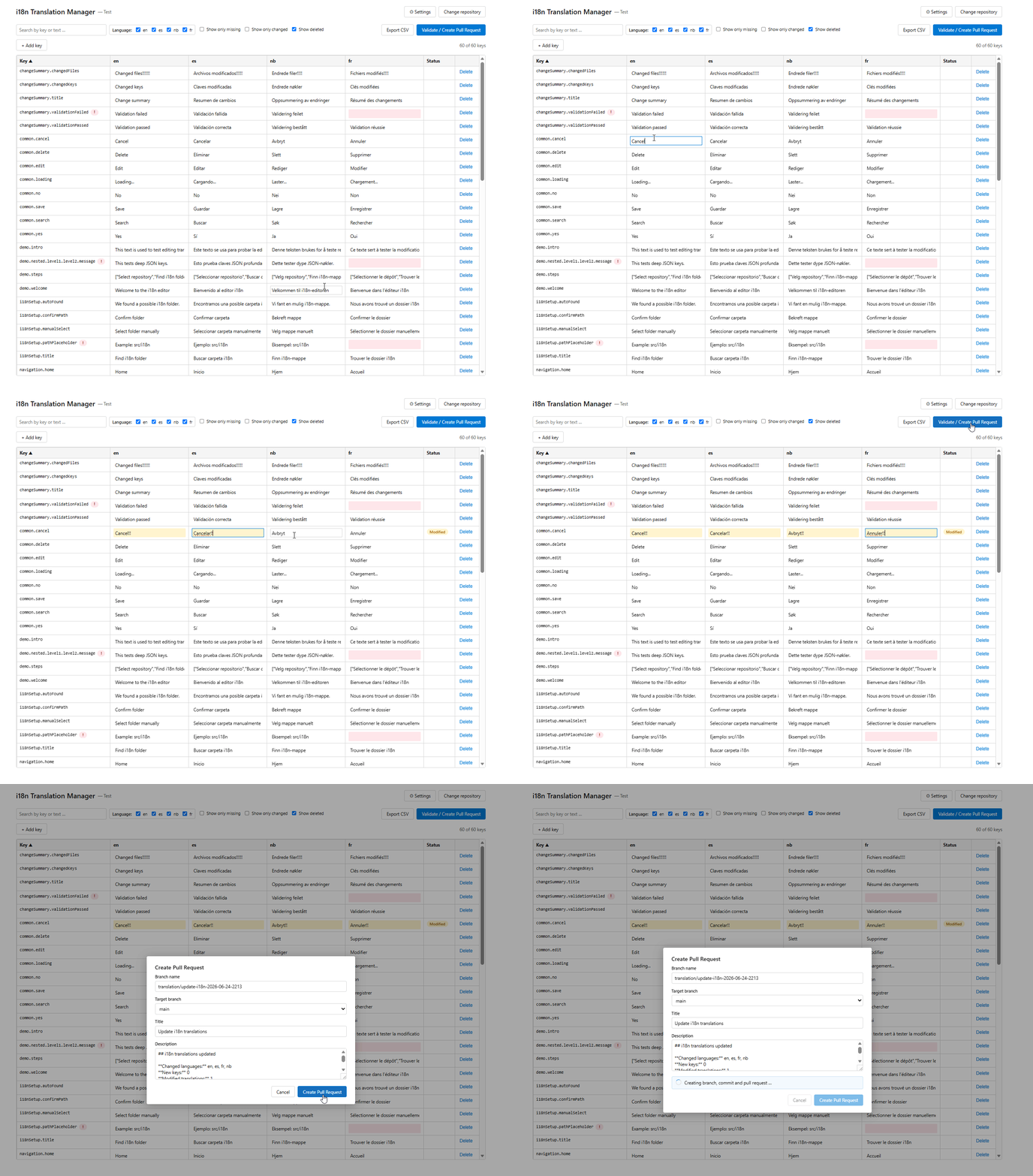
Rename labels before committing changes
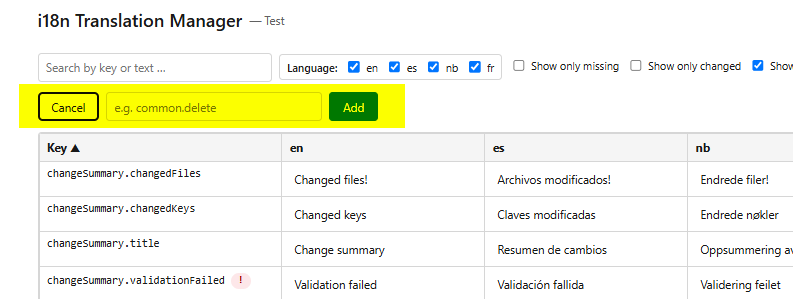
Add new translation keys
Key features
- Automatic detection of your translation files. The extension scans the selected
repository for common i18n folder/file patterns and proposes a match; you can always
point it at a different folder manually.
- Table view of all languages at once. Search, filter by language, filter to
changed-only or missing-only rows, and sort — all in one screen.
- Inline editing. Click a cell, type the new text, move on. Changed cells are
highlighted so reviewers (and you) can see at a glance what changed.
- Add or delete translation keys directly from the table.
- Validation before you submit. The extension checks for invalid JSON, missing
translations across languages, and shows a summary of every key that was added,
changed, or removed before you create the pull request.
- One-click pull request. Choose a branch name and target branch, write a title and
description (a sensible default is generated for you), and the extension creates the
branch, commits only the files that actually changed, and opens the pull request.
- CSV export of the current table, if you want to review or share translations outside
Azure DevOps.
- Per-repository settings — change the translation folder, the target branch for new
pull requests, or allow pull requests with missing translations, all from a Settings
panel.
Getting started
- Install the extension in your Azure DevOps organization (an organization
administrator may need to approve the installation).
- Open any project and look for Translations in the left-hand navigation.
- Select a repository. The extension will try to automatically locate your
translation files.
- If it finds a likely match, confirm it.
- If not, browse to the correct folder yourself — you only need to do this once per
repository.
- Edit the table. Search or filter to find the keys you need, edit values inline, or
add/remove keys as needed.
- Click Validate / Create Pull Request to review a summary of your changes and catch
any issues (invalid JSON, missing translations) before continuing.
- Fill in the branch name, target branch, and pull request description, then create
the pull request. It will appear in Repos → Pull requests like any other PR, ready
for review.
Permissions
The extension only requests the access it actually needs to read your repositories, create
branches, commit changes, and open pull requests — using the permissions of the signed-in
user. It does not store any access tokens, passwords, or other secrets, and it cannot do
anything in your repository that you don't already have permission to do yourself.
Feedback and support
Found a bug or have a feature request? Reach out via the support link on this extension's
Marketplace listing.

