Skip to content
| Marketplace
Sign in
Visual Studio>Tools>BingeCode
BingeCode

BingeCode

BingeCode

|
3 installs
| (0) | Free
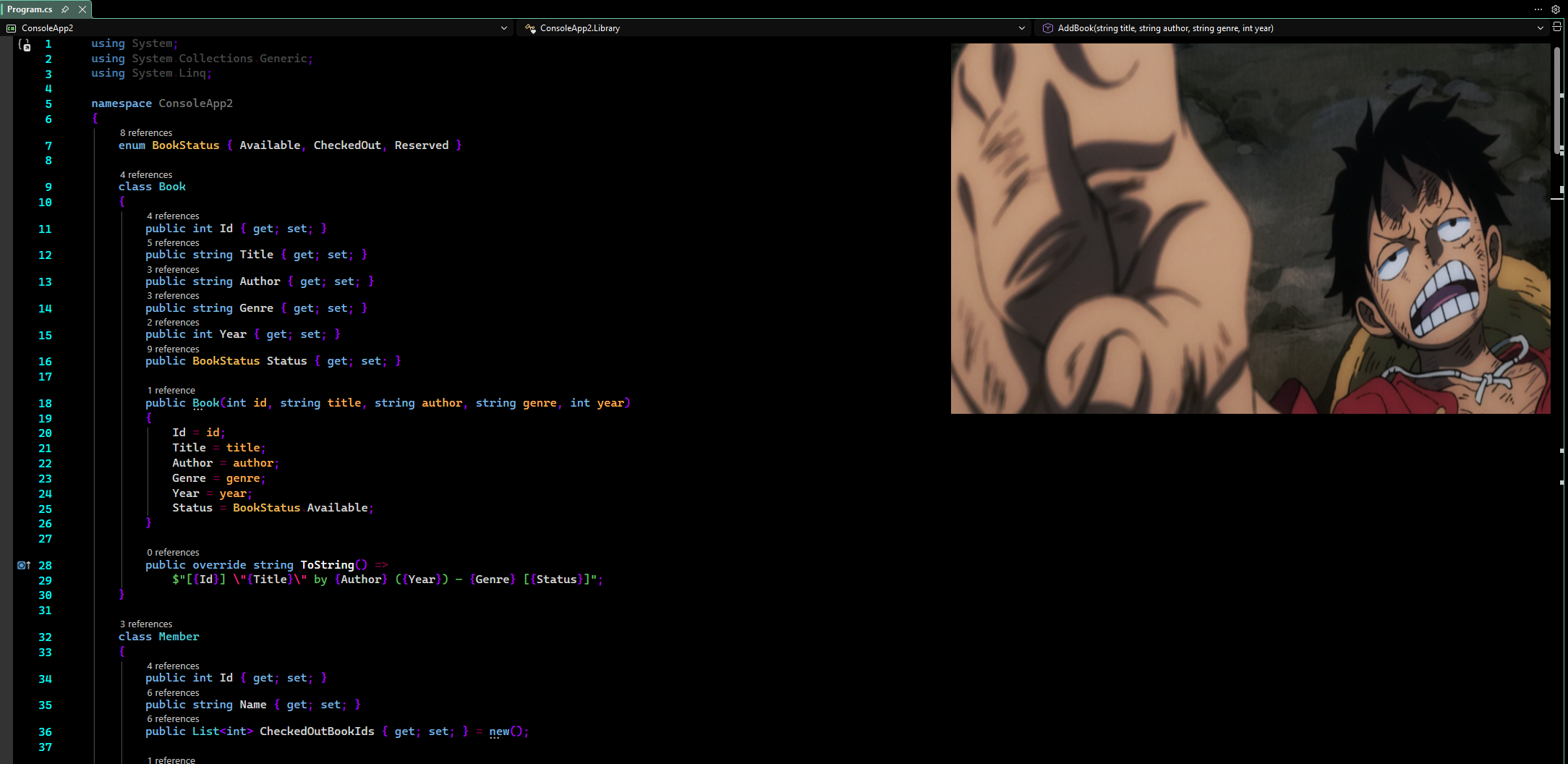
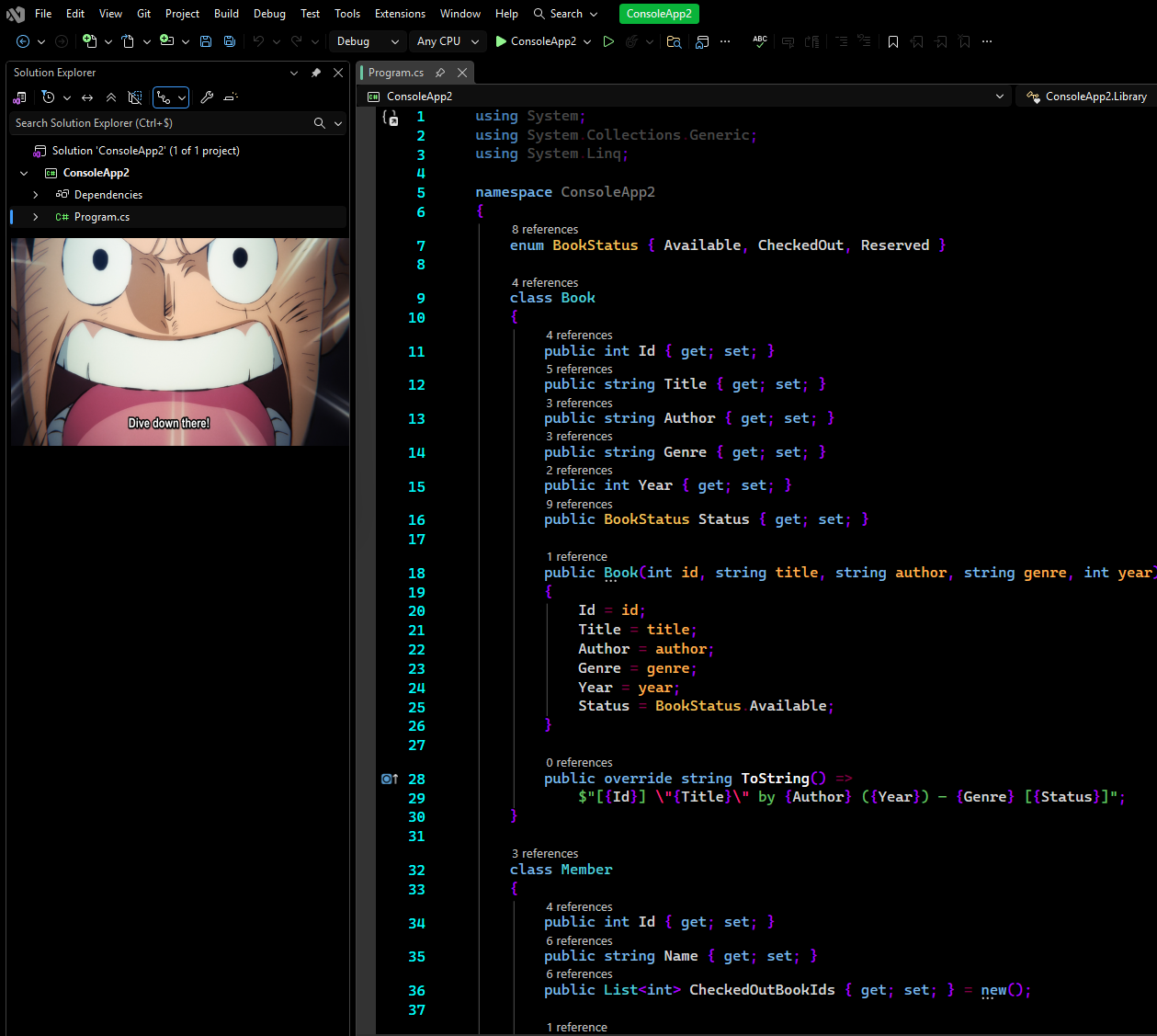
Watch any video or media directly inside Visual Studio, no alt-tabbing required. Mirrors any browser or media player window into a VS tool window using hardware-accelerated DWM thumbnails. It automatically crops to the video area only, stripping browser chrome and sidebars. W...
Download

Schermafbeelding_2026-04-10_013038.pngSchermafbeelding_2026-04-10_013205.png

</BingeCode>

Watch any video directly inside Visual Studio.

BingeCode mirrors any browser or media player window into a VS tool window using the Windows DWM Thumbnail API, hardware-accelerated, zero CPU overhead, no screen capture. It automatically detects and crops to the video-only area, stripping browser chrome, sidebars, and recommendations.


Features

  • Mirror any window: pick any visible browser or media player from the dropdown; the live DWM thumbnail appears instantly inside VS
  • Video-only crop: UI Automation walks the accessibility tree to locate the <video> element and crops the mirror to show only the player; center-fitted so no black bars appear regardless of aspect ratio
  • Keep-alive: prevents browsers from throttling or pausing video when VS has focus
  • Fullscreen mode: F11 or double-click expands the mirror to fill the entire tool window and hides VS pane decorations; the mini-bar fades in on mouse move
  • Embedded browser: paste any URL or open a local video file directly inside VS
  • Broad app support: all Chromium browsers, Firefox/Zen, VLC, MPC, Stremio, Kodi, Discord, Zoom, and more

Installation

From the Marketplace (recommended)

Install directly from the Visual Studio Marketplace, search for BingeCode.

From source

  1. Clone this repository
  2. Open BingeCode.slnx in Visual Studio 2022
  3. Build the solution (Ctrl+Shift+B)
  4. Double-click the .vsix from BingeCode/bin/Debug/ to install, or press F5 to launch in the experimental VS instance

Usage

Action Result
Open View → Other Windows → BingeCode Shows the tool window
Pick a window from the dropdown Starts mirroring, video-only crop applied automatically
Click ⟳ Refreshes the window list
Click ⊡ or press F11 Toggles fullscreen
Double-click content area Toggles fullscreen
Mouse move in fullscreen Shows the exit bar
Paste URL + press Enter or Go Navigates the embedded browser
Click … Opens a local video file

Requirements

  • Visual Studio 2022 (17.0+), Community, Professional, or Enterprise
  • Windows 10 / 11
  • .NET Framework 4.7.2

How it works

BingeCode uses the DWM Thumbnail API (DwmRegisterThumbnail) to composite a live, hardware-accelerated copy of any window's client area directly onto the VS root HWND, no screen capture, no CPU rendering.

When a window is selected, a background UI Automation scan walks the source window's accessibility tree looking for a <video> element. If found, rcSource is set to that element's exact screen bounds so the thumbnail shows only the video. If UIA can't find the element, the full client area is stretched to fill the panel.


License

MIT

  • Contact us
  • Jobs
  • Privacy
  • Manage cookies
  • Terms of use
  • Trademarks
© 2026 Microsoft