Testaro — Test Management for Azure DevOps
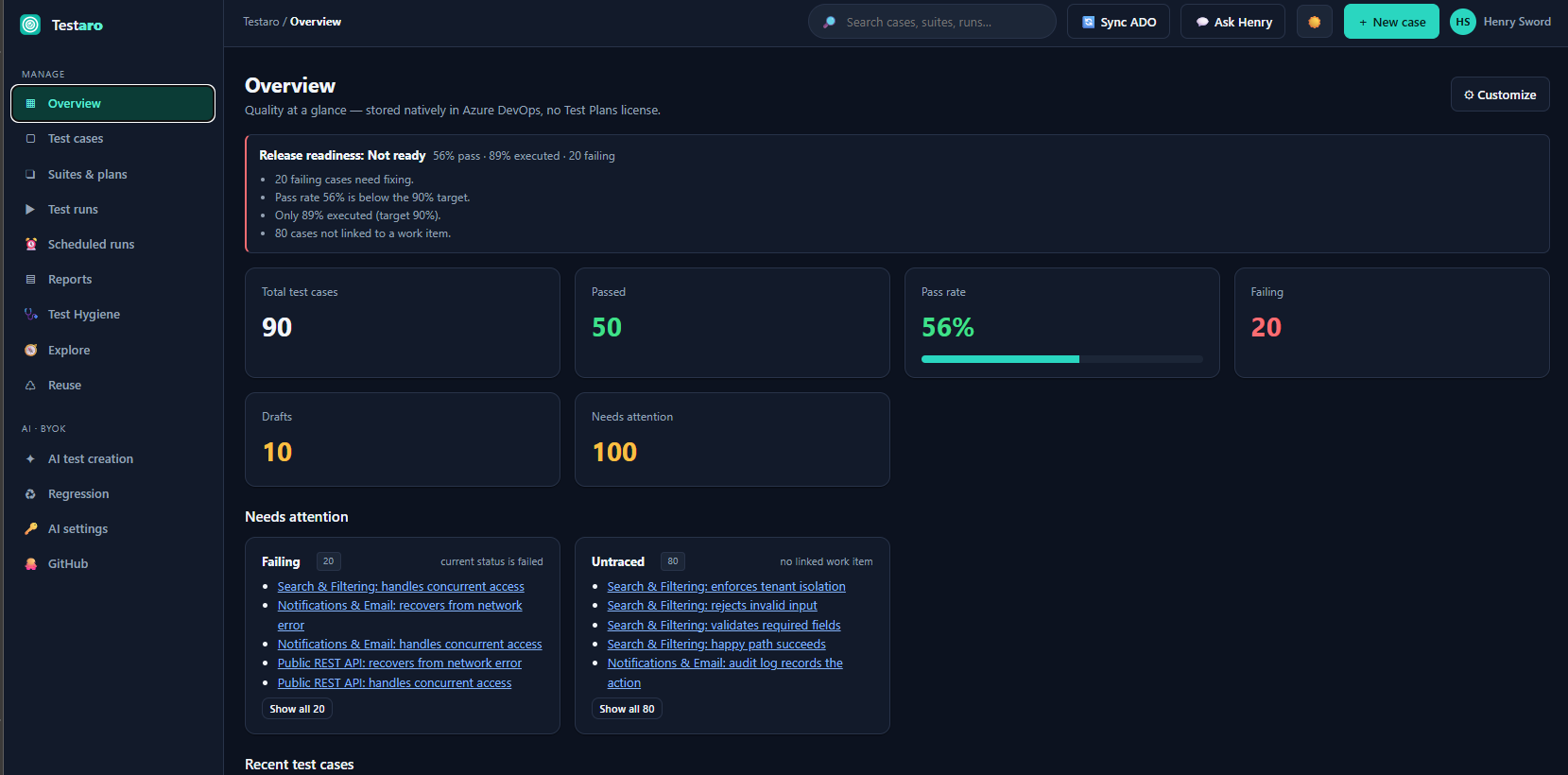
Testaro brings full test management to Azure DevOps without the Test Plans license. It runs on the
Basic access level and stores everything natively in your own Azure DevOps organization — no
separate tool, no data leaving your tenant.
Free during early access. A freemium model is planned (core test management stays free forever;
advanced features move to a Pro tier with a trial). Early adopters keep Pro free for a defined period.
Details: https://testaro.baytekdev.com/pricing
See it in action
How Testaro relates to Azure Test Plans
Read this before installing — it is the most common question.
- Testaro is its own test store inside your Azure DevOps project (Extension Data). It does not
edit Azure Test Plans work items in place, and it does not need the Test Plans license.
- It imports from Azure Test Plans. "Sync from Azure DevOps" reads your existing Test Case work
items (with steps) into Testaro and keeps a link to the original for traceability. Re-syncing skips
cases already imported.
- It publishes back on request. A tester can ask for a Testaro case to be published as a native
Test Case work item; an admin approves, then Testaro writes it. Nothing is written to Azure Boards
without an admin's approval.
- It does not run your automated tests. Your pipeline runs them; Testaro ingests JUnit / .trx
results (paste, upload, or the pipeline task) and shows them alongside manual runs.
- It does not record your screen. Exploratory sessions are charter, timed notes, and finding→bug.
Microsoft's Test & Feedback extension does screen recording; Testaro does not.
- Server / on-prem installs. Testaro installs on Azure DevOps Server, and core test management is
fully local to your collection. The Boards/Repos integrations (bug filing, traceability, publish) now
resolve your server's address automatically, but that isn't yet confirmed on a customer's Server —
email support@baytekdev.com and we'll help you trial it. Cloud extras still need internet access.
Full comparison: https://testaro.baytekdev.com/compare/azure-test-plans
What you get
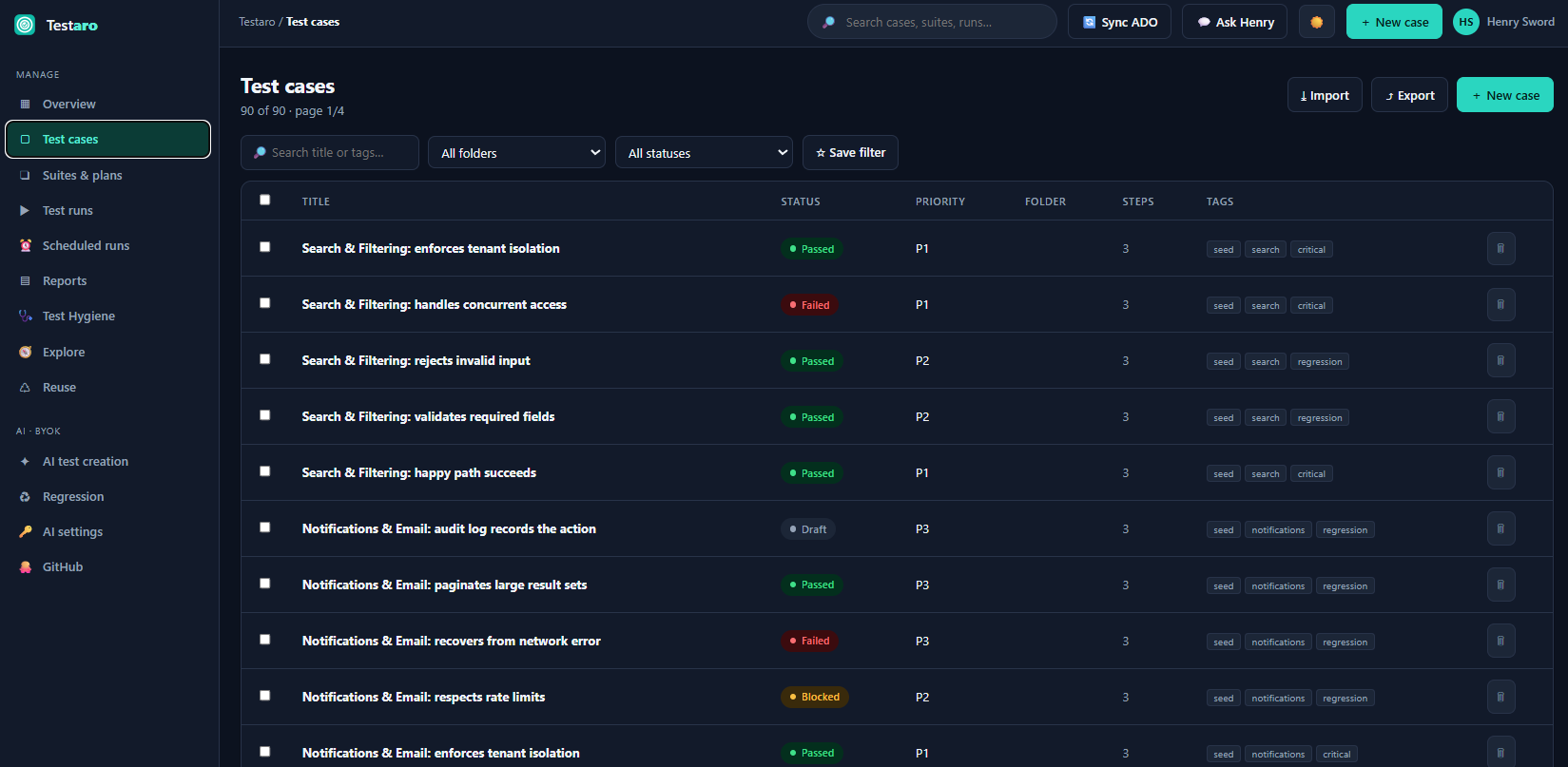
- Test cases with steps, BDD/Gherkin authoring, data-driven parameters, tags, folders, custom
fields, attachments, version history, and review/approval.
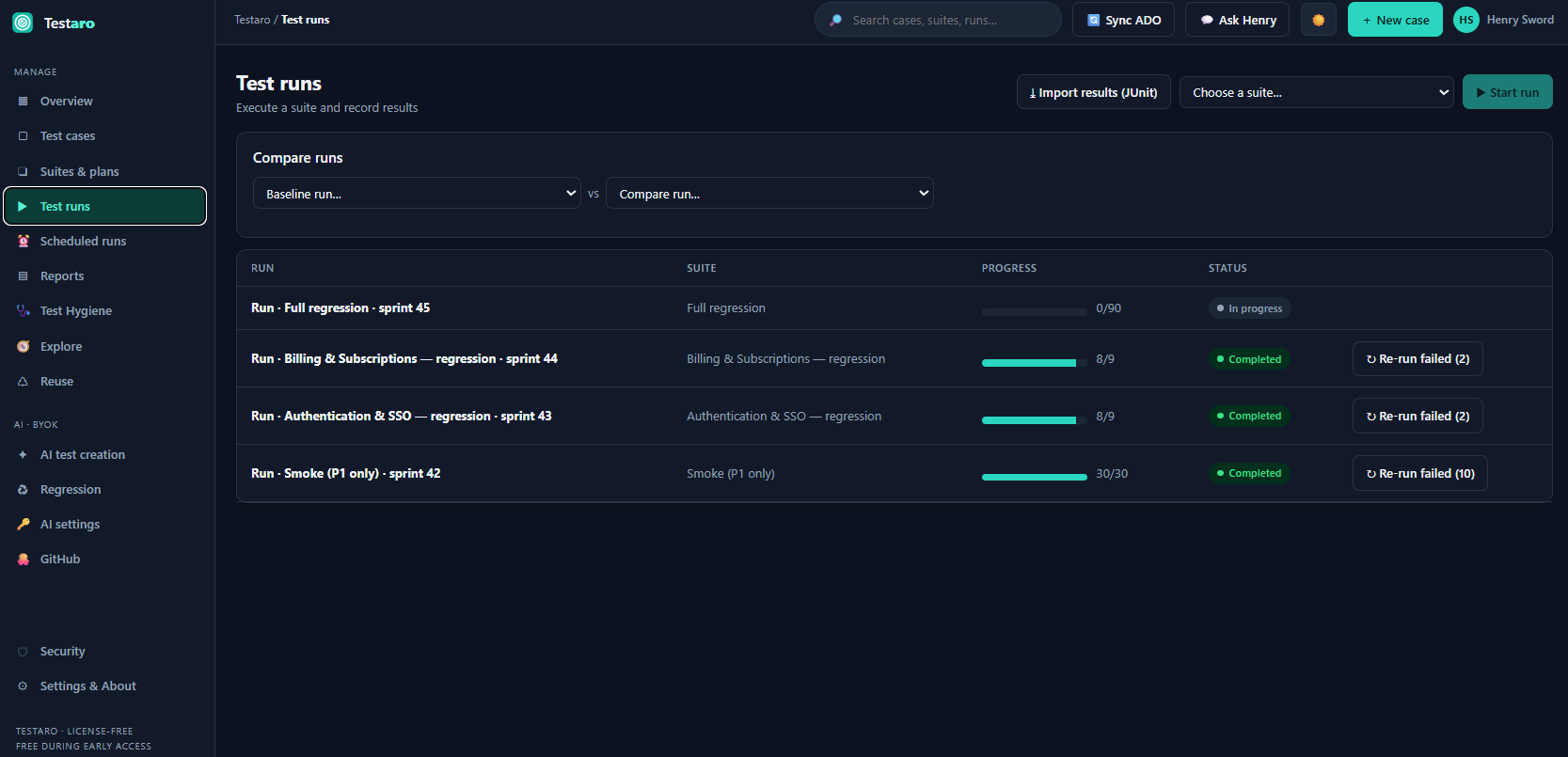
- Suites, plans & runs — group cases, execute with pass/fail/block and step-level results, roll
results back to case status, compare runs, re-run only the failures.
- Traceability — link cases to work items; see a coverage matrix of requirements → tests.
- Reporting — coverage %, per-suite reports, run/defect trend, velocity per week, status & priority
breakdowns, a live "savings vs Test Plans" panel, CSV export and print, shareable report links, and a
dashboard widget.
- Test hygiene — stale, never-run, step-less, untraced, and flaky cases surfaced in one place.
- Exploratory testing — charter-based sessions with a findings timeline; turn a finding into a Bug
or a whole session into a documented test case.
- Shared steps & configurations — reuse (and nest) step blocks; run cases across an environment
matrix.
- CI integration — ingest JUnit / .trx results; a pipeline task publishes build results into
Testaro and can post a run summary to Slack / Teams / a webhook.
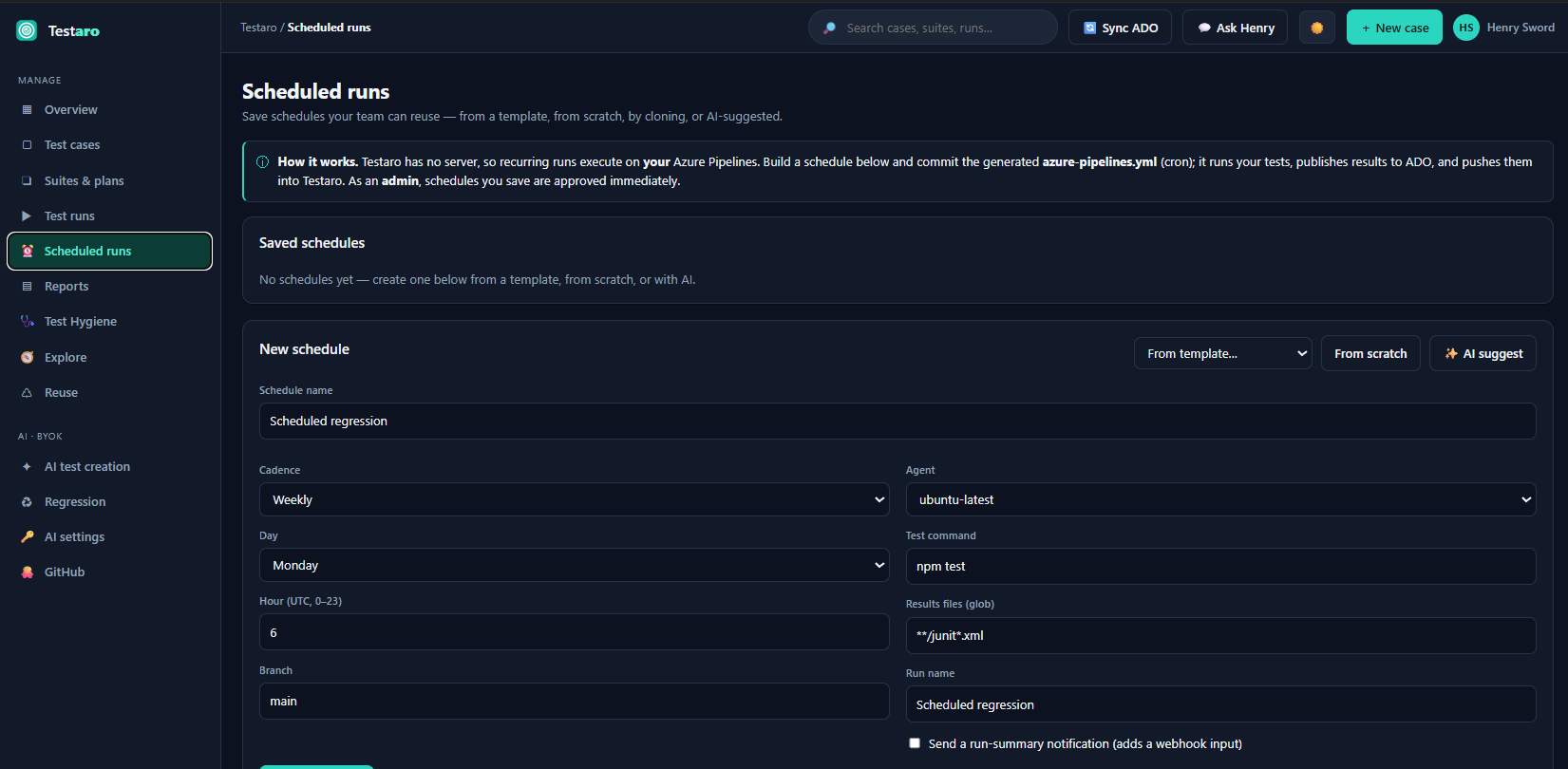
- Scheduled runs — generate cron YAML for your own Azure Pipelines; no Testaro server involved.
- Migration — import from Azure Test Plans, TestRail, Xray/Jira CSV, or generic CSV; full-project
backup and restore.
- AI (bring your own key) — generate test cases from work items or PRs, find coverage gaps, triage
failures, and scope regression from a diff, using your AI provider. Your key stays in your browser
and requests go straight to the provider. Admins can optionally use a company-managed key held
server-side, with per-user spend caps.
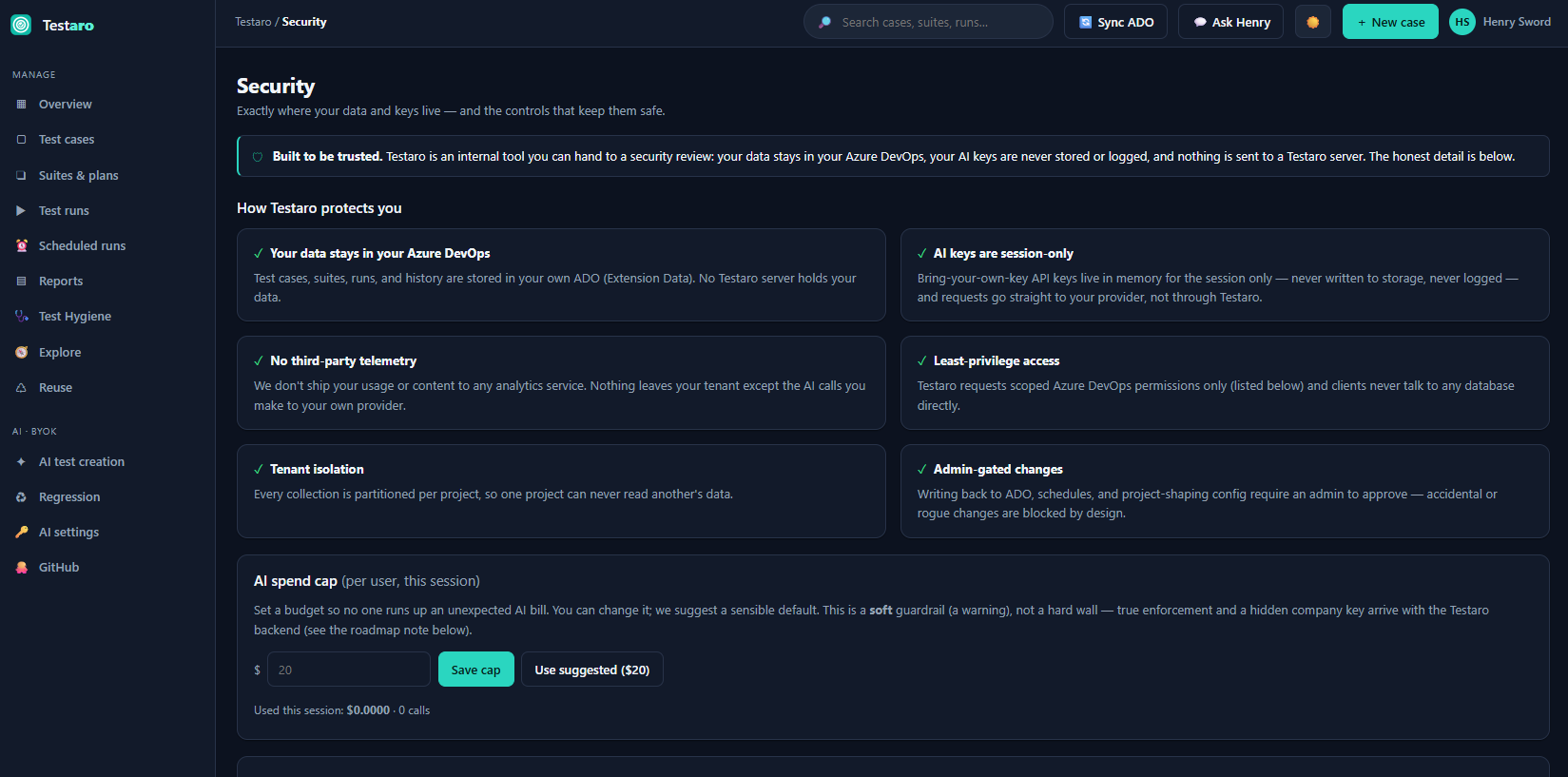
- Security page — every OAuth scope the extension holds, in plain English, plus an audit log of
who did what.
Why teams choose Testaro
- License-free test management — works on Basic, not the Test Plans tier.
- Your data stays in your ADO org — no third-party SaaS, strong privacy posture, no telemetry
unless an admin turns on anonymous usage statistics.
- AI that does analysis, not just generation — coverage gaps, failure triage, change-aware
regression scoping.
Getting started (about ten minutes)
- Install Testaro and open Boards → Testaro. The first person to open it becomes the admin and
can add other admins in Settings.
- On a fresh project you get three choices: Start with sample data (a small demo set you can remove
with one click), Import what you already have (Azure Test Plans, TestRail, CSV), or Start from
scratch.
- Build a suite, start a run, mark results. The Overview, Reports and the dashboard widget update
immediately.
- Optional: add your AI key under AI Settings, connect a GitHub repo, or generate a scheduled-run
pipeline under Scheduled runs.
Common questions
- Do my testers need a Test Plans license? No. Basic access is enough.
- Where is the data? In your Azure DevOps project, as extension data. Testaro runs no database of
your test content. You can export a full JSON backup at any time from Settings.
- Can one customer see another's data? No. Extension data is scoped to your organization and
project, and Testaro has no server-side store of it.
- Does it work on Azure DevOps Server? It installs, and core test management is fully local. The
Boards/Repos integrations resolve your server's address automatically, but that isn't yet confirmed on
a real Server instance — email support@baytekdev.com if you run Server and we'll help you trial it.
Cloud extras (share links, company AI key) still need internet access.
- How do I get help or request a feature? The 💬 Ask Henry button inside the hub opens a short
form; the maintainer reads every message. Or email support@baytekdev.com.
| |

