Skip to content
| Marketplace
Sign in
Azure DevOps>Azure Boards>Status Portal
Status Portal

Status Portal

Baytek

|
2 installs
| (0) | Free
Manage your public status page directly from Azure DevOps. Incidents, maintenance windows, subscriber notifications, and a live public status page — all in one hub.
Get it free

Status Portal for Azure DevOps

Status Portal Logo

A modern SaaS solution for real-time service health, incident management, and public status pages — all inside Azure DevOps.

Status Portal empowers your team to communicate transparently with customers, manage incidents, and maintain a professional public status page without leaving your DevOps workflow.


Live Demo

See it in action: status.baytekdev.com


Why Status Portal?

  • SaaS Simplicity: No servers to manage, no extra logins. Everything runs securely in Azure DevOps.
  • Brandable & Professional: Your logo, your domain, your colors. Present a polished, trustworthy status page to your users.
  • Built for Teams: Role-based access, audit logs, and subscriber management for organizations of any size.

Key Features

📊 Real-Time Dashboard

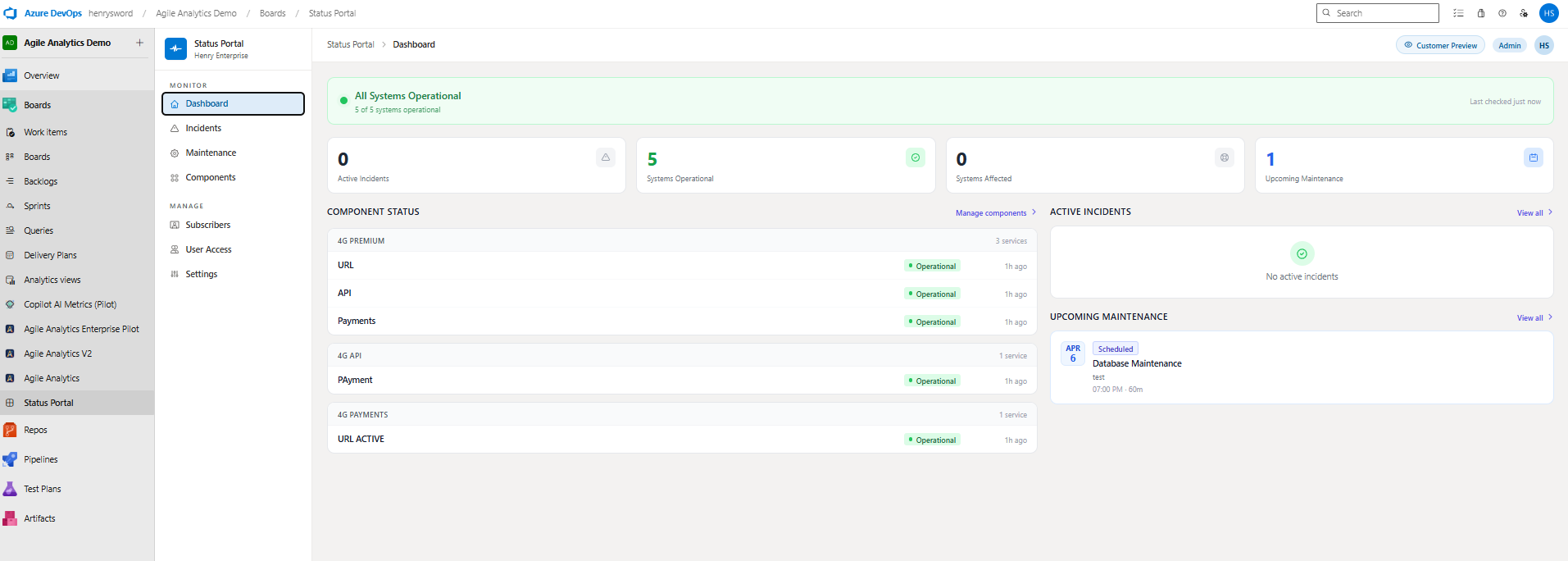
Get an instant overview of all your services. The dashboard shows current system health, active incidents, upcoming maintenance, and historical uptime — at a glance.

Dashboard overview showing system health, active incidents, and maintenance


🚨 Incident Management

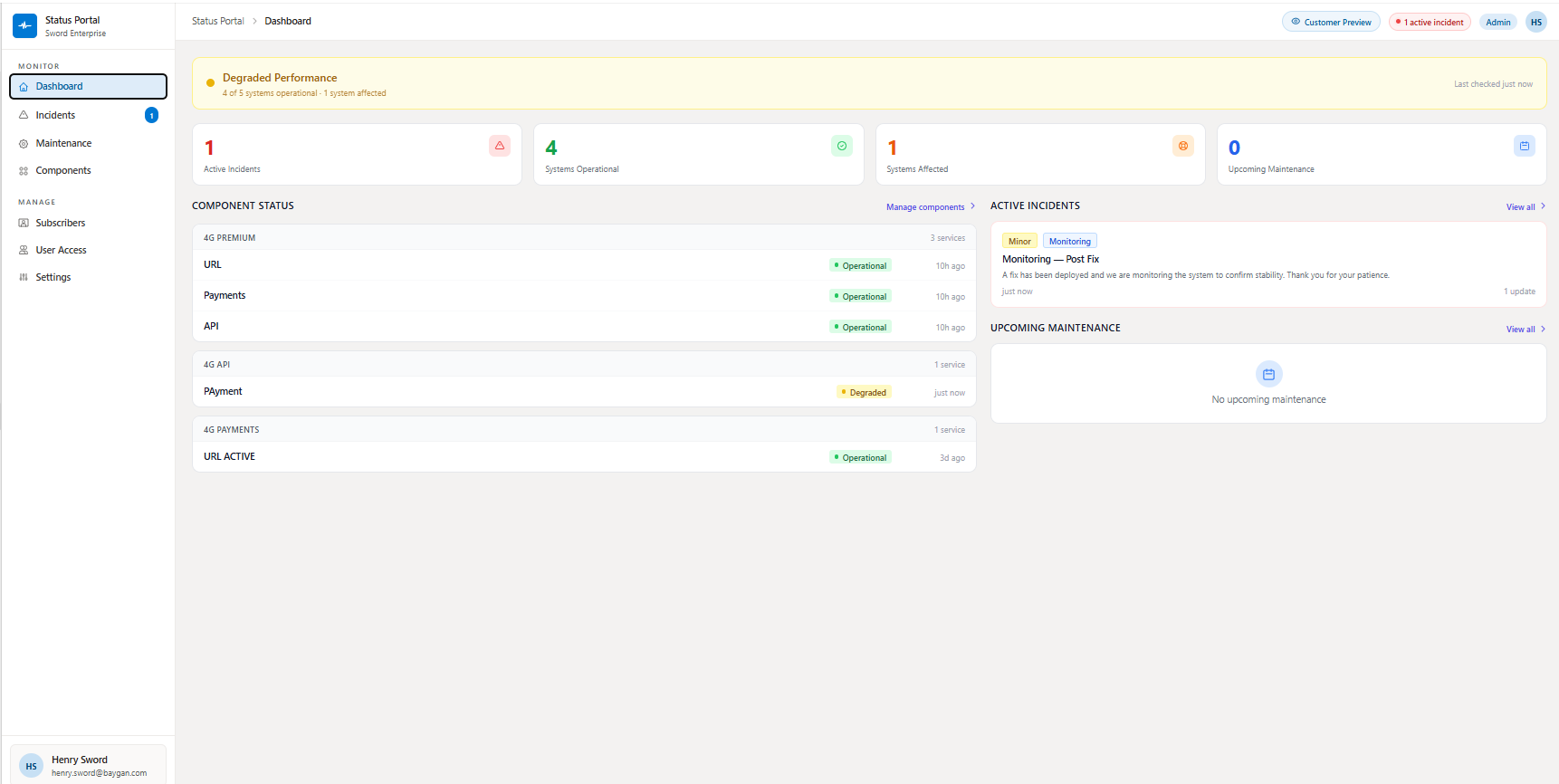
Declare, track, and resolve incidents directly inside Azure DevOps. Post updates, mark severity, and keep a full audit trail. Resolved incidents are archived for transparency.

Incident management with active incidents and degraded service status


🌐 Public Status Page

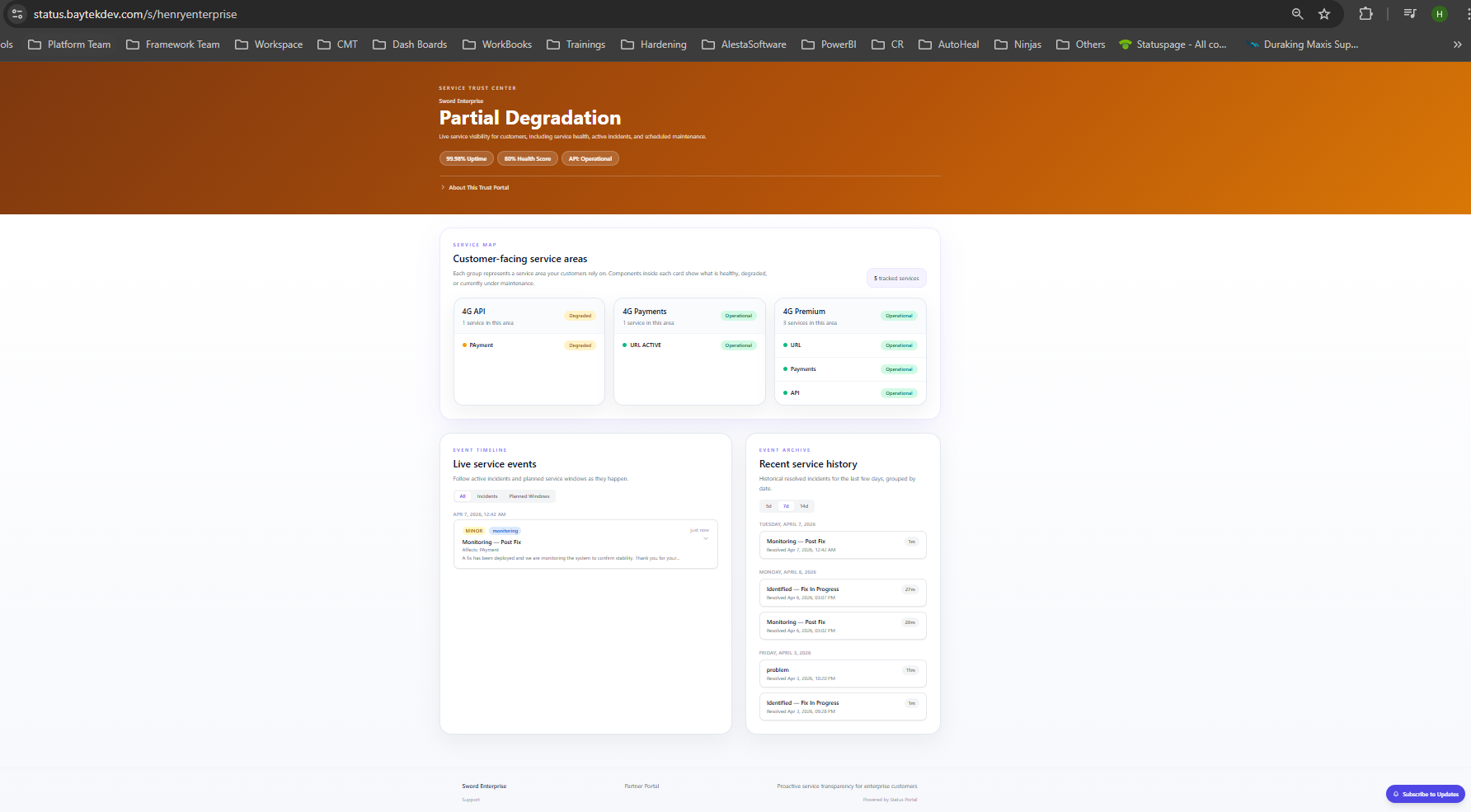
Your customers see a clean, branded status page — no sign-in required. The page updates in real time, showing current system health, live events, and recent history.

Public status page showing partial degradation and service events


🔔 Subscriber Email Notifications

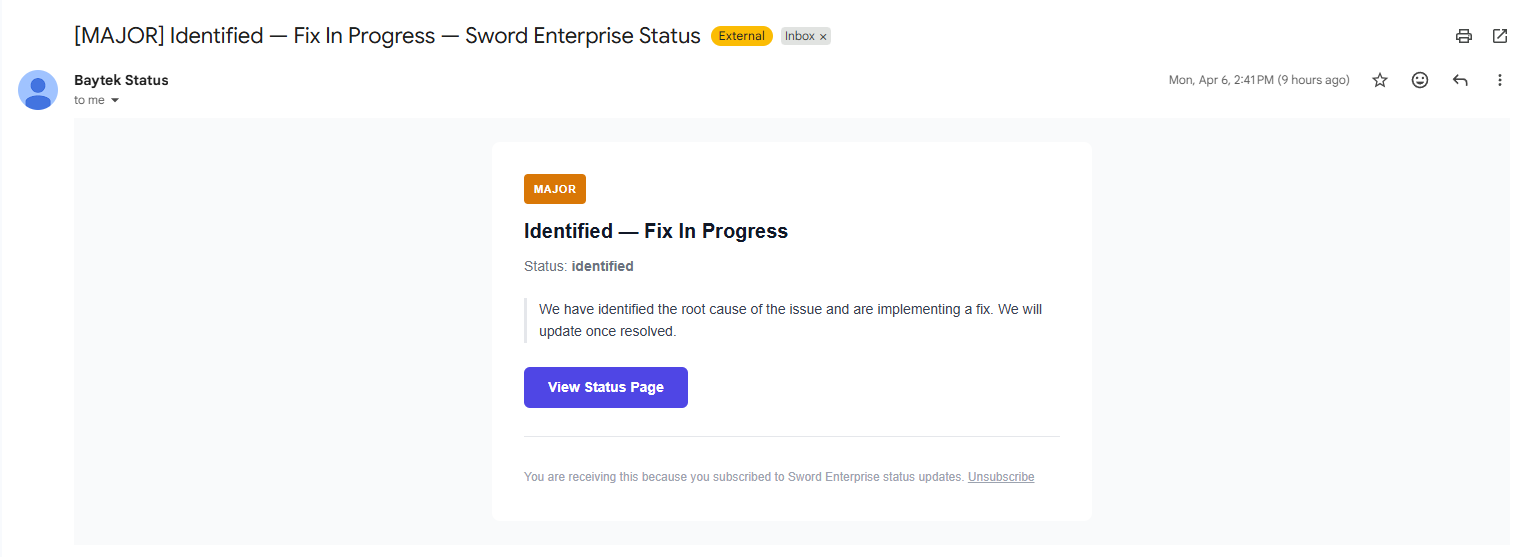
Subscribers opt in to receive automatic email alerts for incidents and maintenance windows — including severity, current status, and a direct link back to your status page. Resolution emails are sent automatically when an incident is closed.

Incident email notification sent to subscribers


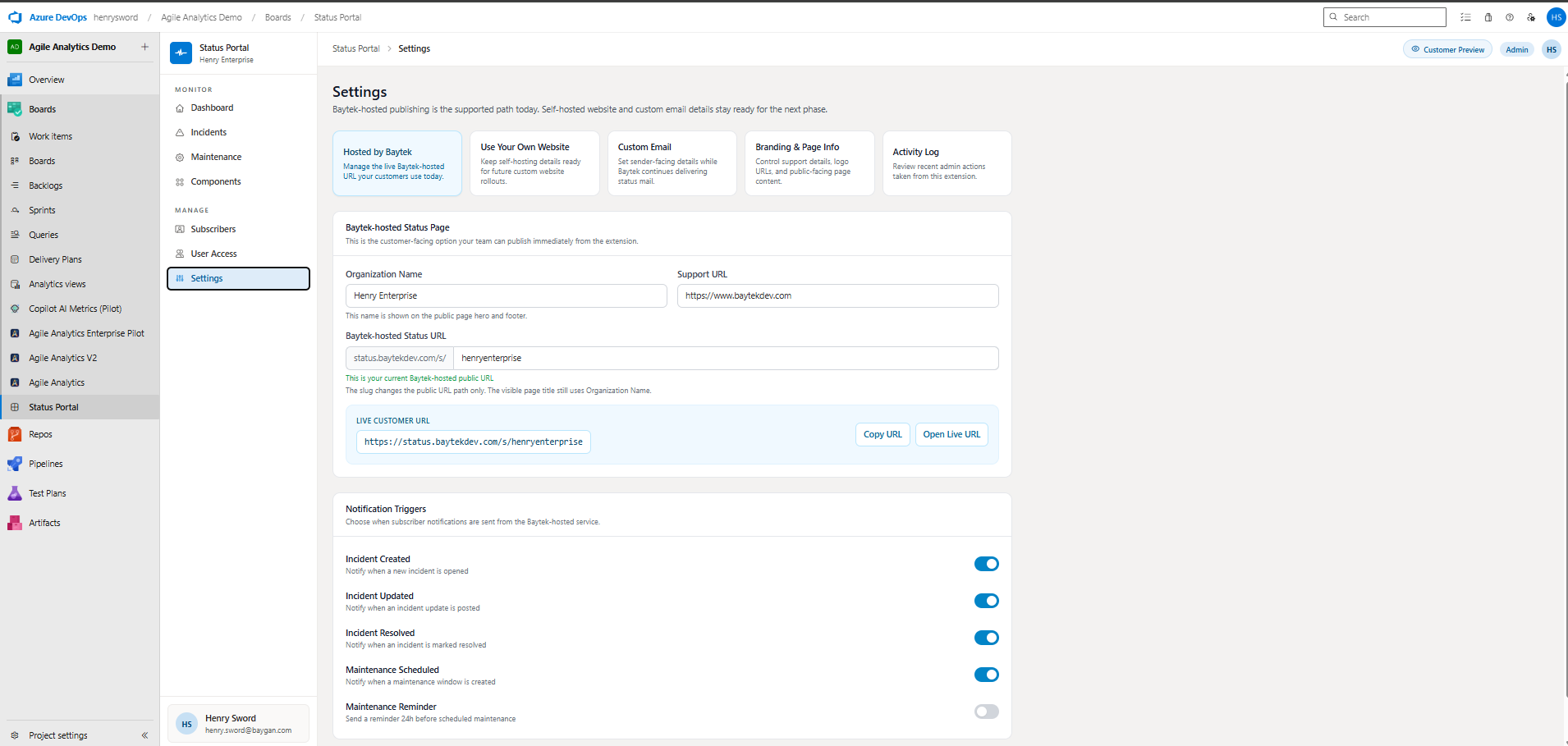
⚙️ Flexible Settings

Connect your own domain, use your own email address for notifications, configure your public API key, and manage notification triggers. Full control over branding and delivery — all from the Settings hub.

Settings page showing domain, email, and notification configuration


Everything Your Team Needs

Feature Details
Component Groups Organize services into logical groups (Infrastructure, API, Frontend, etc.)
Maintenance Windows Schedule planned maintenance with impact messages and subscriber alerts
Incident Templates Built-in and custom templates for fast incident declaration
Subscriber Management Self-service subscribe/unsubscribe, component-level filtering
Dark Mode Full dark mode support — auto, dark, or light, switchable in the header
User Access Control Role-based access (Admin / User), invite-only or open access modes
Activity Log Full audit log of all changes across incidents, maintenance, and settings

How It Works

  1. Install the extension into your Azure DevOps organization
  2. Configure your status page domain and notification email in Settings
  3. Add your service components and group them logically
  4. Share your public status page URL with customers
  5. Manage incidents and maintenance windows directly in ADO — subscribers are notified automatically

Pricing

Status Portal is free for now!

We believe in empowering teams to communicate transparently with their users. All core functionality is free during our launch period. In the future, we plan to introduce premium features and pricing tiers, but your current experience will remain accessible.

Stay tuned for updates at status.baytekdev.com


Support & Feedback

  • Website: status.baytekdev.com
  • Contact: support@baytekdev.com
  • Issues & feature requests: Use the Marketplace Q&A tab or contact us through the website

Built by Baytek — helping teams communicate service health clearly.

  • Contact us
  • Jobs
  • Privacy
  • Manage cookies
  • Terms of use
  • Trademarks
© 2026 Microsoft