If you can query it, you can board it.Azure Boards organizes boards around a team, a project and a backlog level. AnyKanban turns a saved work item query into an interactive Kanban board inside Azure DevOps, for the work that crosses those boundaries. Your teams keep the boards they already use. AnyKanban adds a view for the people responsible for requests and initiatives: work from several projects on one board, and work that never joins a backlog.
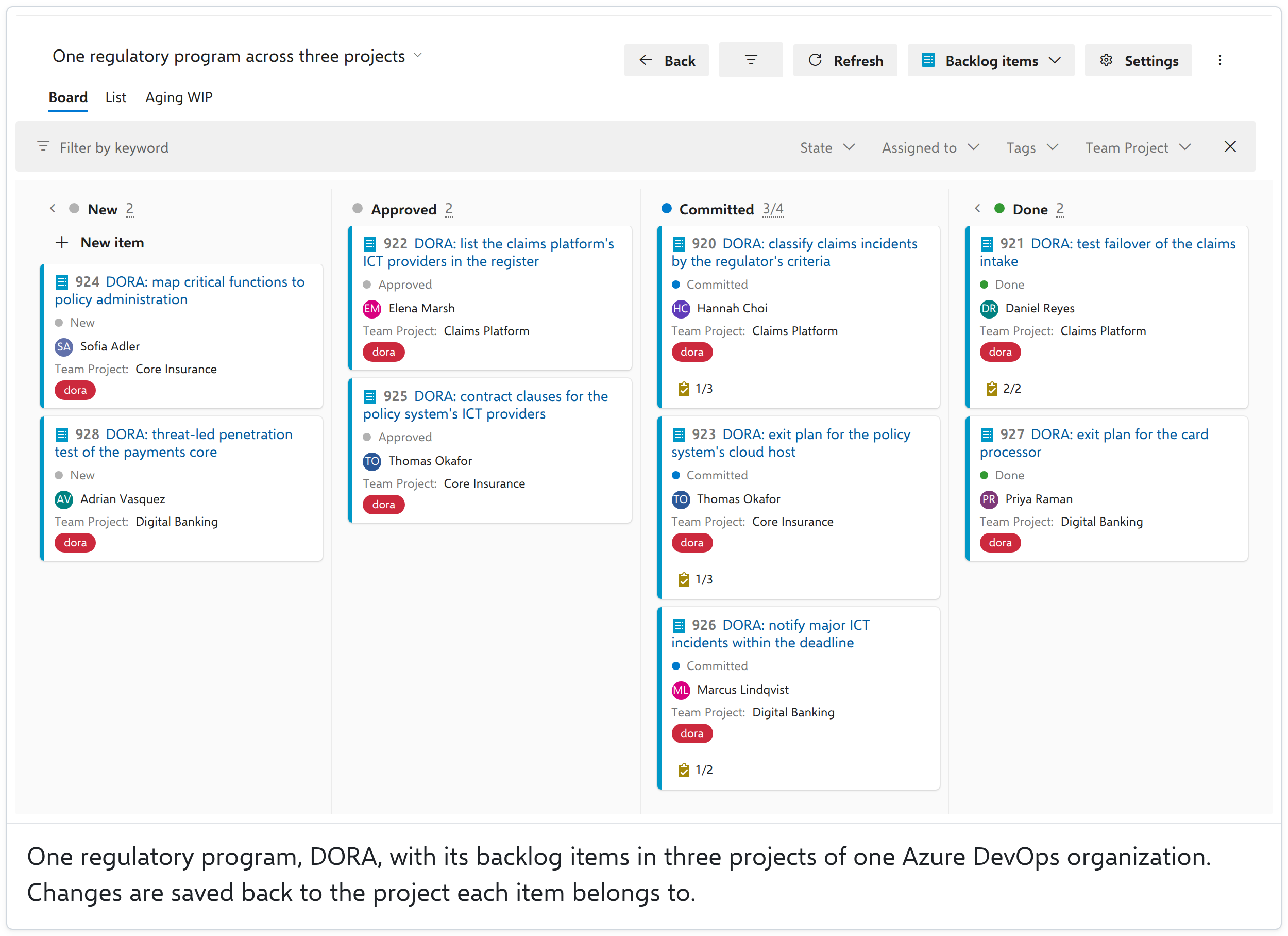
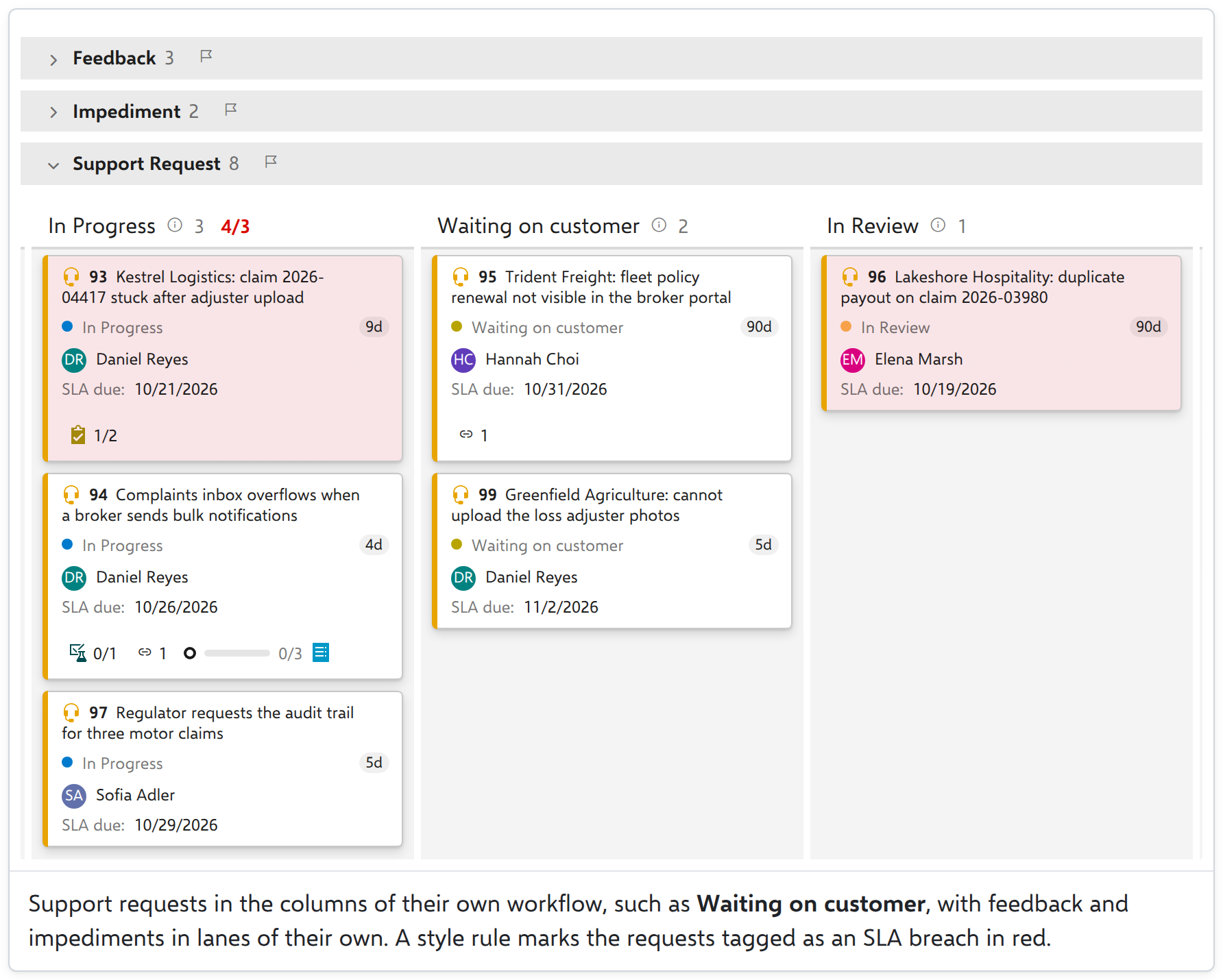
Try the live demo · See the price Free for 60 days at any organization size, and free while your organization has 5 or fewer paid users. Once it is installed, open any saved query and choose the Board tab. For a board that keeps its own columns, WIP limits and lanes, create one under Boards, in AnyKanban. One board across several projectsA regulatory program lands in three projects at once. Write one query that selects its work in any project of your Azure DevOps organization. AnyKanban puts it on one board and writes every change back to the project the item lives in. Work you keep outside the backlogSupport requests, feedback, risks and impediments have a flow too. AnyKanban builds the columns from their own workflow states, custom types and test cases included, so nothing has to join a backlog to get a board.
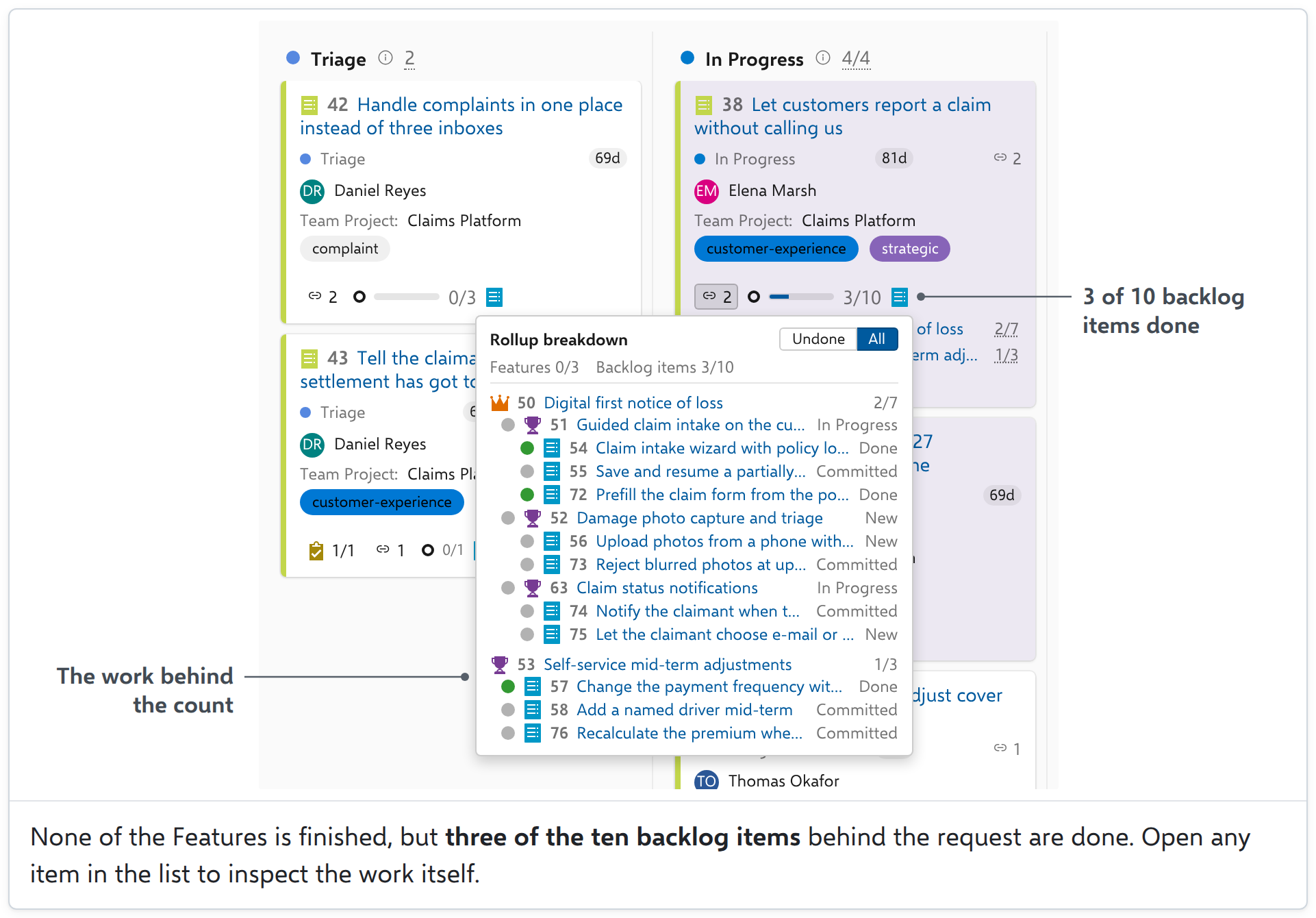
Try it in the live demo: move a support request to Waiting on customer and watch its state change. See what's finished behind each requestLink a business request to the work that delivers it. Its card shows how many backlog items are done. Open the count to explore the work behind it.
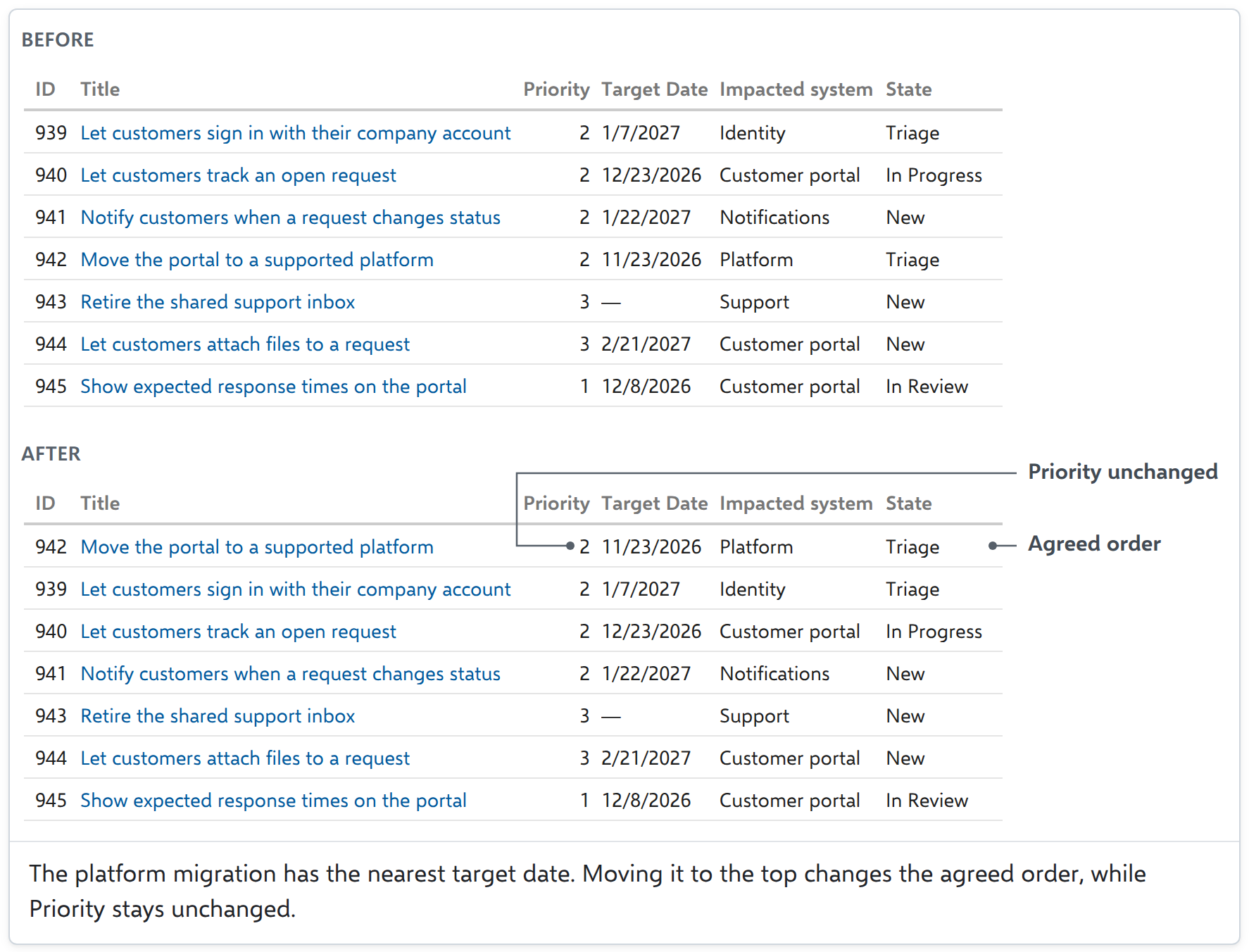
Try it in the live demo: open a request's progress count and inspect the work behind it. Put requests in priority orderCompare requests in List and arrange them in priority order. Its compact rows are often more practical for reviewing work across states. The Board also supports reordering within a column. With reordering enabled, both views use the same order saved in Azure DevOps.
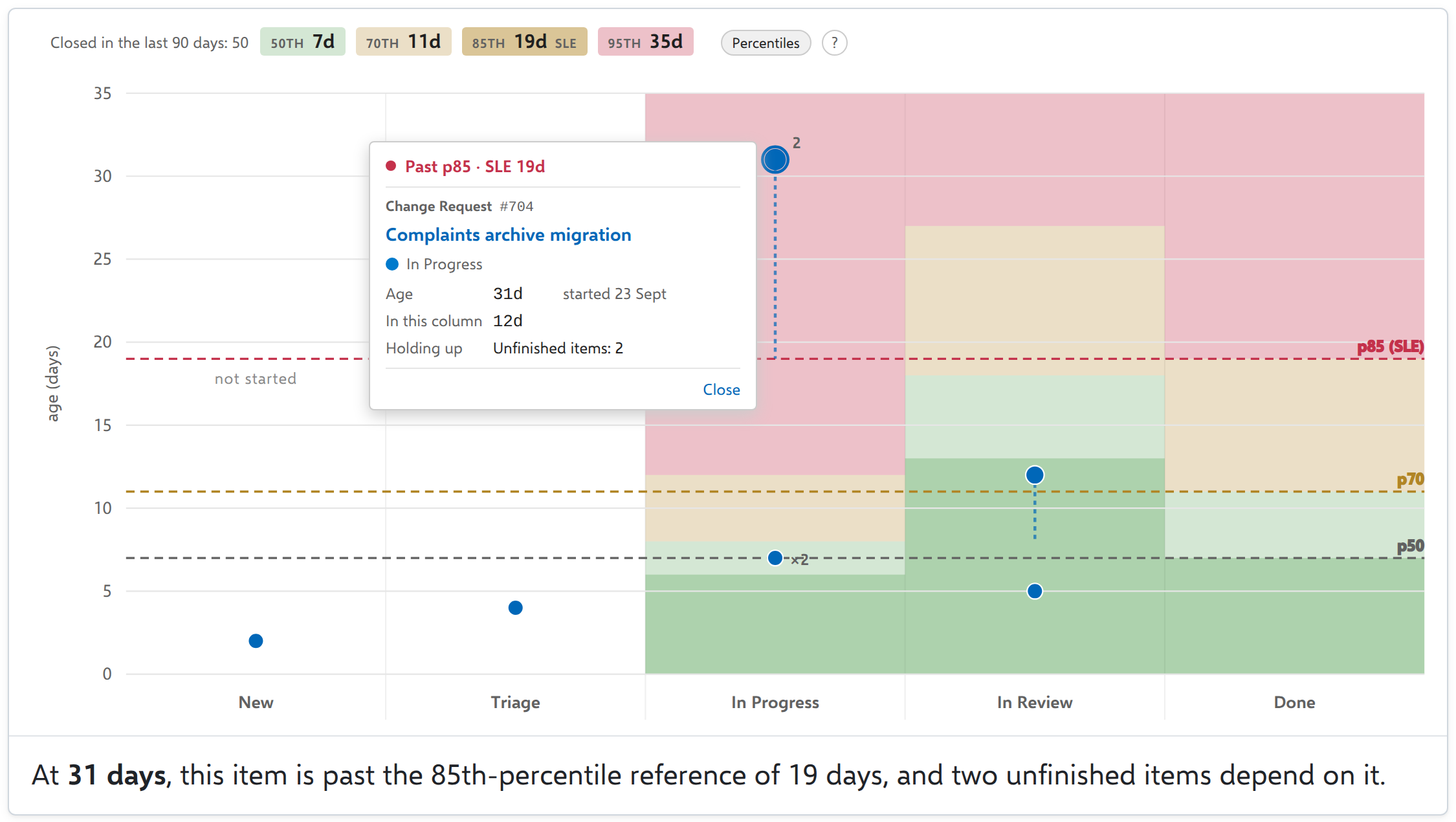
Reordering writes the item's own backlog order, never the Priority field, and a query that sorts by another field keeps the order read-only. On a board of backlog items it stays off until the board's settings turn it on. Try it in the live demo: switch to List and move the request with the nearest target date to the top. Spot the work that has waited too longThe Aging chart uses your own Azure DevOps completion history to highlight work that needs attention. Start the daily meeting at the red end.
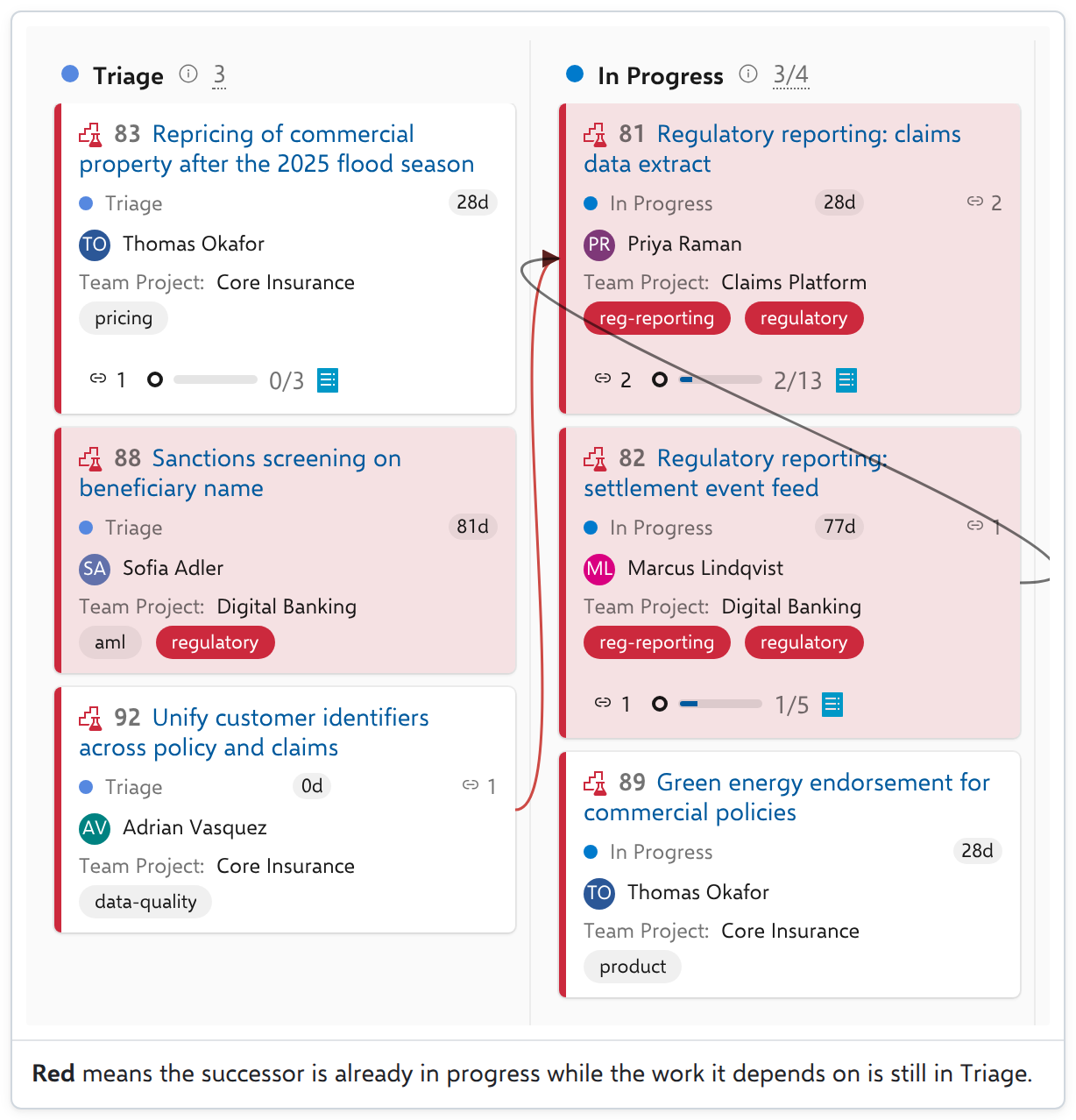
The chart and its percentile comparisons read Azure DevOps Analytics. People with Stakeholder access cannot read Analytics, so they see the board without the chart. Cards can still show how long an item has been in its current state, which needs no Analytics. Try it in the live demo: open Aging WIP and select a point in a red area. See work that runs ahead of what it depends onDependency arrows connect cards, across projects too. An arrow turns red when dependent work runs ahead of its prerequisite.
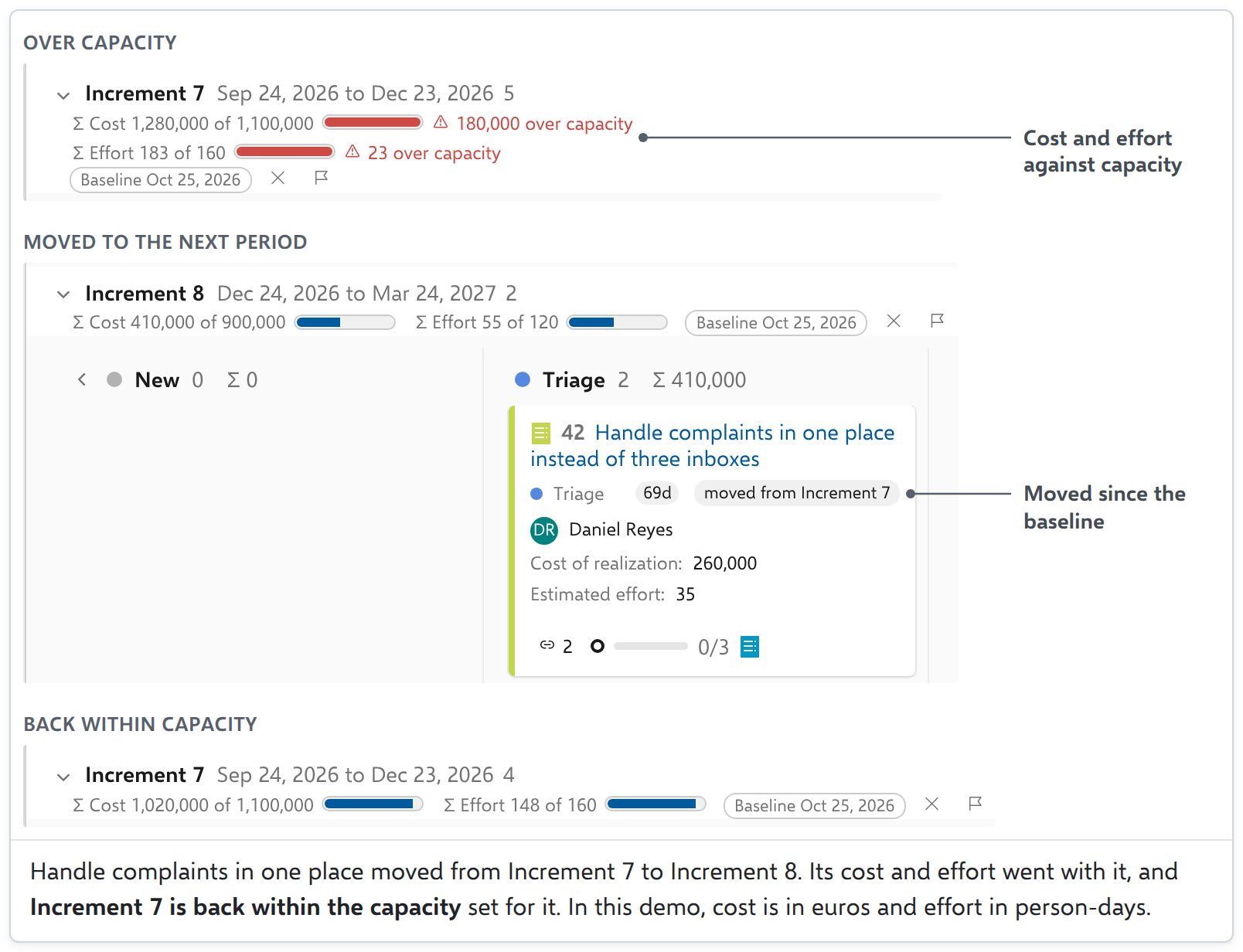
Plan each period against its capacityUse quarters, increments or sprints as planning lanes. When you drag a request to another period, its cost and effort totals move with it and show how each period compares with the capacity you set. Set a baseline, then return at the next review to see what was added, what moved between periods and what left the plan.
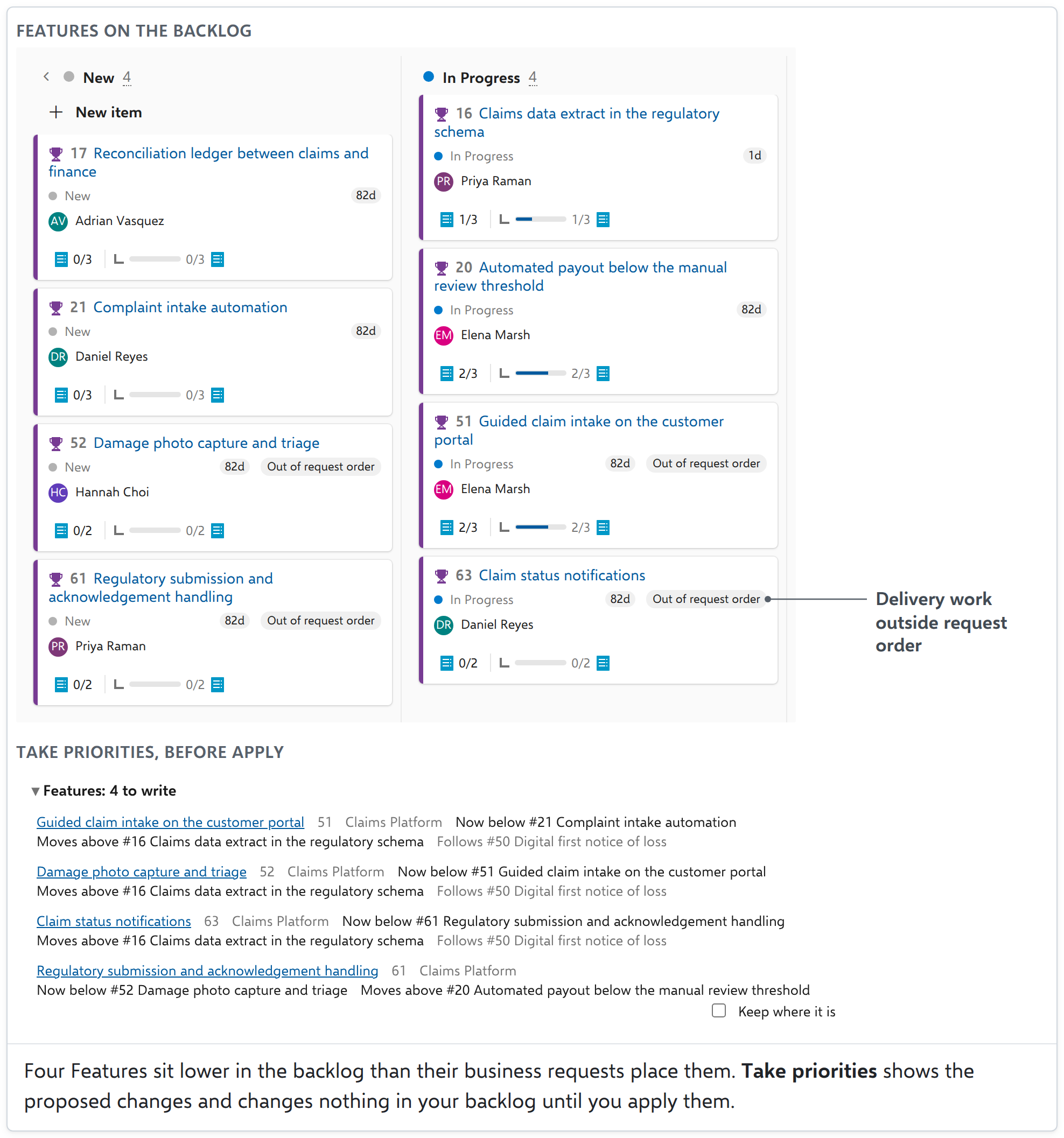
Try it in the live demo: move a request to the next period and watch the totals change. Keep delivery priorities connected to business requestsSee where backlog order differs from the priorities on your request board. When you choose to align them, Take priorities shows the proposed changes before applying them.
Take priorities appears once a shared board's settings turn it on. Also on the board
Your work stays in your Azure DevOpsAnyKanban runs in your browser, inside Azure DevOps. There is no AnyKanban server between you and your work items, and the extension sends us no telemetry. AnyKanban writes nothing to your device, and nothing leaves your Azure DevOps. Board settings and the aggregate usage counters it keeps stay in your organization, where an administrator can switch the counters off. The install dialog asks for four permissions:
Security and data handling, in full. PriceAbove 5 paid users, €18 per paid Azure DevOps user per year, with a €450 minimum and a €4,500 maximum per organization, excluding VAT. The count covers every paid user in your Azure DevOps organization, including people who do not use AnyKanban. Stakeholders are free in any number. One annual license covers the whole organization and every feature. The Pricing tab has the details, and you buy a license on our website. Still deciding? Try the live demo first. Built for Azure DevOps Services (cloud). Azure DevOps Server is not supported. anykanban.com · Documentation · License Agreement · Privacy Policy · support@anykanban.com AnyKanban is a product brand of Agilist Information Technologies Ltd. |