Guided PR Review for Azure DevOps
A Guide tab on every pull request: what the PR does, the order to read it in, which chapter needs care, and each chapter's diffs inline. Reviewers tick files as reviewed; a tick clears when the file changes in a later push.
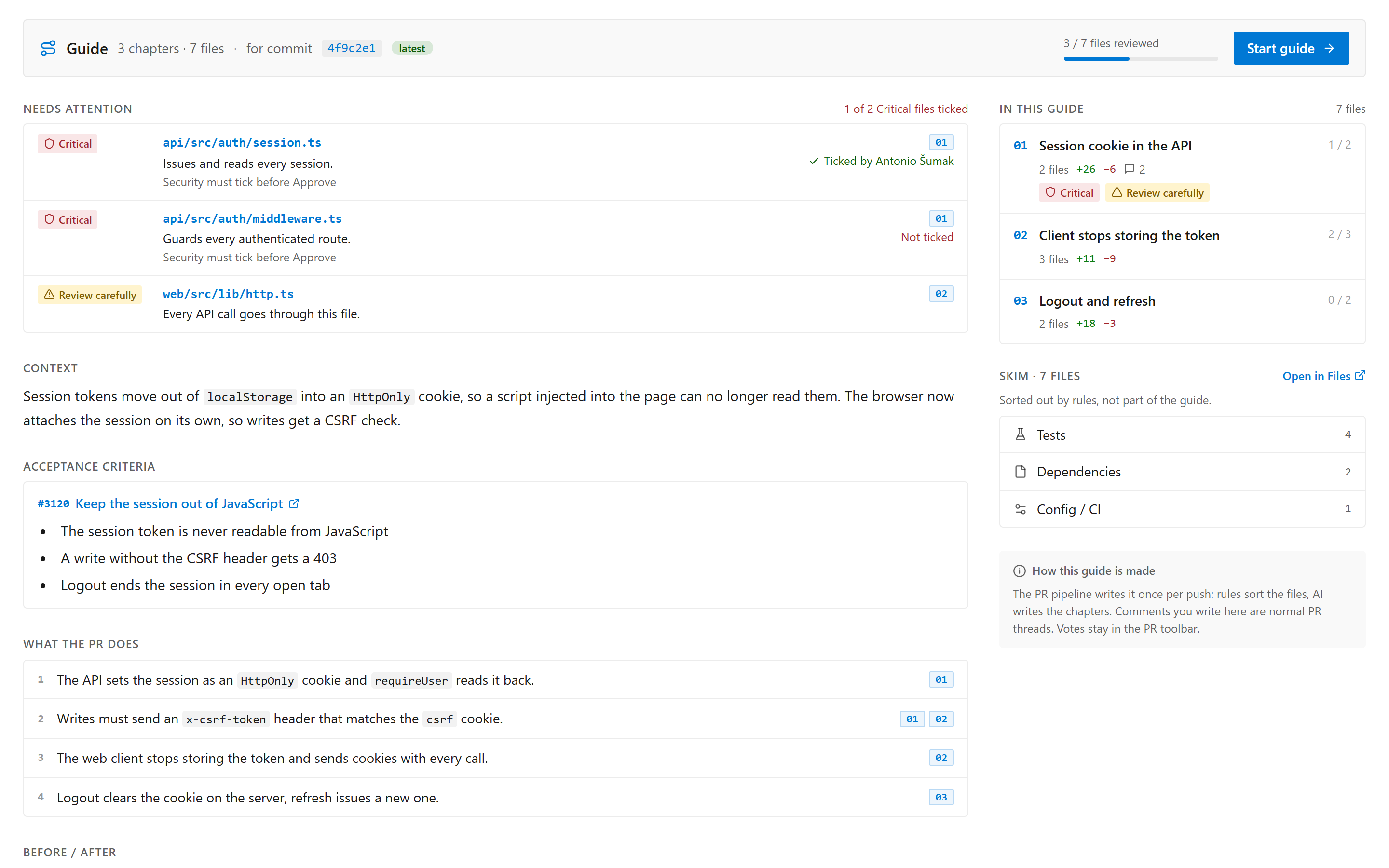
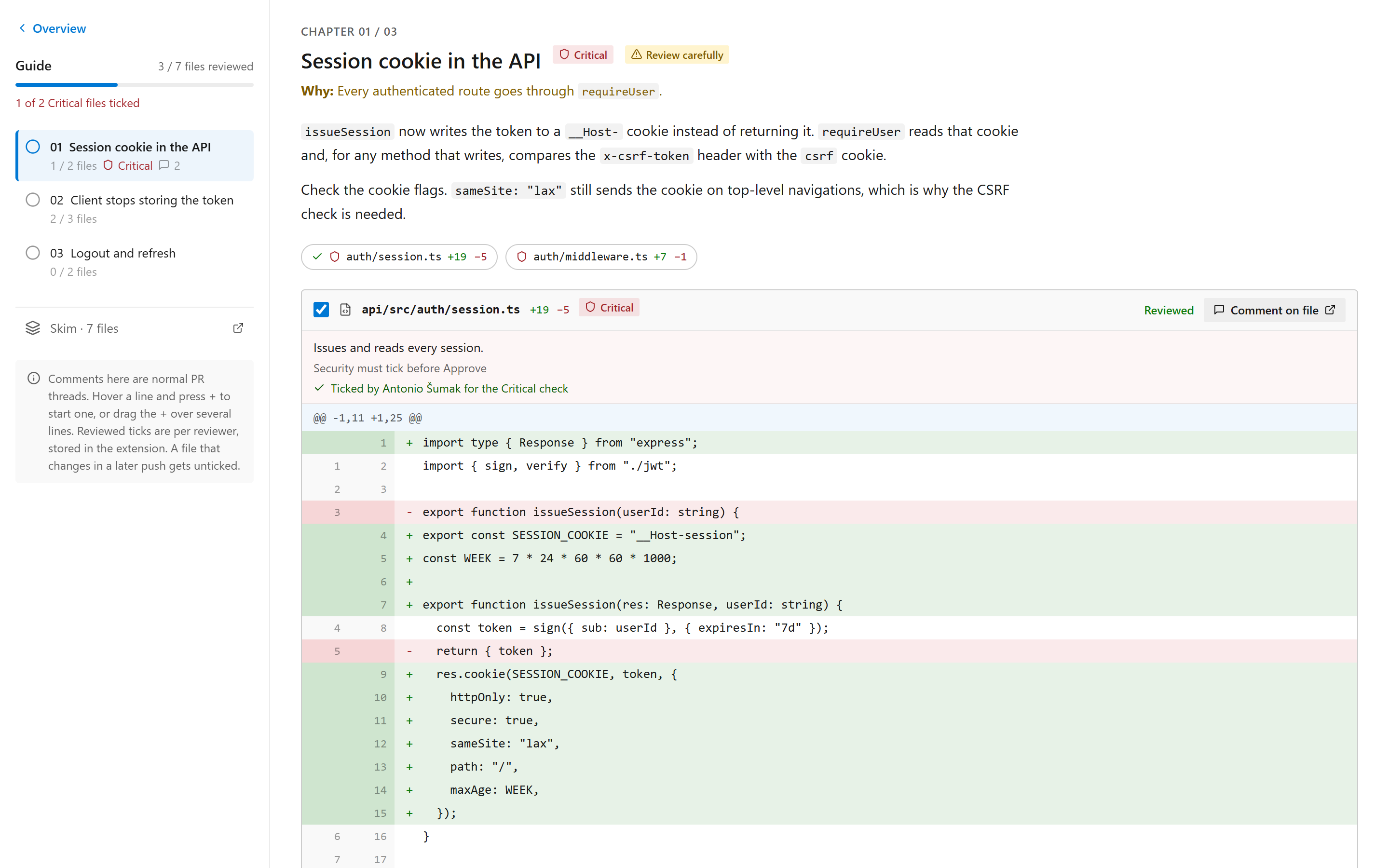
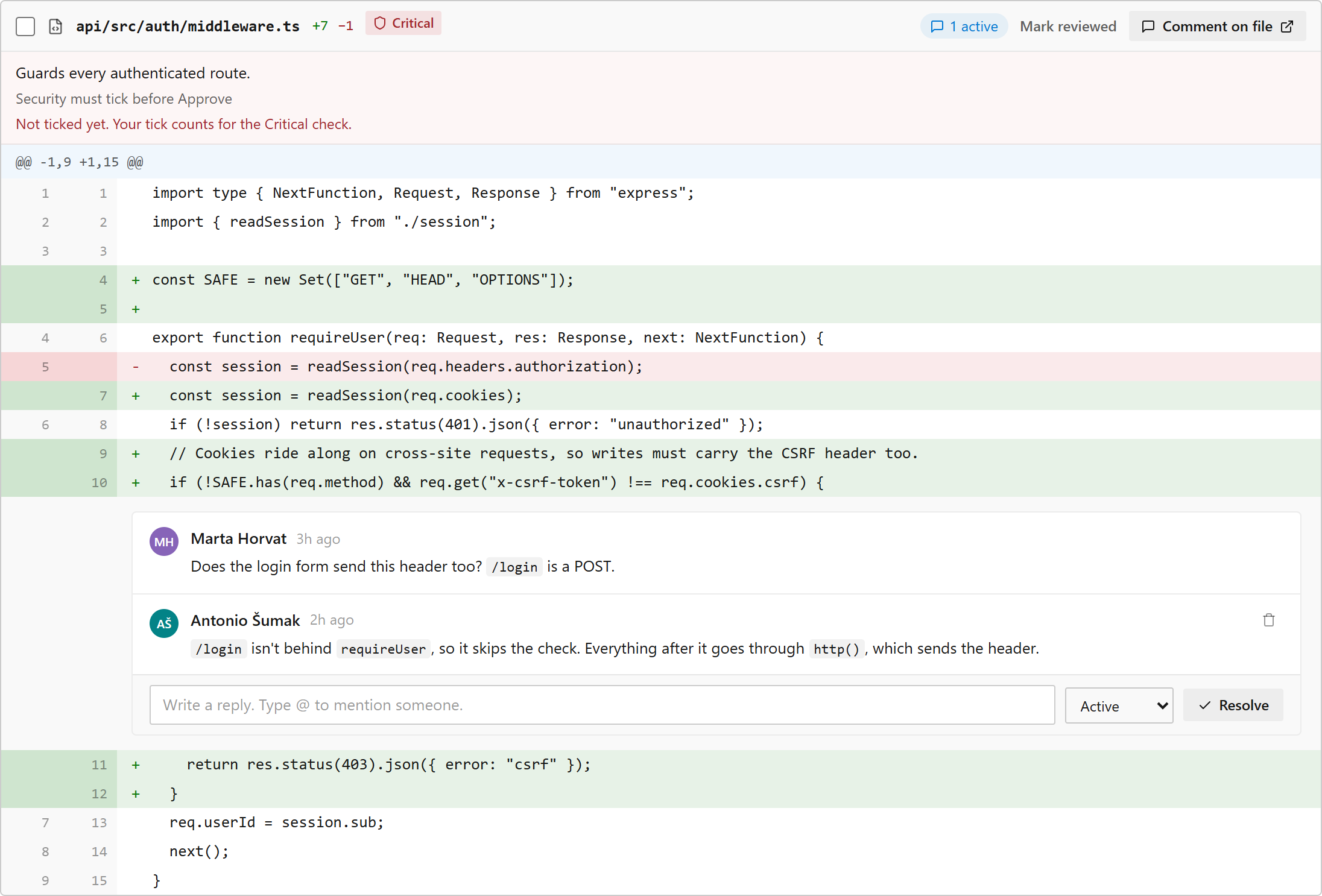
The screenshots use sample data.
How it works
- Pipeline task
GuidedPrReview@1 runs as PR build validation. It diffs the PR with git, sorts lockfiles, tests, config and docs into "skim" groups by rules, and asks Claude to group the remaining files into chapters.
- The task stores the guide as PR property
GuidedReview.v1.
- The Guide tab reads that property, fetches file contents through the Git REST API, and renders the diffs. Comments you write there are normal PR threads, so they also show in Files. Votes stay in the PR toolbar.
Setup
- Install the extension in the organization.
- Grant the build service identity Contribute to pull requests on the repository.
- Add a pipeline and register it as build validation on the target branch:
trigger: none
pr: none
pool: { vmImage: ubuntu-latest }
steps:
  - checkout: self
    fetchDepth: 0
  - task: GuidedPrReview@1
    inputs:
      anthropicApiKey: $(ANTHROPIC_API_KEY)
      generatedGlobs: |
        src/generated/**
Build validation runs the pipeline YAML from the PR branch, so PR authors can read ANTHROPIC_API_KEY. Use a dedicated, spend-capped key. Guide text is generated from the diff, so its risk flags are advisory.
Project settings
Project Settings has two pages, PR Guide: Attention rules and PR Guide: Review policy. Settings are stored as project property PrGuide.Settings.v1; only project administrators can save them.
- Attention rules. Path rules (glob → Critical, Review carefully, Skim or Hide; the most specific pattern wins) and content flags (regexes on added lines, built-in secrets and TODO detection). Critical files are listed first in the guide; Hide files leave the guide but stay in Files. Test a path, suggested rules (folders with many review comments or reverts and no rule, last 90 days) and 30-day match counts come from a scan of the project's PRs.
- Review policy. Untick only changed files or the whole chapter, the Critical gate, guide size and chapter order, acceptance criteria from linked work items, Before/After, a draft window for the author, and when to skip a guide (drafts, tags, bot authors, small PRs, monthly budget).
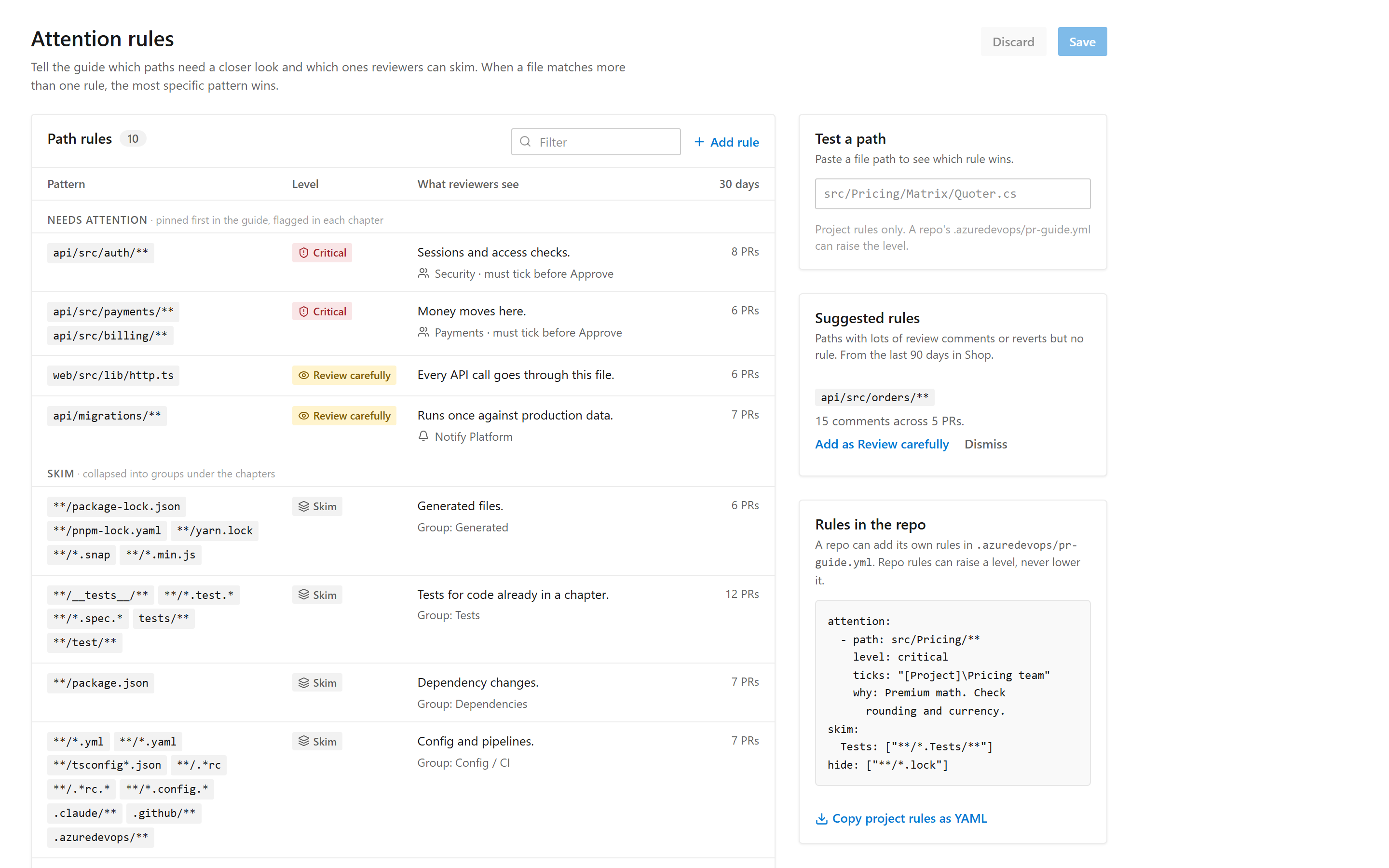
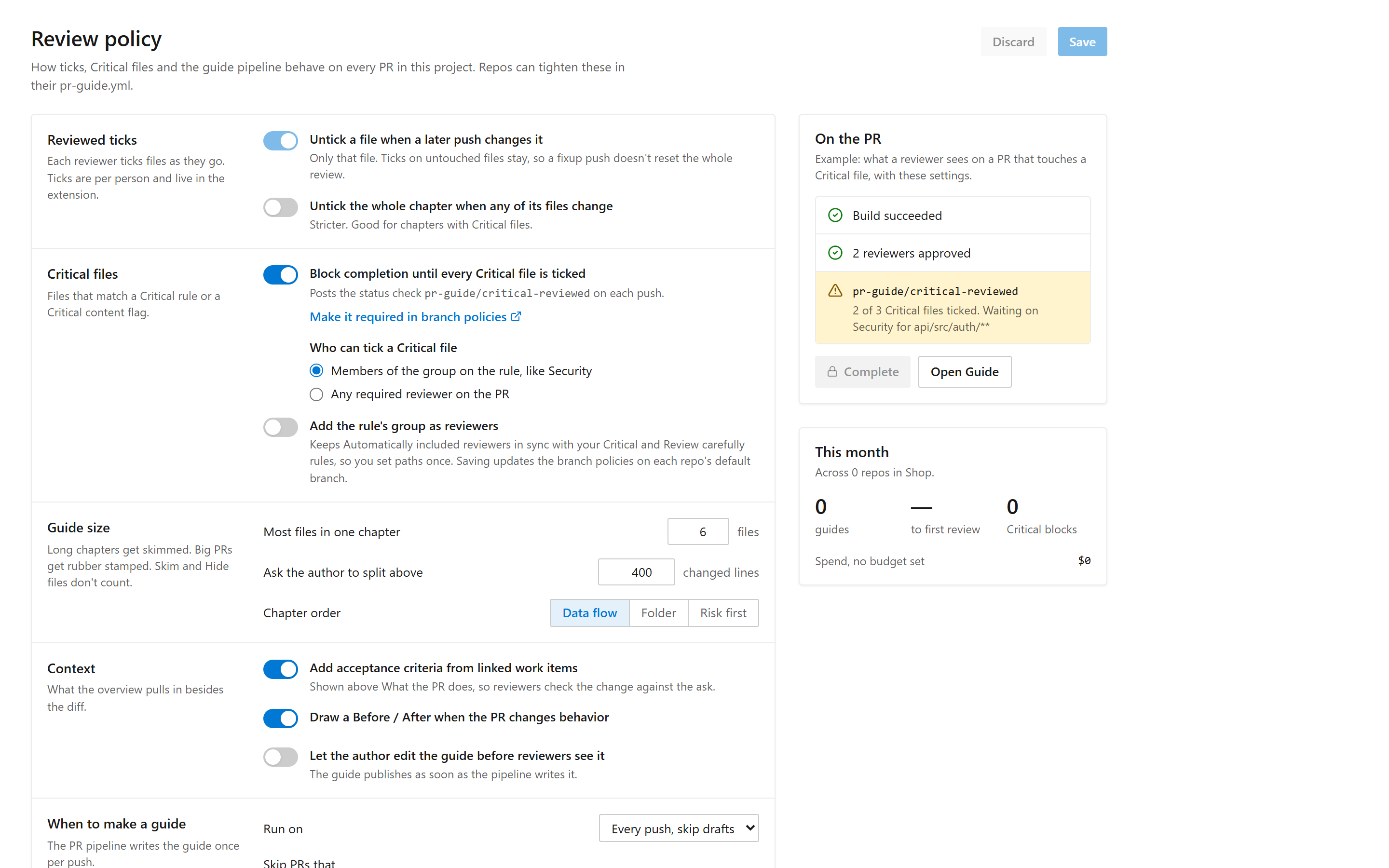
Repo rules. A repo can add rules in .azuredevops/pr-guide.yml (format: Copy project rules as YAML on the Attention rules page). The task reads the file from the target branch, so a PR cannot change its own rules. Repo rules can raise a level, never lower it.
Critical gate. With Block completion on, the task posts status pr-guide/critical-reviewed on each push, and the Guide tab updates it as allowed reviewers tick Critical files. Add it as a required status check in branch policies to block completion. The status is posted with reviewers' own tokens, so treat it as a review aid, not a security boundary.
Automatically included reviewers. With Add the rule's group as reviewers on, saving the settings creates one "Required reviewers" branch policy (default branch, all repos) per Critical / Review carefully rule with a group; their message starts with PR Guide:.
Updating to this version asks an admin to re-authorize the extension (new scopes: project settings, PR statuses, branch policies, identities, work items). The build service identity needs Read on work items for acceptance criteria.
Develop
npm install, npm test, npm run typecheck, npm run package (writes the .vsix to out/).
Credits
The guide structure (overview with before/after, chapters with inline diffs) is inspired by Capy Guided Reviews and the MIT-licensed chasemc67/guided-pr-review. No code from either is included.

