Release List ExporterExport work items from Azure DevOps release pipelines to Excel. |

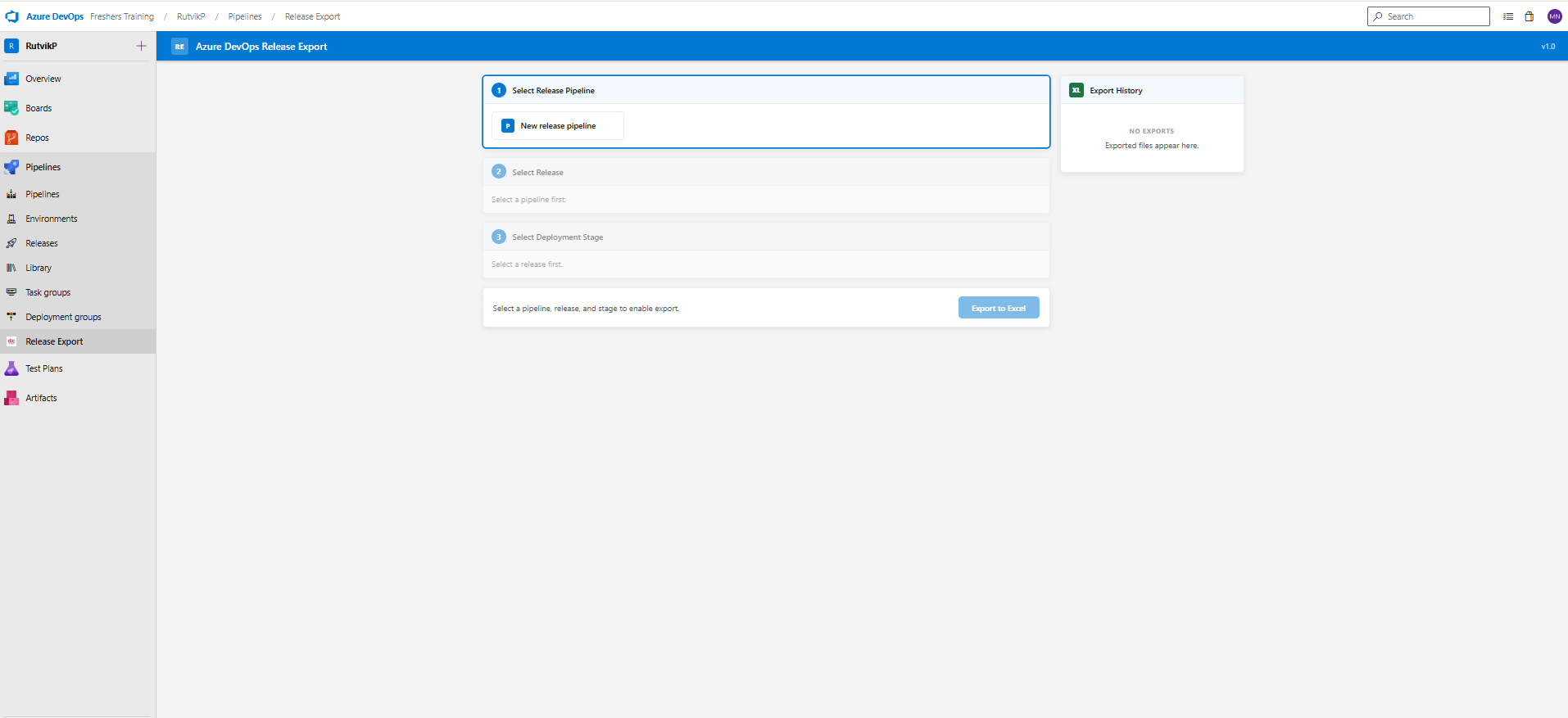
Release List ExporterExport work items from any Azure DevOps release pipeline directly to a formatted Excel workbook without leaving the portal. The extension adds a Release Export tab inside your project's Pipelines section and walks you through a guided three-step workflow before generating the file. No external server, no PAT configuration, and no separate tool needed. Everything runs inside Azure DevOps using your existing session token. How It WorksInitial StateWhen you open the Release Export tab, the three-step wizard loads with the first step active. Steps 2 and 3 unlock progressively as you make selections.
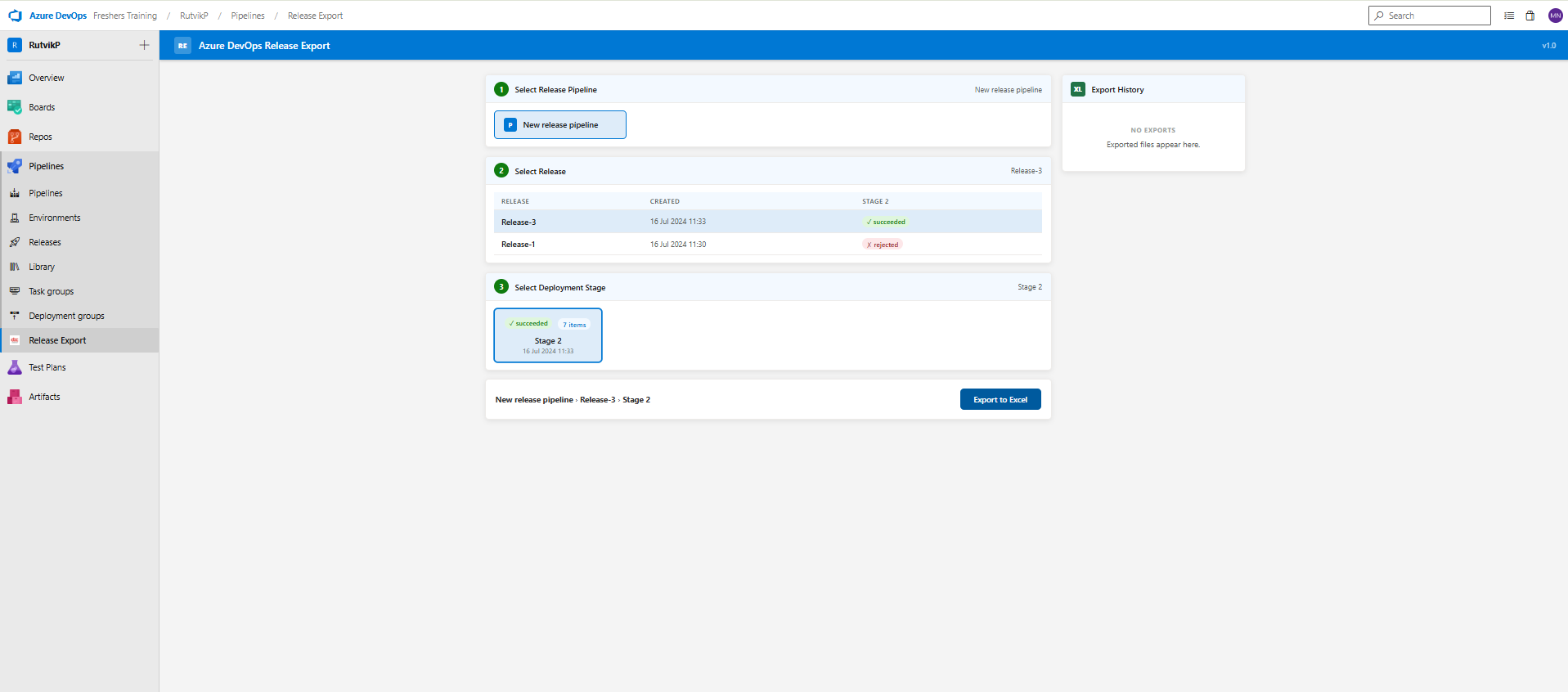
Three-Step Selection WizardStep 1 — Select a Release Pipeline All classic release pipeline definitions in your project are displayed as selectable cards. Click one to load its releases. Step 2 — Select a Release The pipeline's 30 most recent releases are shown in a table with the deployment status of every environment displayed as colour-coded badges:
Step 3 — Select a Deployment Stage Each stage is shown as a card. The extension automatically computes how many work items are in this release relative to the last successful deployment of that stage, so you always see an accurate delta count. Once all three steps are complete, the Export to Excel button becomes active at the bottom of the page.
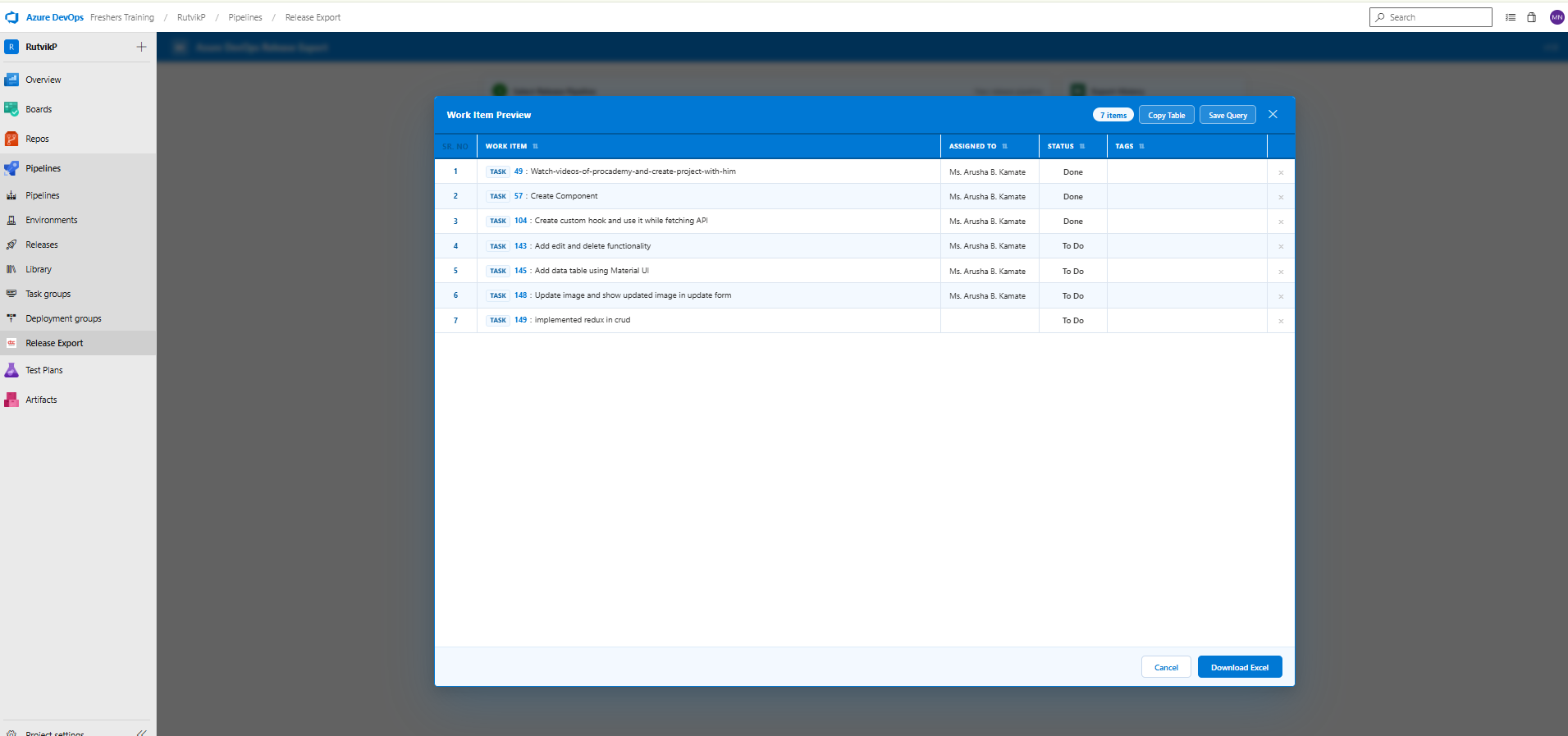
Work Item PreviewBefore any file is written, a full-screen preview modal shows you everything that will be exported.
The preview provides the following actions:
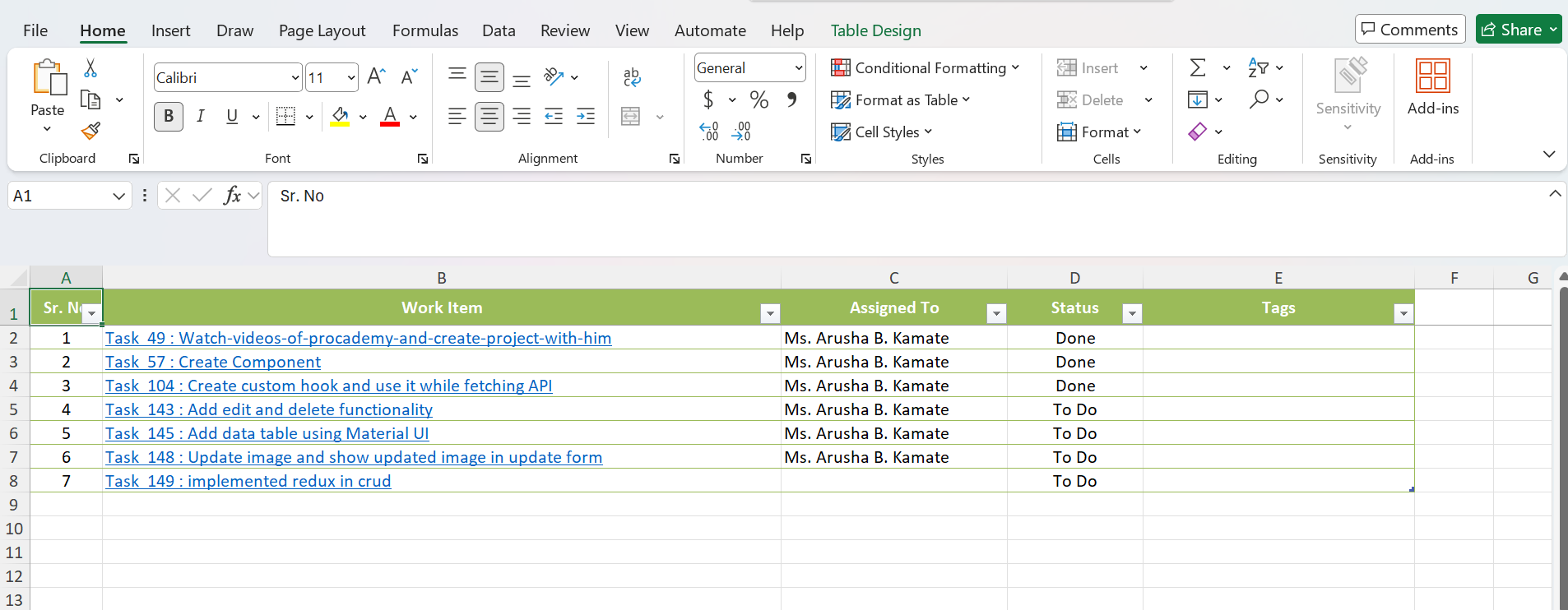
Excel ExportClicking Download Excel generates and saves a
The workbook is produced with TableStyleLight11 formatting and includes:
Work item IDs are hyperlinked directly to Azure DevOps so the spreadsheet can be shared externally and still navigate back to the source record. Export HistoryA sidebar panel tracks every file downloaded during the current session, showing the filename, item count, and time of export. RequirementsAzure DevOps
OAuth Scopes
PublisherDeveloped and maintained by Ansi ByteCode LLP. |