Excel Importer for Azure Boards
Bulk-import work items into Azure Boards directly from an Excel spreadsheet. Upload your file, preview and edit rows in a rich inline editor, then import - all without leaving Azure DevOps.
Why use this extension?
Setting up a new sprint, migrating a backlog, or onboarding a project often means creating dozens (or hundreds) of work items by hand. This extension lets you prepare everything in Excel and import it in one click, with full parent-child hierarchy linking handled automatically.
Key Features
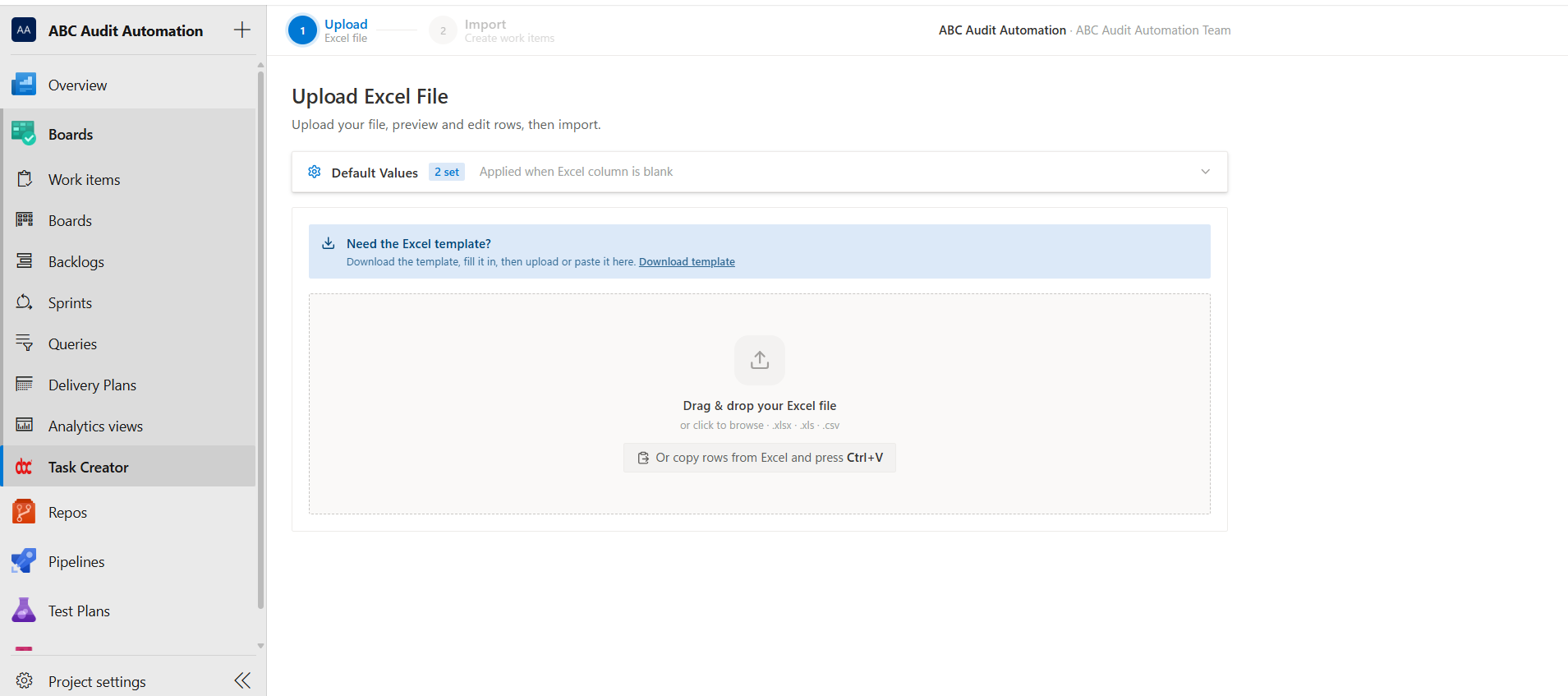
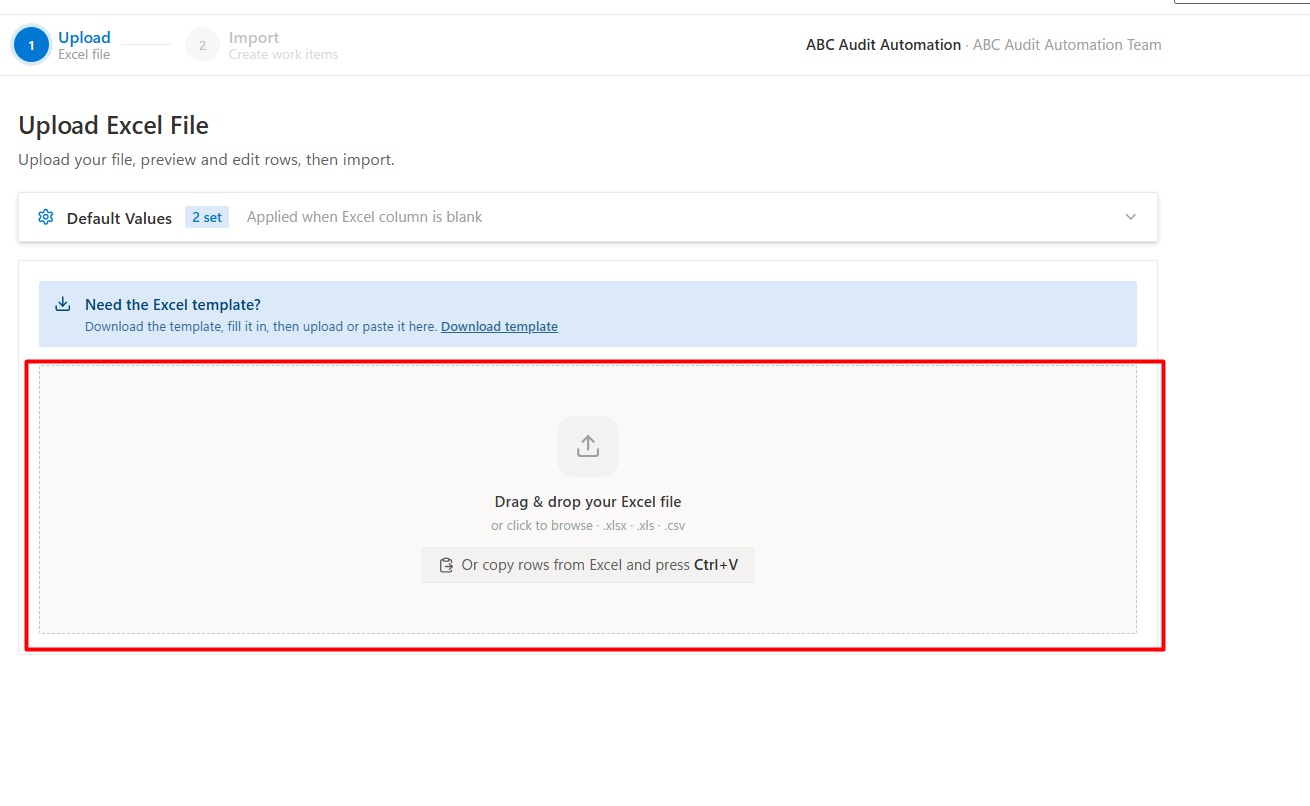
Upload & Parse
- Drag-and-drop or browse to upload
.xlsx, .xls, or .csv files.
- Paste from clipboard - copy rows in Excel, press Ctrl+V, and they are parsed instantly. No file needed.
- Built-in Excel template with sample data and instructions to get started quickly.
Preview & Edit
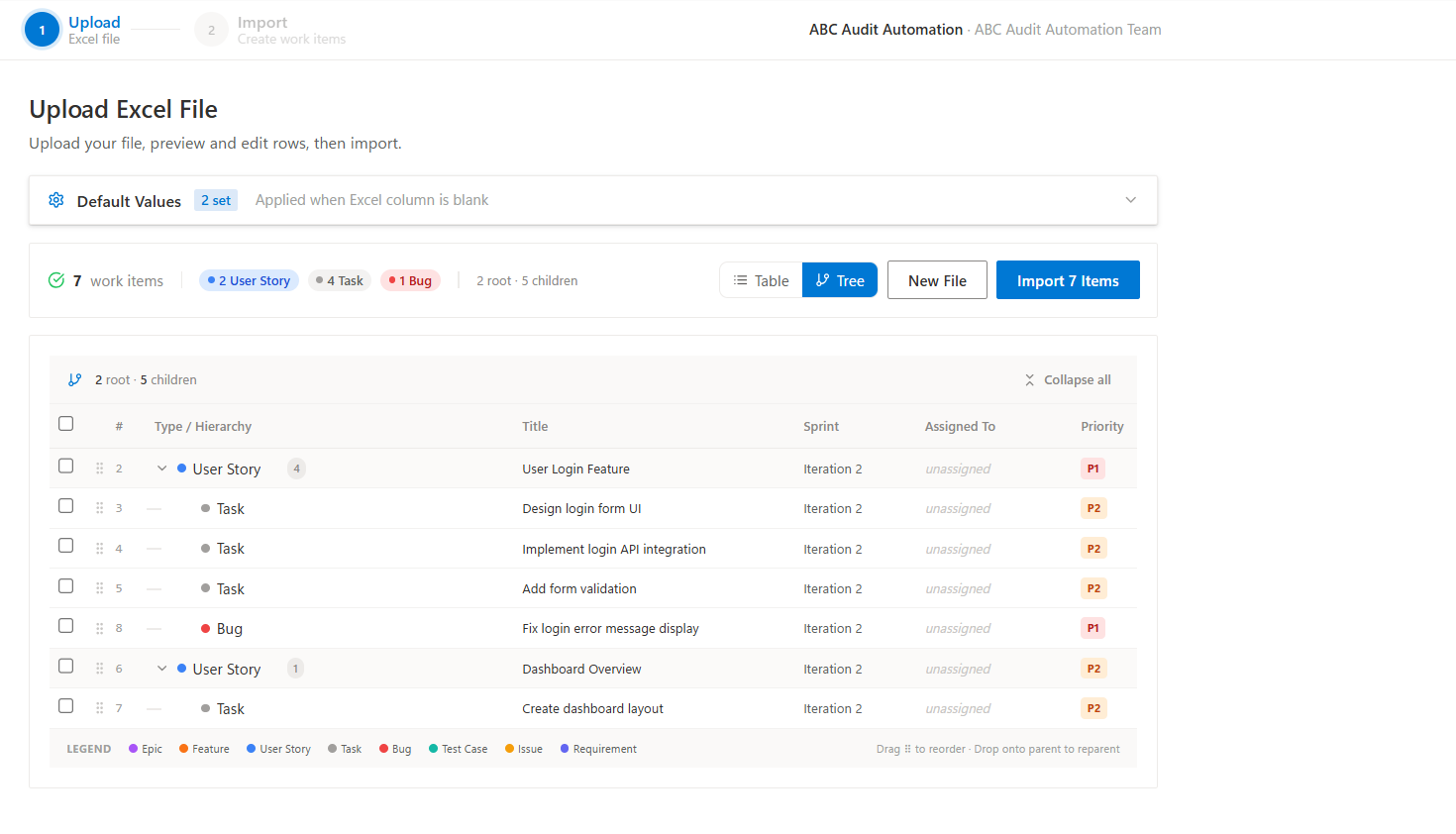
- Inline editing - click any cell in the preview table to change values before importing.
- Table and Tree views - switch between a flat table and a hierarchical tree that visualises parent-child relationships.
- Bulk edit - select multiple rows and change the Work Item Type, Sprint, or Assigned To in one action.
- Drag-and-drop reordering - drag rows to reorder or drop onto another row to reparent.
- Duplicate detection - titles that already exist in your project are flagged with a warning badge so you can skip or rename them.
- Parent search - search for parents from the current file or from existing work items in Azure DevOps.
Defaults & Context
- Default values per project - set a default Sprint, Priority, Area Path, and Assigned To. Values are saved in your browser and applied as fallbacks when an Excel column is blank.
- Active sprint auto-select - the current sprint is detected automatically and pre-selected.
- Area path browser - pick area paths from a searchable tree instead of typing them manually.
- Team switcher - switch between teams to load the correct sprints, members, and area paths.
Import & Rollback
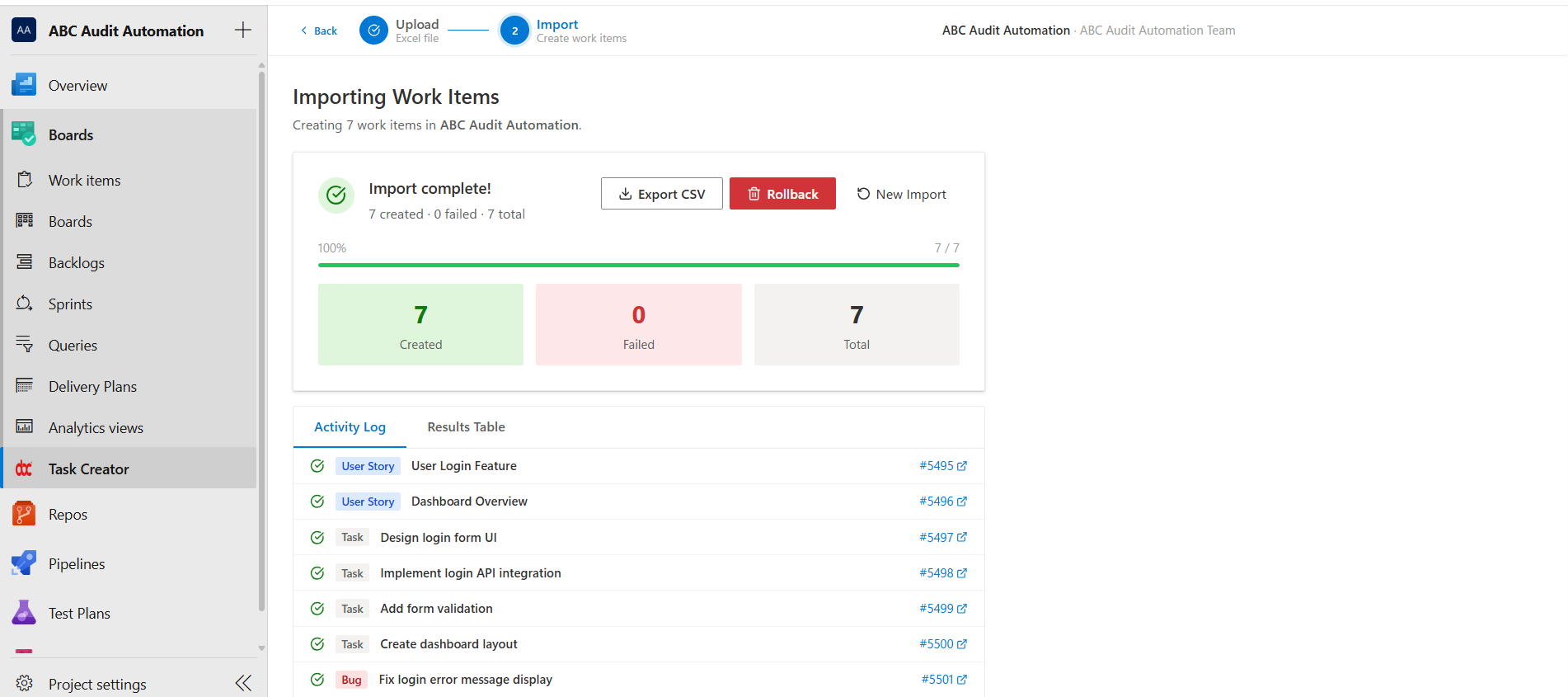
- Real-time progress - watch each work item being created with a live activity log.
- Parent-child linking - parent items (User Stories, Features, Epics) are created first, then children (Tasks, Bugs) are linked automatically via hierarchy relationships.
- Export results - download a CSV report with work item IDs, URLs, and statuses after import.
- Rollback - made a mistake? Delete all created work items in one click (moved to the project recycle bin for safety).
Supported Work Item Types
- Epic
- Feature
- User Story
- Product Backlog Item
- Requirement
- Task
- Bug
- Test Case
- Issue
Excel Template Columns
| Column |
Required |
Description |
| Work Item Type |
Yes |
The type of work item to create |
| Title |
Yes |
Title of the work item |
| Description |
No |
Detailed description (supports HTML) |
| Acceptance Criteria |
No |
Acceptance criteria for Stories/Features |
| Sprint |
No |
Sprint or iteration name |
| Area Path |
No |
Area path for team categorisation |
| Assigned To |
No |
Email address of the team member |
| Priority |
No |
1 (Critical), 2 (High), 3 (Medium), 4 (Low) |
| Parent Title |
No |
Title of the parent work item for hierarchy linking |
| Tags |
No |
Semicolon-separated tags |
| Story Points |
No |
Effort estimate for Stories/Features |
| Remaining Work |
No |
Hours remaining for Tasks/Bugs |
| State |
No |
Initial state (defaults to New) |
How to Use
- Navigate to Boards > Excel Importer in your Azure DevOps project.
- Optionally expand Default Values to set fallback Sprint, Priority, Area Path, or Assigned To.
- Download the Excel template, fill it in, and upload - or paste rows directly from Excel with Ctrl+V.
- Review the preview table. Edit cells inline, fix any validation errors, and check for duplicates.
- Click Import and watch the progress. When done, export the results or roll back if needed.
Compatibility
- Azure DevOps Services (dev.azure.com) - fully supported.
- Azure DevOps Server (on-premises, 2020+) - fully supported. Uses API version 7.1.
- Works with all process templates: Agile, Scrum, CMMI, and Basic.
Permissions Required
| Scope |
Reason |
| Work Items (read and write) |
Create, read, and delete work items |
| Project and Team |
Read project, team, iteration, and area path information |
| Graph |
Read team member identities for the Assigned To picker |
Privacy
This extension runs entirely within the Azure DevOps portal. No data is sent to any third-party server. All processing happens in your browser and your Azure DevOps instance.
| |

