Audit Automation for Azure DevOps
Know exactly how your team is performing without leaving Azure DevOps.
Audit Automation is a zero-backend extension that runs directly inside Azure DevOps. It reads your work items, pull requests, and pipeline data, applies deep analytics, and gives you a full picture of team health, capacity, and sprint delivery all in real time.
No external servers. No PAT tokens. No data ever leaves your ADO environment.
What It Does
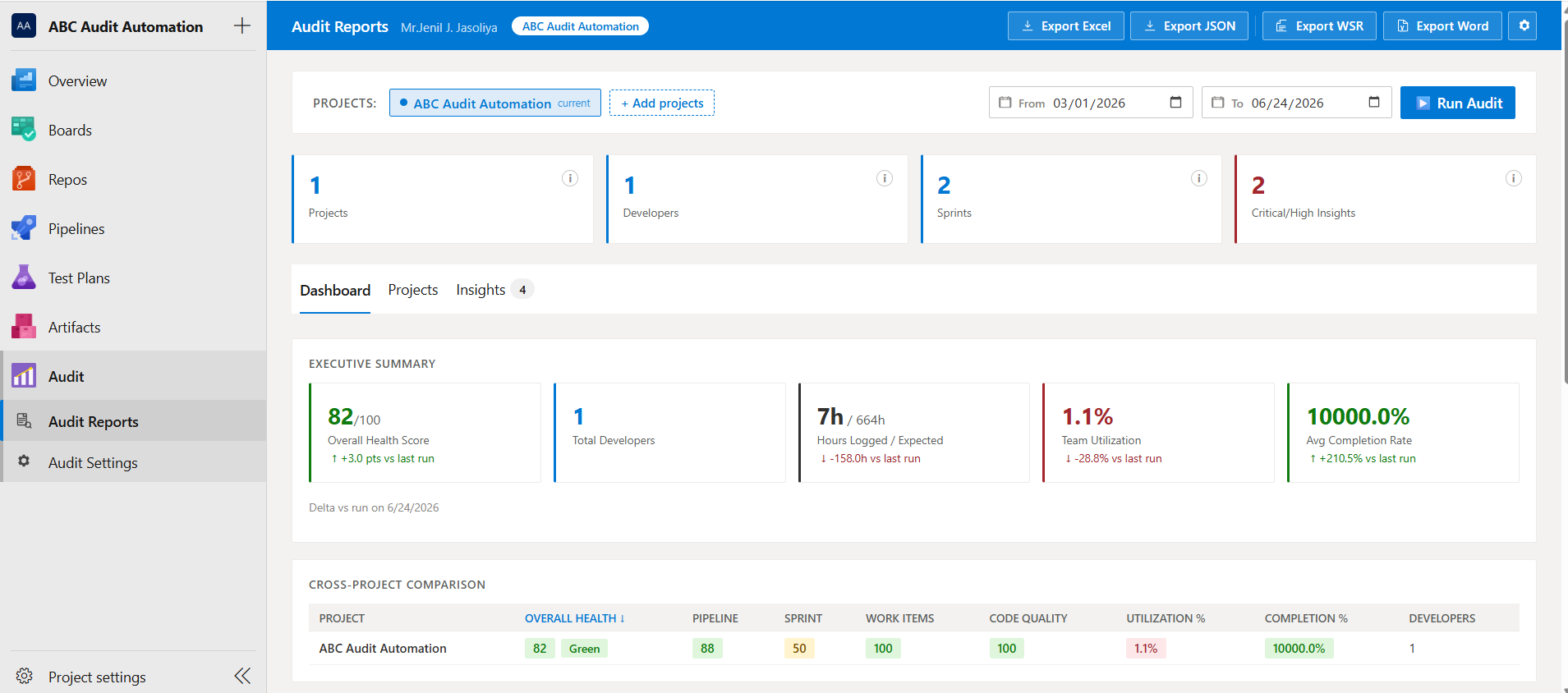
Select one or more projects, pick a date range, and click Run Audit. Within seconds you get:
- Health scores across four dimensions: Pipeline, Sprint, Work Items, and Code Quality
- Capacity analysis - who is overloaded, who is underutilised, and by how much
- Sprint accuracy - spillover rates, estimate accuracy, commitment reliability
- Developer performance - hours logged, completion rates, PR contribution, logging patterns
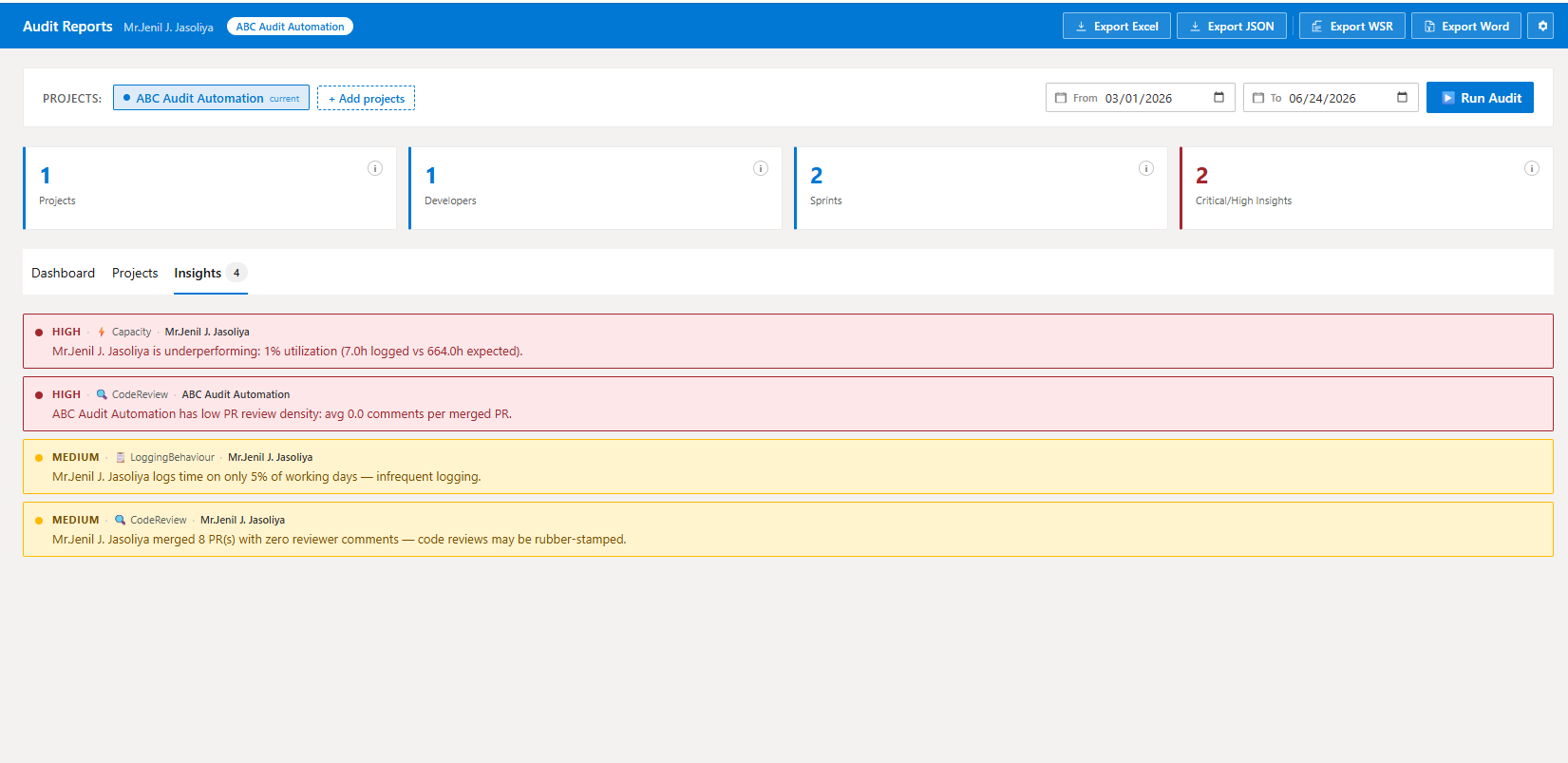
- Automated insights - critical and high-priority anomalies surfaced automatically
- Exportable reports - Excel, JSON, styled Weekly Status Report (WSR) Excel, and Word documents
Key Features
Executive Dashboard
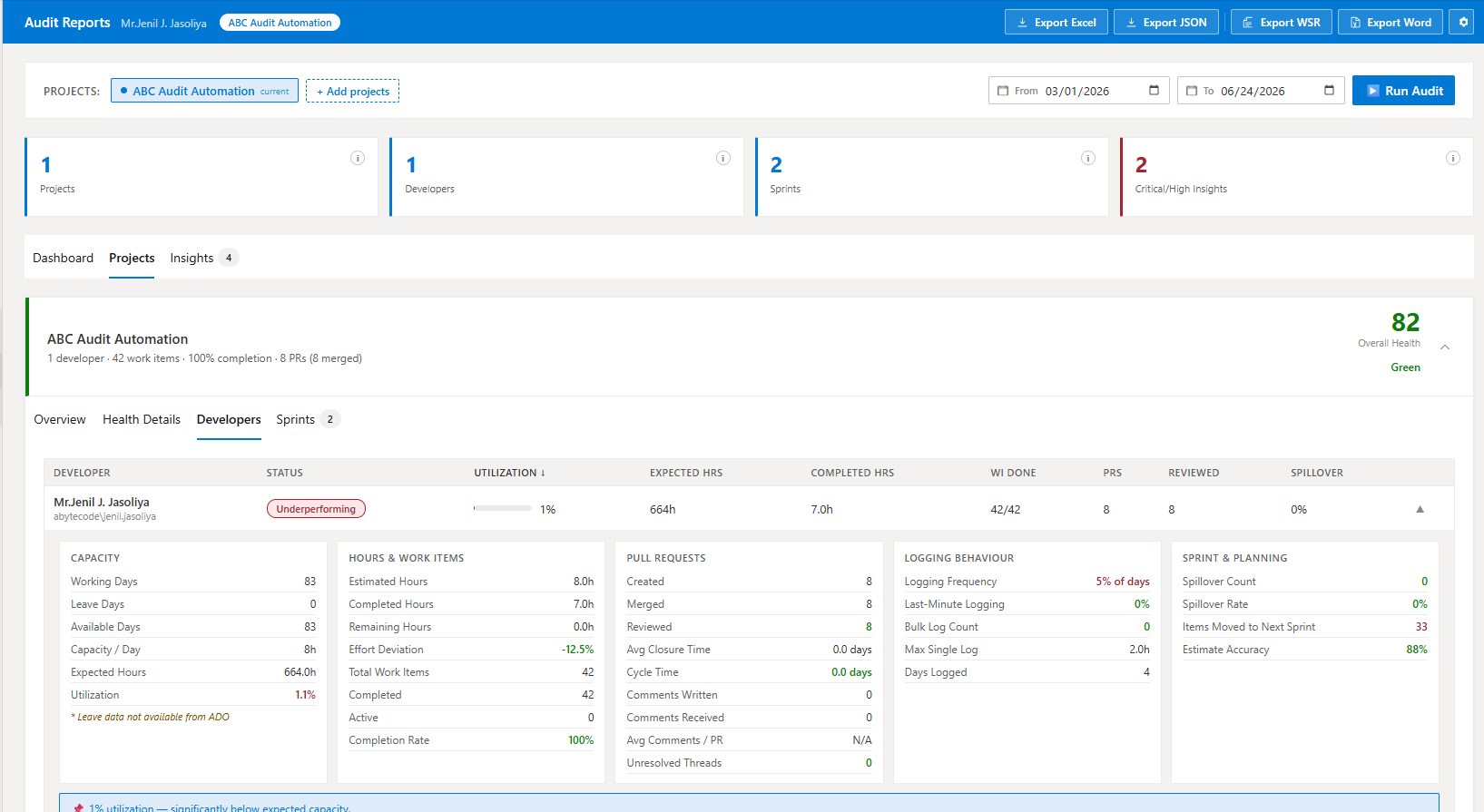
A single-page overview across all audited projects KPI cards, health scores, developer table, and an insight feed you can filter by severity and category.
Per-Project Deep Dive
Expand any project card for a full breakdown:
| Tab |
What You See |
| Overview |
Capacity, hours, work item metrics, PR summary, developer status |
| Health Details |
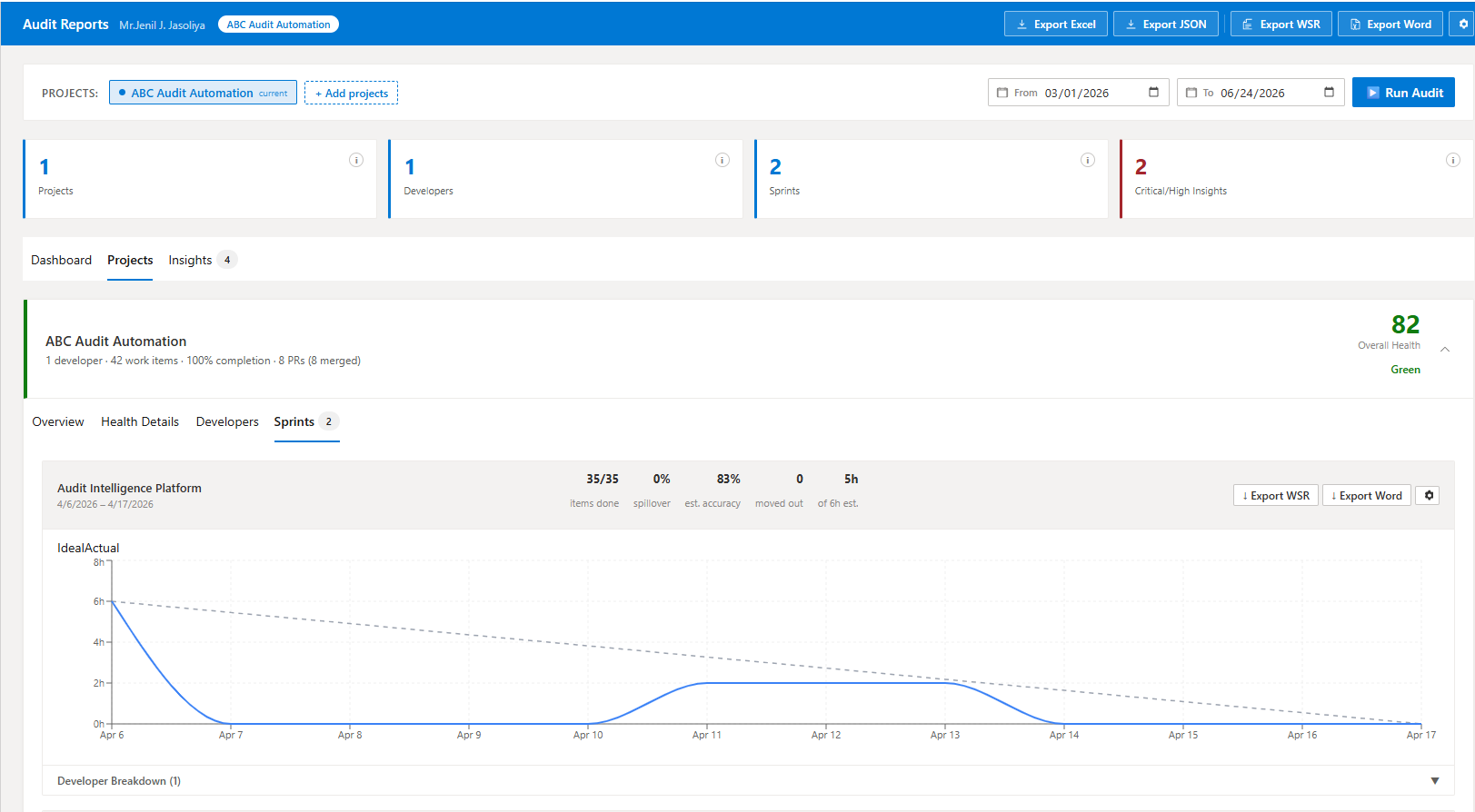
Scored breakdown for Pipeline, Sprint, Work Items, and Code Quality |
| Developers |
Sortable table with expandable per-developer rows |
| Sprints |
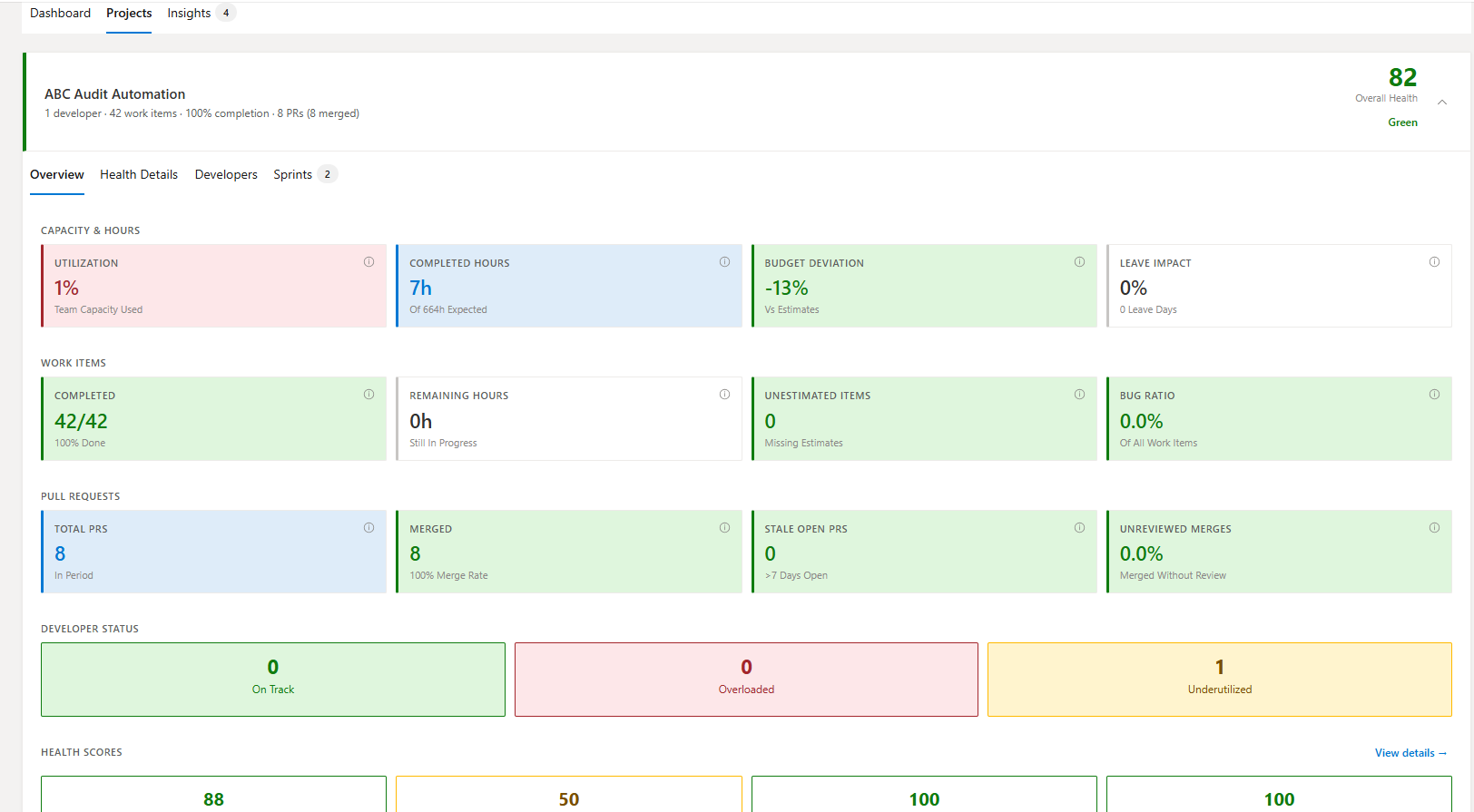
Burndown charts, per-developer contribution, spillover items |
Sprint Burndown Charts
Ideal vs actual remaining hours per day, reconstructed from ADO revision history no manual data entry required.
Four-Dimension Health Scoring
Each dimension is scored 0–100 and classified Green / Amber / Red:
| Dimension |
Key Signals |
| Pipeline Health |
Build pass rate, consecutive failures, average build duration |
| Sprint Health |
Spillover trends, estimate accuracy, commitment reliability |
| Work Item Health |
Bug ratio, unestimated items, stale open items |
| Code Quality |
Unreviewed merges, abandoned PRs, solo merge rate, stale open PRs |
Automated Insights
The built-in rules engine detects patterns across your team no AI subscription or external service required:
- Bulk hour logging (hours entered in single large batches)
- Sprint spillover spikes and worsening trends
- High bug-to-feature ratios
- Developers consistently over or under capacity
- Pull requests merged without any reviewer approval
- Work items missing hour estimates
Each insight is classified as Critical, High, Medium, or Low severity so you can prioritise immediately.
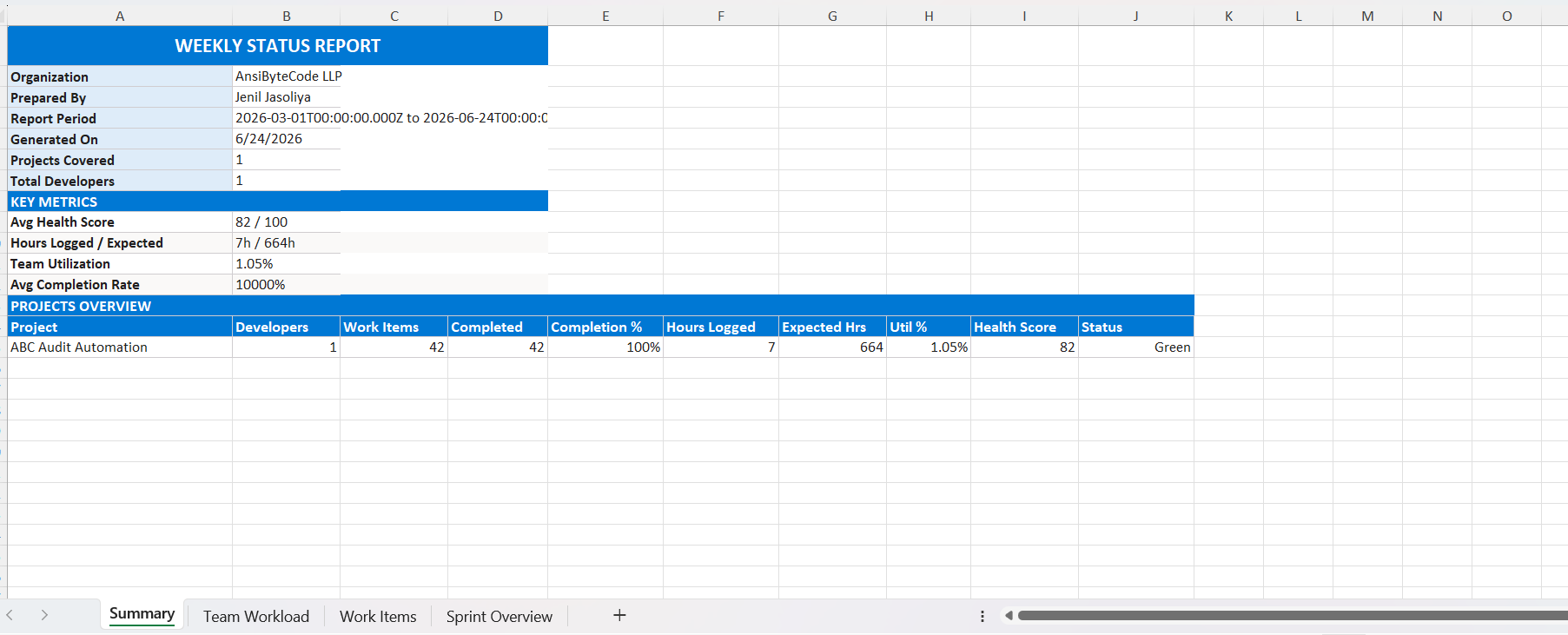
Weekly Status Report (WSR) Export
Generate a professionally styled Excel workbook at the click of a button:
- Summary sheet - organisation metadata, key metrics, projects overview table
- Team Workload sheet - per-developer hours, capacity, completion, and PR activity (colour-coded: green = healthy, amber = overworked)
- Work Items sheet - all tasks and bugs with state and hours (colour-coded: green = done, red = bugs)
- Sprint Overview sheet - spillover rates, accuracy, committed vs completed items
- Key Insights sheet - critical and high-priority action items
Export per-sprint reports directly from each sprint card includes a team contribution breakdown, work items scoped to that exact sprint's iteration path, and spillover details.
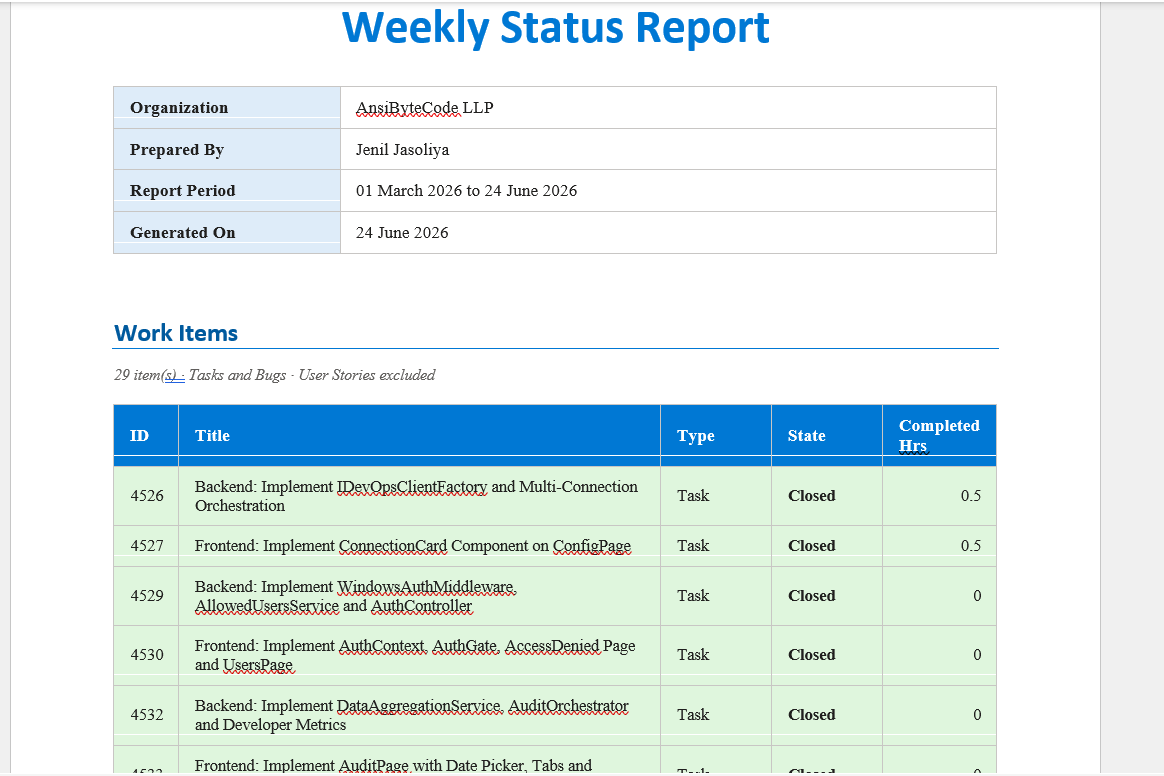
Word Document Export
Generate a .docx report with your organisation name, prepared-by line, report date, and a colour-coded work items table ready to share with stakeholders who prefer Word over Excel.
Audit Settings
A dedicated settings page lets you configure:
- Capacity defaults - working hours per day, utilisation targets
- Thresholds - effort deviation %, PR activity, completion rate targets
- Public holidays - excluded from capacity calculations automatically
- Per-project overrides - different capacity or thresholds for individual projects with manager notes
Settings are stored in ADO Extension Data and shared across your whole organisation set once for the entire team.
Getting Started
- Install the extension from the Marketplace
- Navigate to your project → Audit → Audit Reports
- Select the projects you want to audit and set your date range
- Click Run Audit - results appear within seconds
- Explore the dashboard, drill into any project or sprint, then export reports
The extension reads data from your existing ADO work items, pull requests, and pipelines. No data is ever stored or sent outside your organisation.
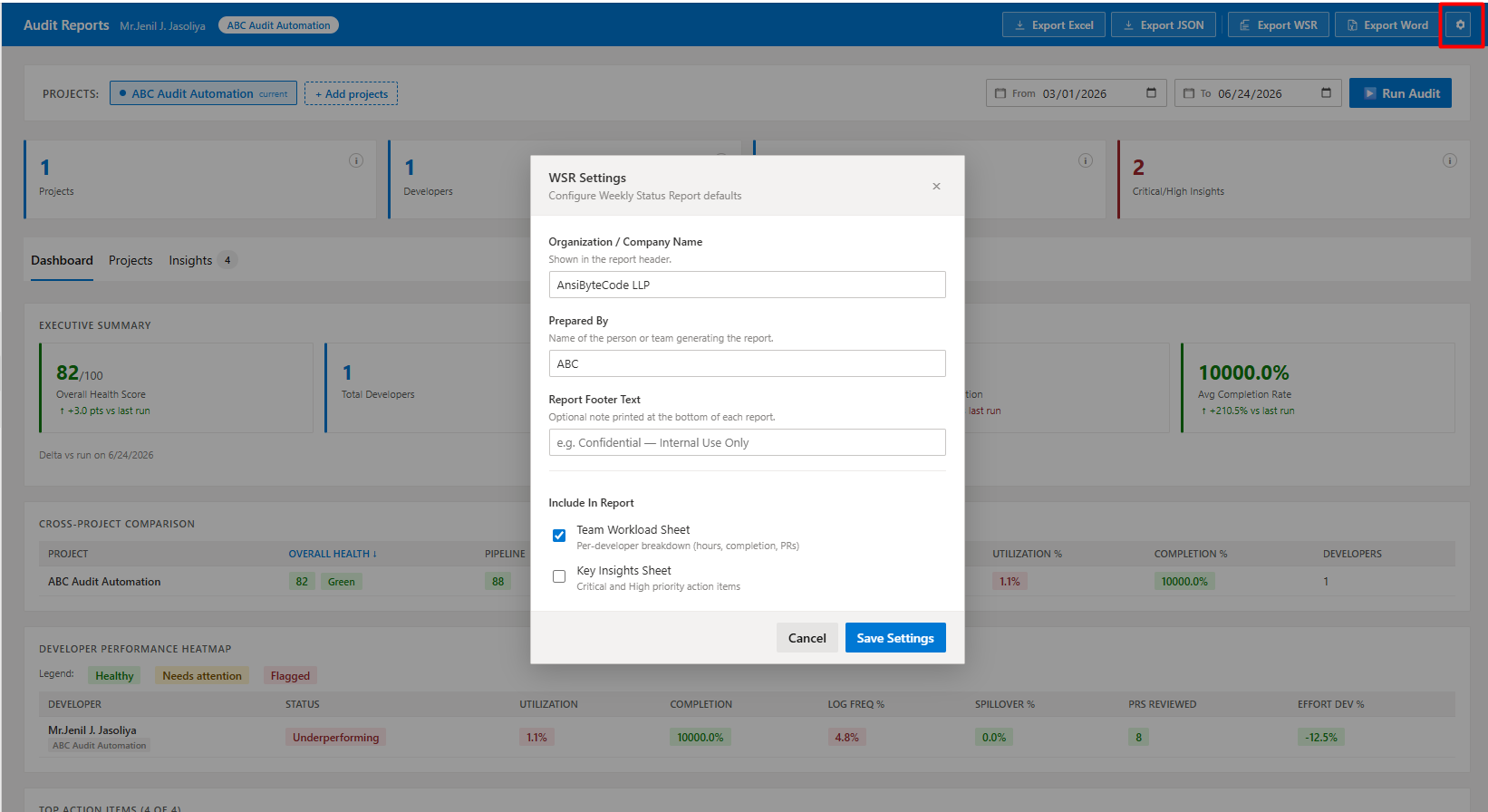
Report Settings
Click the ⚙ icon beside the export buttons to configure report metadata:
- Organisation / company name (shown in the report header)
- Prepared By (name or team)
- Footer text (e.g. Confidential Internal Use Only)
- Optional: toggle the Team Workload sheet and Key Insights sheet
Permissions Required
| Scope |
Reason |
vso.work |
Read work items, iterations, and team capacity |
vso.work_write |
Required by the SDK for Extension Data Service |
vso.code |
Read pull request and repository data |
vso.build |
Read pipeline build results |
vso.project |
List and access projects in the organisation |
Privacy & Data
All computation happens inside your browser. No audit data, work item content, or personal information is ever sent to any external server. The only persistent storage used is the ADO Extension Data Service inside your own organisation.
Support
For bugs, feature requests, or questions, please use the Marketplace support link or contact us through our publisher page.
Publisher: AnsiByteCodeLLP

