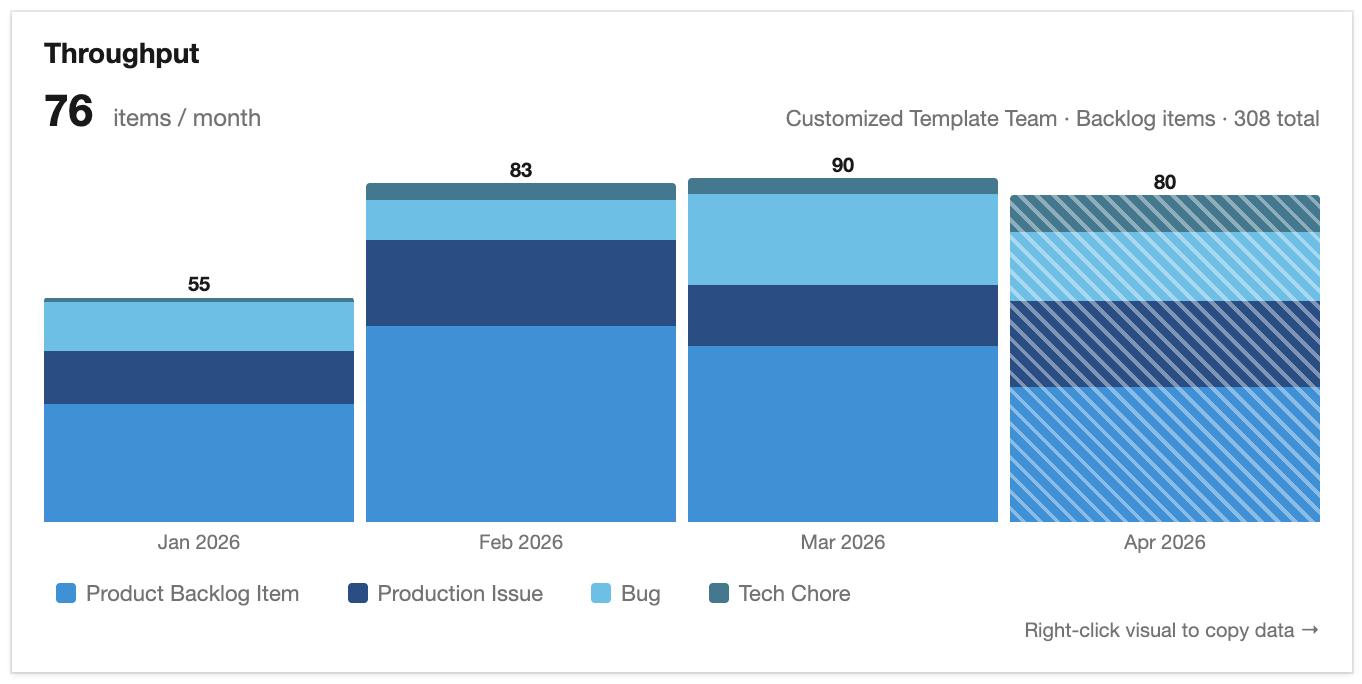
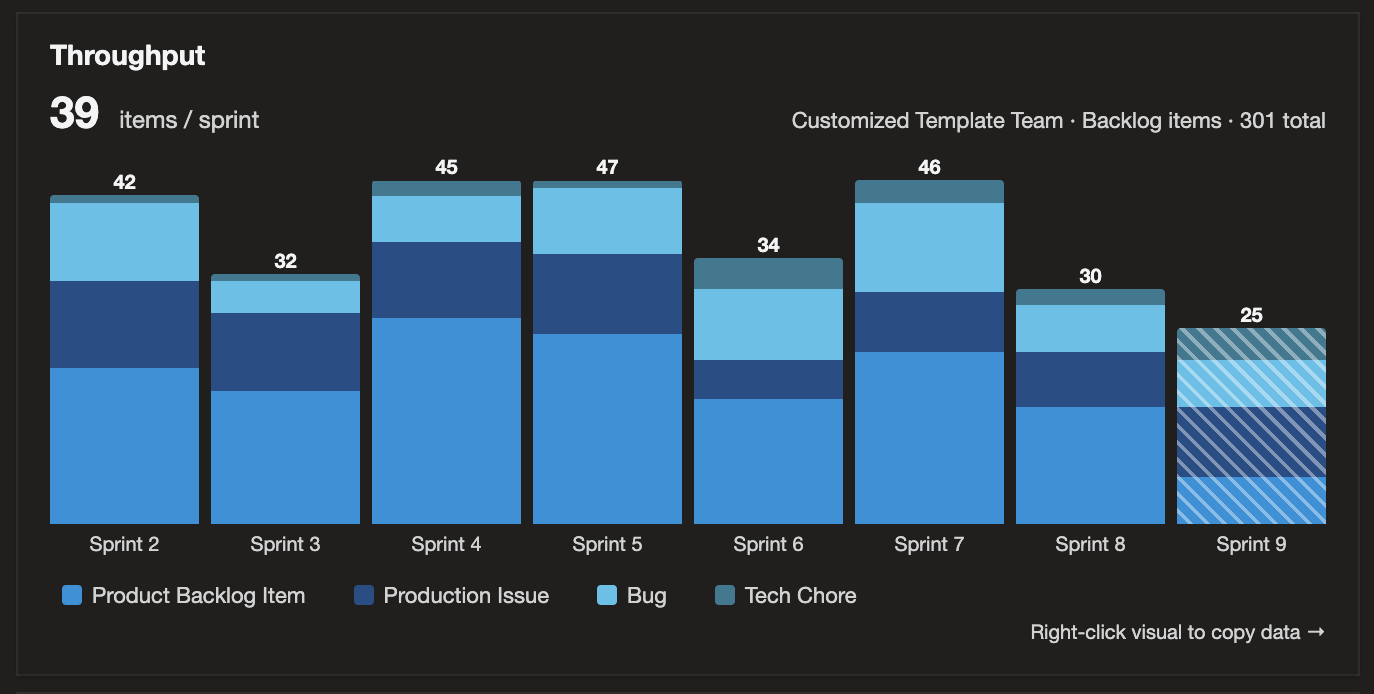
Throughput is an Azure DevOps dashboard widget that shows your team's completion trend — items moved to Done per sprint, month, or quarter. Items are grouped into buckets by closed date, so the visual updates automatically as work completes — no need to set iteration paths or tags.
Sprint, Month, or Quarter intervals — bucket completed work by your team's actual sprints, by calendar month, or by calendar quarter.
Any backlog level — Epics, Features, Backlog Items, or Tasks, plus custom backlog levels and work item types.
Stacked by work item type — bars are colored from a curated palette designed for at-a-glance comparison, with a legend below the visual.
Click the legend to filter by type — hide a type to compare ratios over time, or isolate one type's trend.
Right-click to copy items as TSV — every visible work item, paste-ready for Excel or Google Sheets, with 15 columns including all three lifecycle dates.
Closed date bucketing — work items are shown where they actually closed, not where their iteration path was set, so they are always in the correct time bucket.
Created by AgileViz. The plugins each do one thing well — simplicity is a feature, not an oversight.