SprintRetro for Azure DevOps
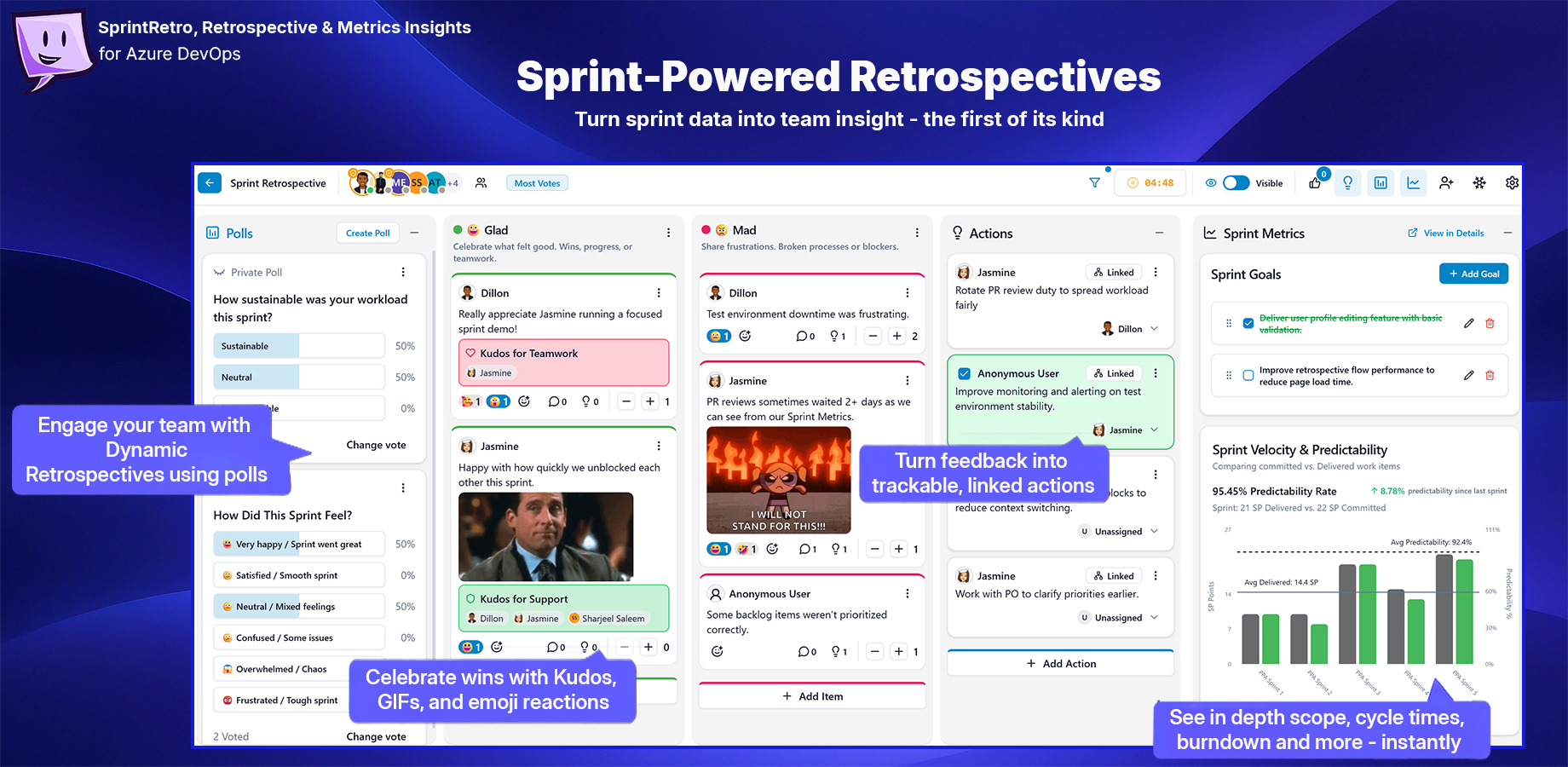
Retrospectives, sprint metrics, action tracking, polls, kudos, icebreakers, and team reflection — redesigned for Azure DevOps teams in one collaborative board.
Run better retrospectives with real sprint context
SprintRetro helps Azure DevOps teams reflect on what happened, why it happened, and what to improve next.
Instead of running a retro in one tool, checking sprint data in another, and tracking actions somewhere else, SprintRetro brings everything together: team feedback, Azure Boards sprint insights, engagement tools, and follow-up actions in one real-time retrospective experience.
| Reflect as a team |
Use real sprint data |
Turn feedback into action |
| Collect feedback, comments, votes, kudos, GIFs, and reactions in one live board |
Review sprint metrics such as velocity, burndown, scope change, carryover, and cycle time |
Create, assign, and carry actions into future retros so improvements do not get lost |
Why SprintRetro?
Traditional retrospectives often become a wall of sticky notes with little connection to delivery data or follow-through.
SprintRetro helps teams run retros that are more focused, more honest, and more useful.
| What teams need |
How SprintRetro helps |
| Better conversations |
Combine team feedback, comments, votes, emojis, kudos, and icebreakers in one collaborative board |
| Real sprint insight |
Bring Azure DevOps sprint metrics into the retrospective so teams can reflect with facts, not just feelings |
| Clear prioritisation |
Use voting, filters, and sorting to focus the discussion on the highest-impact topics |
| Action ownership |
Create, assign, complete, and carry action items across retrospectives |
| Flexible formats |
Use ready-made templates like Start / Stop / Continue, 4Ls, Mad / Sad / Glad, or create your own |
| Moderator control |
Manage visibility, vote limits, session access, timer, polls, participants, and retro flow |
Retrospectives powered by Azure DevOps sprint data
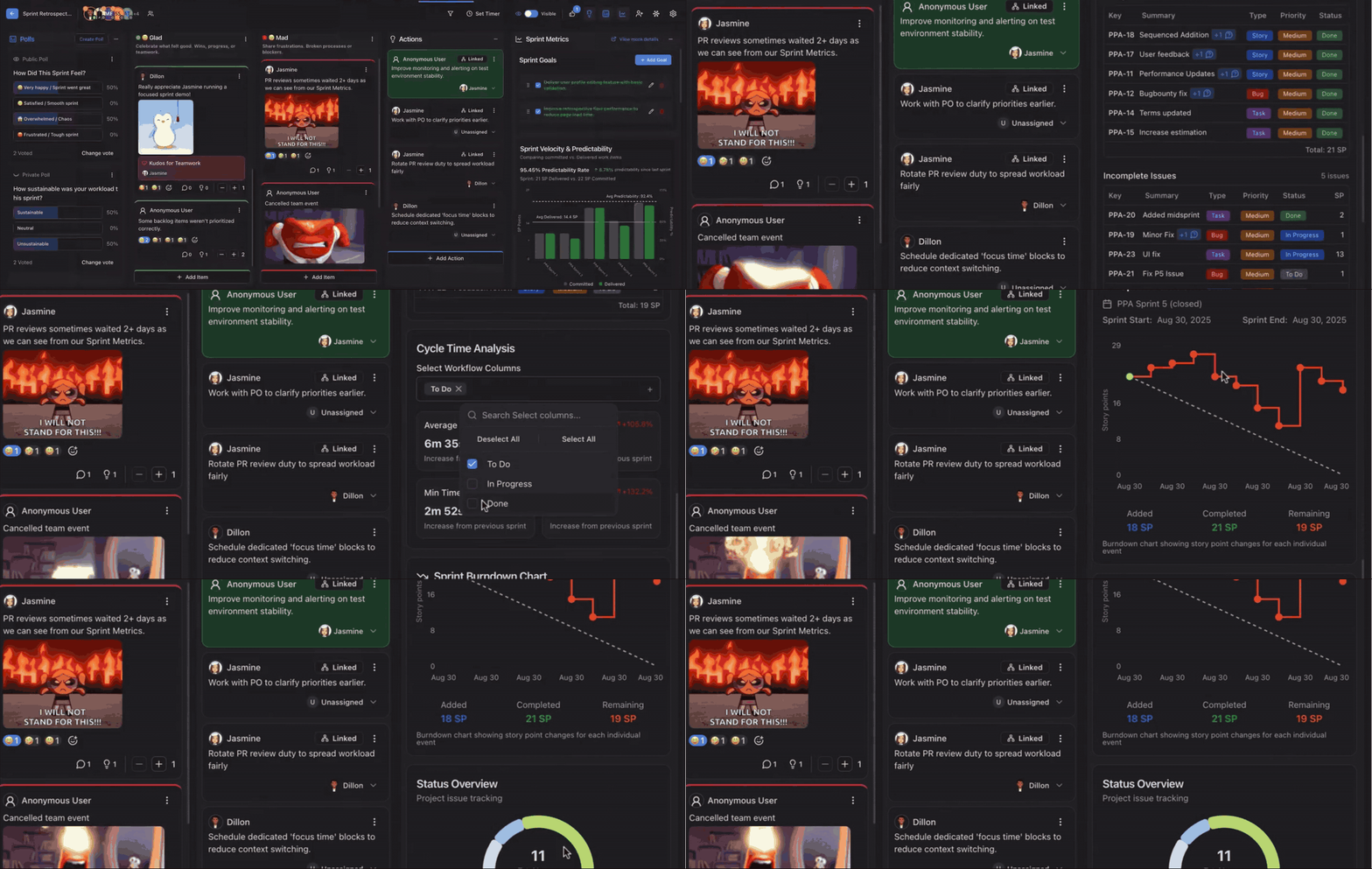
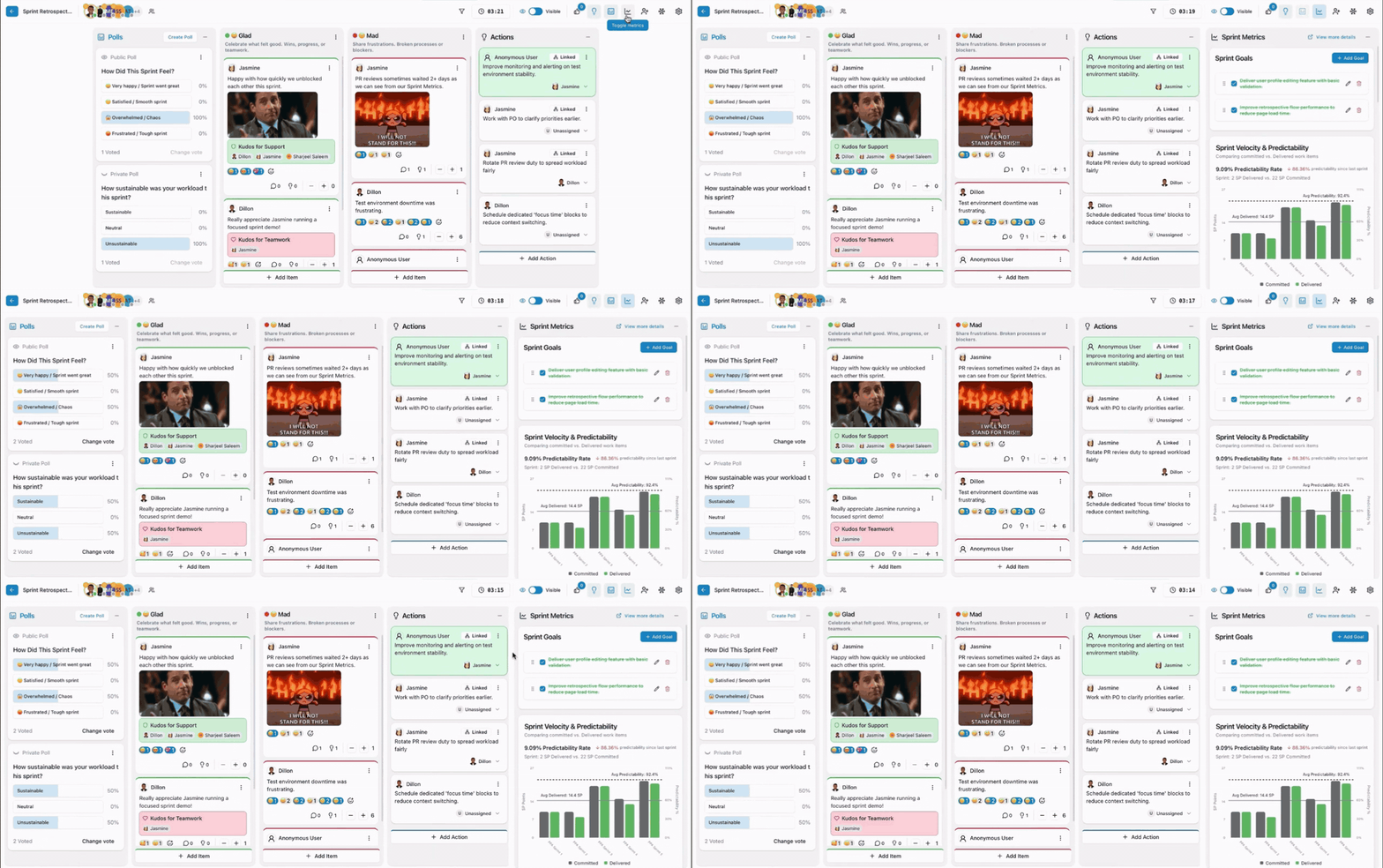
SprintRetro brings sprint metrics directly into the retrospective board so your team can discuss delivery patterns while the context is still fresh.
No more screenshotting reports. No more jumping between tabs. No more trying to remember what happened after the sprint has already moved on.
SprintRetro can help teams review:
- Sprint goals and completion status
- Velocity and predictability trends
- Committed vs delivered work
- Burndown progress
- Scope added during the sprint
- Work carried over between sprints
- Completed and incomplete work
- Cycle time and status bottlenecks
- Work item distribution across To Do, In Progress, and Done
Give your retro the delivery context it usually misses — right where the team is already reflecting.
A collaborative board built for real conversations
SprintRetro gives every team member a shared space to reflect, contribute, and discuss.
- Add reflection items to each retro column
- Comment on any item
- React with emojis
- Add GIFs where useful
- Send kudos to recognise great work
- Vote anonymously to prioritise what matters most
- Filter by most voted or most recent
- Drag and reorder items during discussion
- Use hidden mode to reduce groupthink before revealing feedback
Make retrospectives feel more human without losing structure.
Polls, icebreakers, kudos, GIFs, and reactions
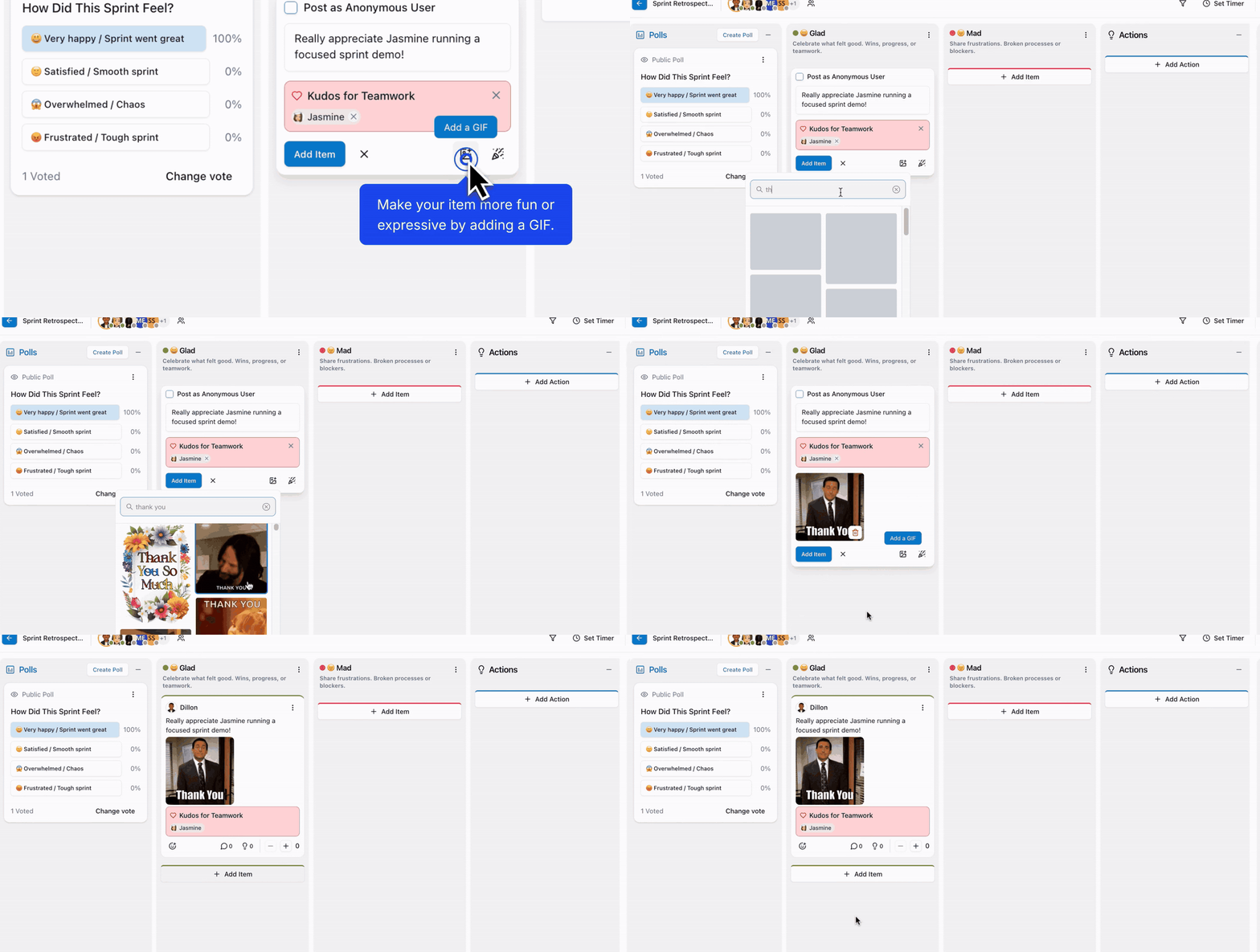
Retrospectives work best when people actually want to participate.
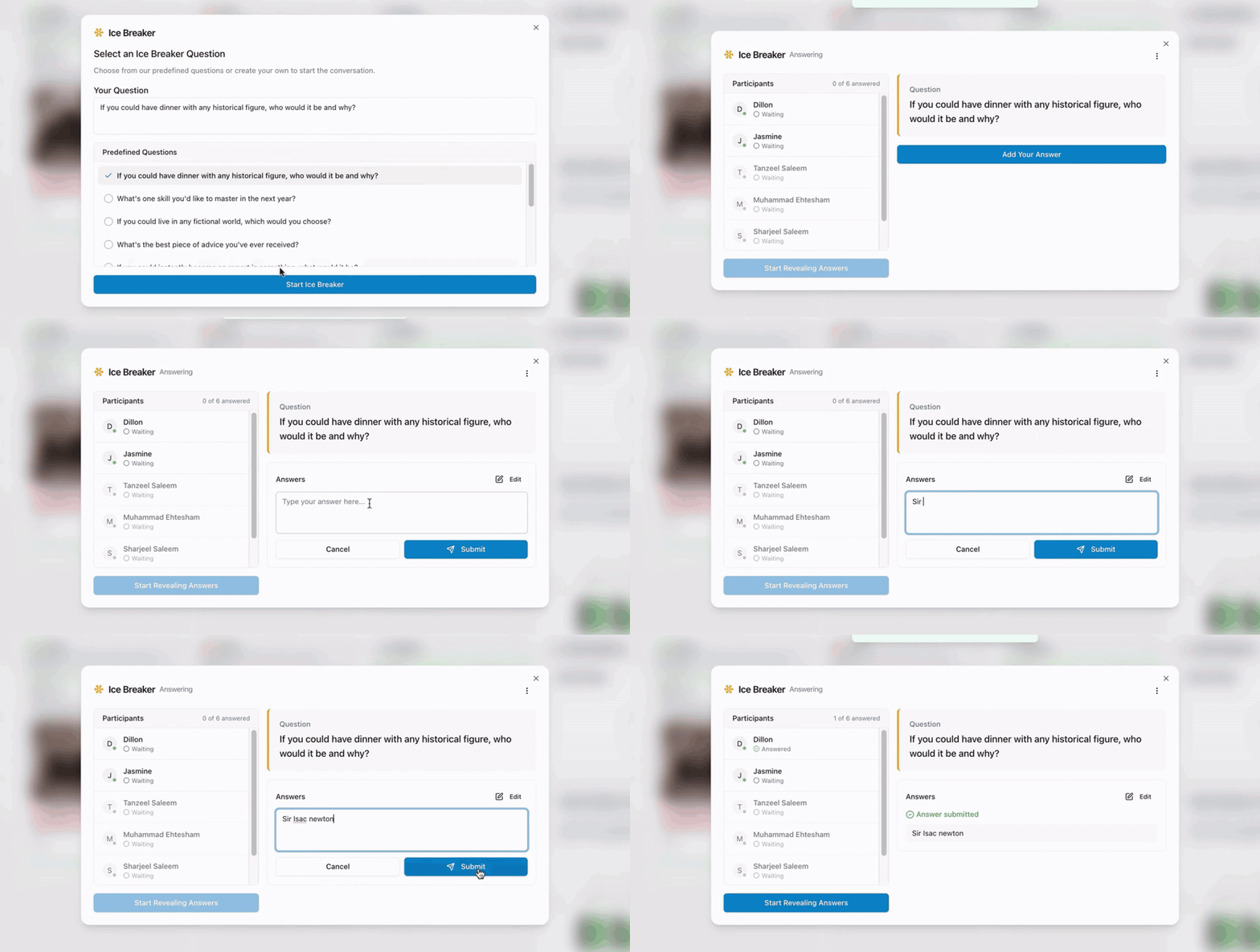
SprintRetro includes lightweight engagement tools to help teams warm up, share sentiment, recognise each other, and keep the retro active.
| Tool |
How it helps |
| Icebreakers |
Start the session with a quick team warm-up |
| Polls |
Gather sentiment, confidence, or feedback during the session |
| Kudos |
Celebrate teamwork, support, innovation, and achievements |
| GIFs |
Add personality and humour to reflections and comments |
| Emoji reactions |
Quickly show agreement, support, or shared feeling |
Action items that carry improvement forward
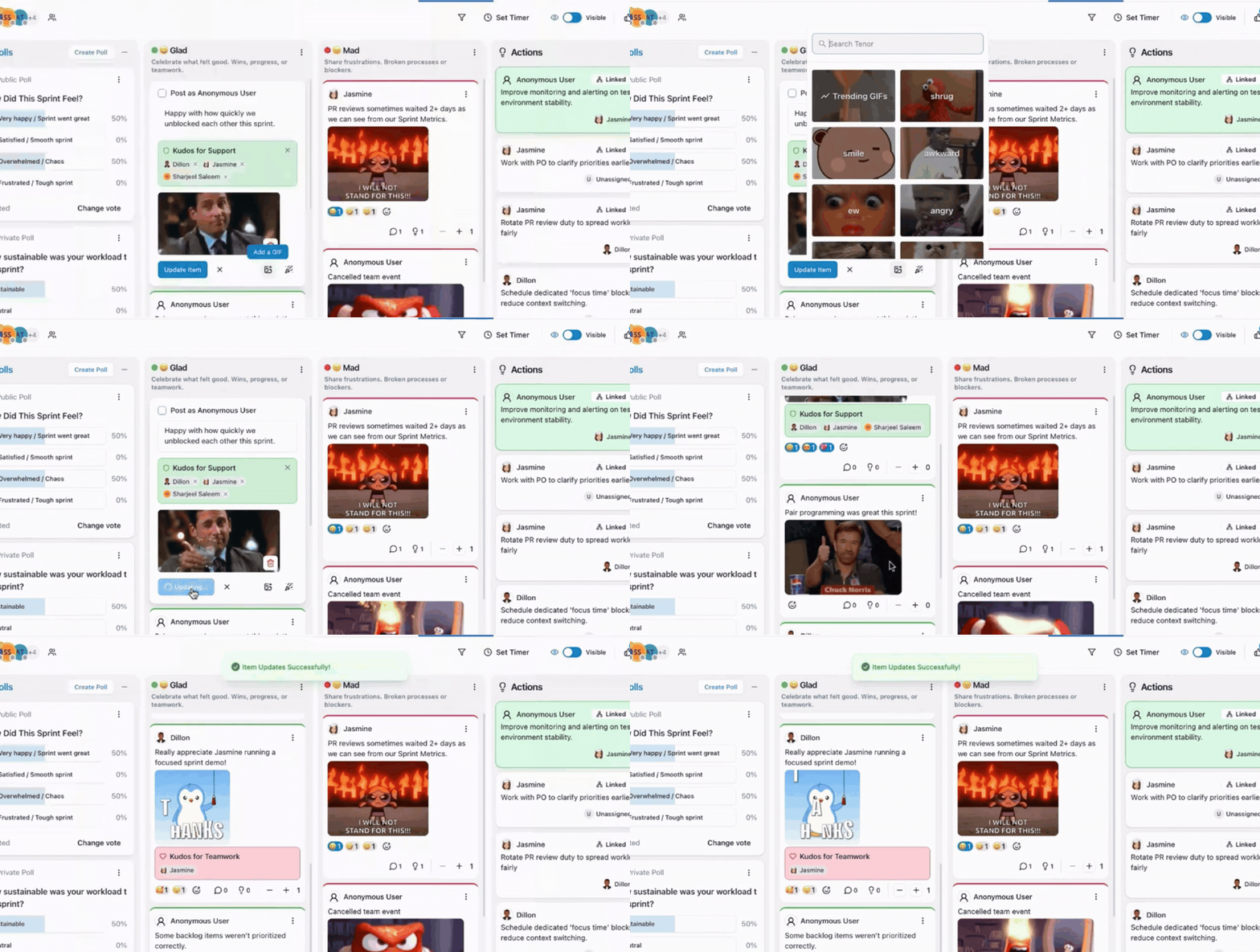
A retrospective only matters if it leads to change.
SprintRetro includes action tracking directly inside the board so teams can move from reflection to ownership.
- Create actions directly from retro items
- Link actions back to the feedback that created them
- Add standalone actions from the Actions column
- Assign actions to team members
- Mark actions complete
- Carry open actions into the next retrospective
- Separate current actions from previous carried-over actions
Keep accountability visible and make sure the same problems do not come back sprint after sprint.
Templates your team can actually adapt
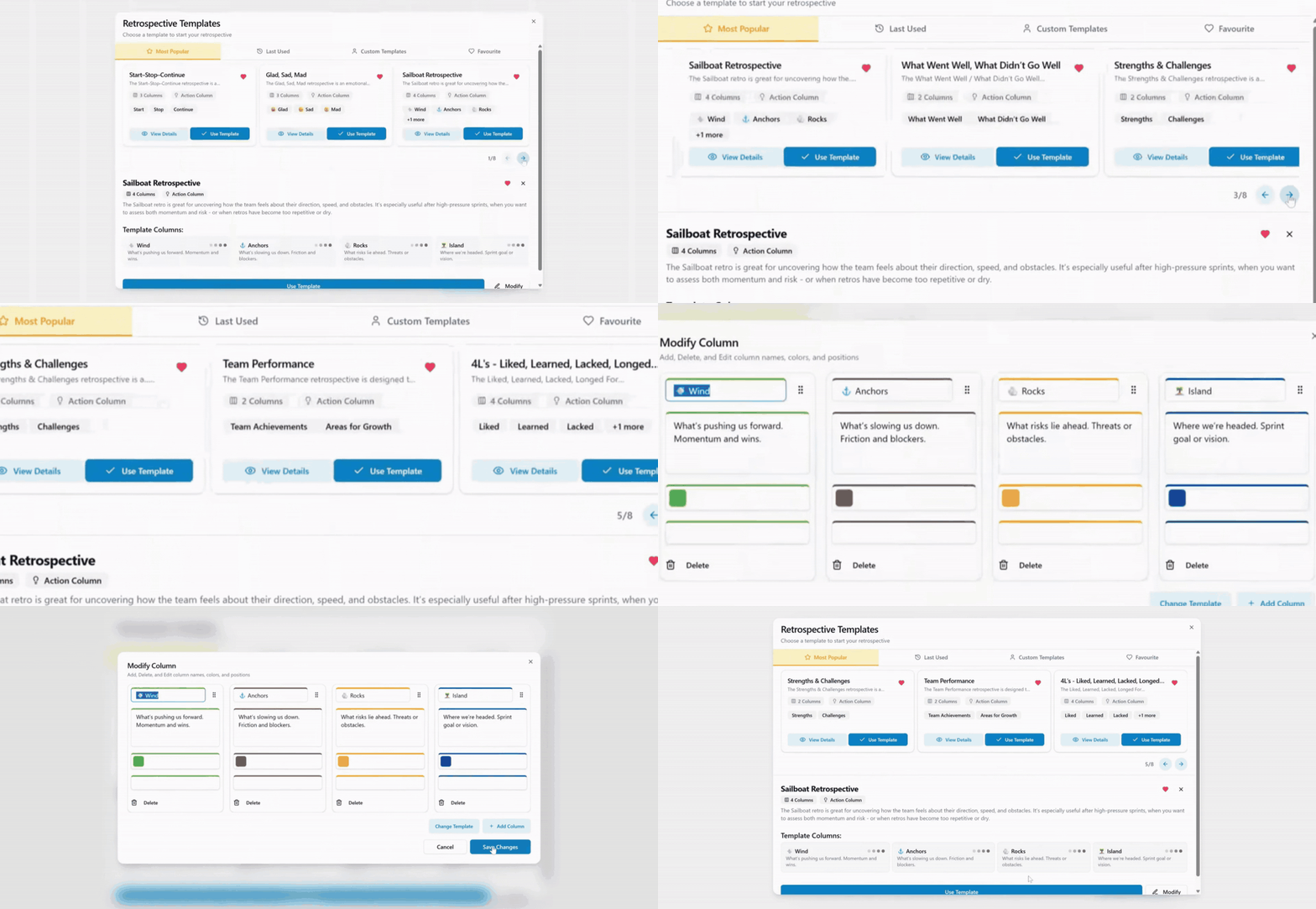
Start quickly with proven retrospective formats or build a structure that fits your team.
SprintRetro supports popular retro templates including:
- Start / Stop / Continue
- 4Ls — Liked, Learned, Lacked, Longed For
- Mad / Sad / Glad
- Custom team templates
Templates can be customised so your retro matches the discussion you want to have.
- Add or remove columns
- Rename column titles
- Edit descriptions
- Customise colours
- Save personal templates
- Modify the structure while the session is live
Moderator controls for focused retrospectives
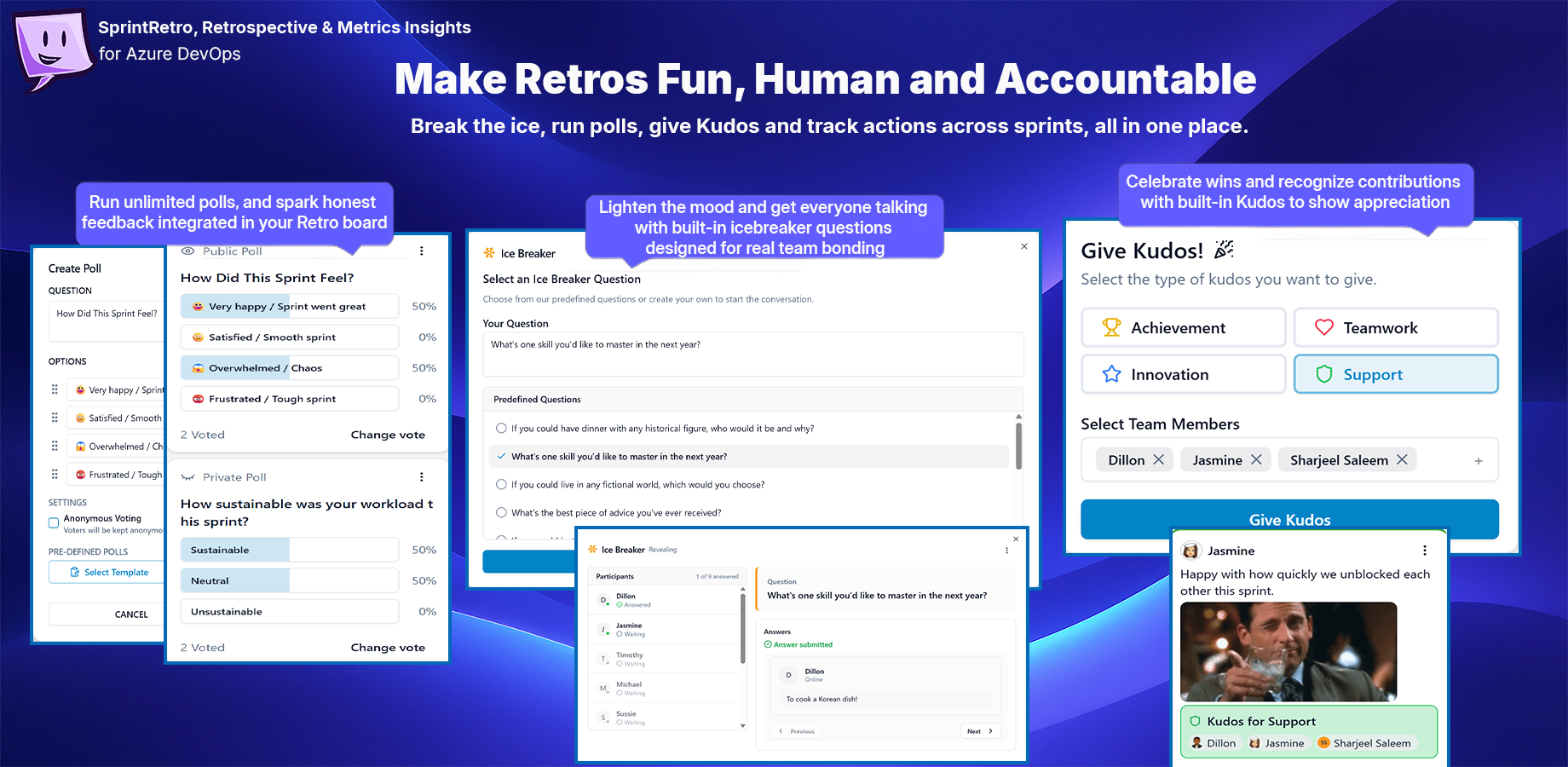
Moderators can guide the session without making the board feel restrictive.
Moderator controls can include:
- Create and manage polls
- Invite users to private sessions
- Promote or demote moderators
- Start and reset the session timer
- Switch between hidden and visible feedback modes
- Launch icebreakers
- Set vote limits
- Show or hide sprint metrics
- Change session settings
- Close or reopen the retro
Keep the session structured, focused, and safe for honest feedback.
Private or public retrospectives
Different teams need different levels of access.
SprintRetro can support public retros for open team collaboration or private retros where only selected users can access the session.
| Session type |
Best for |
| Public |
Open retros where anyone with access to the Azure DevOps organisation/project can join |
| Private |
Team retros, leadership retros, sensitive topics, or sessions with selected participants |
A cleaner retrospective flow
| Step |
What happens |
| 1. Create a retro |
Name the session, choose privacy, optionally select a sprint/iteration, and pick a template |
| 2. Warm up |
Use an icebreaker or poll to get the team engaged |
| 3. Add feedback |
Team members add reflections, comments, GIFs, kudos, and reactions |
| 4. Review sprint metrics |
Use Azure DevOps sprint data to add context to the discussion |
| 5. Vote and prioritise |
Focus on the most important themes and discussion points |
| 6. Create actions |
Turn insights into assigned actions with ownership |
| 7. Carry improvements forward |
Bring open actions into future retros so progress is not forgotten |
Built for Azure DevOps teams
SprintRetro is designed for teams already working in Azure DevOps who want retrospectives to sit closer to the work.
It helps delivery managers, scrum masters, product owners, engineering teams, and cross-functional teams move from "what did people feel?" to "what happened, what did we learn, and what are we changing next?"
Built by Agile Pulse
SprintRetro is built by Agile Pulse, the team behind practical Agile planning, estimation, retrospective, and delivery tools for teams using modern work management platforms.
Start running better retrospectives in Azure DevOps
Install SprintRetro, create a retrospective, invite your team, and bring sprint metrics, feedback, engagement, and action tracking together in one board.
Reflect better. Learn faster. Improve every sprint.

