SprintPoker for Azure DevOps
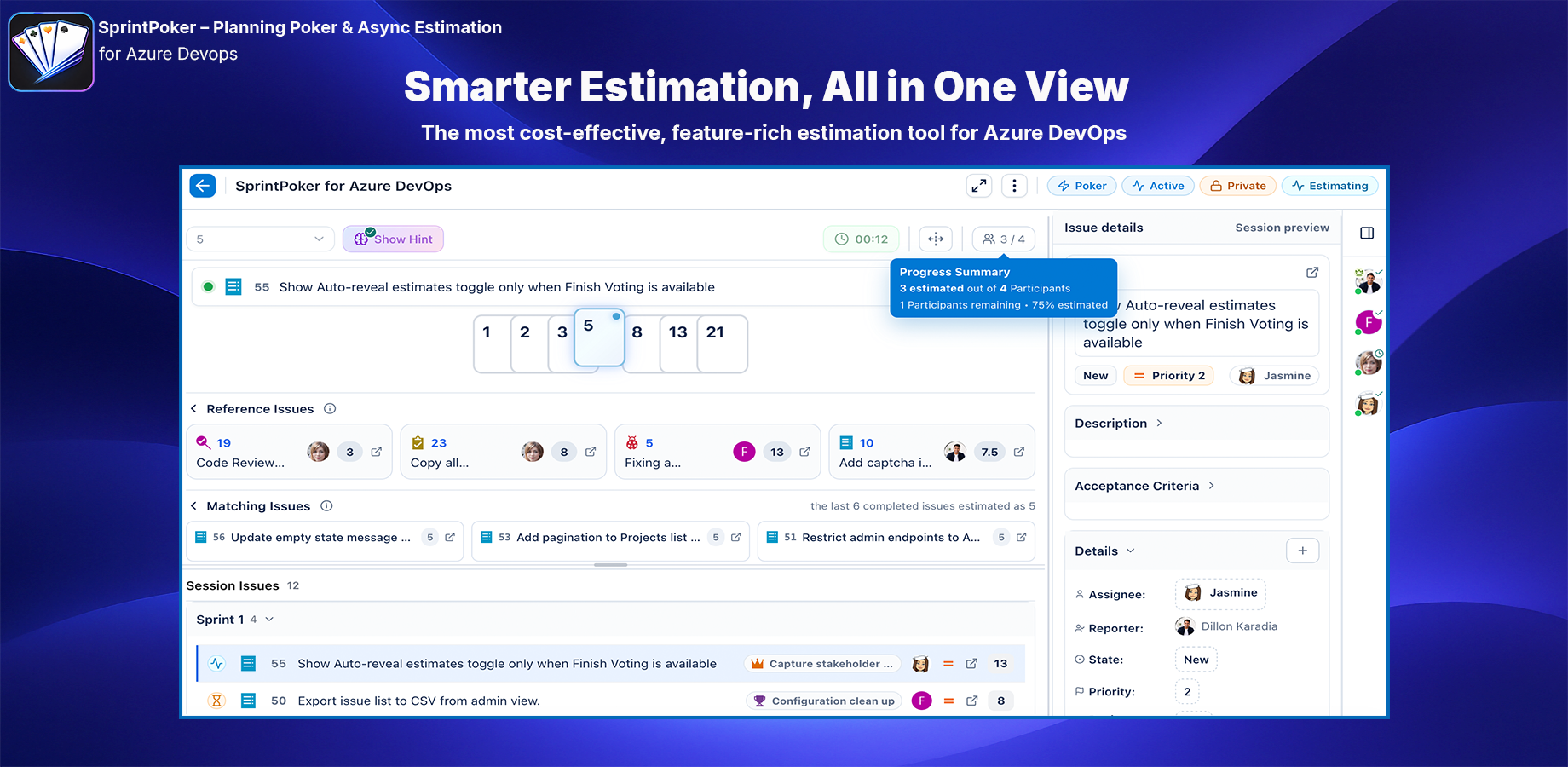
Fast, flexible estimation for Azure Boards — live planning poker, async estimation, quick work item estimates, inline work item editing, smarter prioritisation, and optional AI-assisted guidance in one clean workflow.
Estimate work with more confidence, not more meetings
SprintPoker helps Agile teams estimate Azure DevOps work items with a smoother, more focused planning flow.
Run a live planning poker session with your team, collect async estimates across time zones, capture a quick estimate directly from a work item, prioritise sprint work with drag-and-drop, or refine tickets inline without leaving the planning session.
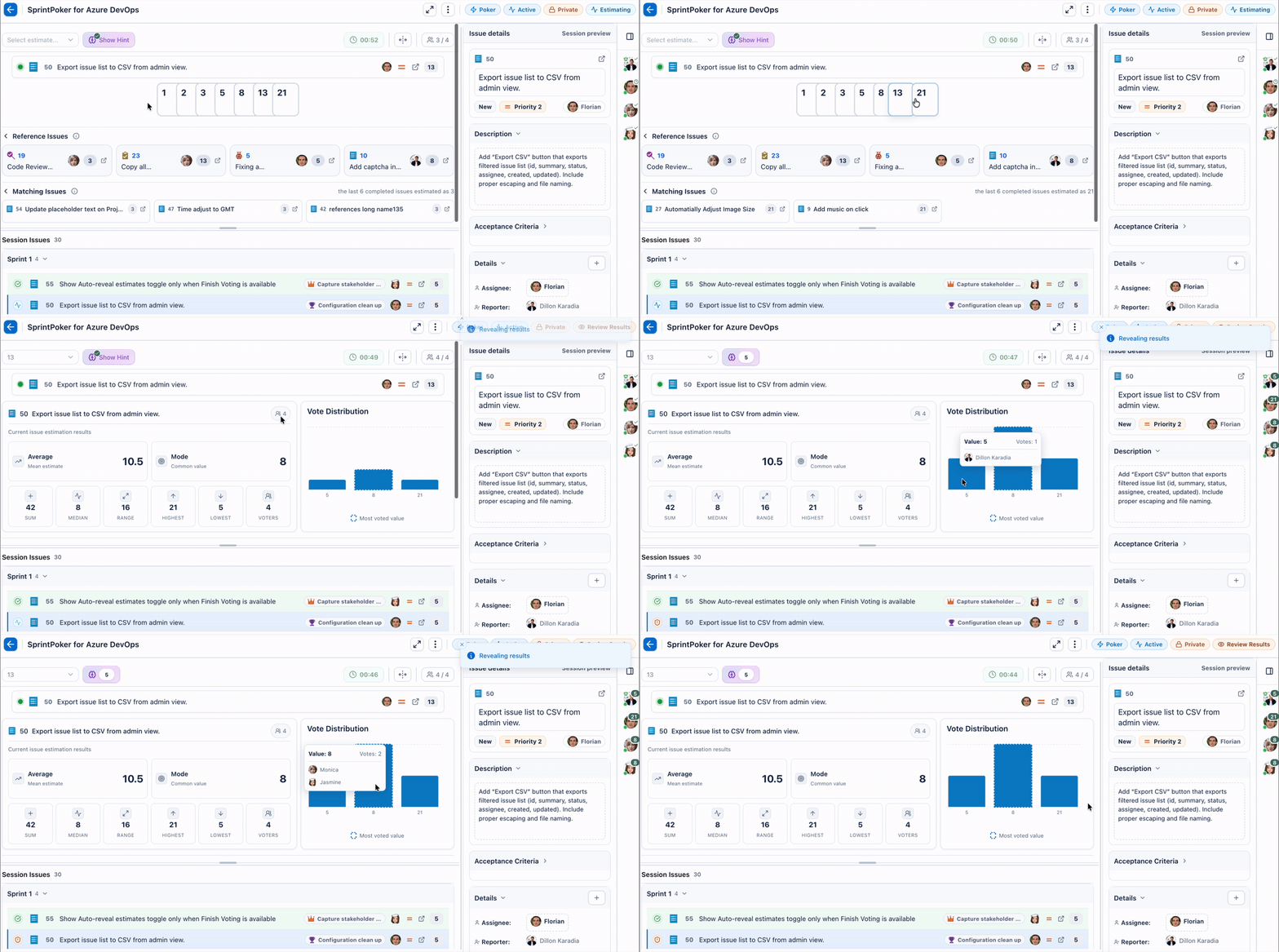
| Built for planning |
Built for remote teams |
Built for speed |
| Run structured estimation sessions from Azure Boards work items |
Collect estimates asynchronously when the team cannot meet live |
Estimate directly from the work item view when you need a fast decision |
Why SprintPoker?
Most estimation tools force teams to choose between speed, structure, and context.
SprintPoker brings them together:
| What teams need |
How SprintPoker helps |
| Live team estimation |
Run real-time planning poker sessions with hidden votes, reveal flow, and final estimate saving |
| Async estimation |
Let people estimate independently, add comments, and review progress later |
| Less setup |
Use Quick Estimation from the work item details view when a full session is not needed |
| More context |
Review work item details, reference items, previous examples, and estimation guidance while voting |
| Better facilitation |
Give moderators control over flow, participants, observers, voting, reveal, and final values |
| Cleaner Azure DevOps experience |
Configure where SprintPoker appears so it fits your team's workflow |
| Easier sprint prioritisation |
Drag work items between backlog and sprints, move items across sprints, create child issues, and link parent items with fewer clicks |
| Inline work item editing |
Update Azure DevOps work item fields directly inside the SprintPoker planning session without opening the native ticket page |
Easy prioritisation and sprint planning
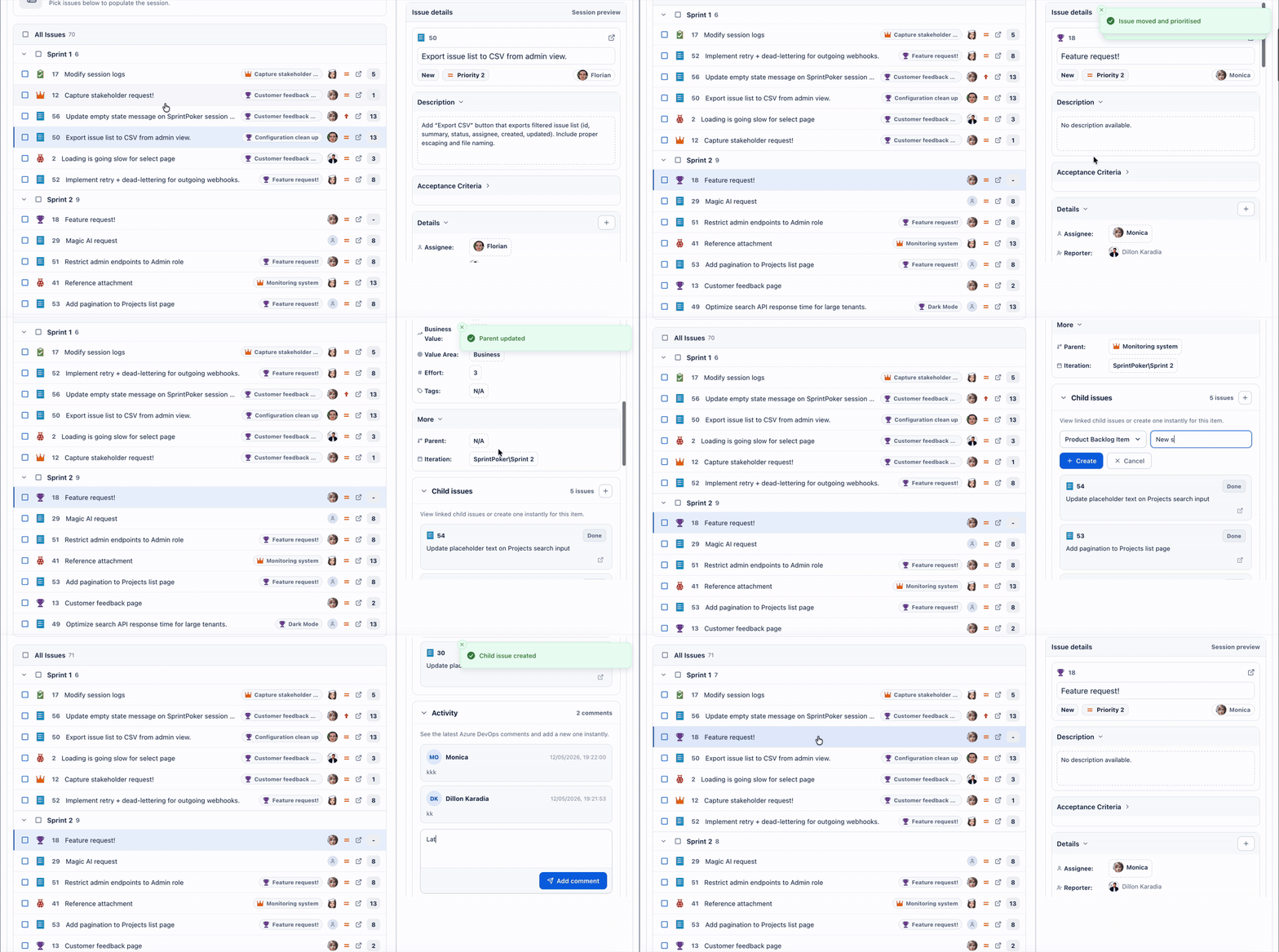
Azure DevOps is powerful, but prioritising work across backlog items, sprint plans, parent items, and child issues can sometimes take too many clicks.
SprintPoker adds a simpler planning layer that helps teams organise work quickly while staying connected to Azure Boards.
- Drag and drop work items from the backlog into sprints
- Move work items from one sprint to another
- Move sprint items back into the backlog when priorities change
- Quickly create child issues from planning view
- Link child issues to parent work items in one click
- Simplify sprint planning without jumping through the longer native Azure DevOps flow
A new way to prioritise, refine, and plan sprints in Azure DevOps — especially useful when native backlog and sprint planning steps feel too slow or complex.
Inline work item edits that sync instantly
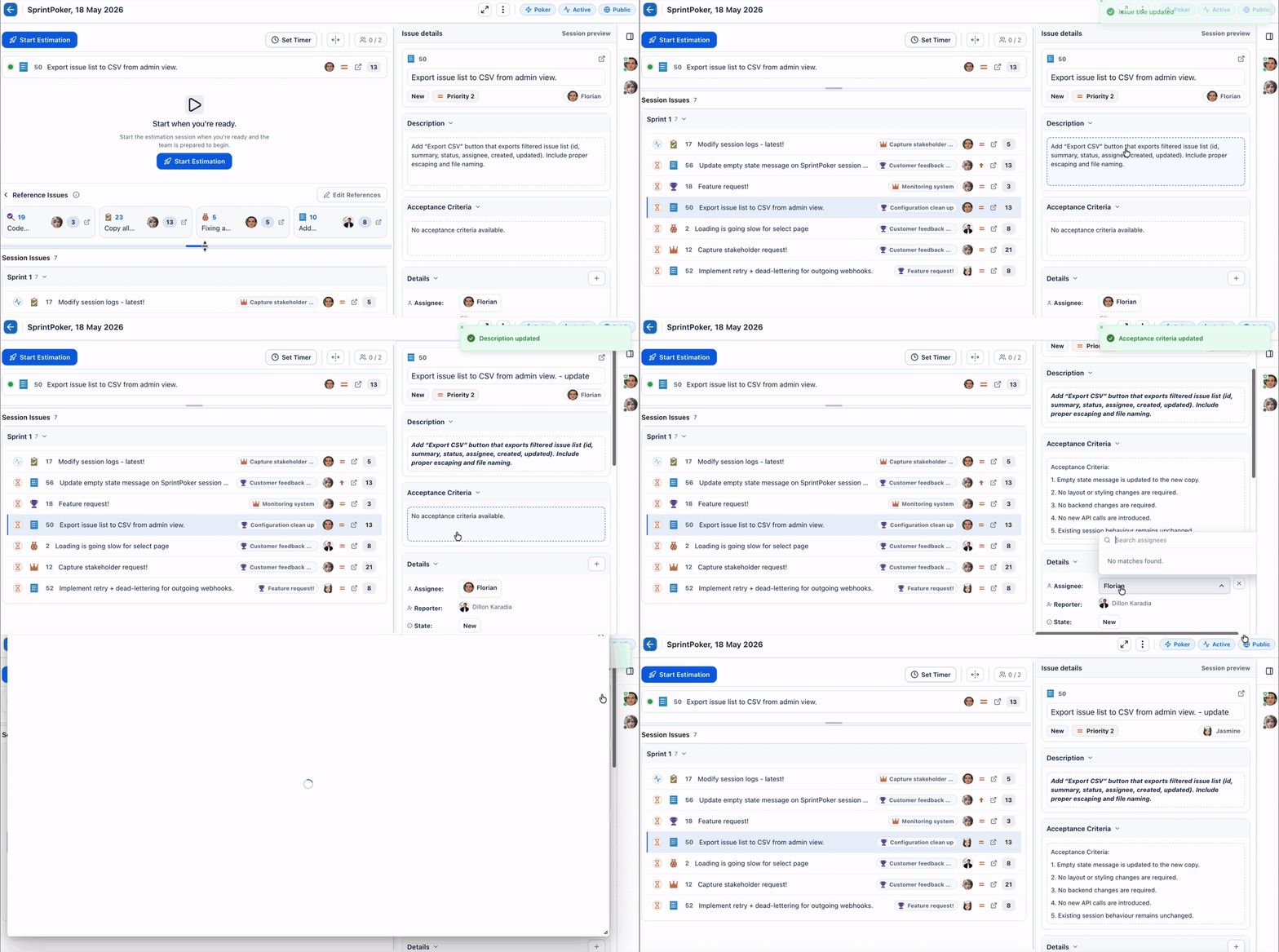
Planning often creates quick changes: a title needs tightening, a description needs more detail, the priority changes, or a parent/child relationship needs updating.
With SprintPoker, teams can make supported work item updates directly inside the planning poker session instead of opening the full Azure DevOps ticket in another tab.
- Edit key work item details inline during planning
- Save changes directly back to the native Azure DevOps work item
- Keep the team in the same estimation session while refining tickets
- Reduce tab switching between SprintPoker and Azure DevOps work item pages
- See updates reflected and synced back to Azure Boards
- Keep estimation, refinement, prioritisation, and ticket updates in one focused workflow
Refine the work while you estimate it — update the native Azure DevOps ticket from inside SprintPoker and keep planning moving.
Reference work items and real-time matching issues
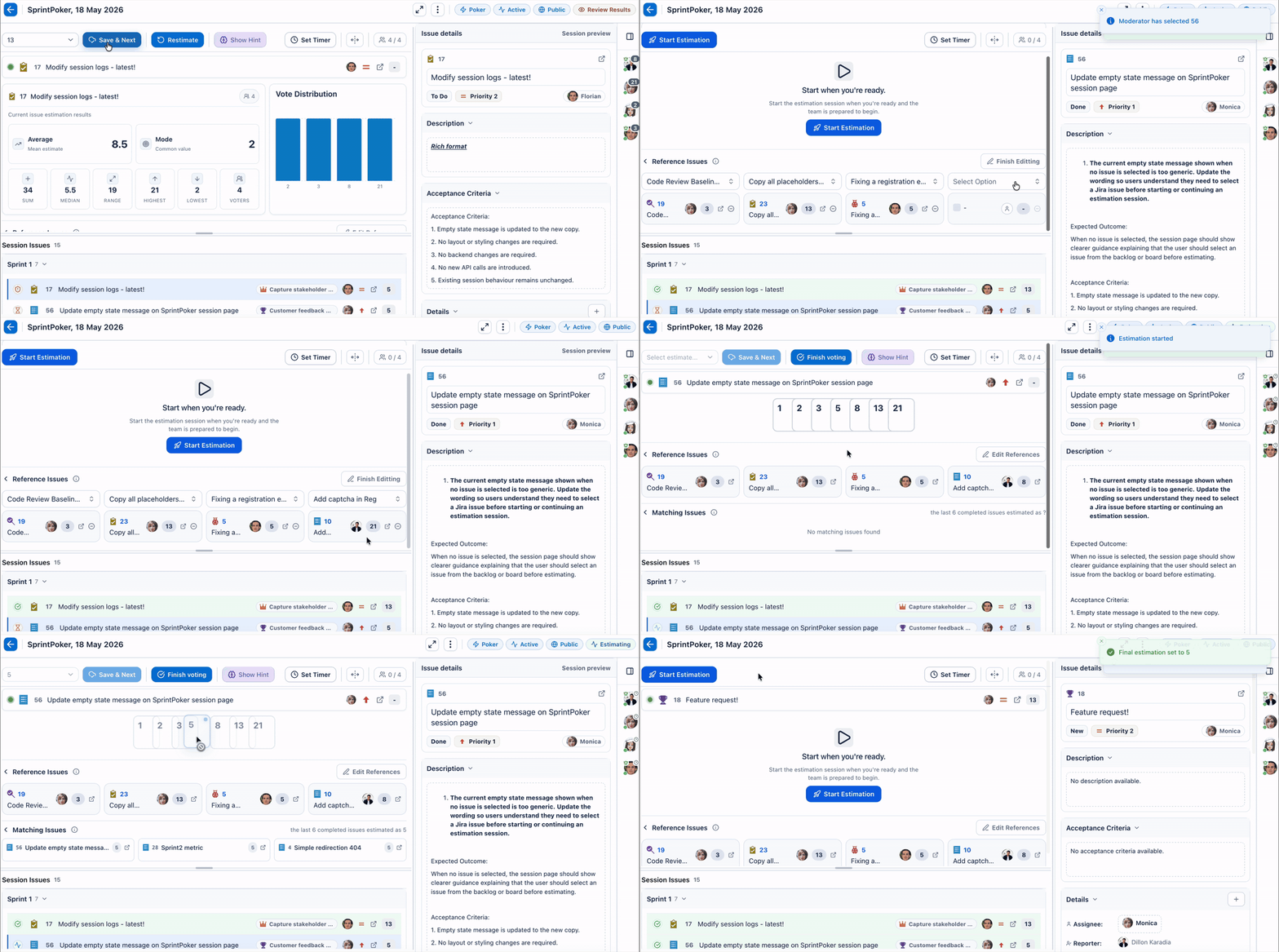
Enhance estimation with empirical data straight from the source.
SprintPoker helps teams estimate faster and more consistently by letting them compare new work against known reference items and recently completed Azure Boards work items.
- Set baseline reference work items your team can compare against
- See real-time matching completed work items while estimating
- Hover over matched items to understand why they may be relevant
- Use previous estimates, completed work, and similar issue patterns to guide relative estimation
- Reduce time spent debating estimates by giving the team instant context
- Make estimation less subjective by grounding decisions in real Azure DevOps delivery history
This gives teams a faster, more evidence-based way to estimate work — helping reduce estimation time by up to 80%* while improving consistency across sessions.
*Based on survey feedback from teams using reference-based estimation workflows.
Ideal for refinement sessions, sprint planning, estimation workshops, and team alignment calls.
Async estimation for distributed teams
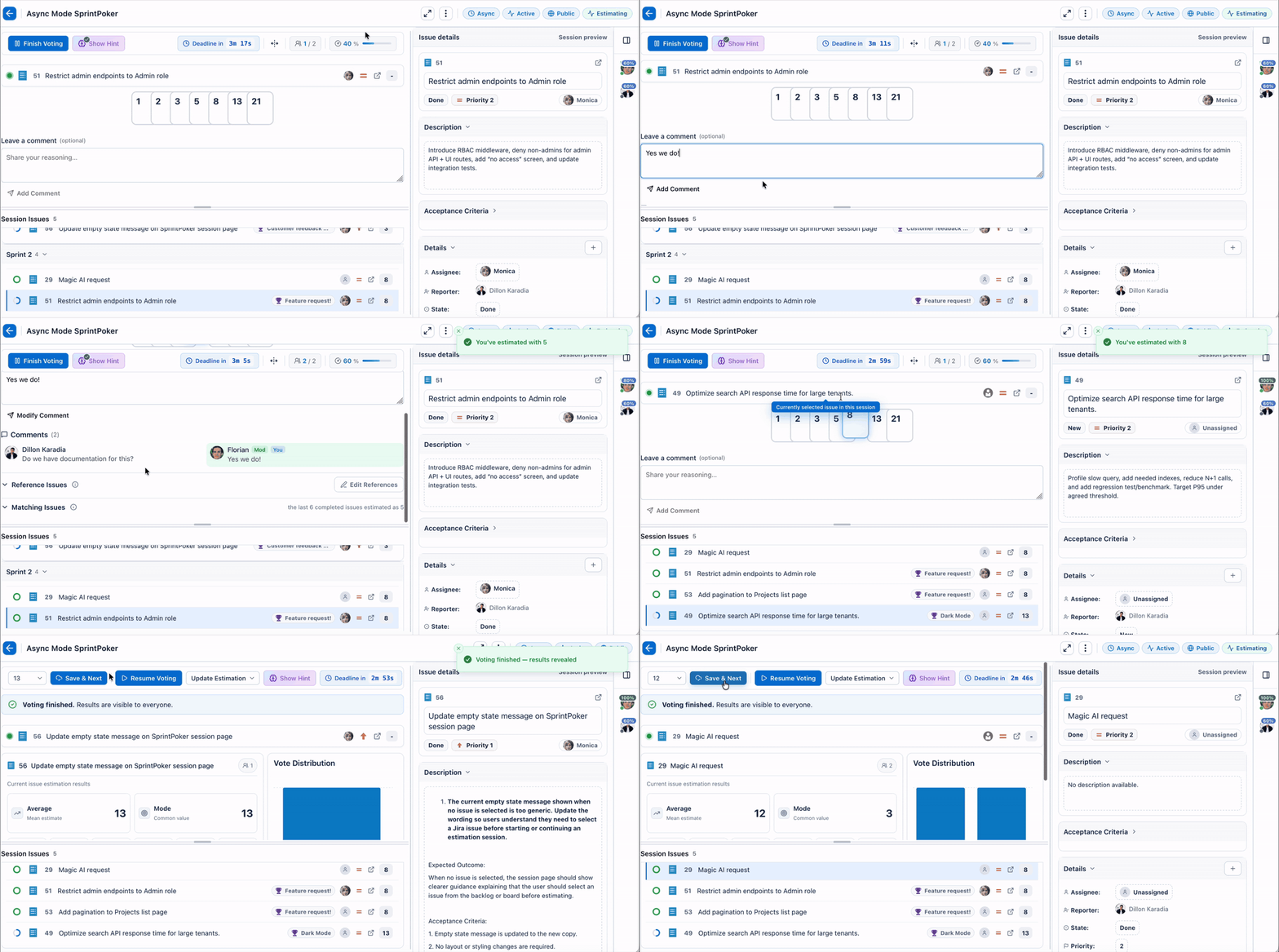
Not every estimate needs another meeting.
With Async Mode, team members can estimate on their own schedule while still keeping the process structured and visible.
- Estimate independently
- Add comments per work item
- Track estimation progress across selected items
- Review estimates together later
- Keep remote teams moving without blocking on calendars
Perfect for globally distributed teams, busy squads, or backlog preparation before a live planning call.
Quick Estimation from the work item view
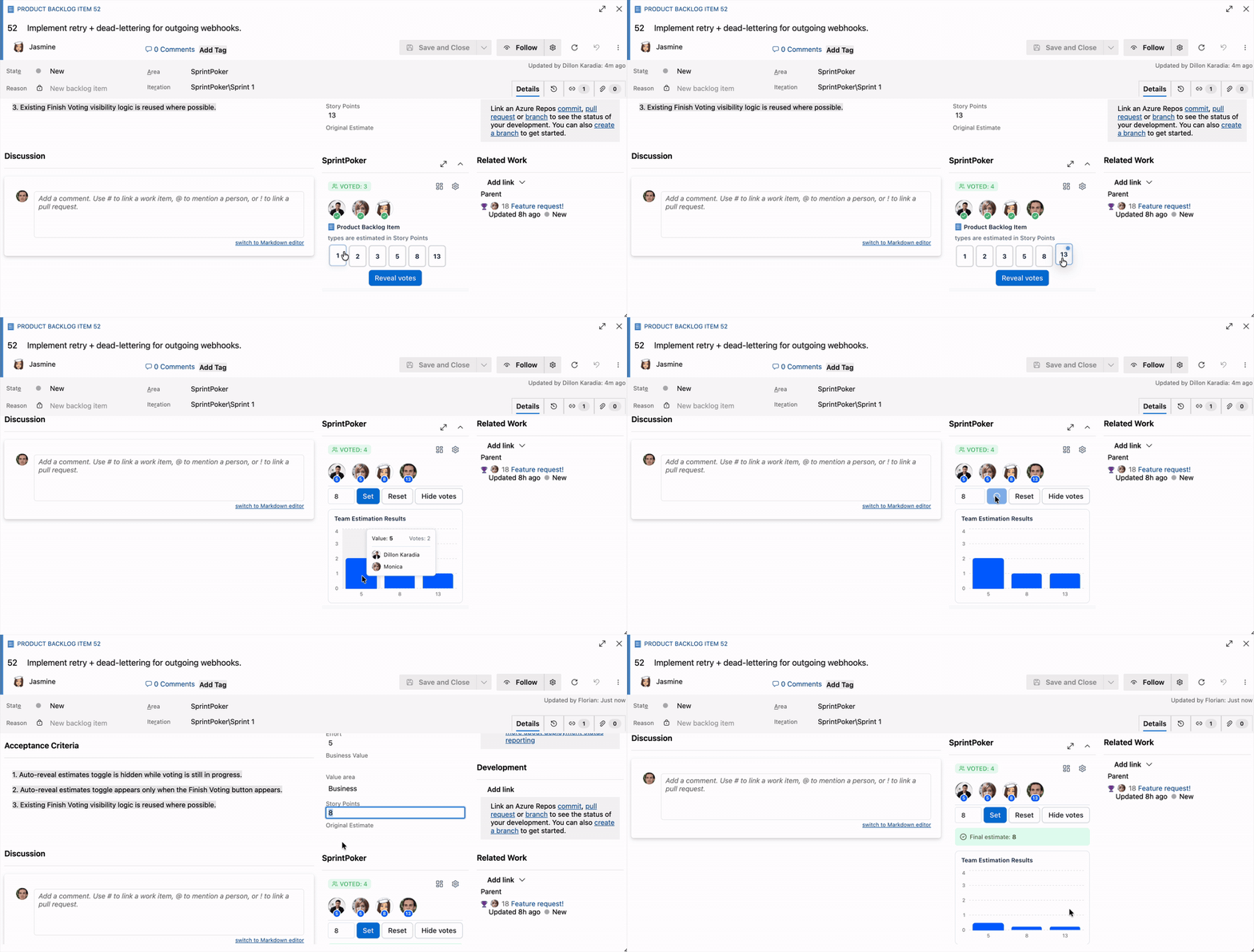
Need a fast estimate without creating a full session?
SprintPoker can support lightweight estimation directly from the work item details view.
- Open a work item
- Expand SprintPoker
- Select an estimate
- Reveal votes when ready
- Set the final value directly
Great for ad-hoc calls, standups, quick backlog clean-up, or one-off estimation decisions.
Optional AI-assisted estimation hints
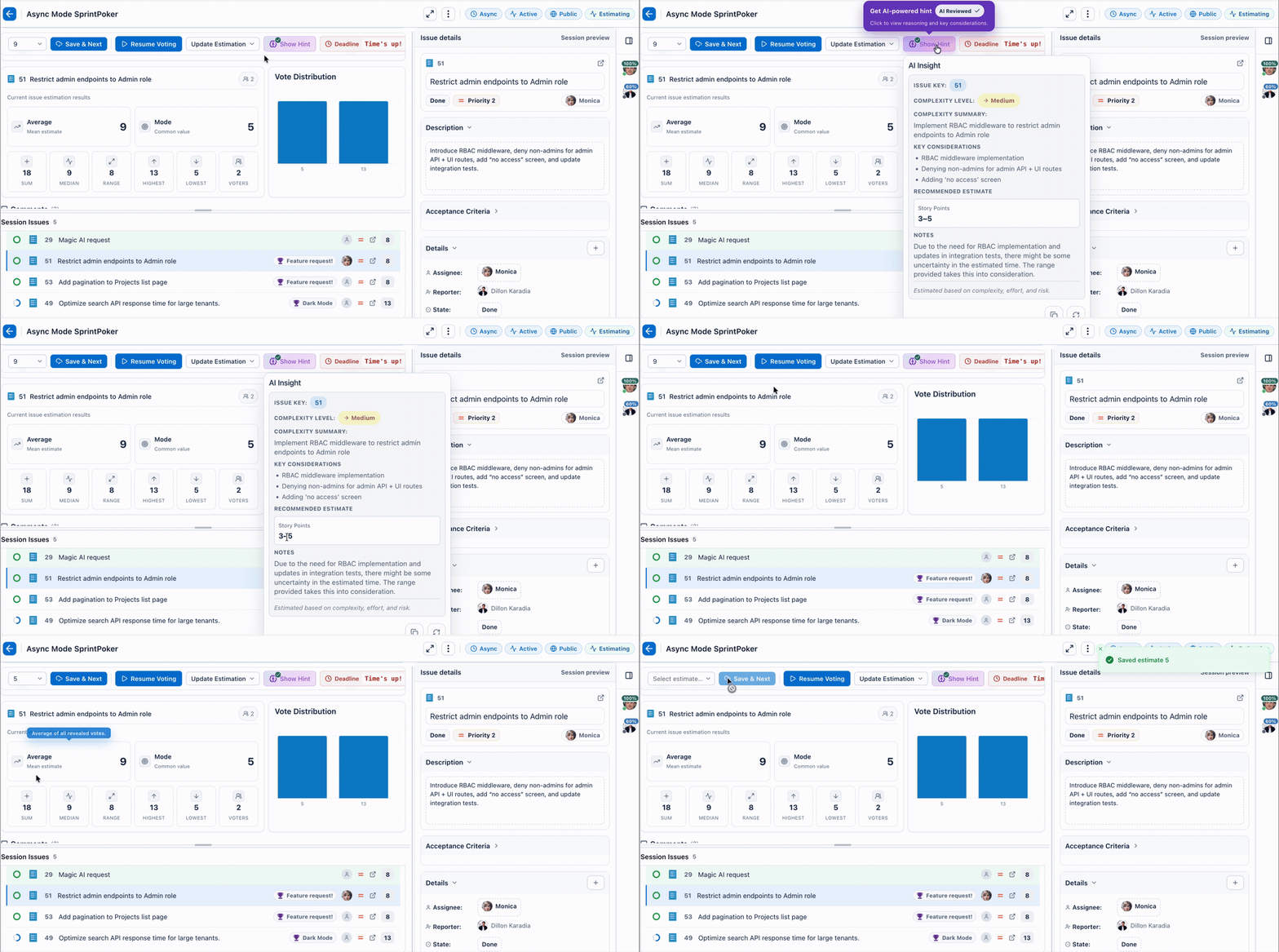
SprintPoker can provide optional AI-assisted estimation guidance to help teams start the right conversation.
AI hints can help highlight:
- Likely complexity level
- Key implementation considerations
- Effort and risk signals
- Suggested estimate range
- Supporting reasoning for the team to review
AI guidance is there to support the discussion — not replace the team's judgement.
Use it as a prompt for better conversation, faster alignment, and more consistent estimation.
Designed around estimation context
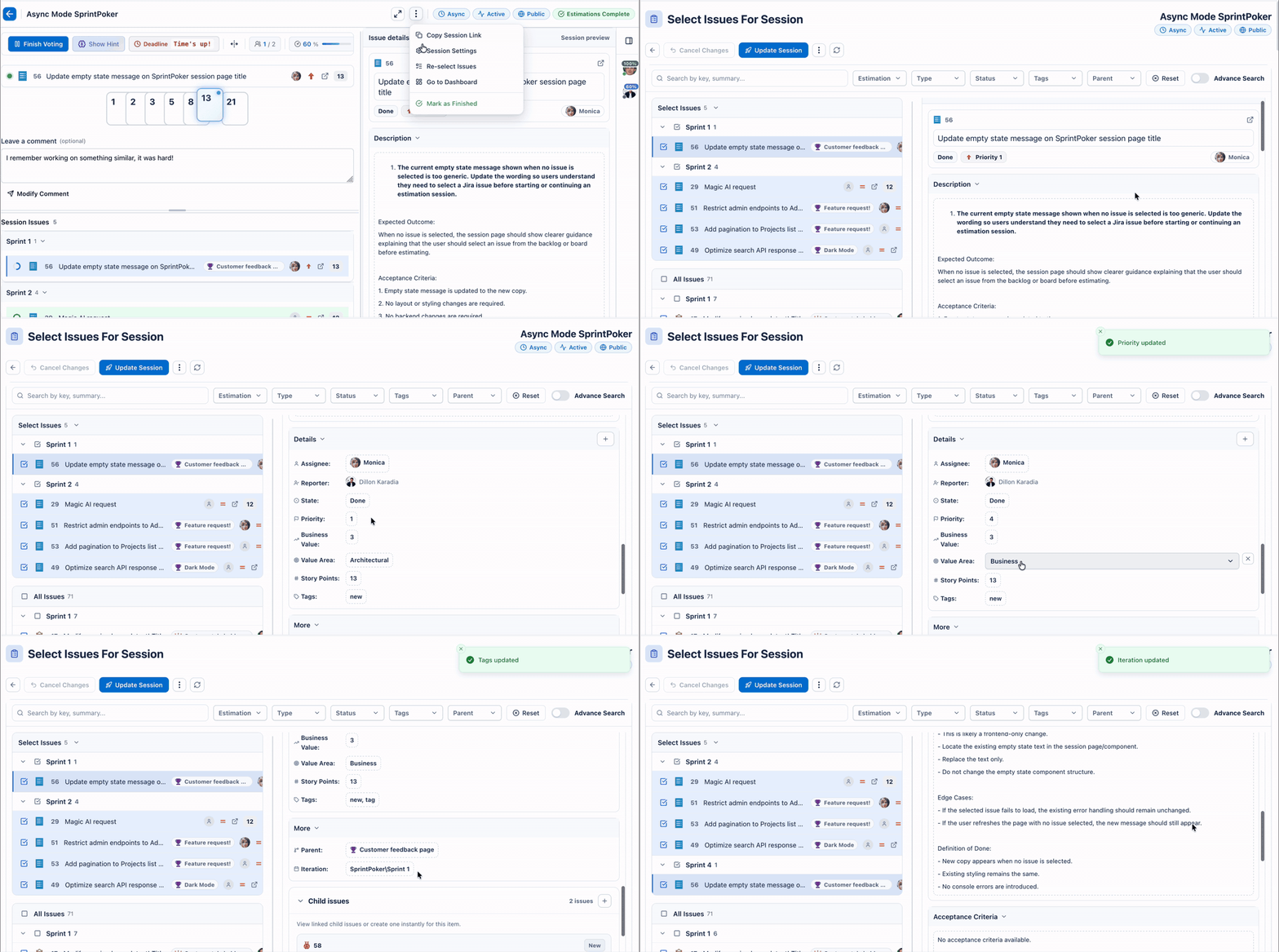
Estimating is easier when the right information is visible at the right time.
SprintPoker keeps estimation close to the work itself, helping teams review useful context without jumping between tools.
- Work item title and description
- Parent / epic context where available
- Sub-tasks and linked details
- Custom fields selected by your team
- Reference items used as benchmarks
- Matched historical examples where available
Flexible roles and session control
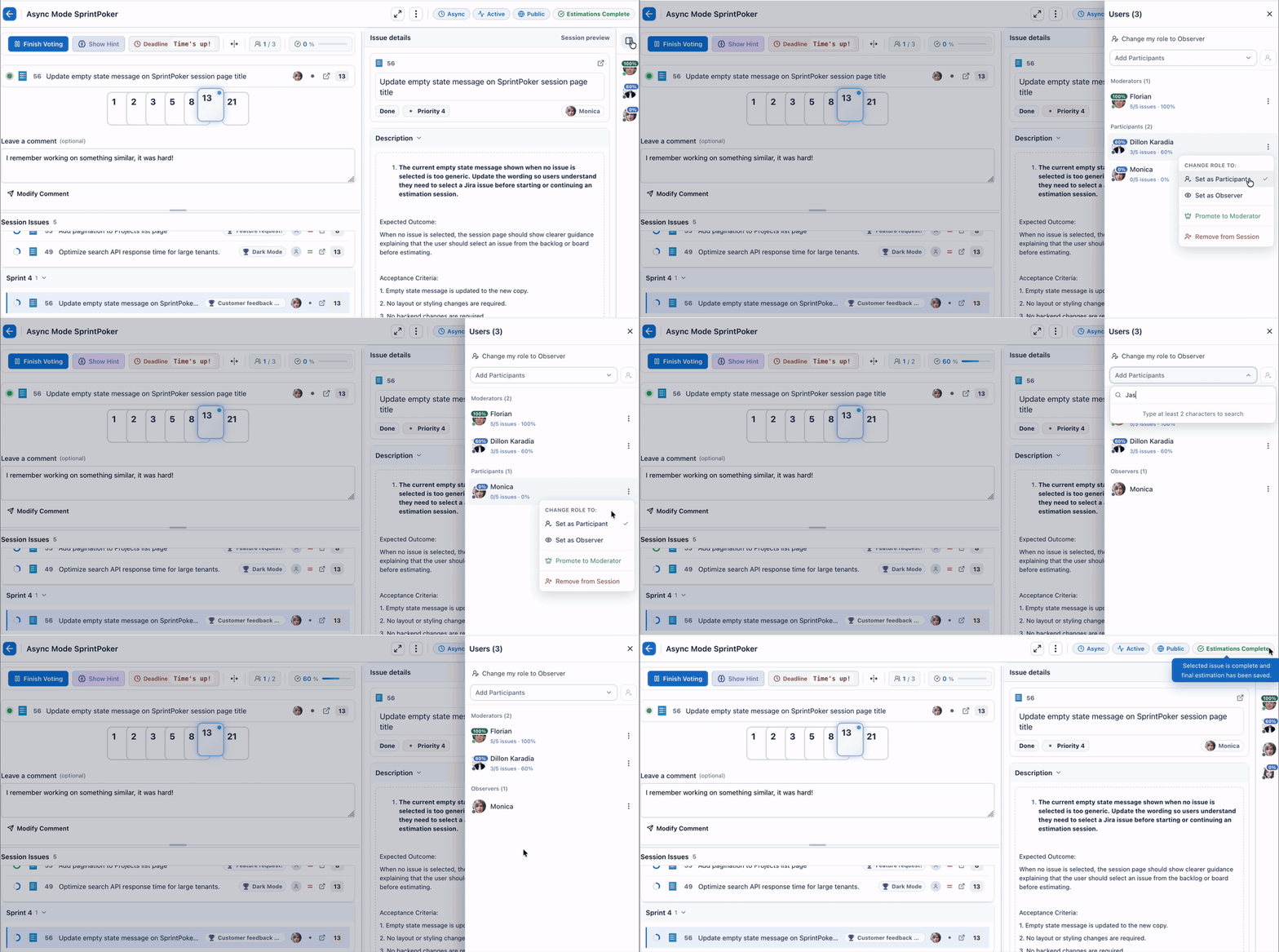
Keep sessions clean and controlled with clear roles.
| Role |
Best for |
Can estimate |
Can control session |
| Moderator |
Scrum masters, team leads, facilitators |
Optional |
Yes |
| Participant |
Team members estimating the work |
Yes |
No |
| Observer |
Stakeholders, product owners, silent reviewers |
No |
No |
Moderators can manage session flow, reveal estimates, save final values, and adjust participant access when needed.
Customisable for your team
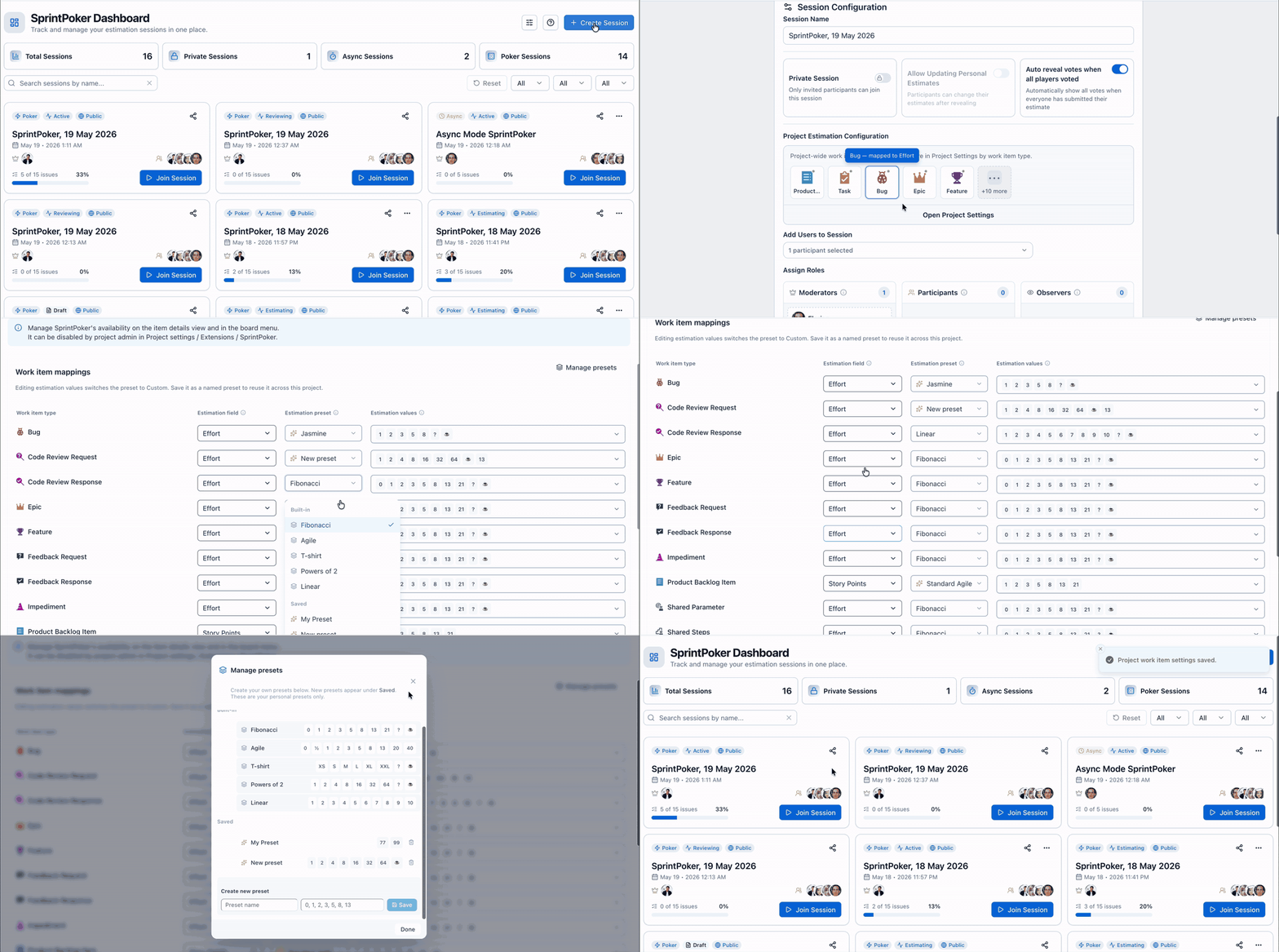
Every team estimates differently.
SprintPoker is designed to fit your process, not force a new one.
- Use Fibonacci, T-shirt sizing, or custom estimation values
- Select the Azure DevOps estimation field used by your team
- Configure session visibility
- Enable or disable optional AI features
- Control whether SprintPoker appears in the work item menu or details view
- Keep estimation settings aligned with how your teams already work
Built by Agile Pulse
SprintPoker is built by Agile Pulse, the team behind Agile planning and estimation tools used by thousands of teams.
We focus on practical tools that make planning, estimation, retrospectives, and delivery workflows easier inside the tools teams already use.
Start estimating smarter in Azure DevOps
Install SprintPoker, open Azure Boards, and bring fast, flexible estimation directly into your team's planning workflow.
Estimate better. Align faster. Keep planning inside Azure DevOps.


