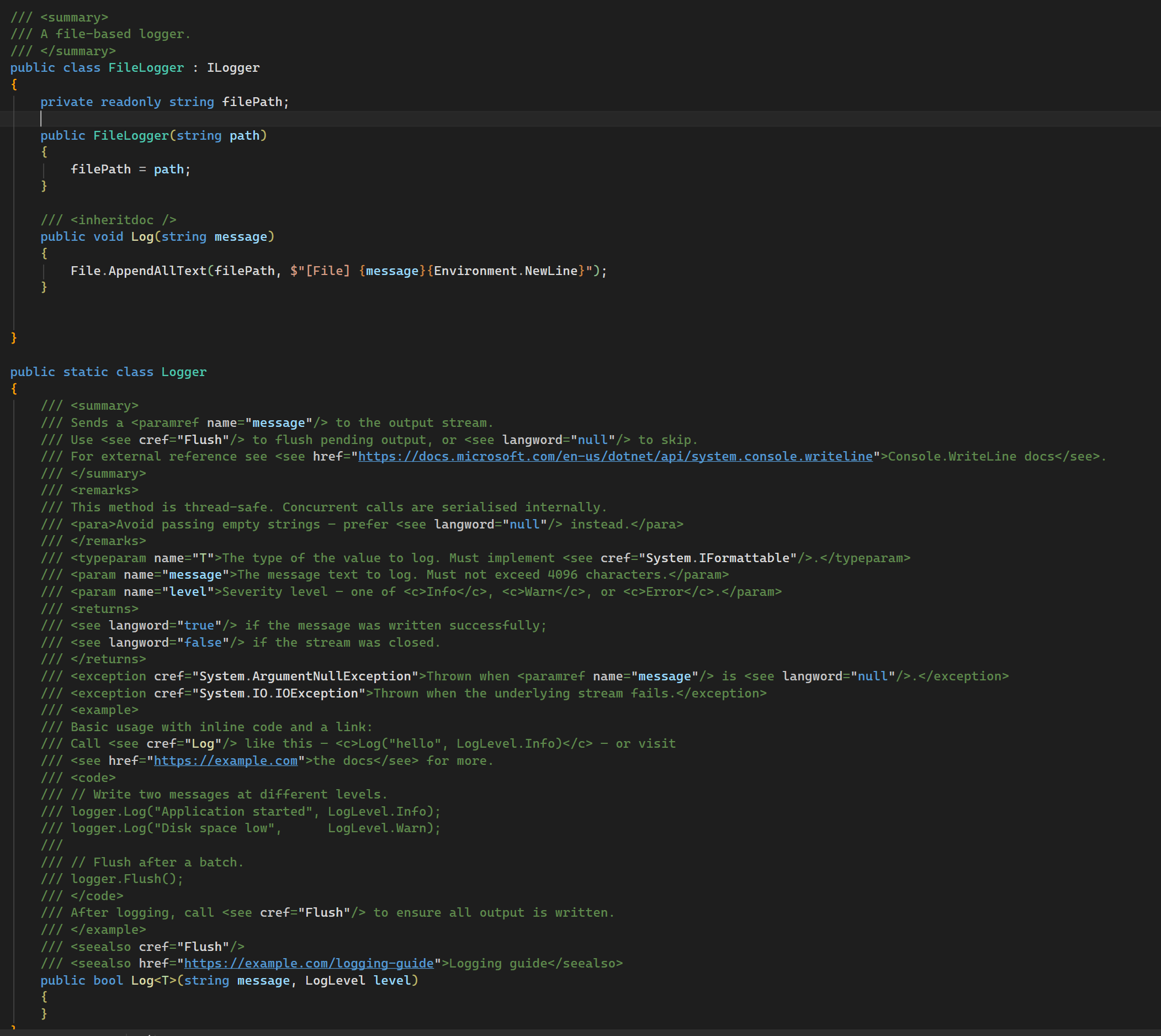
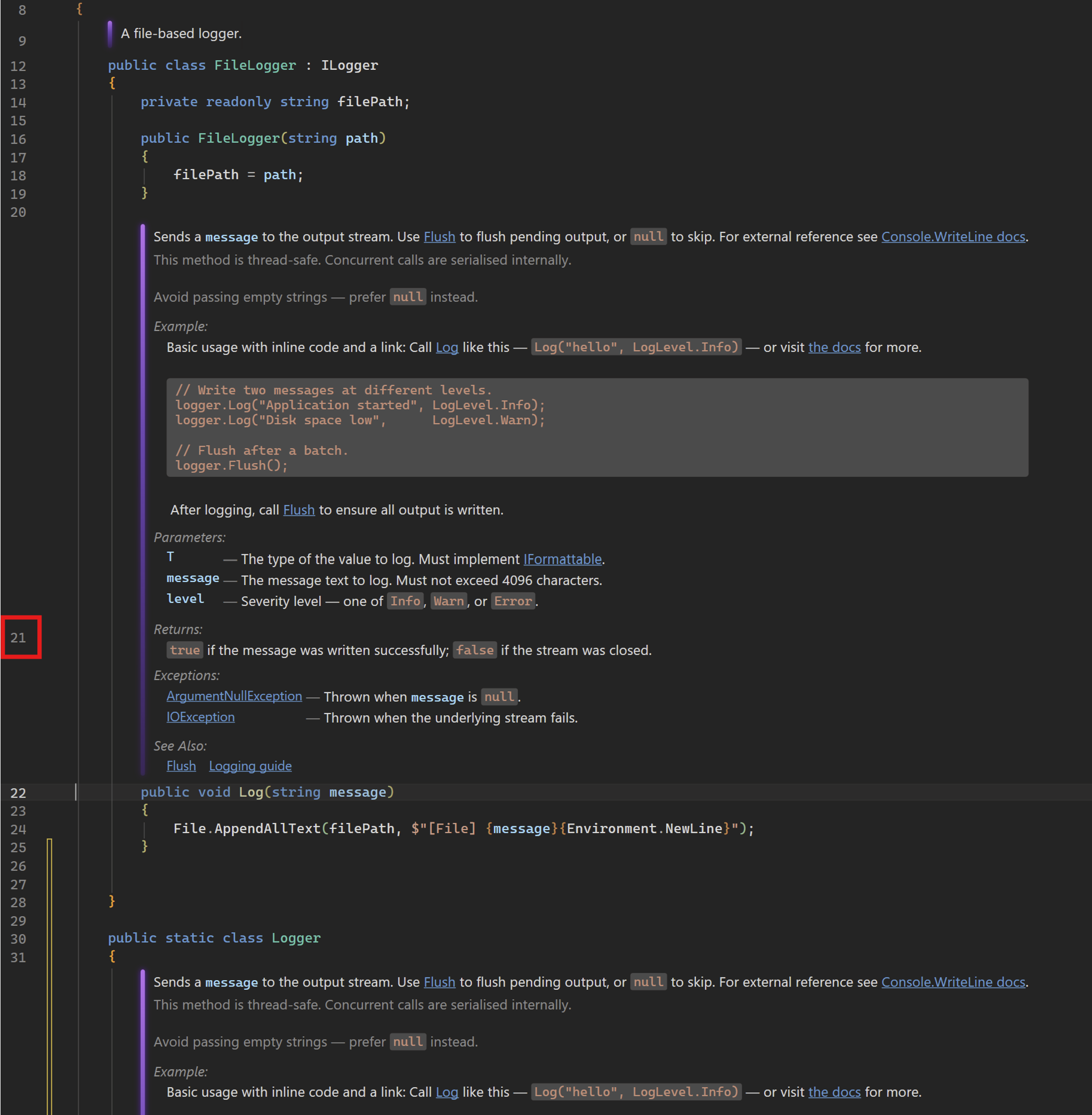
Render Doc CommentsPreviewRender Doc Comments provides a beautiful, interactive preview of your documentation that respects your IDE theme. Choose between Caret-based auto-hiding or a Premium Margin Glyph toggle. Includes clickable cref links and customizable accent bars. Lightweight and native feel. O... |

Render Doc Comments: Modernize Your WorkspaceStop reading raw XML. Start seeing your documentation. Render Doc Comments is a high-performance Visual Studio extension (Open Source) that transforms cluttered documentation comment tags into clean, beautifully formatted documentation blocks—instantly. It's designed to stay out of your way when you're coding and provide total clarity when you're reviewing.✨ The Interactive ExperienceWriting documentation shouldn't feel like looking at a configuration file. Our extension offers two distinct ways to manage your workflow:
Before After Before
After
After theme change Full class view Options
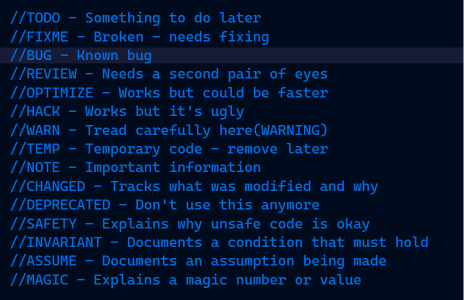
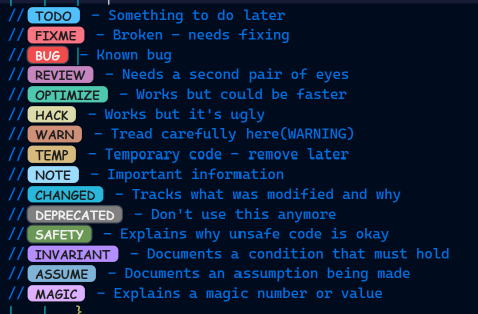
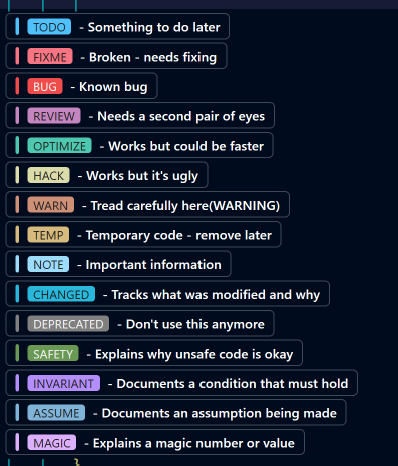
Tag Comments
After
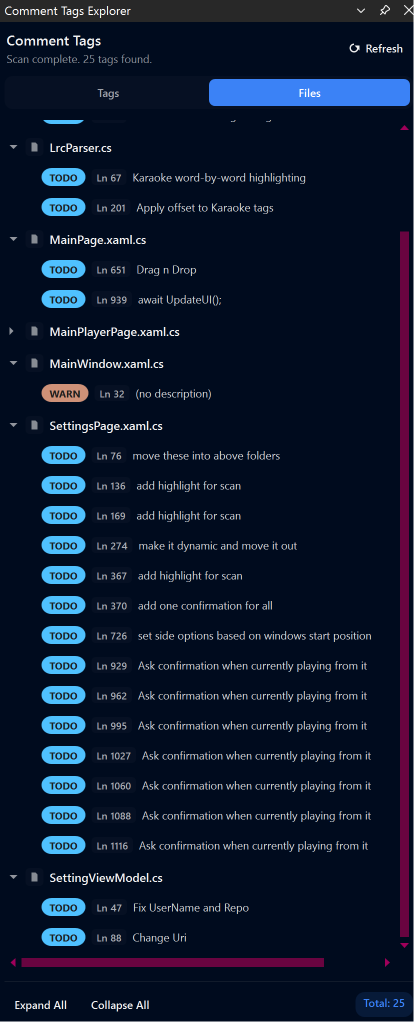
Comment Tag Explorer
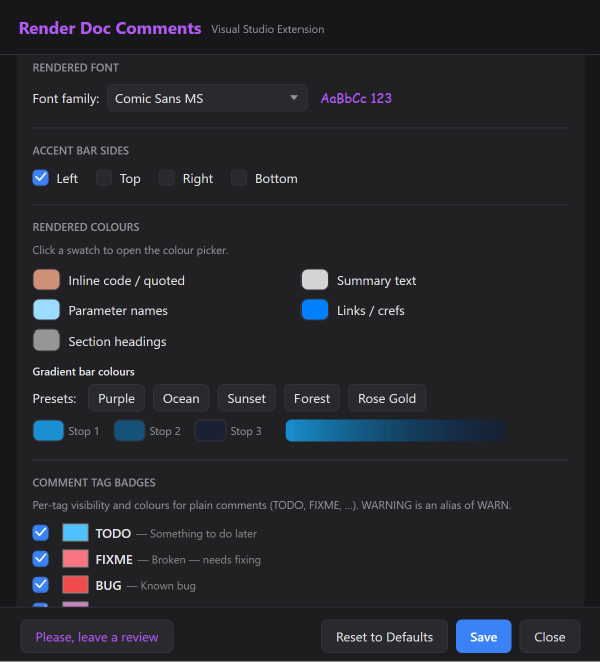
⚙️ How to CustomizeAccess all your settings and Premium features via: Extensions > Render Doc Options Access Comment Tags Explorer via: View > Other Windows > Comment Tags Explorer 🛠 Feature Comparison
Premium license is not a subscription. It's a one-time pay only license, which can be activated on 2 machines at a time. You can deactivate a machine to free a slot. To make life easier for your personal coding sessions as well as your professional coding sessions, activating the machine doesn't require any email or login. It just needs the license key. Email is only required on the checkout page to get the license key delivered. 🎨 Professional AestheticsBuilt to feel like a native part of the IDE, the extension uses a signature Purple Gradient accent to define your documentation boundaries.
🚀 Getting Started
⚖️ Licensing & Open SourceThis project is proudly licensed under GNU GPL v3. We believe in open-source transparency. The core rendering engine is free for everyone, while Premium features support the continued development of the tool. Elevate your code readability today — across every language in your solution. For any support, click here. For any issues, create a ticket here |