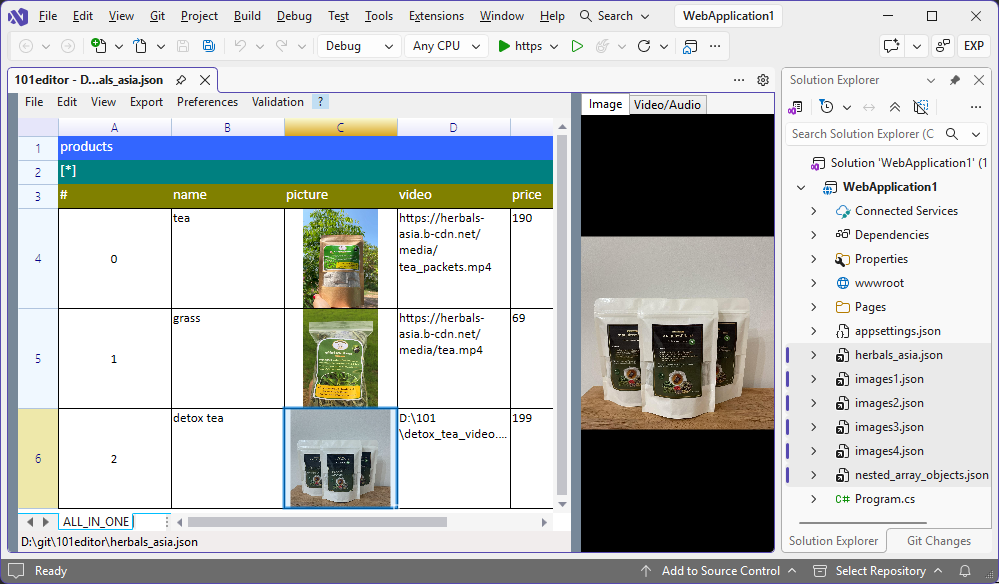
Preview images (.png, .jpeg, .gif, .bmp, .ico, .svg, .webp) files in the collapsible right panel
Preview embedded images in data URLs (“data:[][;base64],”)
Store downloaded image files in the local cache directory.
Export to CSV/XLSX/HTML
Allow the user to choose another file for export “File to Excel 2007/2003” when the current JSON is empty.
Fit base64-encoded image to cell size in “File to Excel 2007/2003” export.
JSON validation
Copy / Cut / Paste image cells.
Undo clear & reset actions on Array Index cell.
Undo the inline edit action on a single cell.
Added option to delete/edit/add property and array index by exact path (not just by path pattern)
Set ‘Empty Object’ cell to “false” after one of the neighbouring cells of the same JObject token has been edited.
The 101editor is freemium software (most features are accessible at no cost), not free trial software.
Notes:
The extension has permanently disabled VLC media player component (for lower RAM usage)
Due to significant differences in localization of Visual Studio extensions and standalone .NET applications, the change language feature is also disabled.
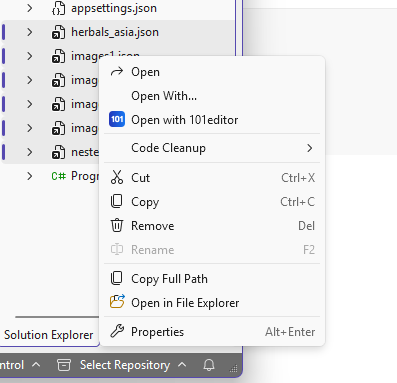
The 'Open with 101editor' context menu item may open the file in a standalone 101editor.exe. To activate this behaviour, please
3.1 Download the standalone version from the website;
3.2 Define a new environment variable 101editor, the variable value must be the full path to standalone 101editor.exe.
Screenshots:
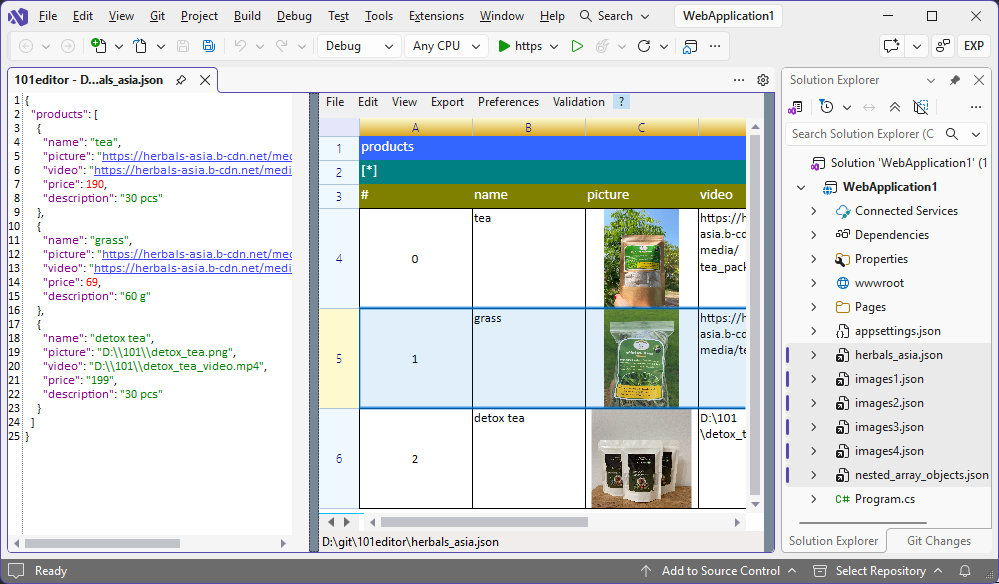
The text editor panel is visible
The image preview panel is visible
The 'Open with 101editor' context menu item is visible for the selected .json Project Items in Solution Explorer: