
Django Model LensInline intelligence for Django projects — reference counts, URL route mapping, model anchor badges, and CBV attribute gutter icons. Installation Launch VS Code Quick Open ( Ctrl+P), paste the following command, and press enter.Copied to clipboard |

Django Model LensA VS Code extension that brings inline intelligence to Django projects — reference counts, URL route mapping, and model/method visual anchors, all without leaving your editor.
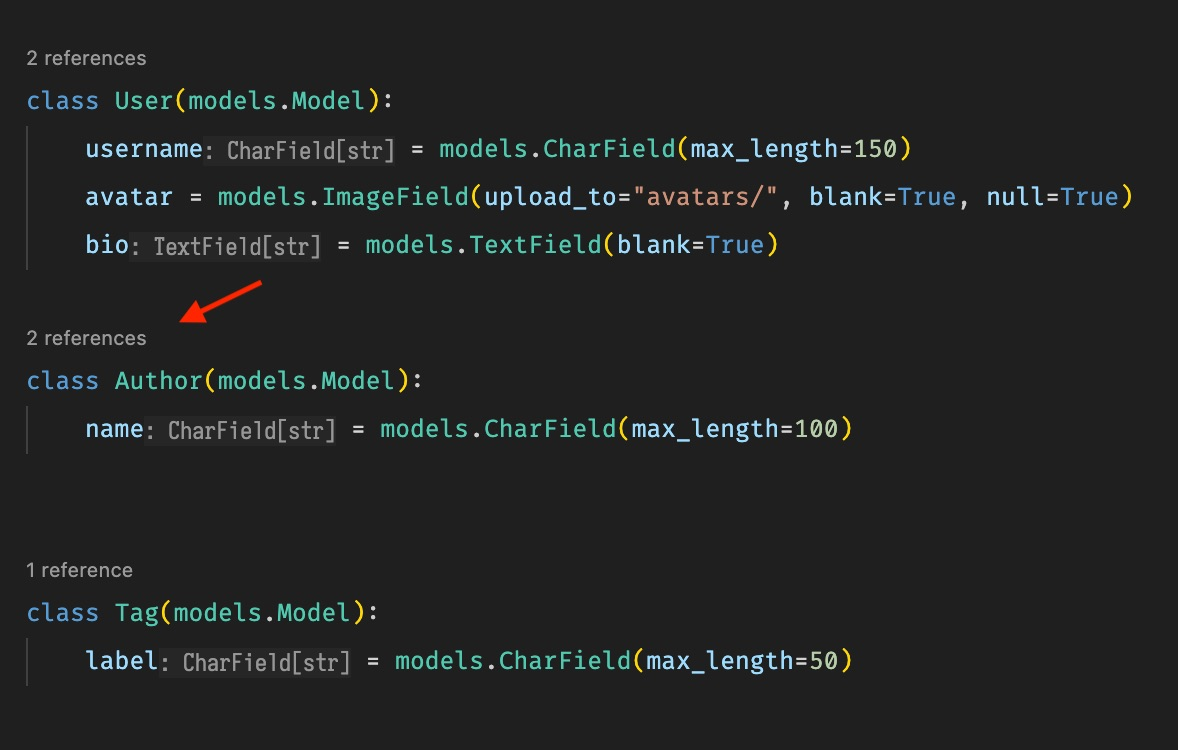
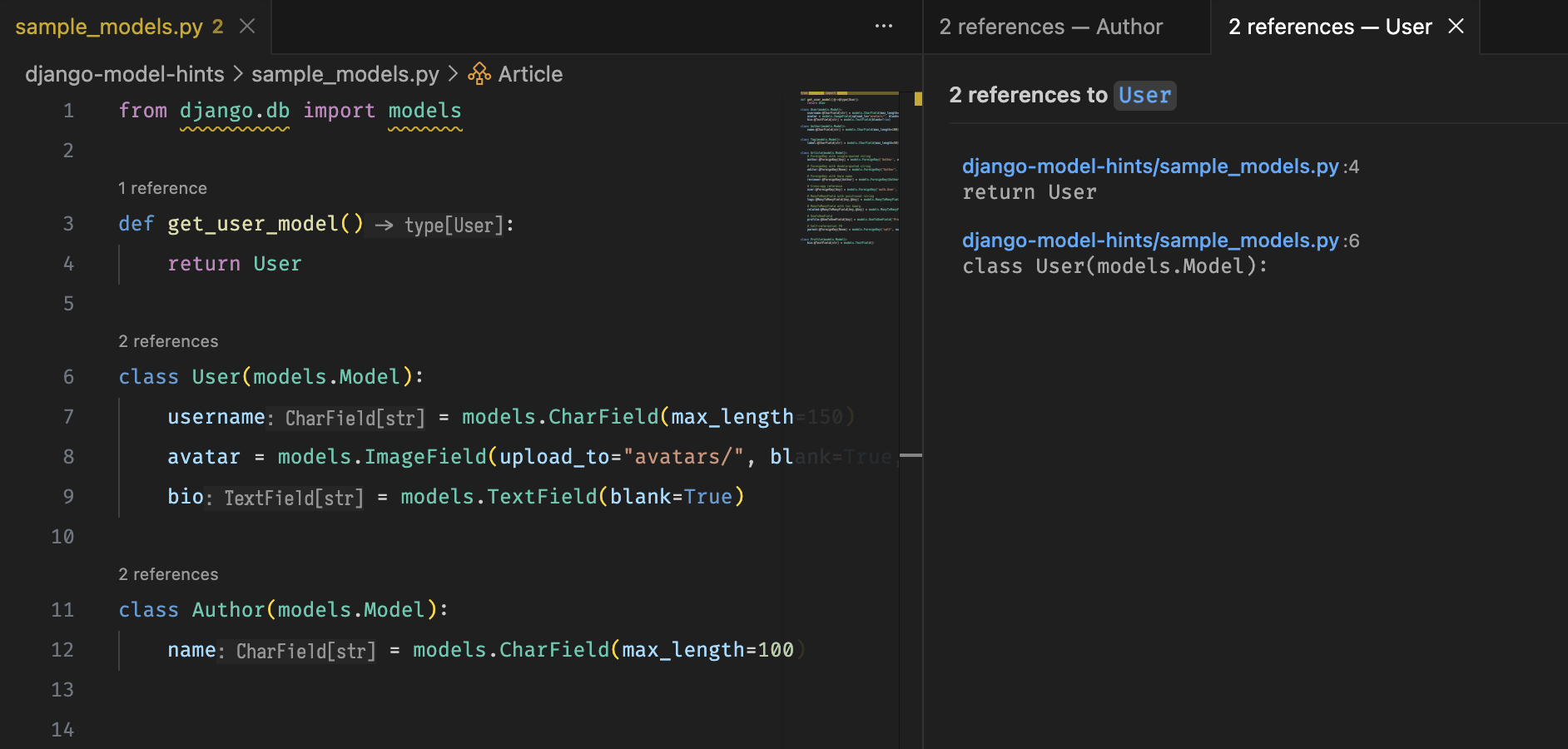
FeaturesReference Counts
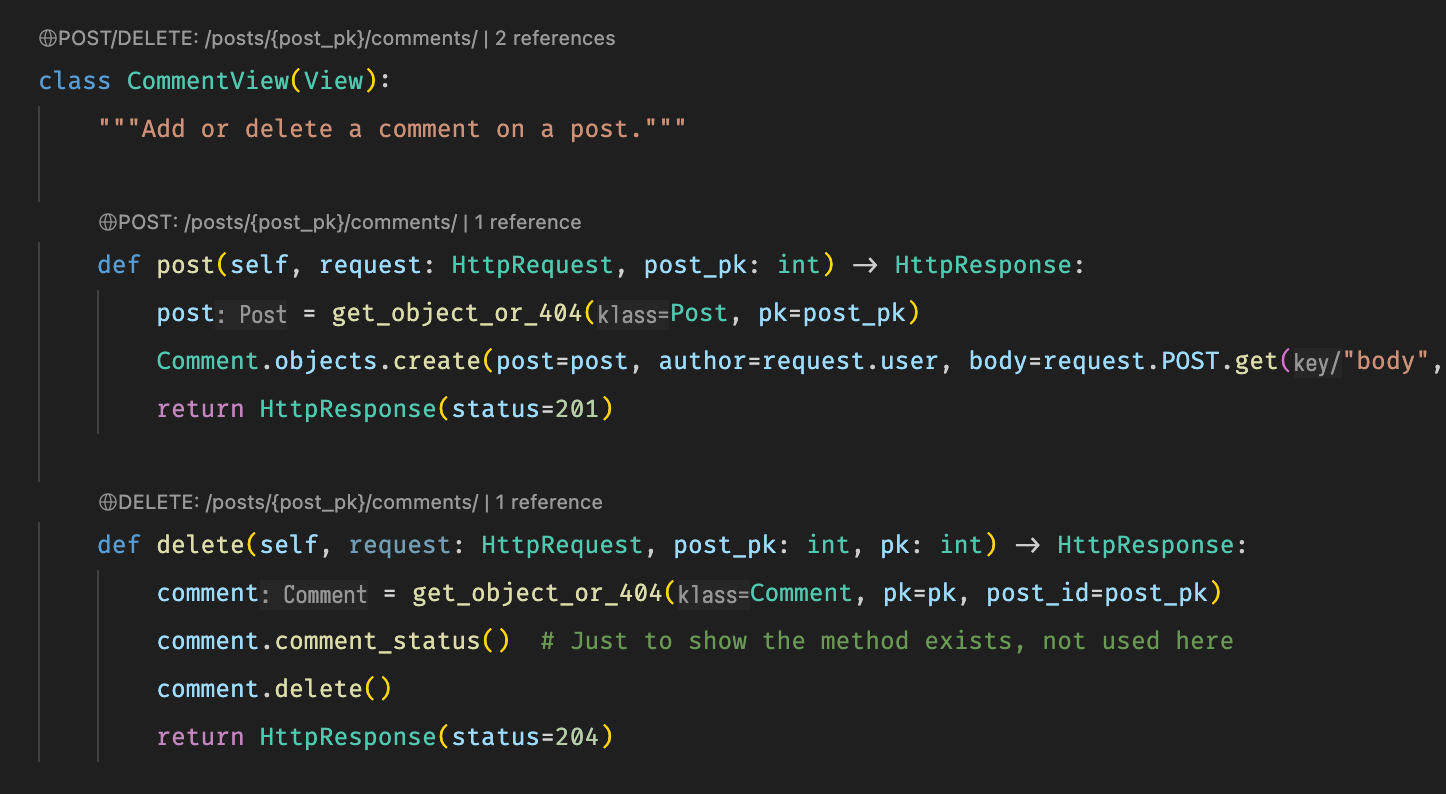
Reverse URL Routing MapperDisplays the mapped URL pattern(s) directly above each Django view, so you never have to switch to
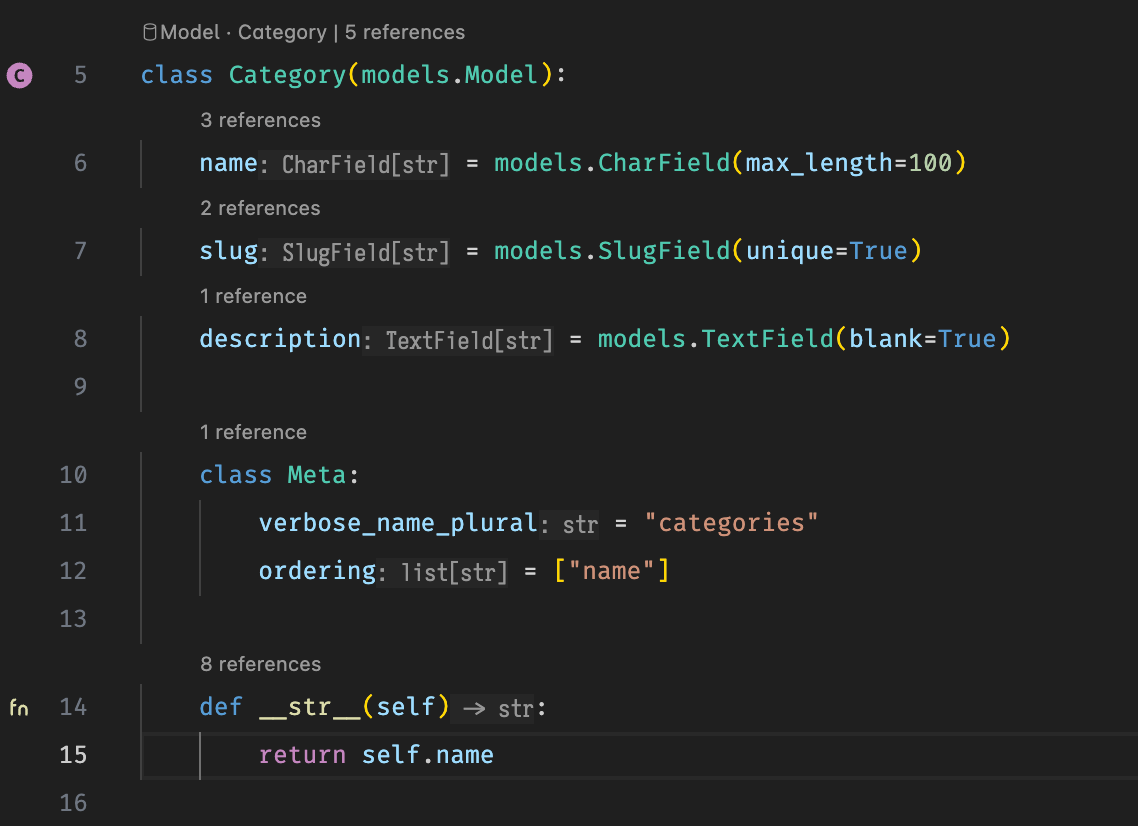
Model Anchor Badges (
|
| Icon | Appears on | Meaning |
|---|---|---|
 |
Every class Foo(Model): line |
Marks a Django model class |
 |
Every def inside a model |
Marks a model method or manager |
$(database) Model · ClassNameCodeLens badge above each model class — a non-clickable visual anchor that keeps model names visible without scrolling- Field reference counts — shows
N referencesabove everymodels.Field(…)assignment (e.g.username = models.CharField(...)) so you can see where each field is used across the project - Method reference counts — shows
N referencesabove every method defined inside a model class; click to open the references panel
CBV Attribute Gutter Icons (views.py)
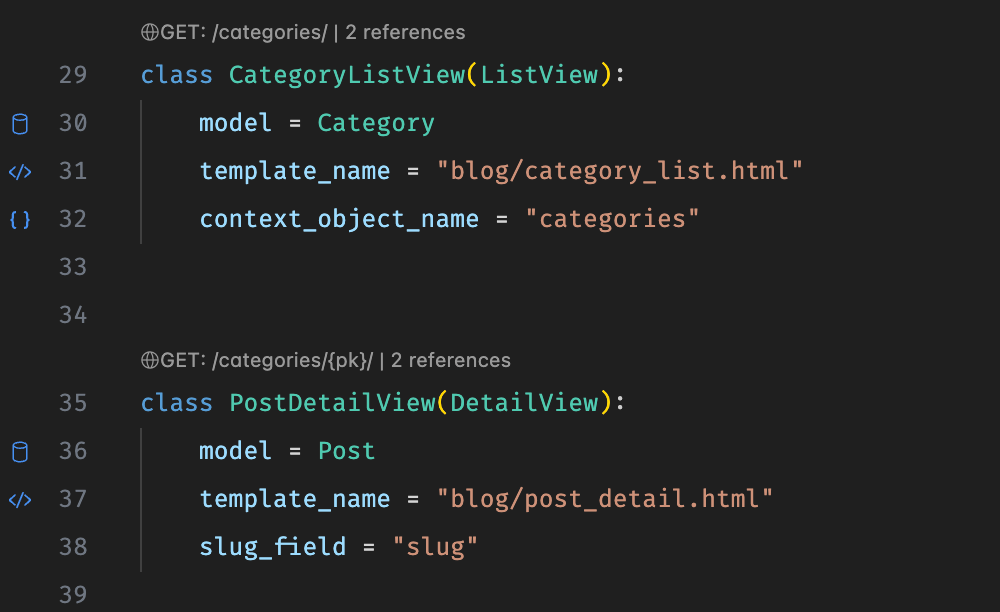
Adds colored gutter icons next to class-based view attributes in views.py for quick visual scanning.
| Icon | Attribute | Meaning |
|---|---|---|
 |
model = … |
The Django model this view reads from or writes to |
 |
template_name = … |
The HTML template rendered by this view |
 |
context_object_name = … |
The variable name used to access the object in the template |
Requirements
- VS Code 1.118.0 or later
- A Django project with
urls.pyandviews.py/models.pyfiles
Release Notes
0.0.5
- Added CBV attribute gutter icons in
views.py— blue database icon formodel =, code icon fortemplate_name =, and brackets icon forcontext_object_name = - Extracted SVG icon colors into named constants for easy theming
0.0.4
- Added field-level reference count CodeLens for
models.Field(…)assignments inmodels.py - Model method (
def) reference counts now appear inline within model class bodies
0.0.3
- Added Reverse URL Routing Mapper — per-view and per-method/action CodeLens linked to
urls.py - Added Model Anchor Badges — gutter SVG icons and CodeLens badges in
models.py
0.0.2
Added extension icon and Marketplace screenshots.
0.0.1
Initial release.