Skip to content
| Marketplace
Sign in
Visual Studio Code>Themes>Peanut ThemeNew to Visual Studio Code? Get it now.
Peanut Theme

Peanut Theme

Yasith Rashan

|
8 installs
| (0) | Free
A warm peanut-colored theme for a smooth, distraction-free coding experience
Installation
Launch VS Code Quick Open (Ctrl+P), paste the following command, and press enter.
Copied to clipboard
More Info

Peanut Theme

A warm, comfortable VS Code theme with carefully selected peanut-inspired colors. Available in both light and dark variants for a smooth, distraction-free coding experience.

Features

  • Two Beautiful Variants - Choose between light and dark themes, both featuring the same warm peanut color palette
  • Easy on the eyes - Warm tones and balanced contrast reduce fatigue during extended coding sessions
  • Thoughtful colors - Each syntax element uses distinct, purposeful colors that make code easy to scan and understand at a glance
  • Clean interface - Minimal UI styling keeps your focus on the code, not the chrome
  • Versatile - Works beautifully across JavaScript, TypeScript, Python, HTML, CSS, Markdown, and more

Theme Variants

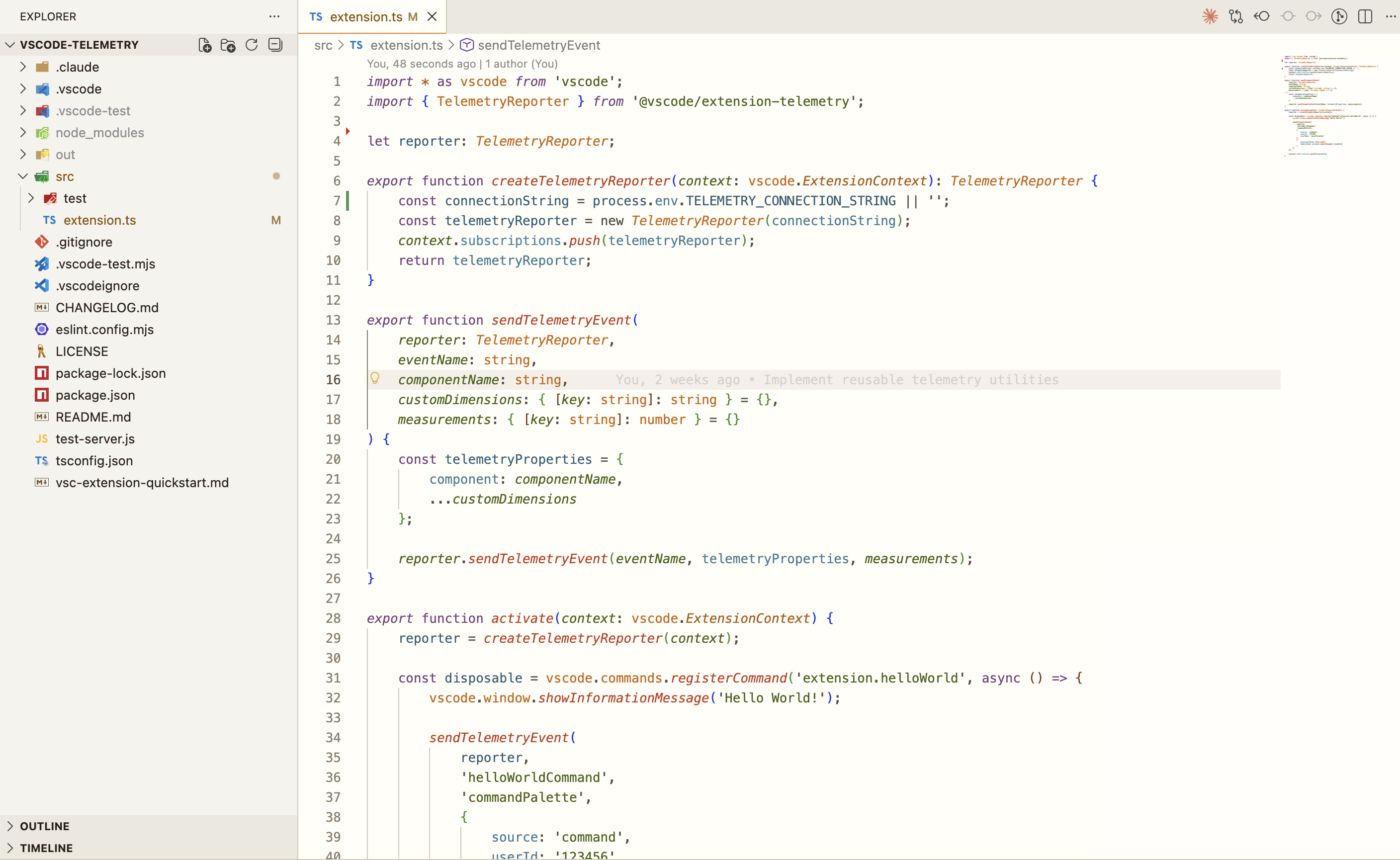
Peanut Light

Perfect for well-lit environments with a warm cream background and rich syntax highlighting.

Peanut Light Theme

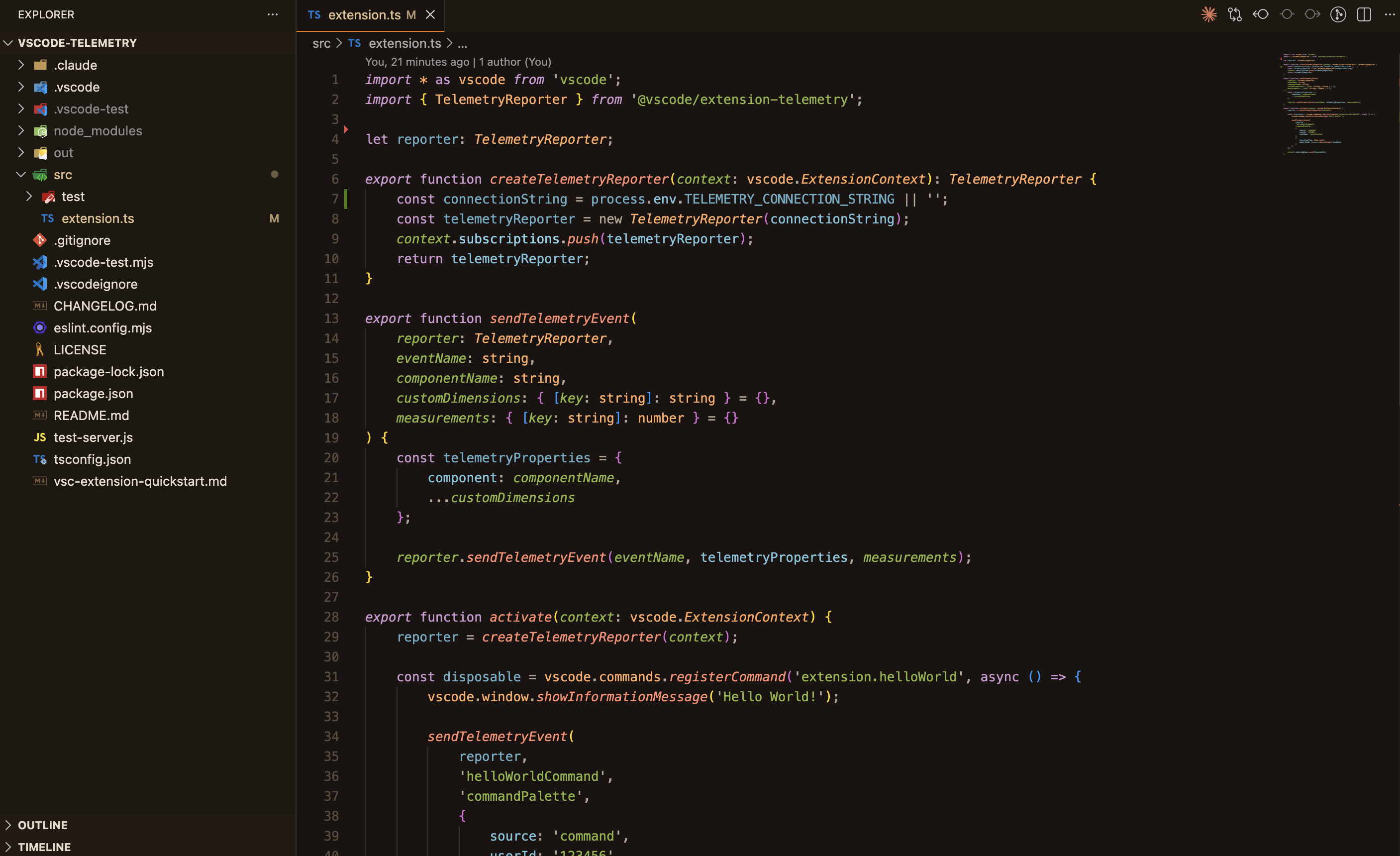
Peanut Dark

Comfortable for low-light coding with warm dark tones and vibrant syntax colors.

Peanut Dark Theme

Installation

From VS Code:

  1. Open Extensions (Ctrl+Shift+X or Cmd+Shift+X)
  2. Search for "Peanut Theme"
  3. Install and select your preferred variant from Color Theme preferences
    • Peanut Light for the light theme
    • Peanut Dark for the dark theme

Manual:

code --install-extension YasithRashan.peanut-theme

Color Palette

Both themes share the same signature peanut color palette:

  • Orange Accent (#FF8C42) - Used for highlights and active elements
  • Warm Browns - Primary text and UI elements
  • Rich Syntax Colors - Purple keywords, green strings, blue variables, red functions

Contribute

Issues and suggestions welcome at github.com/yasithrashan/peanut-theme

License

MIT © Yasith Rashan

  • Contact us
  • Jobs
  • Privacy
  • Manage cookies
  • Terms of use
  • Trademarks
© 2025 Microsoft